SlideMagic Blog

Frequent updates about all things presentations since 2008. Subscribe to never miss a post.

RSS
·SlideMagic

Small fix for online image search

The installation of the latest SlideMagic version with AI-powered image generation created an issue for some users where the access to online image search was blocked. It is easy to fix: log out, and back in again in the SlideMagic app and all should work. I deployed version 2.7.3 as well that eliminates this issue all together.

·Images

Useful OpenAI images

Most people use AI image generators to create something funny (a cat riding an elephant) or something artsy (a formula 1 car in the style of Van Gogh). This is not the primary motivation why I included OpenAI image generation in SlideMagic.

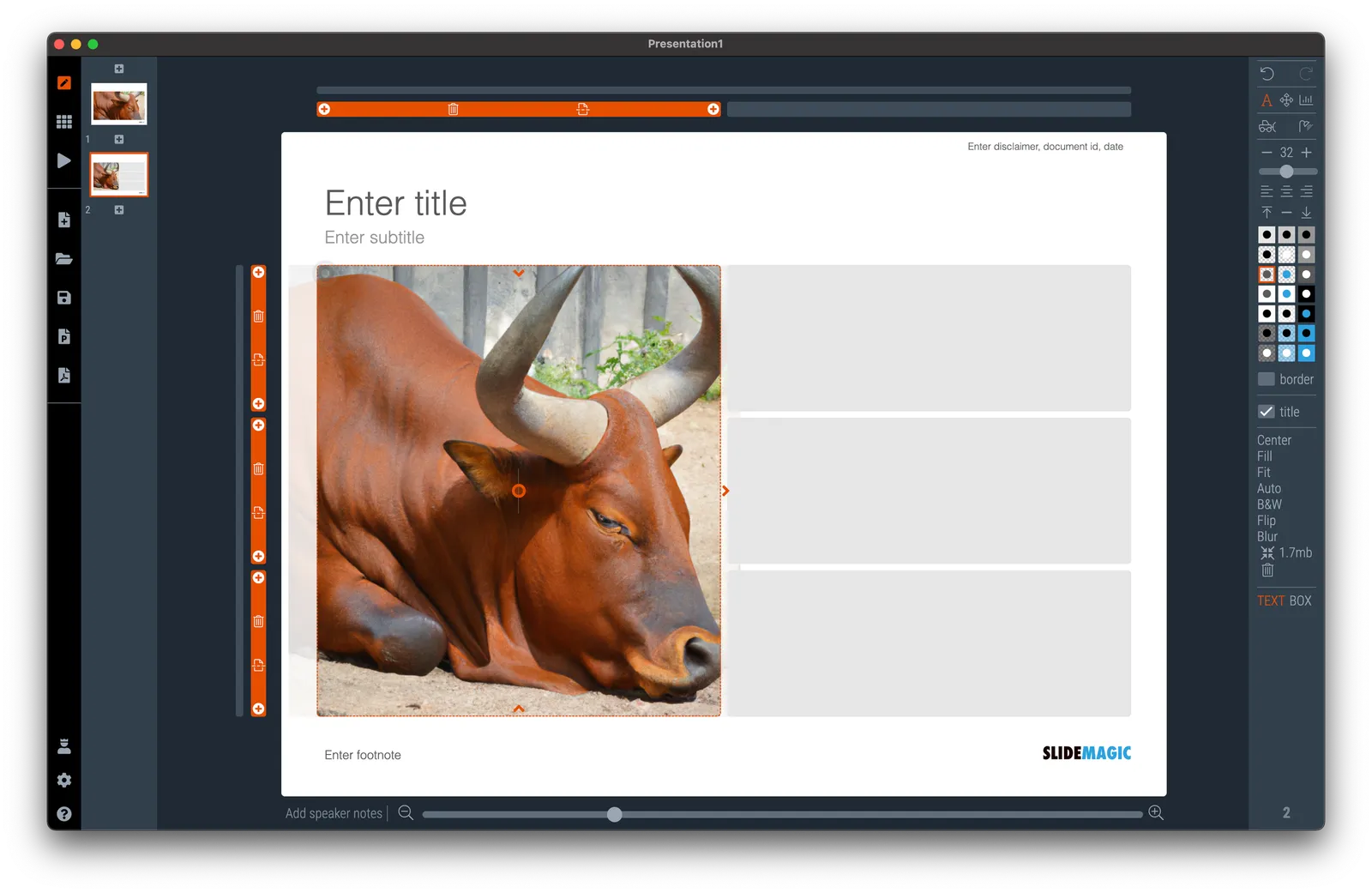
Image generators can be useful already in presentations, especially for image concepts that are relatively straightforward, but hard to find on stock image sites. The example that came along yesterday with an image of a ‘sleeping bull’ for a economics-related presentation. Perfect for OpenAI, see the result below.

·Culture

Design culture

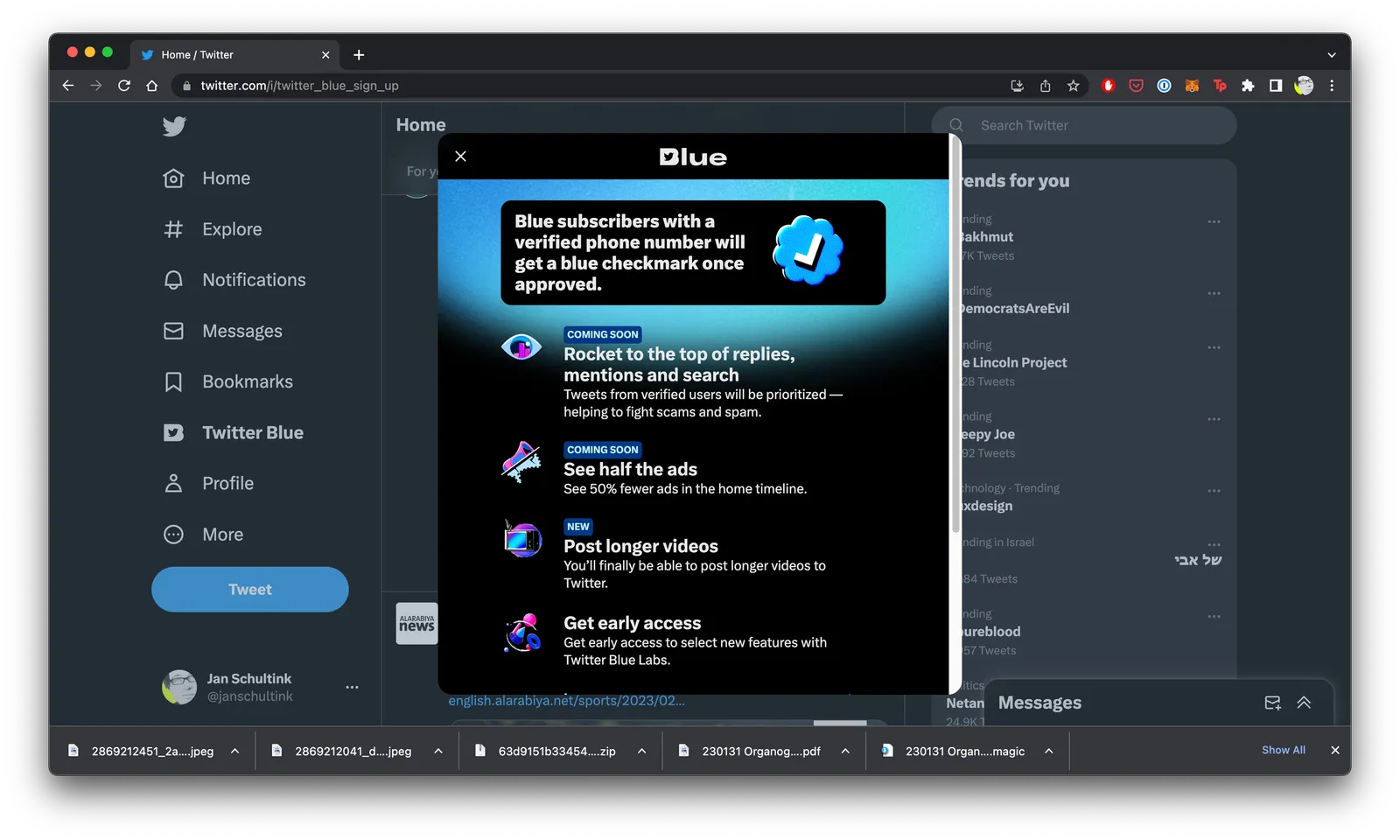
It is tricky to get a big company all aligned behind one consistent approach to design. Twitter is going through a lot changes: changes in strategy, changes in people, etc. You can see it in inconsistencies in the web site. Colors, language, layout, icons, other design elements, etc…

·PowerPoint

This presentation tool is not a presentation tool

PowerPoint, Google Slides are presentation tools that most of the time are actually not used as presentation tools. Rather people use them as a visual collaboration tool. The organization chart that needs to go into the deck forces the issue: it is time to agree on where the boxes sit and which lines (dotted or straight) go between them. The tiny footnote is essential to agree the strategy for the North America entry strategy etc.

The visual character of these programs makes them more useful to do this than word processors. Online collaboration adds another option to manage multiple pens in one document. Comments give a system to manage todo lists.

SlideMagic on the other hand is a presentation tool.

Image credit: Jay Cross on Flickr

·SlideMagic

PDF glitch fixed

There was a small glitch in SlideMagic’s PDF converter which has been fixed in version 2.7.2, updates should install automatically, if not, download a fresh version from www.slidemagic.com and you are good to go.

·Delivery

Convincing the decision maker

A big meeting is not the right setting to convince a single decision maker. A lot of her subordinates are around and showing doubt is showing weakness. So the interactions before that all-important presentation is where the real work gets done.

OpenAI image generation now live

I added Dall.E image generation as a fourth option to insert images in SlideMagic (next to Unsplash, Pixabay, and Noun icons). Maybe SlideMagic is the first presentation app in the world to integrate OpenAI, who knows.

Below you see how it works:

 Step 1: select ‘online’ as your image source

Step 1: select ‘online’ as your image source

 Step 2: add your prompt in the search bar of SlideMagic (usually you would enter image search keywords here)

Step 2: add your prompt in the search bar of SlideMagic (usually you would enter image search keywords here)

 Step 3: preview your image, it will take slightly longer for the result to come back given the amount of pixel processing that is going on

Step 3: preview your image, it will take slightly longer for the result to come back given the amount of pixel processing that is going on

 Step 4: click the image to add it in your presentation. The previous “AI” feature in SlideMagic should make sure that if the image is a portrait, cropping is done automatically and sensibly.

Step 4: click the image to add it in your presentation. The previous “AI” feature in SlideMagic should make sure that if the image is a portrait, cropping is done automatically and sensibly.

There are cost involved with generating these images, hence I switched on the feature for Pro subscribers only. Make sure version 2.7.1 of SlideMagic is installed for this feature to work. Your app should update automatically. If not, download a clean version from the web site and log back in to your account.

Continue reading →
·SlideMagic

Working on integrating OpenAI

Soon, SlideMagic Pro users will be able to create images using AI (DALL.E) right from within SlideMagic. The prototype is working (see screenshot), I just need to tidy up things a bit before a release to the public.

·Layout

Automated executive summaries

I am starting to think that in the not too distant future, pretty much everyone will toss any piece of business writing into some sort of ChatGPT bot with the question “what does he/she actually want?”, instead of reading the actual text. Too many bullet points, too many long-winded emails, too many lazy writers… Let’s use AI to cut to the chase.

With that, some new sort of SEO (search engine optimization) will emerge. The bots are available to anyone, so you can predict what the bots will say about your text, so people might actually start optimizing/writing text that will trigger the right kind of output by the ChatGPT bot.

But maybe that can be automated as well…

·Data visualization

The little details

I was busy doing a chart makeover of the following chart:

To get to this result:

To found out that the columns don’t add up. In case of the left column, it is probably a small rounding error, but on the right, something got lost in translation.

About errors:

  • Don’t blame the spreadsheet, you are presenting a chart, not your backup model. If there is a rounding issue, fix it manually (I usually adjust the biggest category, so 43.1 would become 43.0 in this case). I always argue to disconnect your chart from the spreadsheet for your final document.
  • Even tiny mistakes can make people doubt all the numbers in your entire deck. Number charts should be simple, and it is a 5 minute investment to quickly check them on a calculator. Worth the investment!

In this case, the hidden calculation error shows the flaw in the type of chart chosen. The stacked column is more intuitive and shows how things are related. For the horizontal bar, I had to think for a second to understand what it means, and I did not instantly spot the error.