SlideMagic Blog

Frequent updates about all things presentations since 2008. Subscribe to never miss a post.

RSS
all posts

Category Images

·AI

ChatGPT Images 2 beats Nano Banana

Another day, another model improvement. The latest visual model by OpenAI is now the gold standard for creating realistic image, beating Google’s Nano Banana (August 2025).

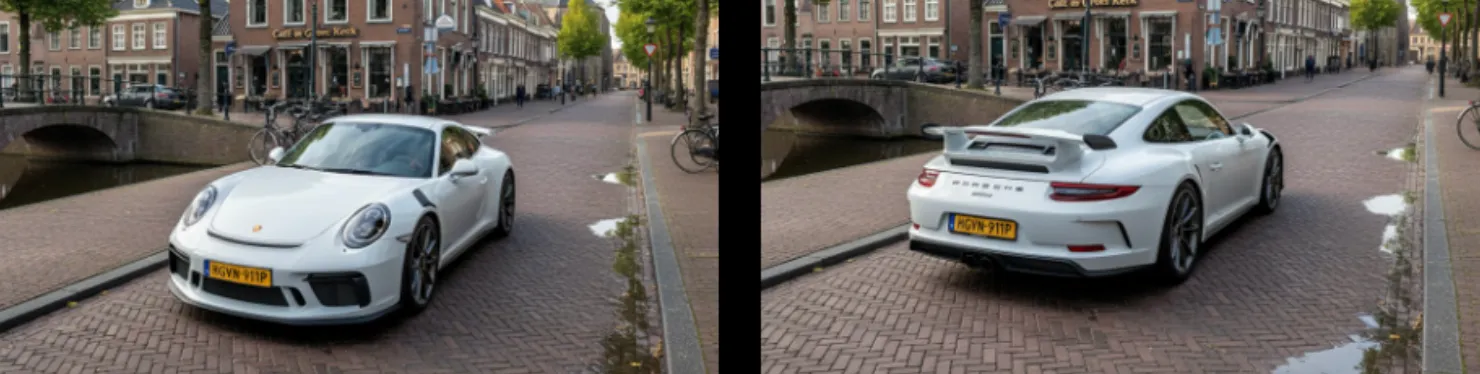
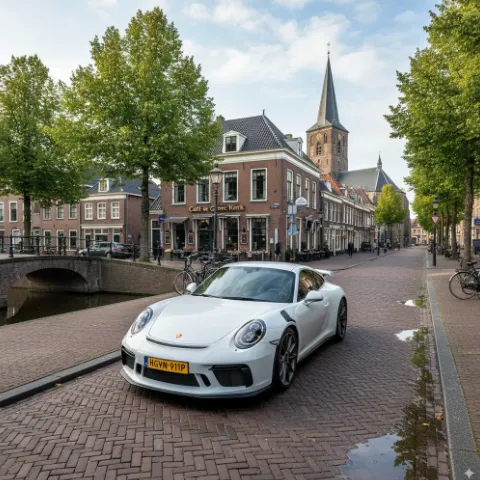
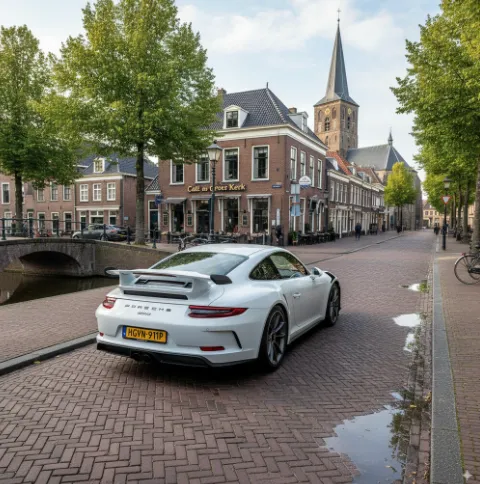
I prompted a “911 in Hoogeveen” back in an earlier post to Nano Banana (left), and the ChatGPT result today to the right. Nano Banana figured out Hoogeveen was a town in the Netherlands, and created a historical Dutch town as the backdrop, ChatGPT got the actual details of the town (which I recognize very well), but created its own mashup version of the city.
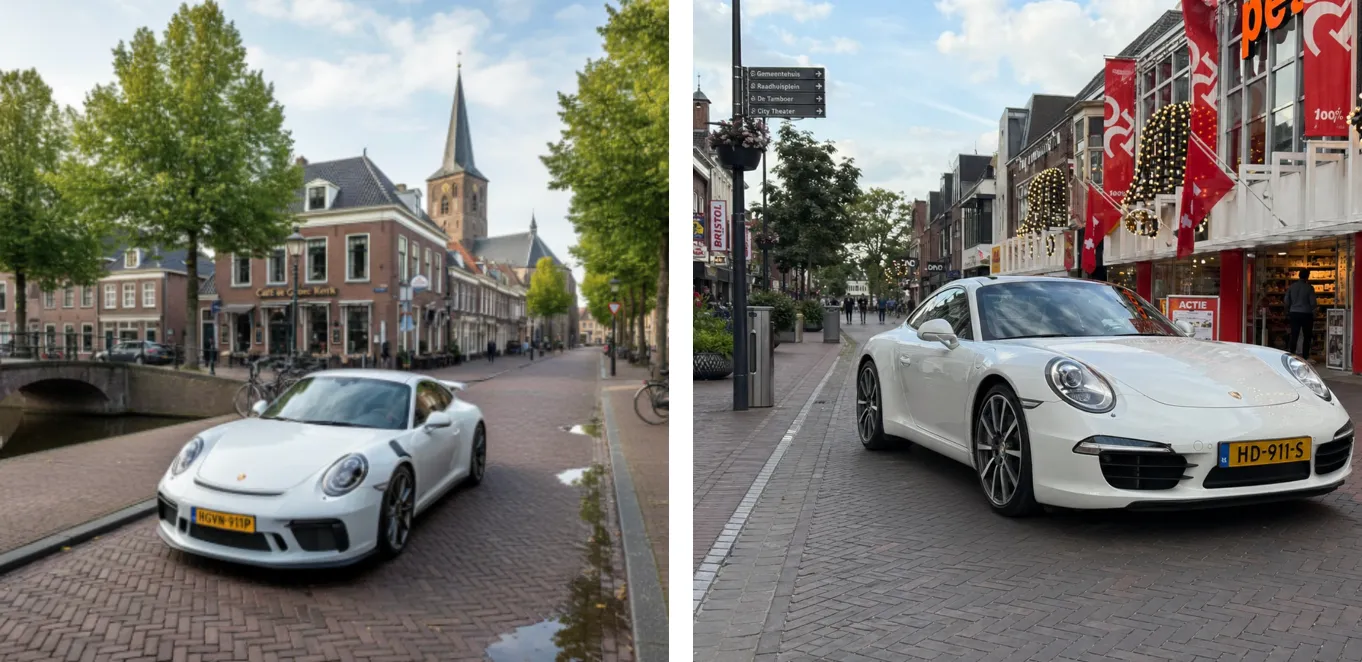
Text rendering is now great. Look at the traffic sign: correct spelling and places relevant to the town. The model is actually incredibly good at making slide in consistent on-brand format. Below the result of a request to transform a slide in a 1960s Swiss graphic design style. The catch: you get pixels not a file you can edit…
It achieves these results not by just being a better pixel generation model. The response to a prompt now involves reasoning about it, sketching a few raw options, ‘seeing’ (an LLM cannot see) the intermediary results, picking the best one, then producing the final result in pixels.

ChatGPT Images 2 is now the default model in ChatGPT, it will be used when you ask it to create an image. Set the model effort to ‘thinking’ to add more reasoning effort in the processing.

To be continued.

·AI

AI images are the new stock images

People are starting to develop a pretty good sense of whether an image “smells like AI”. The audience will notice when you use them just as visual fillers like you used to use stock images. (“Life-style conscious gen-z person working from the local cafe”).

Completely obvious AI renderings are comparable to clip art of the earlly 2000s. Hyper realistic AI images are similar to stock images, “something is off here”.

Apply the same approach to AI images as you did to stock images.

·AI

More Nano Banana

I worked with Google’s Nano Banana a bit more over the past days, and I think I understands what it is doing under the hood.

“Regular” imaging LLMs predict pixels, you give a prompt, the prompt gets translated into a series of tokens, and the model predicts the best matching pixels given the token input. A flat “soup of pixels” is the result. And because of that, it is hard to make small adjustments to an image, editing one particular aspect and leaving everything else as is.

I suspect Nano Banana works with layers. The model tries to understand what aspect of it refers to the bottom of the pile (the background) and what elements go on top. As a result, it is possible to make very precise edits to individual objects in the overall composition of the image.

In order to make a coherent image, the model needs to have a good understanding of the 3D perspective of the background, and all the objects above it. Like the example about the Porsche in a Dutch town in my previous post, the car gets rotated, and pasted back into the background image with the correct vanishing point in mind.

 Vanishing point is preserved when making edits to the image

Vanishing point is preserved when making edits to the image

What the model cannot do is change camera position. view the entire image from a completely different angle. Zooming in and zooming out works. An example is the cover image of this post, where I took an image from the band of my son (Project71) and put them on a big stage. I could not get the model to produce a view from the audience given the image it already produced. (Starting from scratch with an explicit prompt for an audience view would have worked of course).

Continue reading →
·AI

Nano Banana

I just played around with Google’s “Nano Banana” AI image generator, and it is incredibly good and useful for presentation design.

Current AI image generators take a prompt and predict pixels. Ask for a modification, and a whole new bunch of pixels get generated, redoing the entire image. Nano Banana (we need a better/shorter name), seems to work with layers and objects, and keeps things consistent.

Below 2 quick examples:

 “White Porsche in Hoogeveen”

“White Porsche in Hoogeveen”

 “Turn it around”

“Turn it around”

Some observations:

  • Super fast, the first image was an almost instant response
  • Hyper realistic image, does not look cartoonish
  • Correct text: the name of the cafe, the license plate, the branding of the car
  • (That town looks Dutch, but it is not Hoogeveen)
  • But most importantly: isolated editing, changing one thing and leave everything else the same

Photoshop, it was nice meeting you…

I will study the API structure of Nano Banana and see whether I can swap out the image generator in SlideMagic.

Impressive! You can try it out in Google AI Studio

·Images

Visual coincidence

Photographer Ray Giubilo snapped this image at the current US Open Tennis tournament. Searching for “Jasmine Paolini” might come up with this result for the next few years….

·Images

The crop of Trump's post attack picture

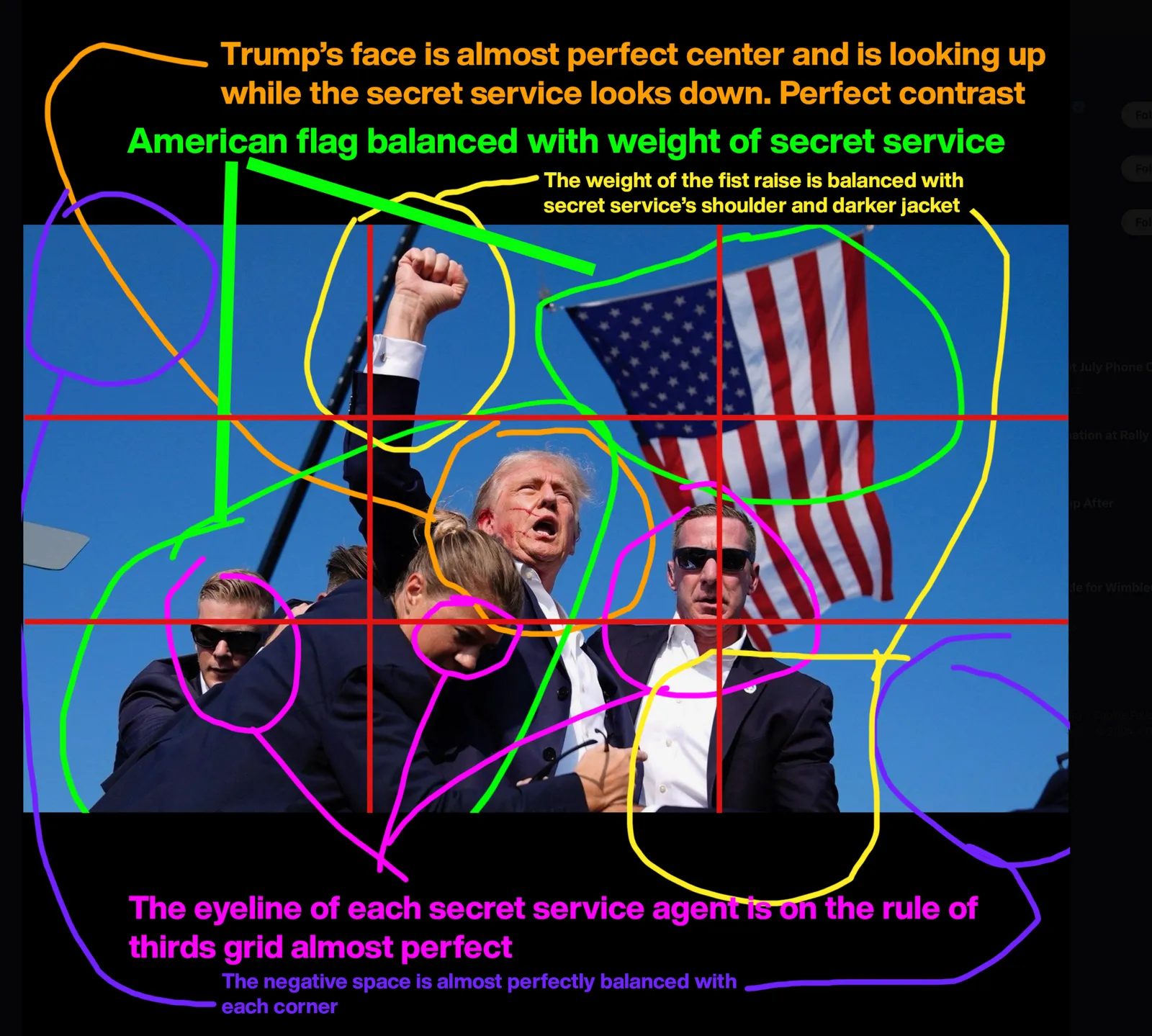
This image will go in the history books anytime the election of 2024 will be discussed. Image credit: Evan Vucci , image analysis: David Altizer

The trick here is cropping. A good photographer will have a good first start when snapping the image, but adjusting things slightly afterwards can add a lot.

·Images

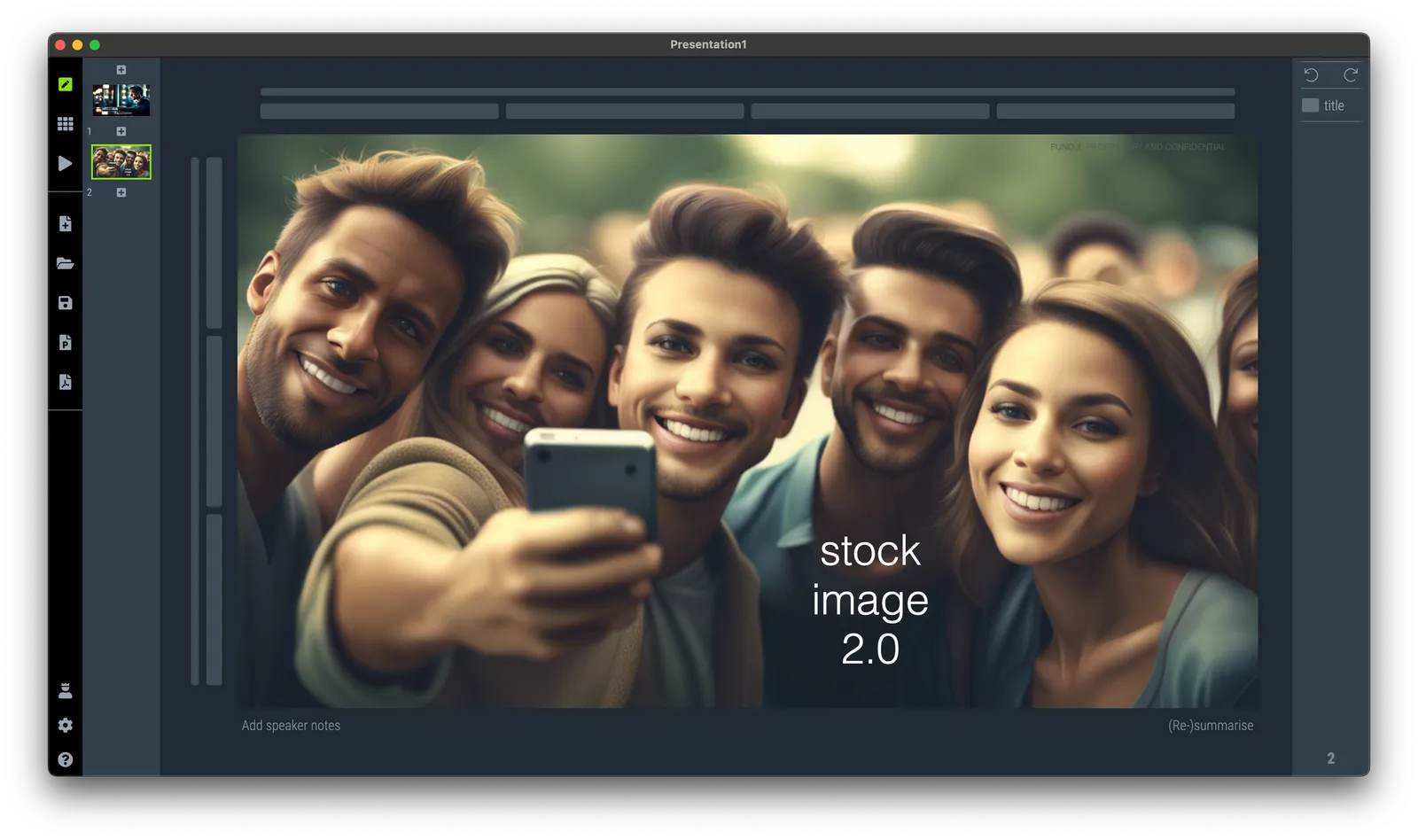
Stock image 2.0

Stock images can be cheesy and cliche, and the current AI image generators are trained on tons of stock images. So if you ask for an image using a stock-image-like prompt, you will get a stock image…

Stock images can happen to the best of us, above, SlideMagic had a go at “a happy group of young adults taking selfies”.

·Images

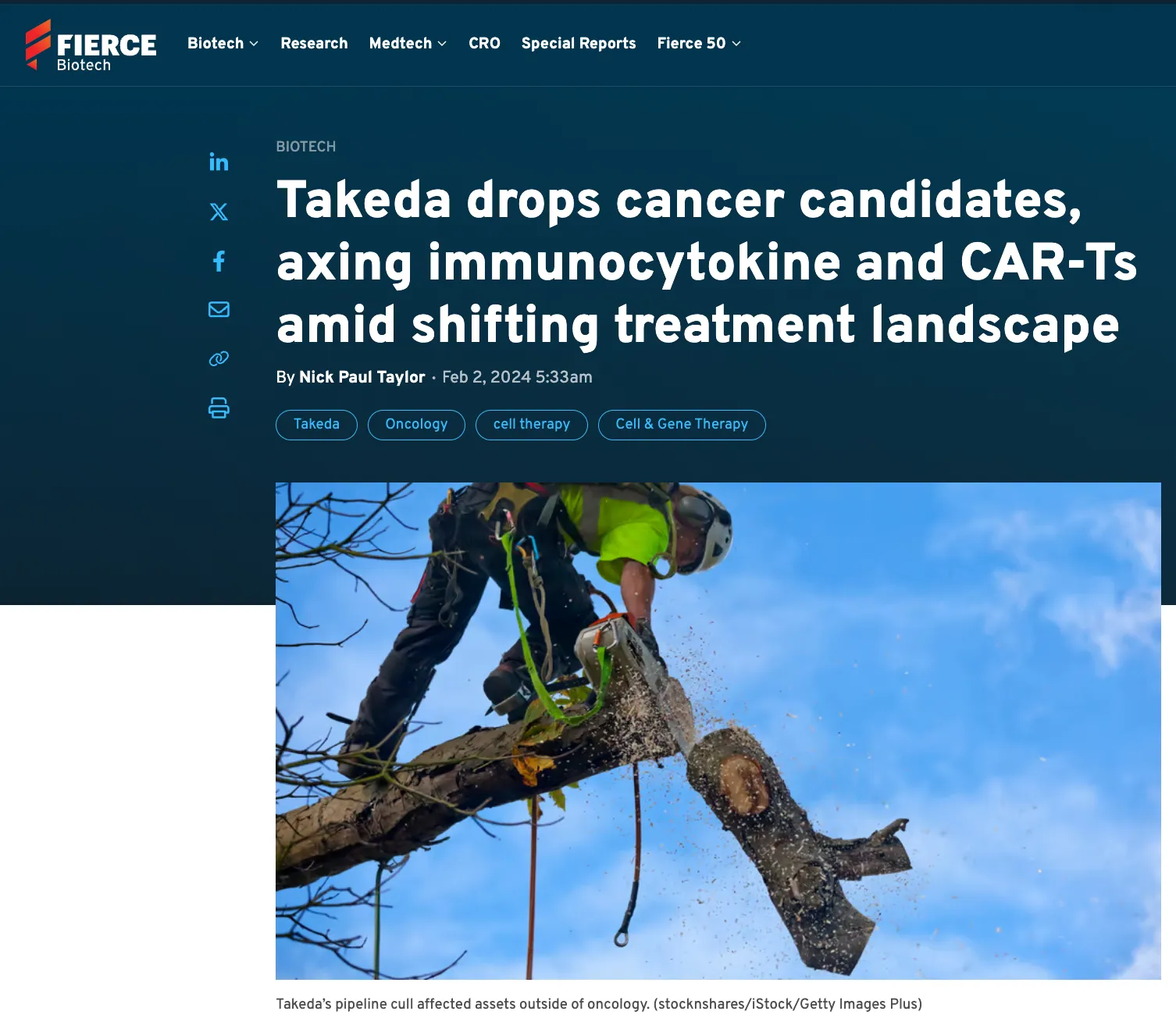
Image cliches

See below a screenshot of a news article discussing a pipeline review of a pharmaceutical company. Some drugs will be cut and the editor added an image of a worker chopping a tree.

Not sure about this. For this type of publication and news, another cliche image of the main entrance of the corporate building with a big logo might have been more appropriate.

·Images

Zoom out

Professional photographs of your team can give a great lift to your presentation or web site. Either individual headshots all in a consistent style, or even better, a group photo of your entire team in one place.

A good photographer will do two things: firstly, make sure that the technicalities such as focus and lighting are perfect, and secondly, try and create interesting crops and compositions.

Having a photographer set your image crop in stone might not always be good though. What looks great in a 4:3 view finder of a camera, can look suboptimal on web sites that need to handle unusual screen sizes, all the way from big widescreen TVs to small smartphones.

The problem usually is that the center composition will stay constant (the subject area of your team that will probably occupy a 4:3 rectangle or square in the middle of your image), but the background can have vastly different aspect ratios.

The solution: have your photographer take a snap which the crop she prefers, but always add a second one completely zoomed out as a backup.

If you forgot to make that second image, you might have to revert to AI tools such as Adobe Firefly to add the missing pieces of background back in.

·Images

Adobe Firefly review (AI in Photoshop)

Firefly is Adobe’s stab at generative AI. I had a quick look at it an and am pretty impressed.

Most current AI image generators make either very cute artificial / fantasy / cartoon style photos, or allow you to create crazy / unreal compositions. For example: creating compositions you would not normally see (an elephant riding a bike), or mixing styles (the US president soloing on a guitar in the style of Van Gogh).

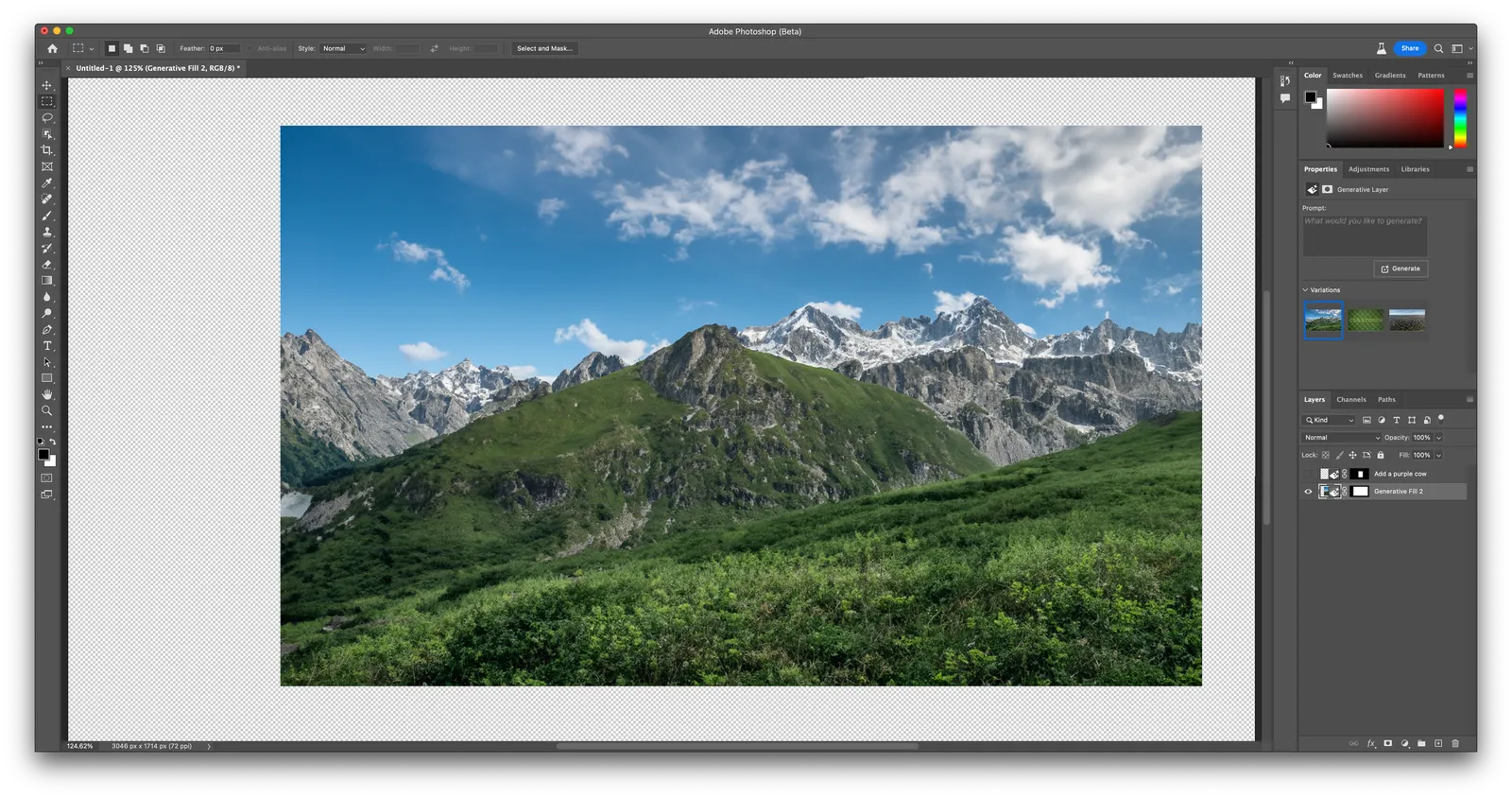
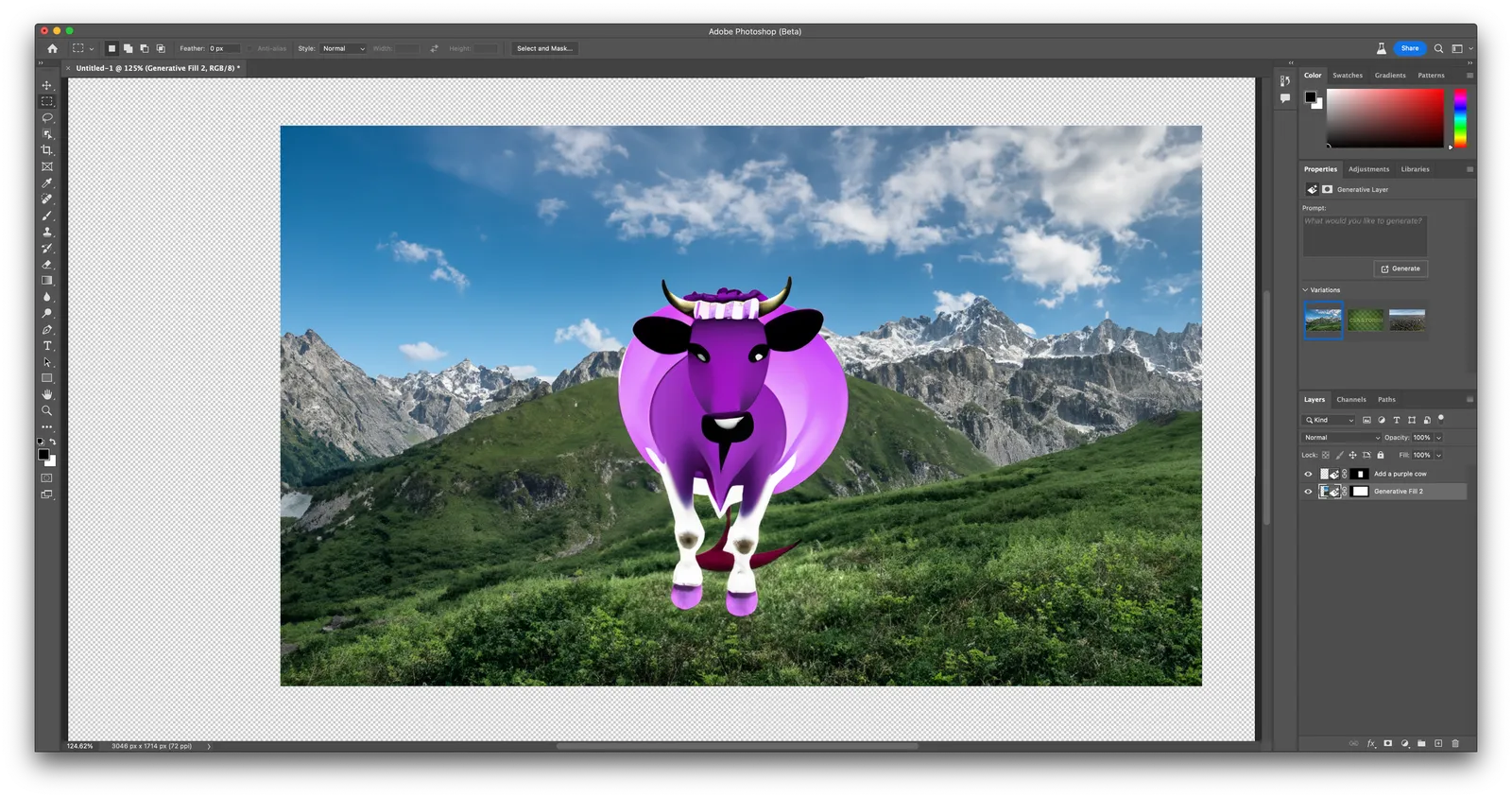
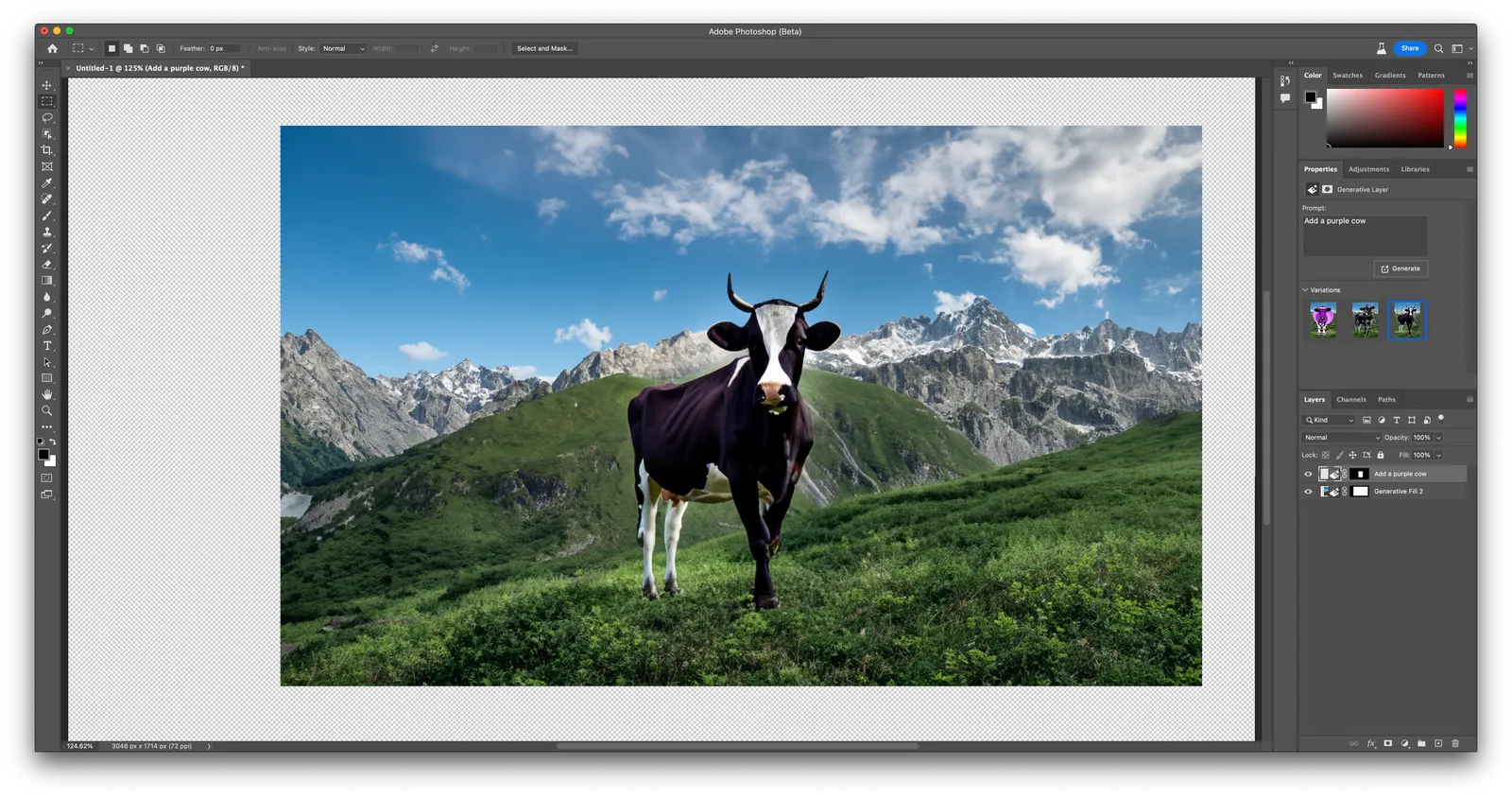
Adobe Firefly is more useful. You can extend backgrounds on existing images, or position objects in pictures. Below are some of my efforts to add a purple cow to an Alpine background.

Here is a basic background. You can now add an object in it. This is the first result after prompting “purple cow”

The placing of the cow is very good, the purple cow itself is totally unrealistic, probably because “purple cow” in itself is not a concept that is very common. You can select alternative versions of the cow that are more realistic (and less purple):

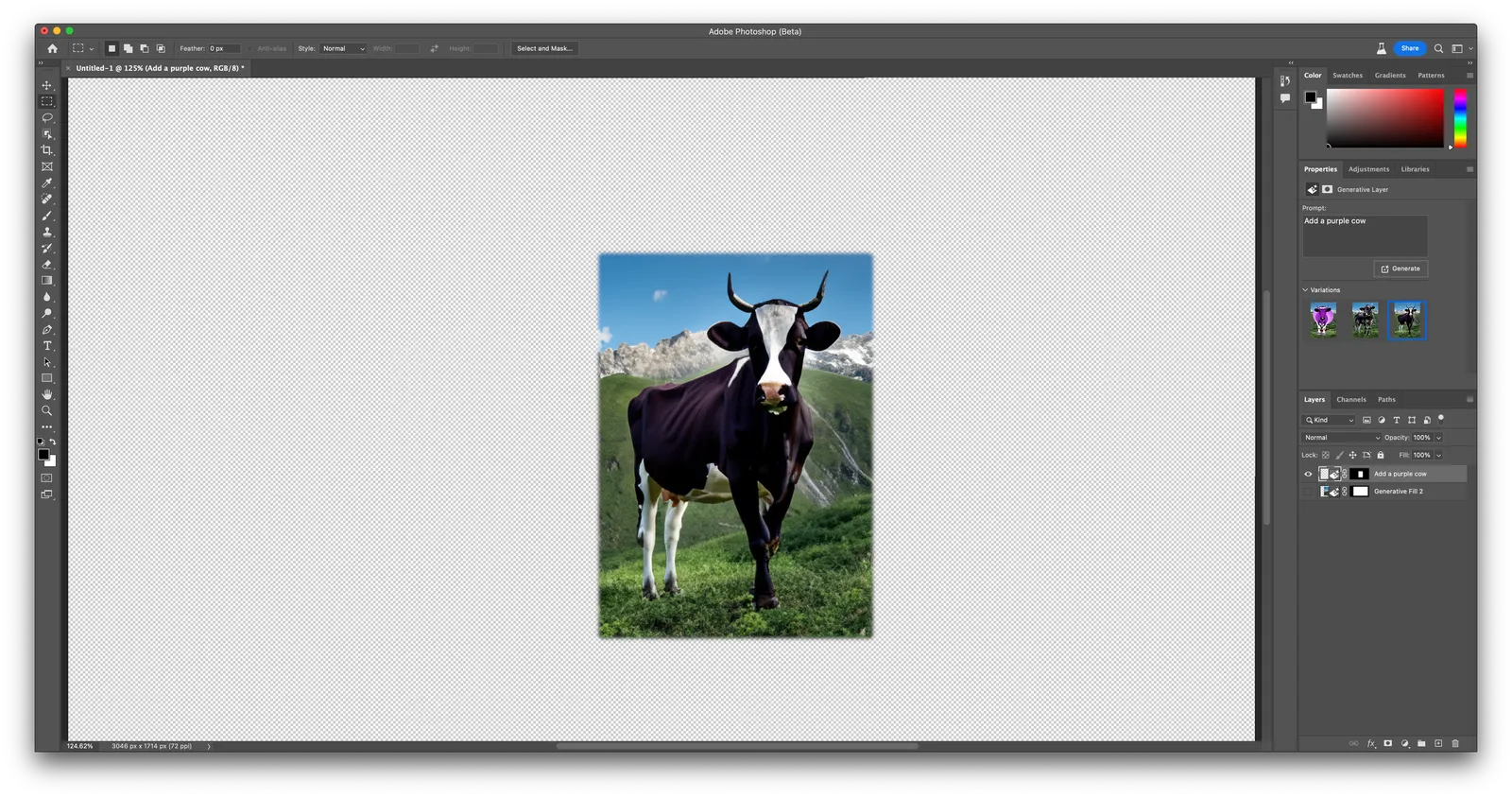
It’s pretty good (although not perfect). Here is the layer that the app generated on top of the background image (I disabled the background layer)

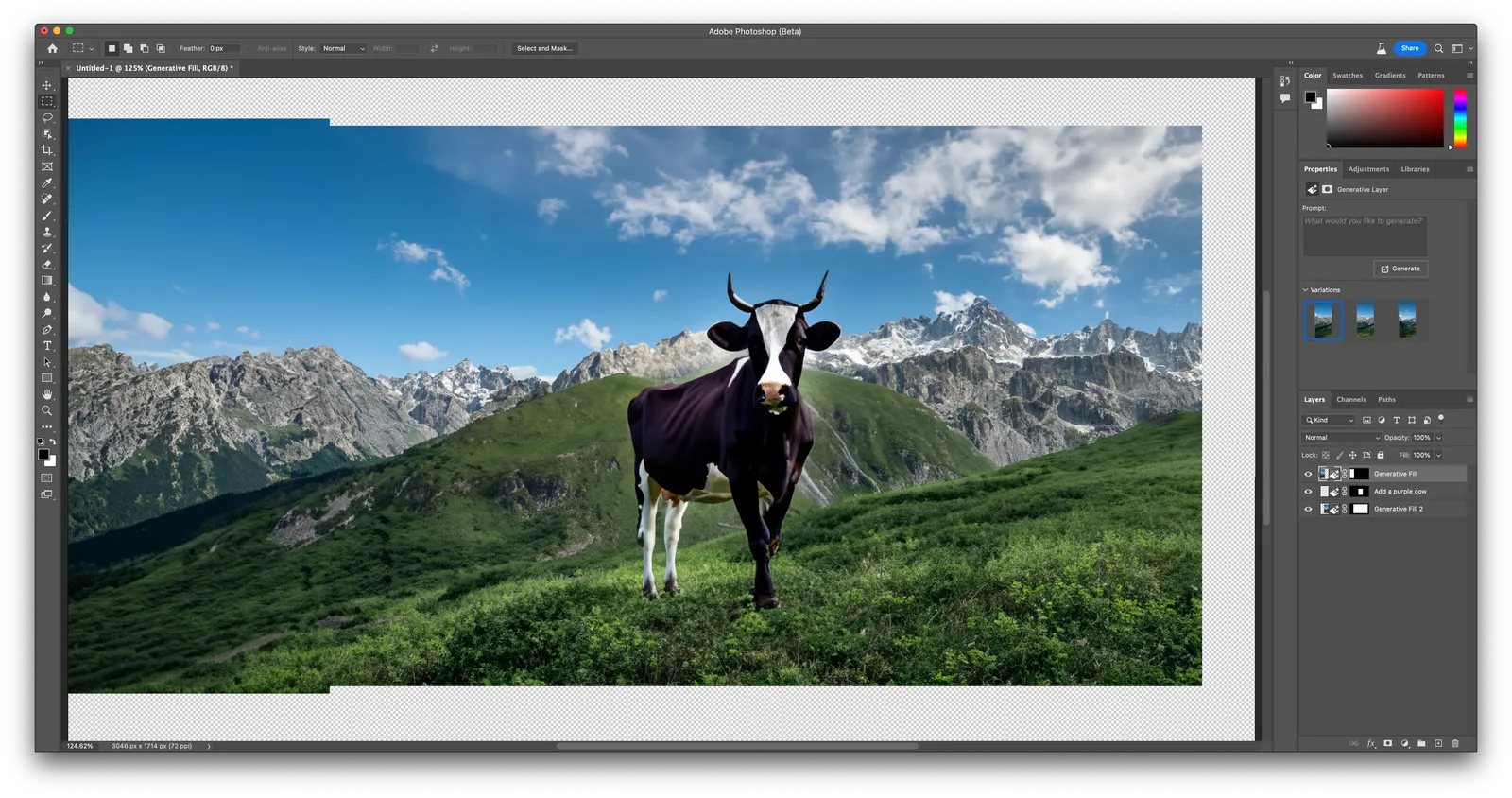
The best feature of the app might actually be the extension of backgrounds. See the example below, the area to the right was added automatically.

Firefly is part of a beta version of Photoshop (it will soon appear in other Adobe apps as well), and as a result requires a bit of Photoshop skill to use it (which will be a drawback from many). You can also access its features via the web interface. Results are pretty good (you can see that Adobe is very good at separating the foreground and background of the image), but the style is still slightly cartoonish.

Continue reading →