App update to 3.1.10
I have just deployed a new app version that contains security and performance improvements. It should install automatically when you next run SlideMagic. Let me know if you experience any issues.


Frequent updates about all things presentations since 2008. Subscribe to never miss a post.
I have just deployed a new app version that contains security and performance improvements. It should install automatically when you next run SlideMagic. Let me know if you experience any issues.
Another day, another presentation AI tool. Codex Computer Use is a plugin for OpenAI’s Codex desktop app. It enables control of any app on your machine using the regular human interface: ‘seeing’ screen and making clicks. (Mac only, and not available in the EU/UK because of regulatory restrictions).
Its powers are phenomenal. SlideMagic is a quirky app with a small user base. In a few minutes I got it to insert a profit and loss table, add a year to it, and then take the last year of the table and turn that into a horizontal waterfall chart.
In PowerPoint for example, this tool will be much more useful than the Claude PowerPoint plugin, which “fights” complex PPTX file formats (a huge amount of nexted XML tags) to make simple edits like moving a box. The Codex Computer Use plugin can simple drag the box.
This feature is extremely token-hungry though, probably because of the screenshot data that gets send back to the server.
I had a backlog of feature improvement for SlideMagic in the back of my mind for a long time (SlideMagic 4.0). Started working on it, but never pushed them to a final end product. I am actually glad I didn’t. The path I was going down on was a “hand-held” guidance of AI combined with a dramatically improved graphical user interface. The development of AI models have made this approach obsolete.
i am starting now to tweak and customize the recently released knowledge workflow productivity tools so they work for me. Strangely enough, my decision to build SlideMagic 2.0 as a desktop app with local file access, will come in handy now to build a tool that wraps the raw engine and makes the underlying engine accessible to the average user.
Let’s see where this goes.
SlideMagic has added direct support for Apple Silicon, Apple computers with ‘M” processors. This will make the performance of SlideMagic on modern Apple machines much faster. (Previous version used an on-the-spot translation from Intel to ARM, draining performance).
In the download sections of the web site you will now see 3 buttons: Windows (unchanged), Mac (modern ARM machines), and Mac Intel (older Macs that are still on Intel processors).
The automatic update feature of SlideMagic will not switch you over to the new version. You will have to re-install SlideMagic from the web site. From then on, updates will be for Apple Silicon.
There was a small glitch in the AI image generator in the SlideMagic desktop app. It has been fixed. Log in and out of your account to get everything working again. (AI images are a pro feature)
I saw the following slide coming by in my Twitter feed (original post):

Here are some things I fixed:
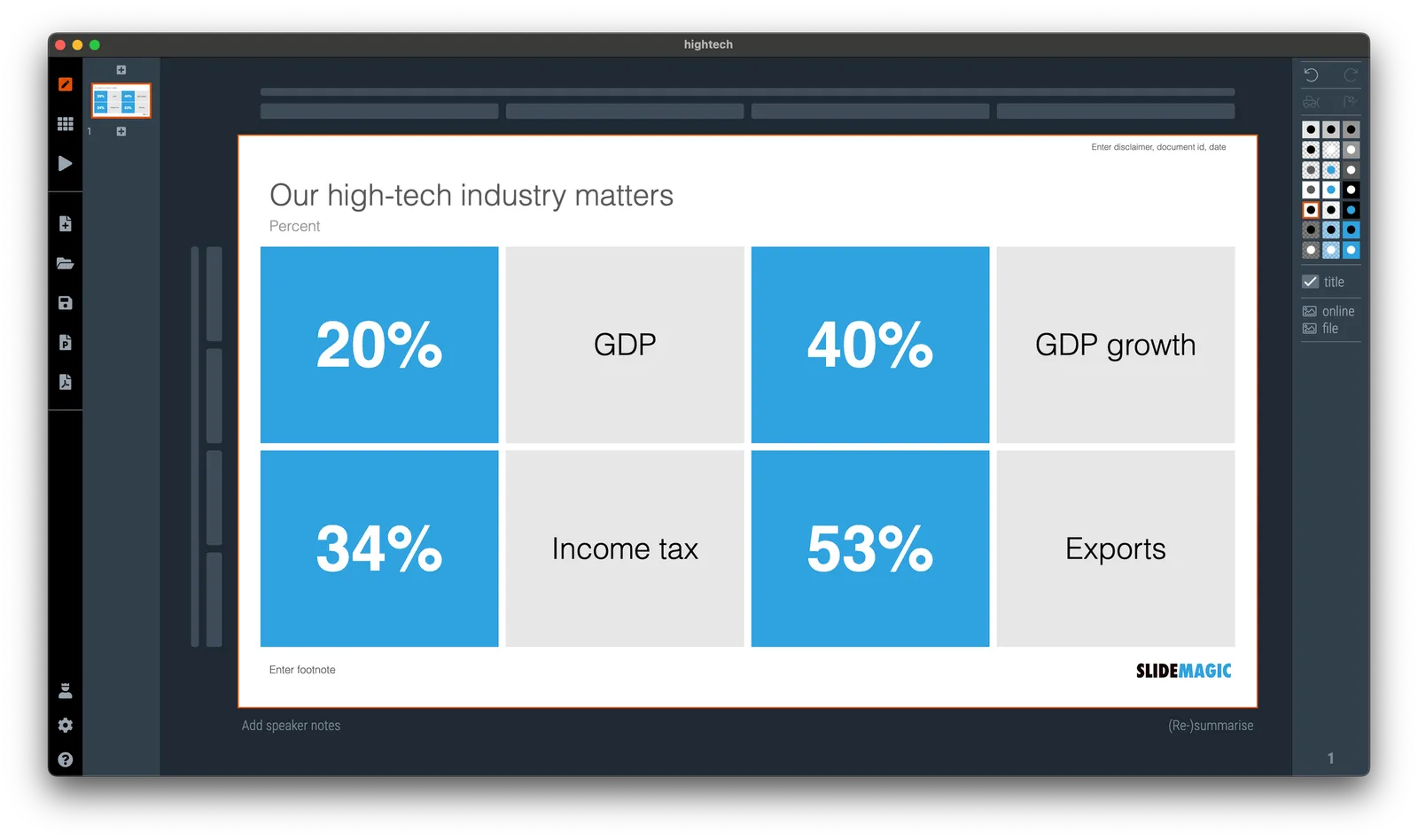
(For those of you interested in the political context: Israel is fragmented in many population groups, the Israeli high-tech sector which is mostly secular, pro-democracy, situated around Tel Aviv, and not really represented in the current government is making the case that it generates a big chunk of the Israeli economy and is bank rolling many other sectors.)
I am making updates to the server plumbing of SlideMagic, to ensure uninterrupted service, please log out and back in to the app. Apologies for the inconvenience, but this keeps everything safe and secure.
I deployed a new version of the SlideMagic app today with security updates. The server was patched too. Please let me know if you experience any issues.
I am doing a number of service updates to the plumbing of SlideMagic to keep things secure. You might be logged out in the process. If things are not behaving normally, please log out and back into your account. Sorry about this.
A feature that was long overdue: today we added a color picker to the SlideMagic settings page. Better late than never. Click on the big bar to reveal the pop up. If you want, you can still enter RGB codes. With the eye dropper, you can now sample colors anywhere on your desktop. Make sure to have V3.1.7 installed to use this feature.

(Proud of my daughter Mia who insisted to put this in, and actually wrote the code to do so herself)