SlideMagic Blog

Frequent updates about all things presentations since 2008. Subscribe to never miss a post.

RSS
all posts

Category Software

·Software

Skipping the presenter mode

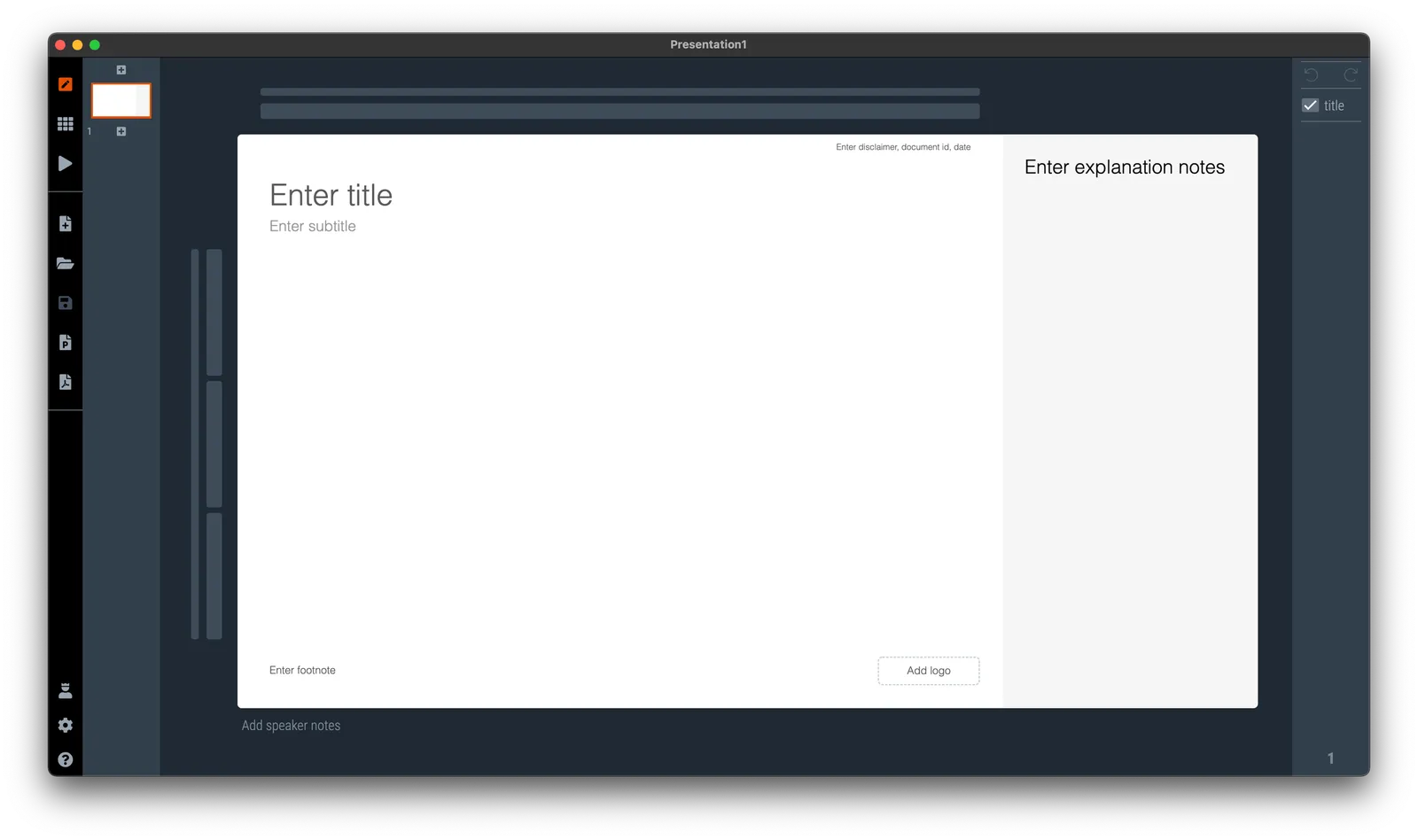
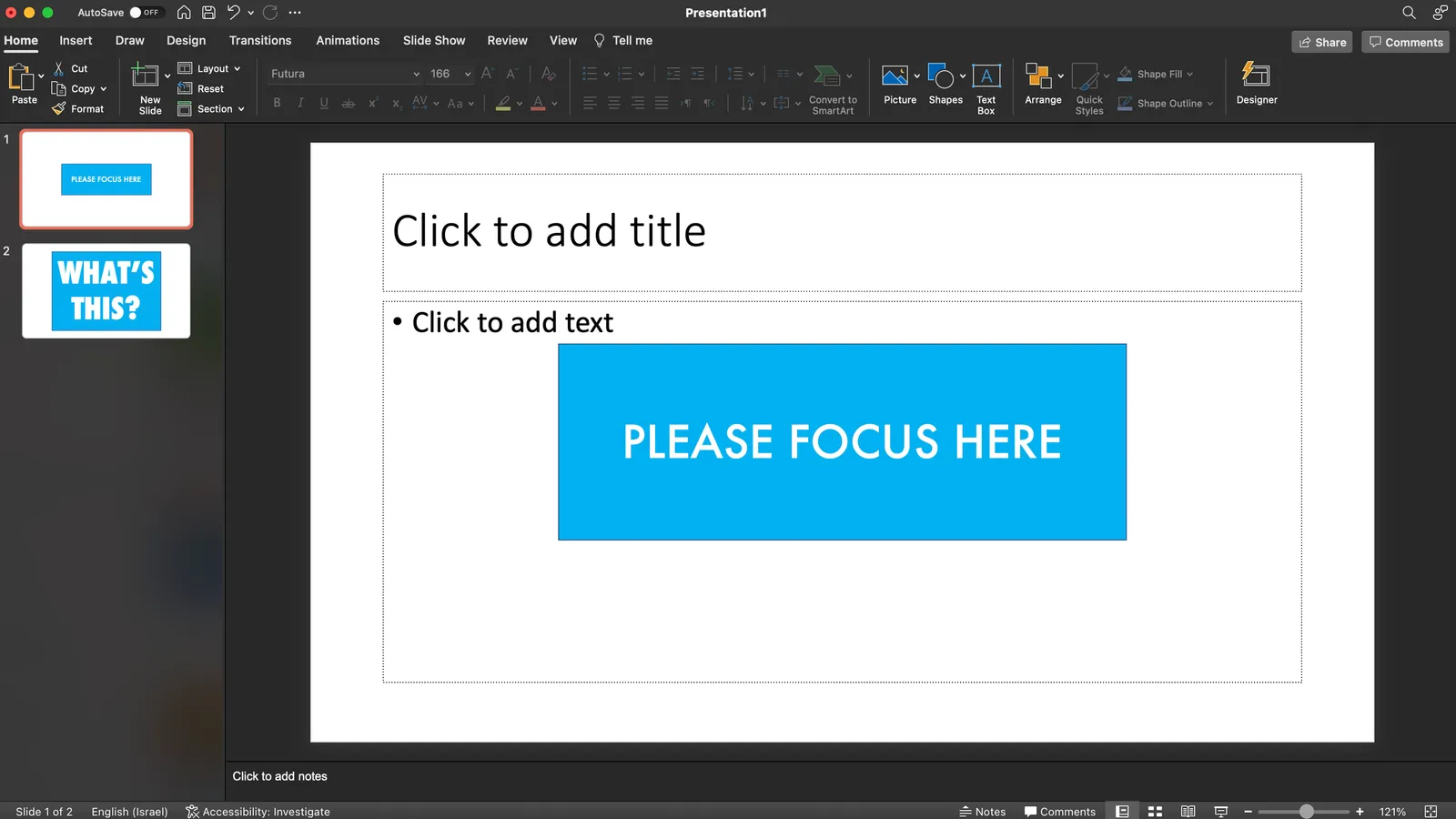
Presentation software like PowerPoint or SlideMagic have 2 modes: one for slide editing, and one for showing the presentation to an audience. In video calls, I often see the presenter leaving the presentation in edit mode. The slide is visible, but with all the edit controls around, plus grid lines and other markings. On the side is a list of thumbnails of all the slides in the presentation. For the presenter, this can be handy. She knows the deck in and out and can quickly jump around the slides.

For the audience it is confusing.

  • The slide in edit mode looks unfinished.
  • Often the thumbnails on the left are so big that you could actually read them, distracting attention away from the main slide.

In SlideMagic, presentation view creates 2 separate windows: one for the slide to be shown to the audience, one with the controls for the presenter. So in Zoom, or other video conference tools, you can share just the slide, while staying in full control of the presentation in a window that is not visible to the audience.

·Software

Windows on Mac 2022

Another software-related post after my computer swap. SlideMagic is an app that runs both on Mac OSX and Windows machines, so I need a Windows computer to compile and build the software (luckily from one code base). Some observations:

  • Desktop operating systems are very mature pieces of software, and sliding more and more in the background. On my old Mac, I did not even bother to upgrade to Monterrey as of now, because of compatibility issues of some very old music production software that I use. Having used Monterrey for a week now, I still hardly notice the difference.
  • I used the opportunity to upgrade to Windows 11. Windows is now totally at par with the Mac when it comes to look and feel. The whole experience looks great and works well.
  • On Macs with an Intel chip, I would install Windows using Bootcamp. Starting the machine with Windows would leave no trace of anything Mac: you are working on a pure Intel-based Windows machine. Now that Apple switches to different chips, I have opted again for a virtual machine. Windows 11 runs nicely inside a window alongside my Mac software. It is easy to exchange files, very quick going back and forth between the systems, and most importantly, it is easy to adjust the hard disk space your Windows machine takes on your Mac, nothing is set in stone.
  • More and more software is written like SlideMagic, one code base creates identical looking apps for both Windows and Mac.
  • With the differences in software / UI disappearing, the main differentiator between Mac and Windows is actually the hardware: build quality, design, and most importantly the quality of the screen. Macs are usually great, but in the world of Windows, there is a huge range of machines, from really poor/cheap to fantastic/expensive.
Continue reading →
·Software

My other project...

Over the past year I have been working on another project together with my co-founder Anat Naschitz (my partner in life as well). This week we are quietly revealing things to the public: 9xchange is a marketplace for molecules. There are a lot of molecules on the shelves of pharmaceutical companies, biotechs, and academic institutions that never get turned into drugs. It takes a lot of effort, and requires you to reveal your pipeline strategy to start selling these assets to players who could use them. 9xchange is going to make that easier.,

I have not spent a huge amount of effort on the design of the landing page, most energy went into coding a secure B2B marketplace (a much bigger technical challenge than the SlideMagic app). But I like the graphical language which is very different from most corporate websites. Have a look here. The messaging of the front page is likely to change as we interact more with users.

Membership of 9xchange is still by invitation only at the moment. Contact me if you work and/or invest in the healthcare industry and would like to try it out.

This project does not mean the end of SlideMagic, which will continue to be developed, don’t worry,.

·Software

AI in presentation design

AI is making an entry in office applications. See this article with a funding announcement for a company. The idea is to analyse human computer input (text, clicks) and try to automate routine tasks (think booking a flight, making a quarterly financial report).

What about presentation design?

Artificial Intelligence is a very generic buzz word, and we need to be highly specific when talking about its application in any area. What the technology does is analyse vast amounts of inputs and outputs and then reverse engineer their relations without “understanding” anything of the underlying thought process that a human would go through.

I can see one type of presentation design that could be subject to automation, the 1-on-1 slide makeover. There are many designers, design agencies out there that take your slides, do not edit their content at all, but simply make them look prettier:

  • Align and distribute layouts
  • Fix inconsistent fonts and colors
  • Change font sizes
  • Etc. etc.

Feeding thousands of before and afters will ultimately lead to a computer system that could do this automatically.

They key to slide design is though to have the courage to start editing in the content. Rephrase text. Break up slides into multiple layouts. Remove table columns. Round up numbers. Change the type of graph. Etc. etc. And that is at slide level, in most cases deeper surgery is required: a reflow of the whole story line.

·Software

Vintage presentation software

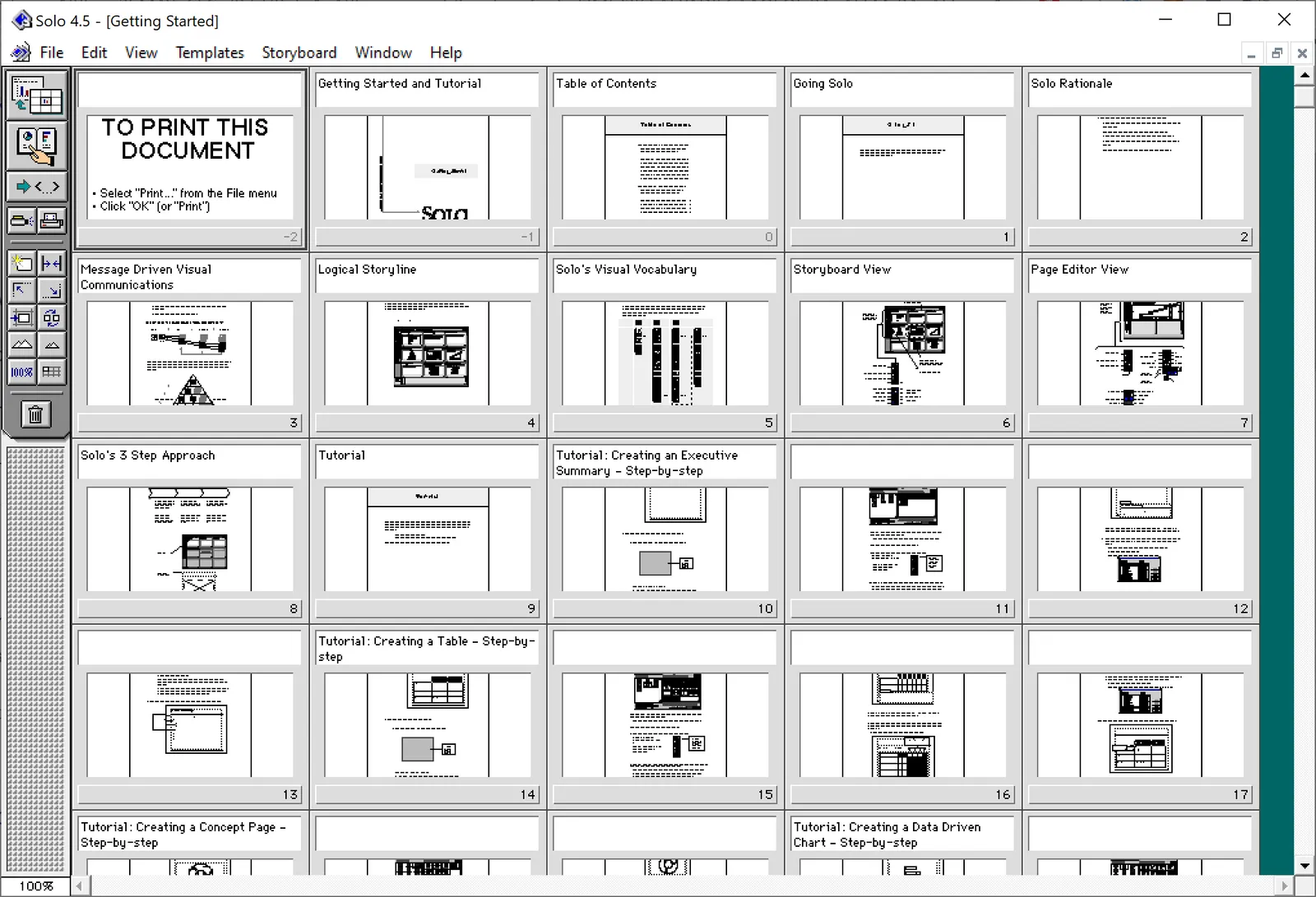
At McKinsey in the 1990s, we used ‘Solo’ presentation software to make slides. It was far ahead of its time (before PowerPoint became the standard). It had a very advanced template engine that enabled you to recreate charts in the McKinsey style. The software required some skill, and charts were usually created by professional graphics designers who took hand-drawn charts as an input. Back then, Solo would run on Macs only. Which was the reason that McKinsey issued Macbooks to their staff at the end of the 1990s, so that consultants could edit (and create) their own slides if they had to.

Ultimately PowerPoint was the end of Solo. Not because of its capabilities, but because McKinsey’s clients would have this installed on their machines, and these clients wanted to edit slides themselves. And with the advent of PowerPoint, the slide format became less consistent in McKinsey. (Both the result of a less sophisticated template library, and the reduced influence of professional graphics designers to create the slides).

I checked this morning, and Solo is still around, here is the web site: https://www.axoninc.com/. Support has ended in 2020 though. I tried installing the demo on Mac, but failed. The PowerPC engine no longer works. It does work on Windows 10 though, but I had to click a button 587 times because the license of the trial version expired 587 days ago (on 7 February 2022). Those clicks were rewarded with some good memories though, I have added some screen shots.

Continue reading →
·Layout

Eyeball the thumbnails

The thumbnail strip to the left of most presentation software is not only useful for switching to other slides, it also is a good feedback mechanism for slide layouts. It is like sitting in the back row of a big auditorium, or viewing the slide in a small preview window on a Zoom call.

·Layout

Dynamic layouts

For my next venture, I am actually getting into a lot of “slide” design work: displaying financial data in a web browser with totally unpredictable screen sizes and screen aspect ratios. This problem has been solved for traditional web sites with text and pictures. (That is pictures where you do not really care how they are cropped).

For financial information, this is not the case. Spreadsheet-like tables that look good both on a 27” widescreen monitor and a smartphone screen, for example. All this layout work is not the core of what this venture will be about, but I am learning a ton that can feed back into SlideMagic. And vice versa, the SlideMagic chart engine, could take data from this new system and create presentations pretty much on the fly.

To be continued.

·Software

Office automation

Automation is likely to take out a large share of middle-level jobs in the economy. Gardners, hairdressers, etc. will always be needed. Top scientists, managers, creatives, probably will not be automated anytime soon. In between, it is a different story.

“Automation” has made its inroad in the workplace as well. Most visibly in the area of storage and filing. But also in the way we work. Think of the amount of people that were employed typing up formal documents and memos, planning meetings, arranging phone calls. Back in the 1990s, running analysis on your business required armies of analysts, often sourced from external consulting firms (I was one of them).

The same trend is happening in presentations. Back in the 1990s, we would discuss interim project results using hand drawn charts, that then would be produced by professional graphics designers into a final document. The production of such a document could take weeks, where the sole focus was one communication, and the underlying analysis barely moved.

Bit by bit, the professional designers were replaced by analysts skipping the hand drawn charts and making them directly on their computers. Analysts first, followed by more senior staff. Every meeting now looked like a final presentation.

The trend will continue. “Presentations” will become simpler and quicker to make. In 10 years we will look back and remember the days when we used to spend so much time trying to put a complicated slide deck together for a simple decision.

SlideMagic is here to help.

·Templates

Different levels in presentation templates

A “presentation template” is usually a PowerPoint file that new employees receive on their first they of work. There is more to a presentation template I think.

  1. Your corporate visual communication style/culture

    • Consulting firms: lots of complicated diagrams and frameworks, meant for solving a problem rather than presenting
    • Investment banks: dense text and tables with graphs, meant for reading rather than presenting
    • Consumer goods company: product packaging shots and bullets
    • University: list of bullets
    • Etc. etc.
  2. The actual software file that holds the basis layouts, logo, and colours (this is the one you get on the first day of your employment)

  3. Running versions of important presentation documents that get constantly updated and tweaked

    • Sales presentations, each for a different lead or a different customer segment
    • Quarterly results presentations with - well - different quarterly results
    • Strategic planning presentations, each one for a different product group
    • Etc. etc.

Most of the day-to-day presentation work in companies is in step 3, the tweaking of existing documents to update it for the latest sales meeting or board meeting. These presentations are in fact the “templates”, not the empty file.

In most presentation design software the tweaking of an existing slide is tricky and over time a slide degrades after many iterations where users insert the wrong fonts, colours, and trip up a decent slide layout that worked for 5 boxes, but not for 6. (“Template rot”).

The above is true for both existing corporate presentations and shiny new templates purchased online. The latter look amazing fresh off the press, but it shows when a non-designer tried to fit it to her needs.

Continue reading →
·SlideMagic

Your presentation "secret weapon"

We are doing some SlideMagic user interviews and the term “secret weapon” came up. One user, somewhere in a big office tower, is a lone user of SlideMagic and uses the build-in PowerPoint conversion to share slides with colleagues. People start to notice the difference in the slide the person produces.

Here are some situations where you can use SlideMagic as a secret weapon, a starting point for setting up the beginning of your presentation. Most of these slides are very time consuming to set up in PowerPoint or Keynote:

  • A perfectly lined up, massive grid of logos (you finished the 10 x 4 grid, and now you need to move to 7 x 6 because you got 2 more logos)
  • Data tables with bar charts that need to line up (oops, 12 rows instead of 10)
  • 2x2, 3x3 matrices, other consulting style matrices
  • A diagram with boxes that are connected with arrows
  • A team chart where all the headshots need to have more or less the same size, with the “eye line” at the same height

Nobody needs to know / find out that you use SlideMagic, but we would not mind if you spread the secret…

Photo by Joshua J. Cotten on Unsplash