

How to write your memoir using AI
A friend asked me advice on how to use AI to write a memoir. His challenge: how to make the book and get the real emotion in. A (human) ghost writer had only partly be successful. My hunch was a double approach. First, use AI to get your dry fact base right. What happened when, backed up by files, urls, etc. Then ask someone to interview you and upload that audio to provide emotional context.
When I asked AI, it came up with a similar solution. It went further, have AI interview you, not a human. Anyway, I am adding the whole result below, since it contains many useful points about how to set up your file system, where to use AI, where to use a ghostwriter, and where to do things yourself.
This mirrors what I suggest people do when writing a pitch or presentation. After having battled the content for a few weeks, take a step back, record yourself giving the elevator version of your story (no slides), and listen back to the result. What sequence did you use? What points did you emphasize. Where were you really missing a slide. The best way how to capture how a story comes natural to you.
🤖 AI-generated — the rest of this post was written by AI.
From Shoebox to Book
A complete method for writing your memoir with AI — using the machine where it helps, and staying human where it matters
ChatGPT Images 2 beats Nano Banana
Another day, another model improvement. The latest visual model by OpenAI is now the gold standard for creating realistic image, beating Google’s Nano Banana (August 2025).
I prompted a “911 in Hoogeveen” back in an earlier post to Nano Banana (left), and the ChatGPT result today to the right. Nano Banana figured out Hoogeveen was a town in the Netherlands, and created a historical Dutch town as the backdrop, ChatGPT got the actual details of the town (which I recognize very well), but created its own mashup version of the city.
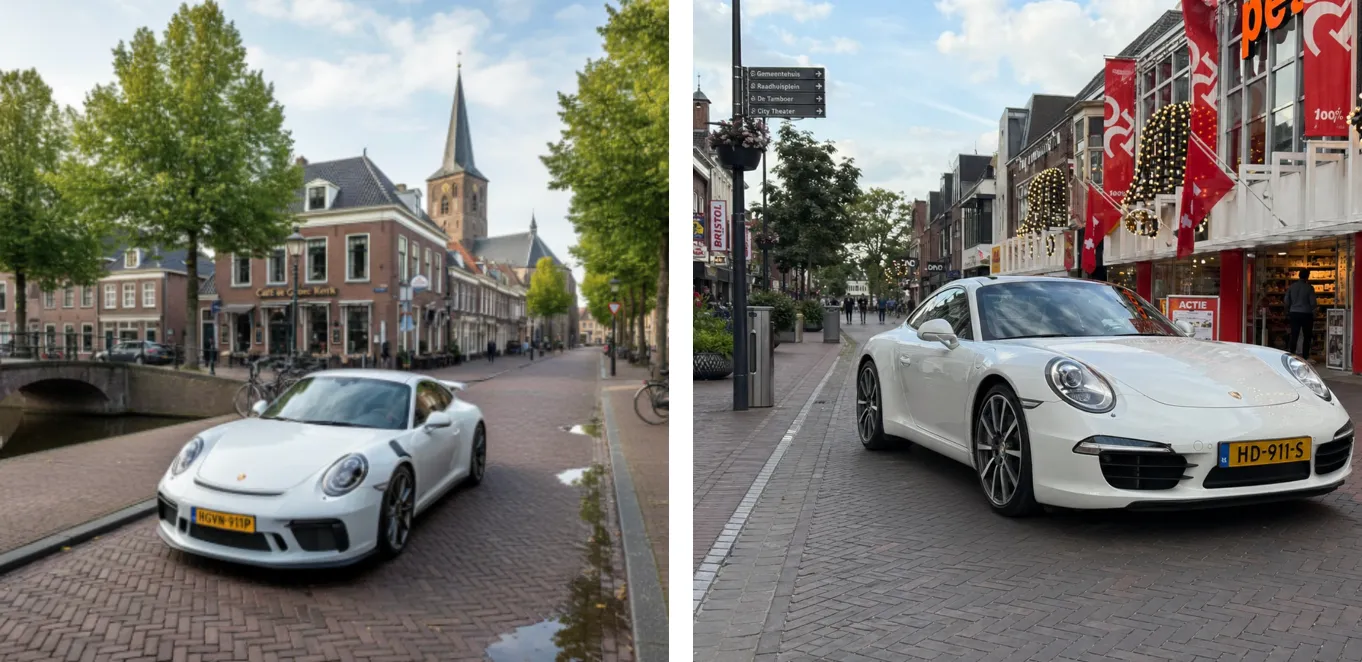
Text rendering is now great. Look at the traffic sign: correct spelling and places relevant to the town. The model is actually incredibly good at making slide in consistent on-brand format. Below the result of a request to transform a slide in a 1960s Swiss graphic design style. The catch: you get pixels not a file you can edit…
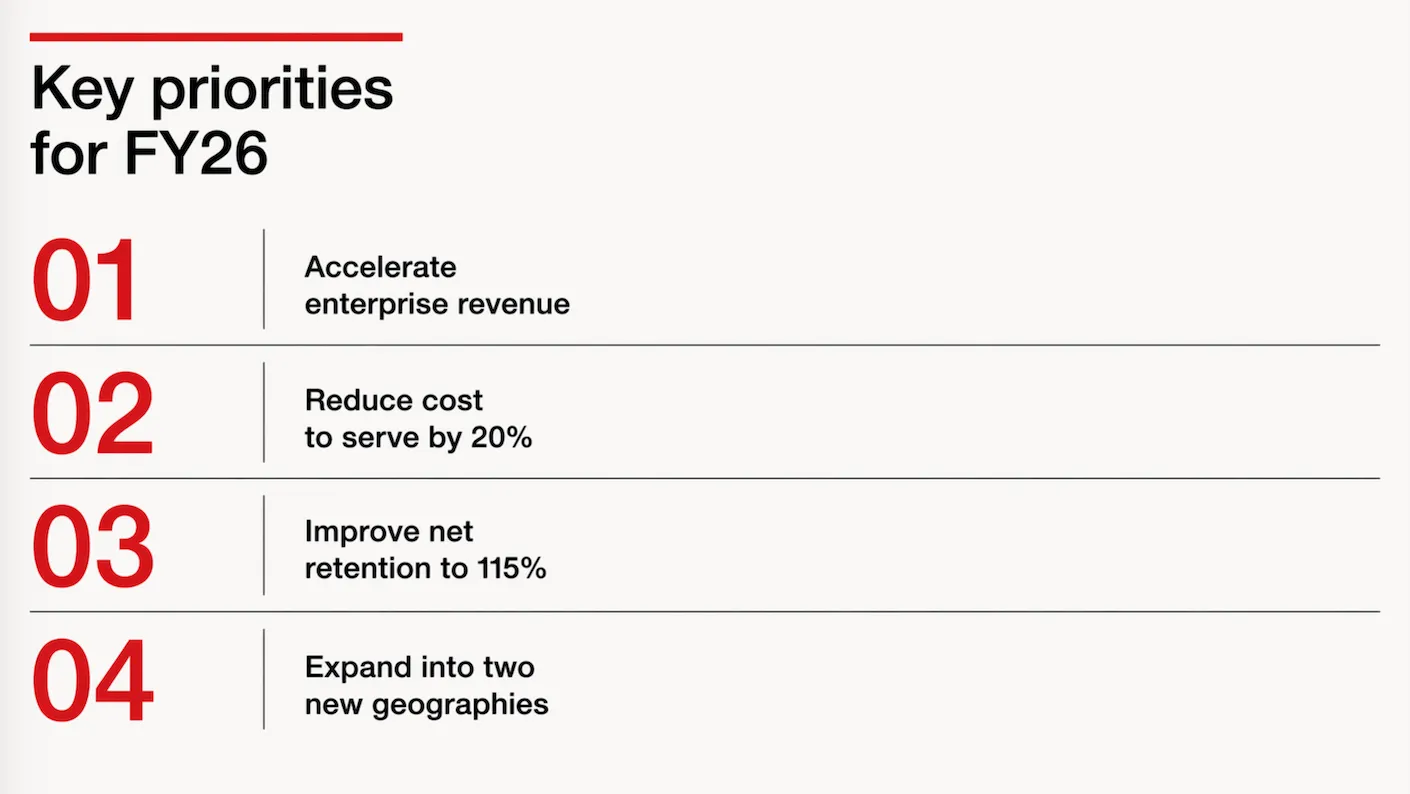
It achieves these results not by just being a better pixel generation model. The response to a prompt now involves reasoning about it, sketching a few raw options, ‘seeing’ (an LLM cannot see) the intermediary results, picking the best one, then producing the final result in pixels.
ChatGPT Images 2 is now the default model in ChatGPT, it will be used when you ask it to create an image. Set the model effort to ‘thinking’ to add more reasoning effort in the processing.
To be continued.
Codex Computer Use - control any app on your machine
Another day, another presentation AI tool. Codex Computer Use is a plugin for OpenAI’s Codex desktop app. It enables control of any app on your machine using the regular human interface: ‘seeing’ screen and making clicks. (Mac only, and not available in the EU/UK because of regulatory restrictions).
Its powers are phenomenal. SlideMagic is a quirky app with a small user base. In a few minutes I got it to insert a profit and loss table, add a year to it, and then take the last year of the table and turn that into a horizontal waterfall chart.
In PowerPoint for example, this tool will be much more useful than the Claude PowerPoint plugin, which “fights” complex PPTX file formats (a huge amount of nexted XML tags) to make simple edits like moving a box. The Codex Computer Use plugin can simple drag the box.
This feature is extremely token-hungry though, probably because of the screenshot data that gets send back to the server.
None of the tools were right, so I quickly wrote one...
This is 2026… I needed a super basic text editor for Google Drive. If you double click a text file in Google Drive, it will convert it to a bloated Google Doc for you. You can install text editor apps, but they all come with a catch: too many features, 1990s UI design, ads, paid plans. So i used Codex to write me one… Writing the app took 10 minutes, configuring the Google Cloud Console a few hours (but now I know the drill).
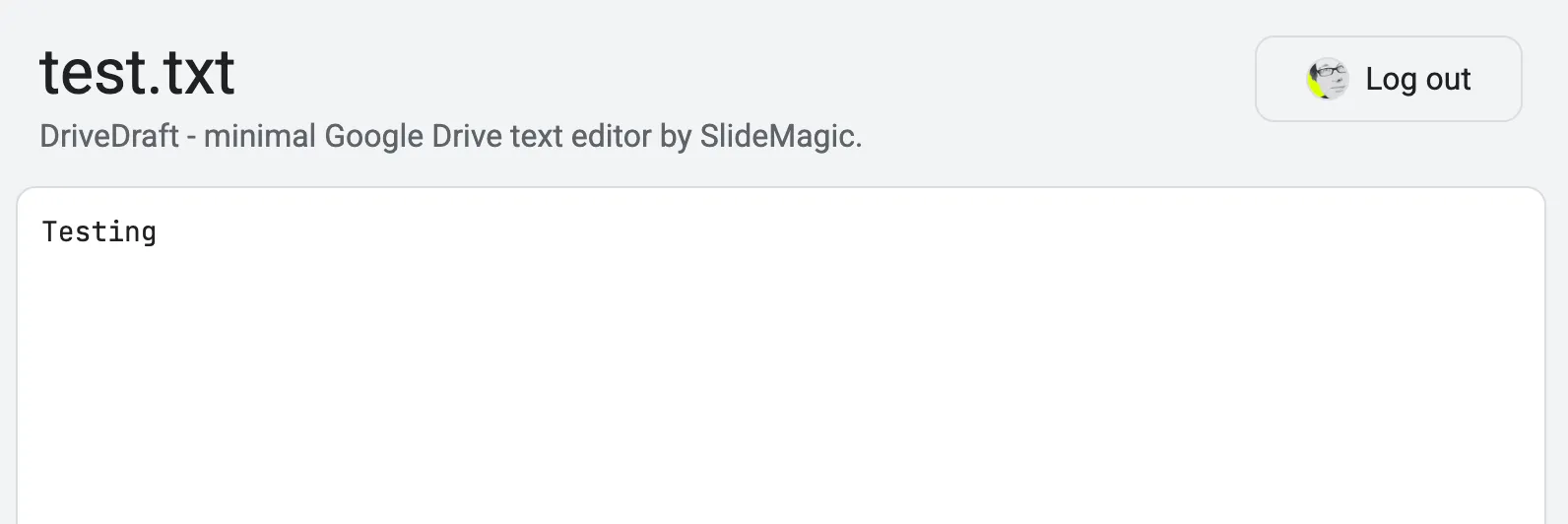
I have requested Google to approve it to get rid of warnings when you install it. The primary user is me anyway, so I won’t put it out in the add-on market place.
You can try it: drivedraft.slidemagic.com. Sign in with your Google Account. Now go to Google Drive and right-click a .txt or .md file and choose ‘Open With’ DriveDraft.
PowerPoint via Whatsapp
I have been experimenting with OpenClaw, a 24/7 personal AI assistant. It is an open source project that was created over the past month, created almost by accident as a hobby project by a developer. Late last year, developers discovered that using an AI coding tool for non-coding applications really works, especially if you can give it access to local files (rather than chatting). Next step: keep the AI agent running 24/7. Next step, find a way to let the AI agent keep some context about you. (Context memory is a big issue in AI, it fills up at some time, so storing bits of context for future reference enables persistent awareness). Next step, implement recurring instructions. Next, make the AI assistant available from any channel, including Whatsapp. This, combined with full system access, creates an incredibly powerful AI assistant (that can also be incredibly destructive). “It’s 2AM, I have a 12 hour to do list and full shell access, lovin’ it”. What can possibly go wrong.
So it requires some technical knowledge to run this thing in a vaguely responsible way. I put it on AWS EC2 in a completely isolated virtual network, with an access tunnel that only I control, plus a number of prompt injection filters running on yet another server. (OpenClaw’s founder has joined OpenAI exactly for that reason, to get the financial resources to fix the complexity and security issues)
Working with it, enables me to get a feel for the future. Direct instructions to applications (code editors, presentation design software, spreadsheets, food takout apps) will become increasingly irrelevant.
"Files are so back"
The past decade with spend a lot of energy moving all our files into the cloud, and accessing them through a browser-based application. That is going to reverse in the era of AI.
A good old desktop folder is the perfect context for an AI agent. All information in one place. Different formats, different applications, all accessible and editable.
I started experimenting with a spreadsheet/presentation workflow that mirrors the way I write code. Pointing Claude Code at a directory with files and let it orchestrate analysis and design under my supervision.
When not to use AI...
Triggered by a post by Nate Jones on Substack (might be paywalled).
I am working on a next big update for SlideMagic, where I am trying to push AI-supported slide generation to the next level. Especially when it comes to layouts with data and text in them, AI is not there yet. The more I start experimenting, the more I realize that AI should not be used everywhere: hallucinations, unpredictable (non-repeatable) outcomes, long wait times, LLM model changes that can completely trip up the tool you have written on top of it.
Nate identifies 4 use cases:
- Traditional data processing (adding up last month’s sales by product)
- Traditional machine learning (predicting machine failure base on historical data)
- Generative AI (summarizing stuff using a chatbot)
- AI agents (planning your holiday by optimizing and matching lots of constraints)
Work in progress.
More Nano Banana
I worked with Google’s Nano Banana a bit more over the past days, and I think I understands what it is doing under the hood.
“Regular” imaging LLMs predict pixels, you give a prompt, the prompt gets translated into a series of tokens, and the model predicts the best matching pixels given the token input. A flat “soup of pixels” is the result. And because of that, it is hard to make small adjustments to an image, editing one particular aspect and leaving everything else as is.
I suspect Nano Banana works with layers. The model tries to understand what aspect of it refers to the bottom of the pile (the background) and what elements go on top. As a result, it is possible to make very precise edits to individual objects in the overall composition of the image.
In order to make a coherent image, the model needs to have a good understanding of the 3D perspective of the background, and all the objects above it. Like the example about the Porsche in a Dutch town in my previous post, the car gets rotated, and pasted back into the background image with the correct vanishing point in mind.
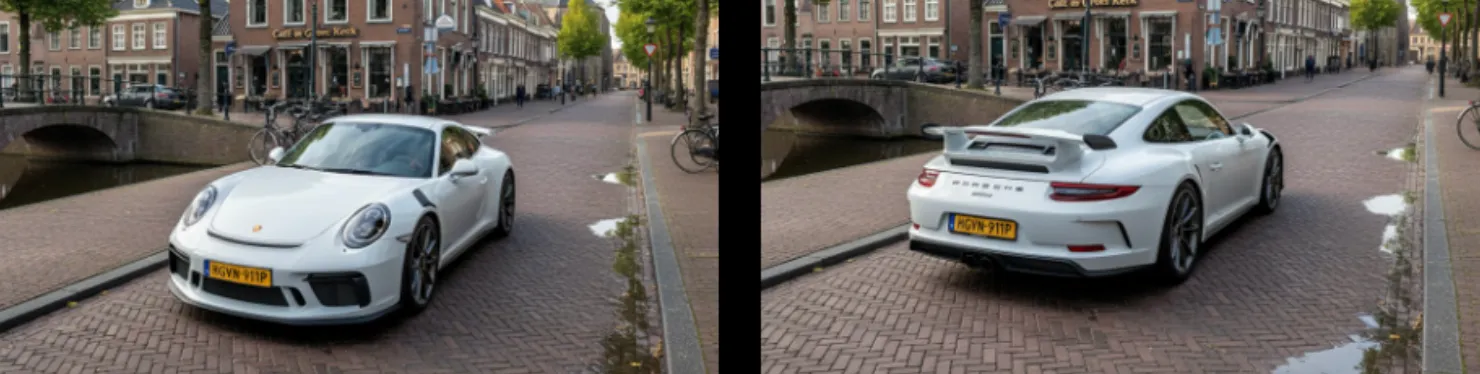
Vanishing point is preserved when making edits to the image
What the model cannot do is change camera position. view the entire image from a completely different angle. Zooming in and zooming out works. An example is the cover image of this post, where I took an image from the band of my son (Project71) and put them on a big stage. I could not get the model to produce a view from the audience given the image it already produced. (Starting from scratch with an explicit prompt for an audience view would have worked of course).
Nano Banana
I just played around with Google’s “Nano Banana” AI image generator, and it is incredibly good and useful for presentation design.
Current AI image generators take a prompt and predict pixels. Ask for a modification, and a whole new bunch of pixels get generated, redoing the entire image. Nano Banana (we need a better/shorter name), seems to work with layers and objects, and keeps things consistent.
Below 2 quick examples:
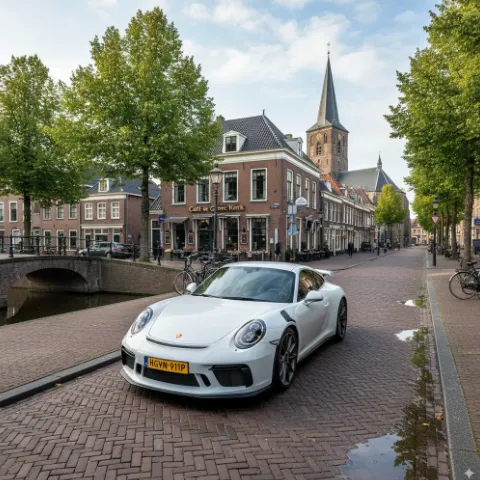
“White Porsche in Hoogeveen”
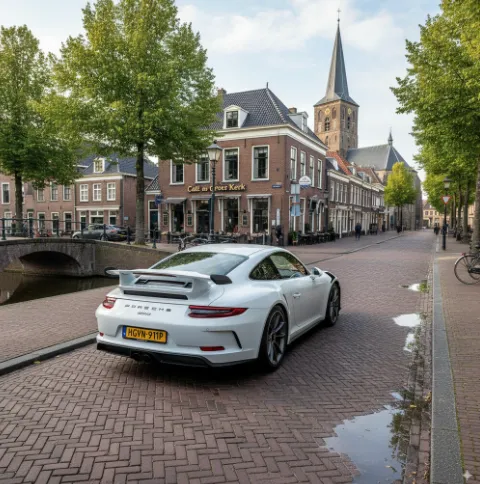
“Turn it around”
Some observations:
- Super fast, the first image was an almost instant response
- Hyper realistic image, does not look cartoonish
- Correct text: the name of the cafe, the license plate, the branding of the car
- (That town looks Dutch, but it is not Hoogeveen)
- But most importantly: isolated editing, changing one thing and leave everything else the same
Photoshop, it was nice meeting you…
I will study the API structure of Nano Banana and see whether I can swap out the image generator in SlideMagic.
Impressive! You can try it out in Google AI Studio
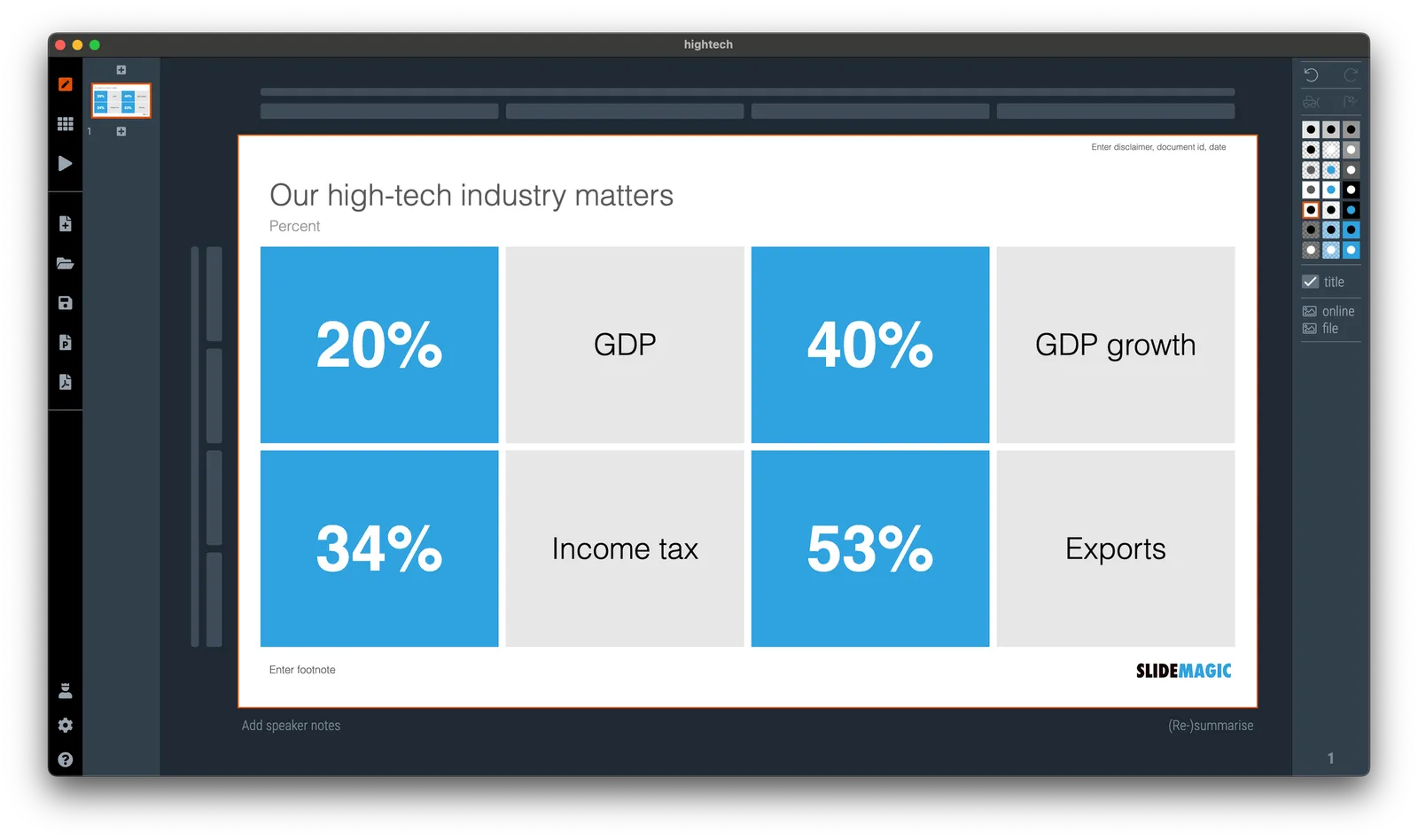
Quick makeover: our high-tech industry matters
I saw the following slide coming by in my Twitter feed (original post):
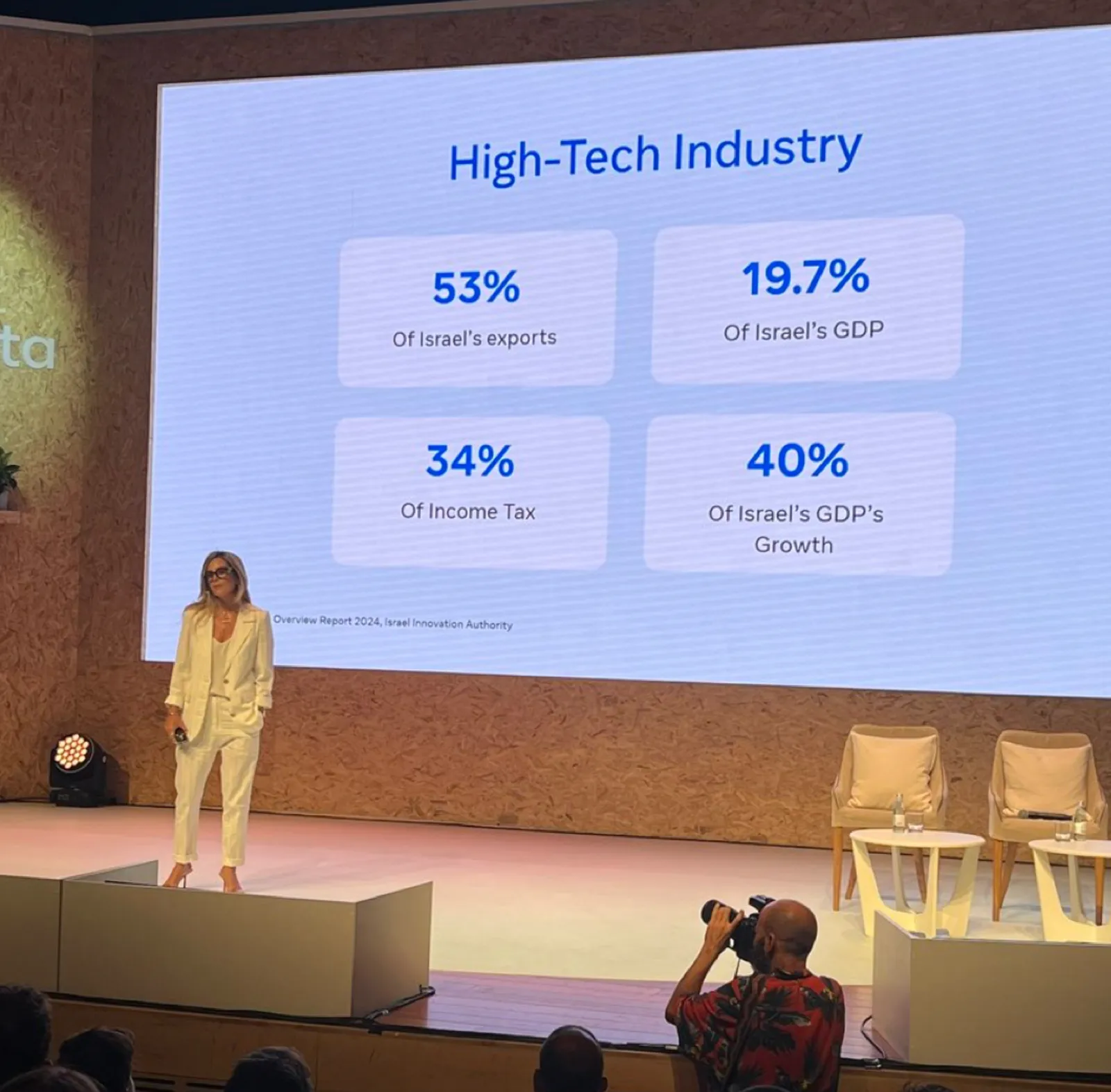
Here are some things I fixed:
- Message in the title
- 19.7% -> 20%
- Simplification of the labels
(For those of you interested in the political context: Israel is fragmented in many population groups, the Israeli high-tech sector which is mostly secular, pro-democracy, situated around Tel Aviv, and not really represented in the current government is making the case that it generates a big chunk of the Israeli economy and is bank rolling many other sectors.)