SlideMagic Blog

Frequent updates about all things presentations since 2008. Subscribe to never miss a post.

RSS
all posts

Category Concepts

·Layout

Template request: process maturity

A SlideMagic user requested additional templates in the area of organization design and benchmarking. I added these two upon request. (Don’t tell anyone the secret that these slide design request are usually put up within 24 hours after asking for them.)
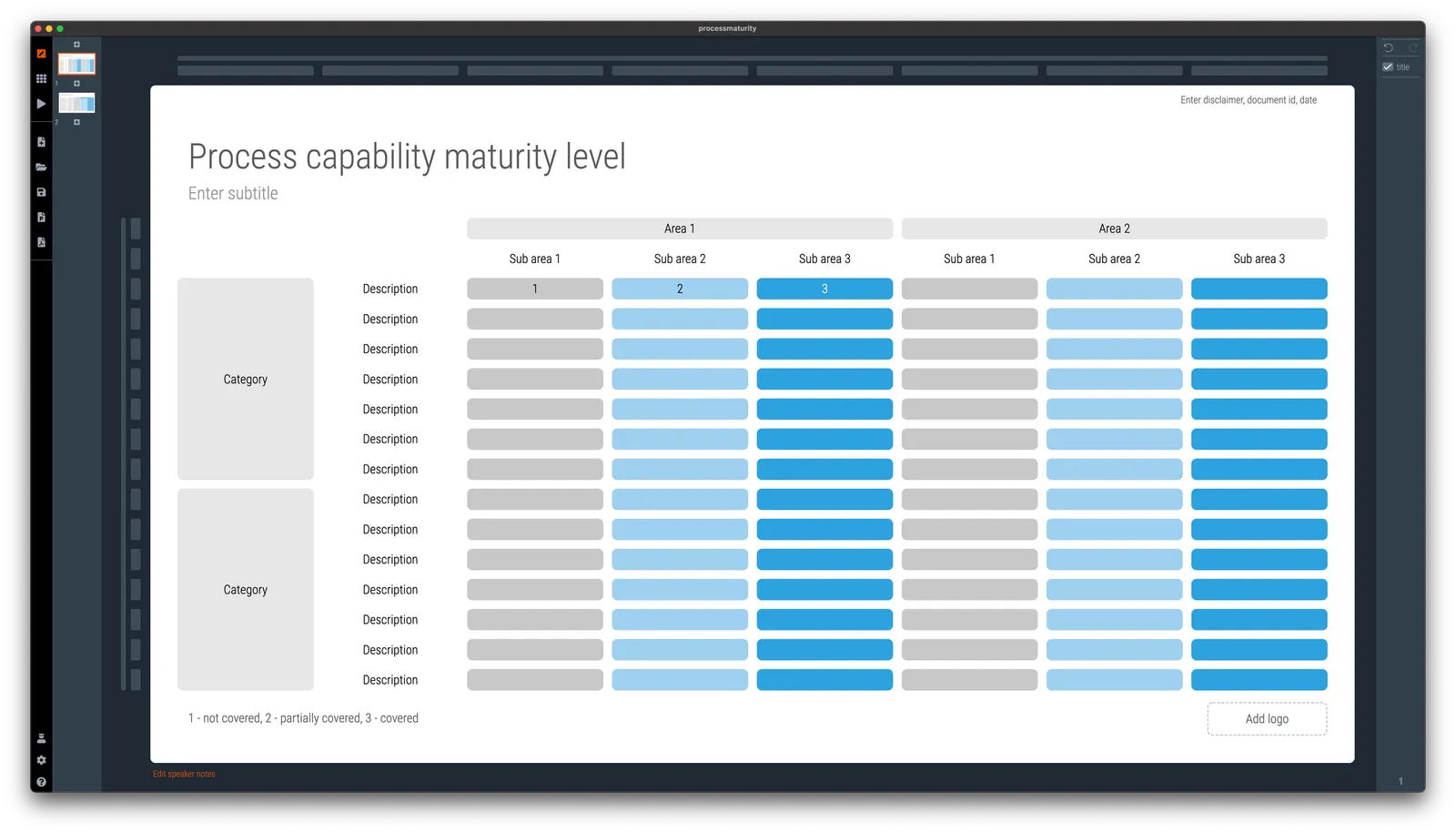
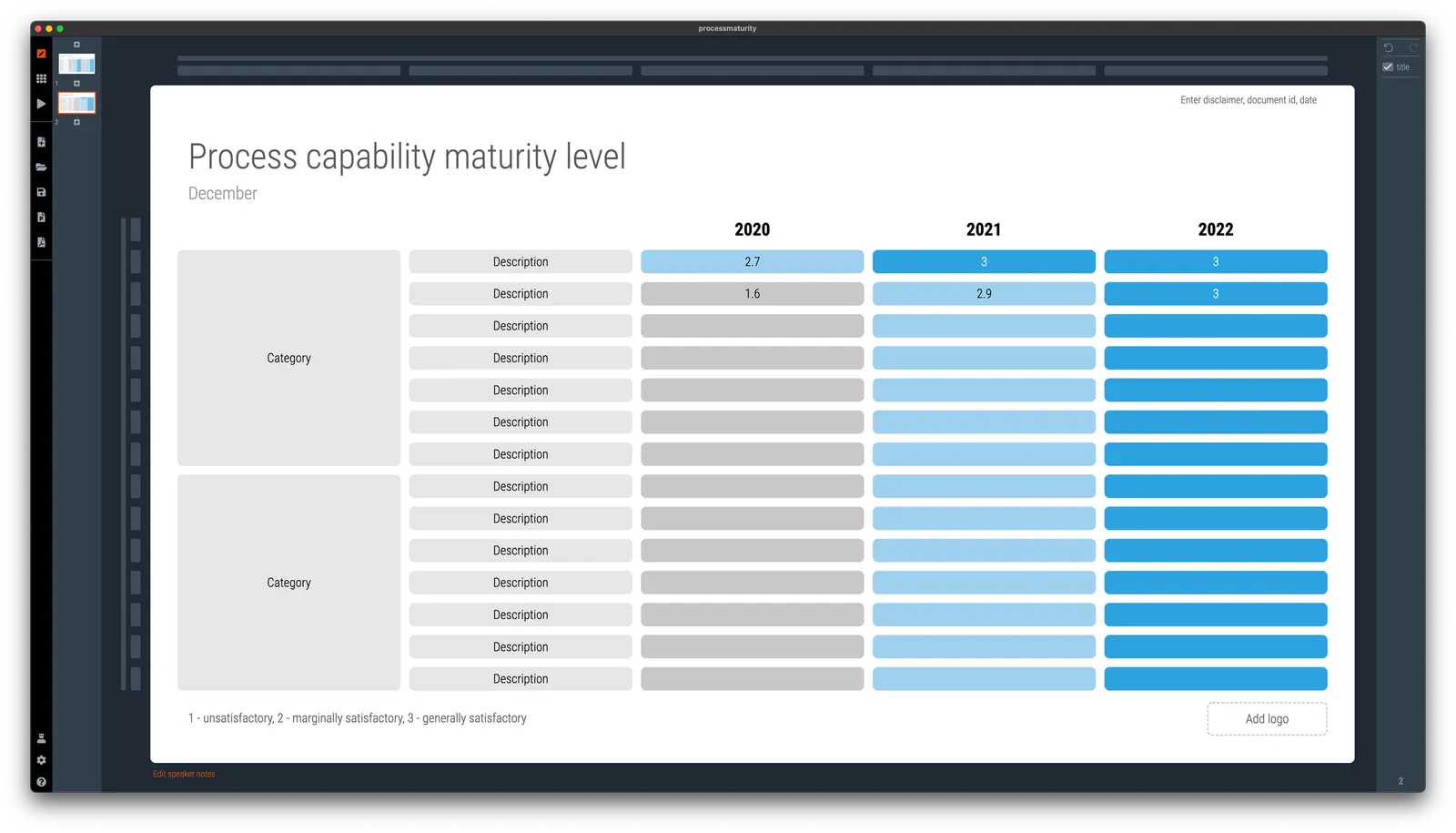
Simply searching for ‘process’ in the app will reveal them, or search online via this link. Pro users can convert them to PowerPoint (students, did you see the free SlideMagic Pro plan for you?).
·Layout

McKinsey chart make-over

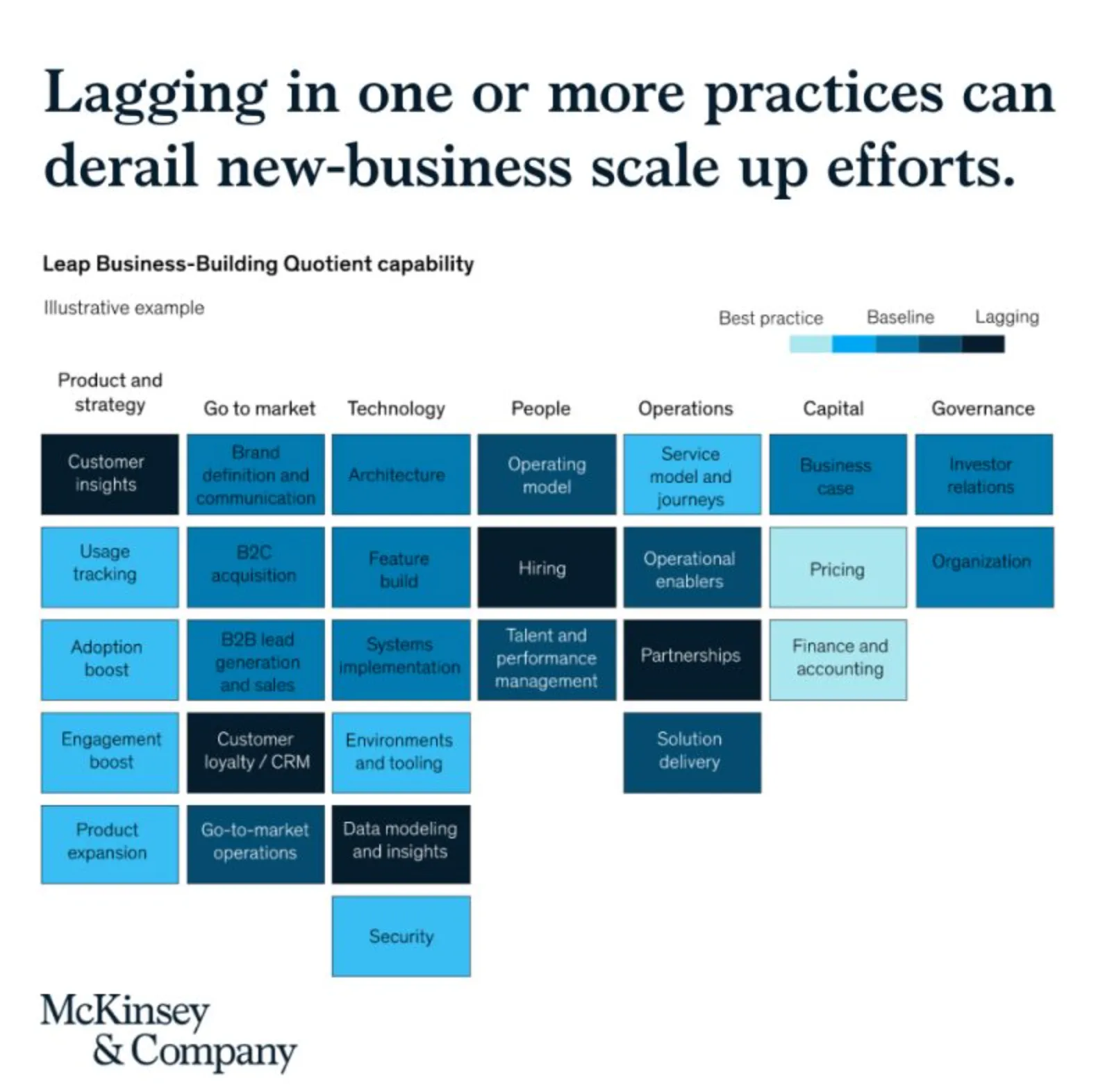
See the following McKinsey framework (background here):

The slide does not look bad, but there are a few things that I would change:

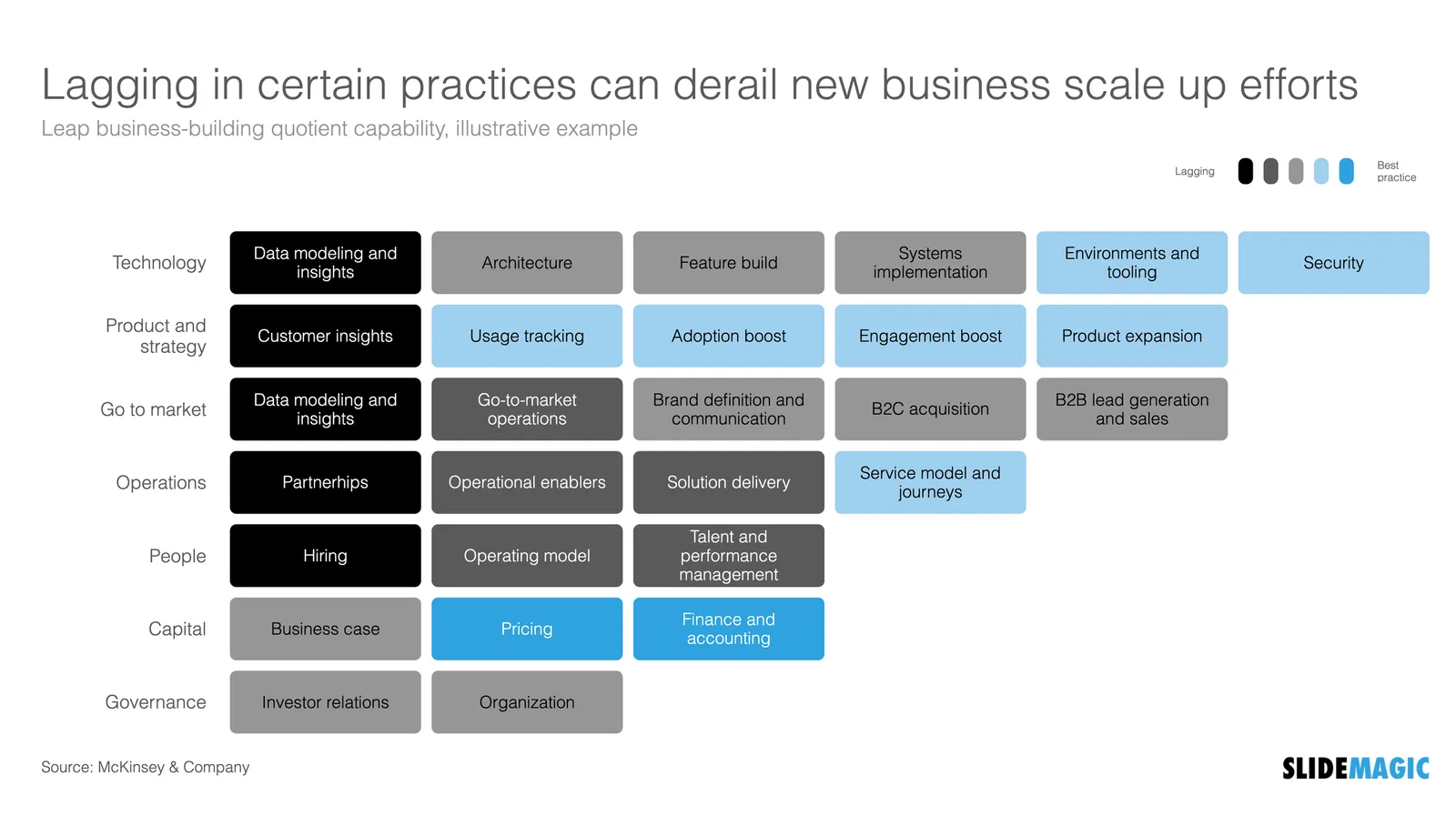
  • Flipping the columns and rows of the table, there are more columns than rows, I tend to put the axis with the most data in rows
  • Sorting the categories by number of boxes, to get a more visually pleasing line (McKinsey probably sorted the columns by importance)
  • Sorting the boxes within a category by color (and not by importance)
  • Fixing the color coding, the dark colour is actually the worst score.

Below is a quick makeover in SlideMagic, you can find this chart in the SlideMagic slide library for you to use.

·Concepts

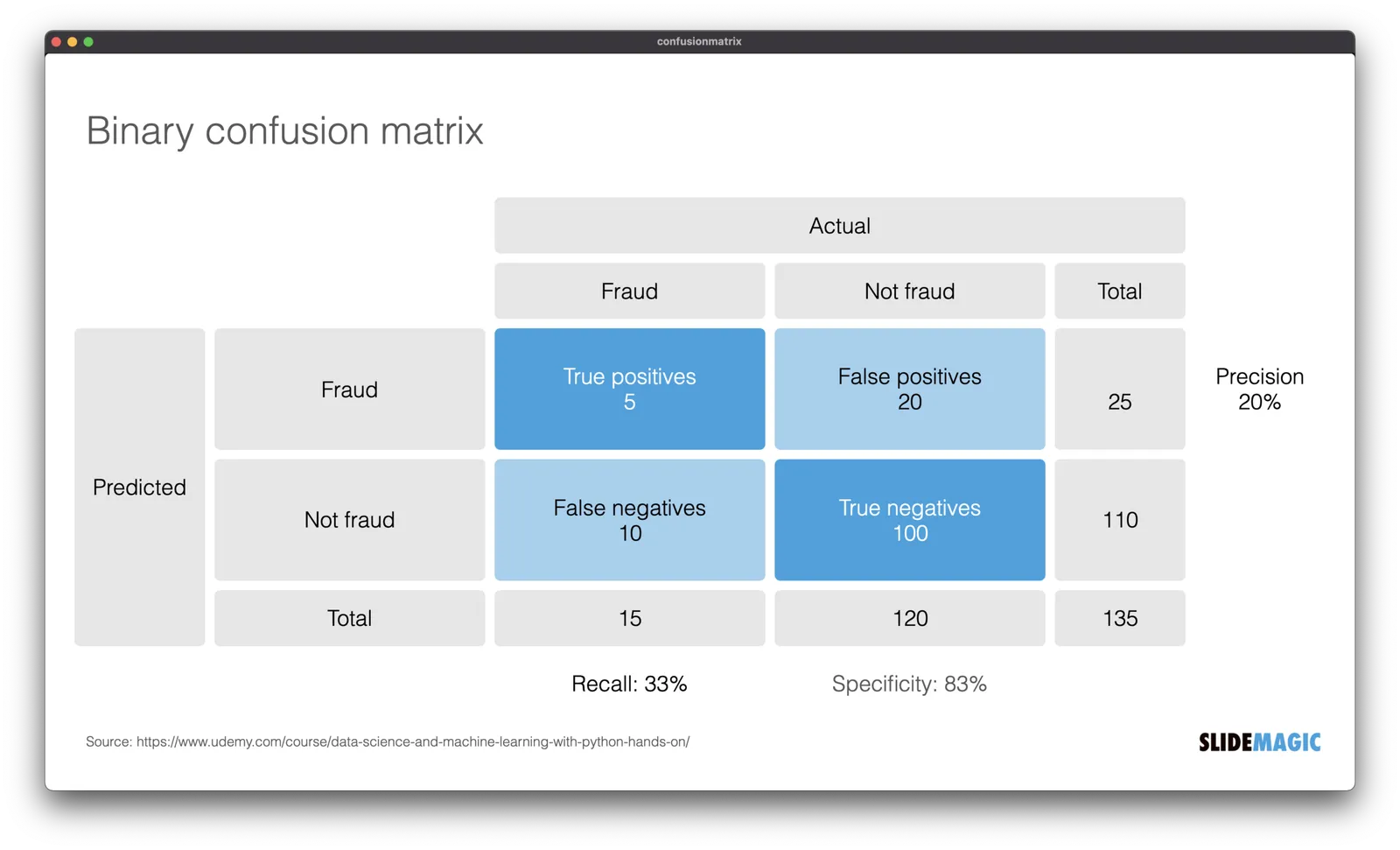
Template: binary confusion matrix

I am dusting off my knowledge about machine learning and data science, and stumbled upon this handy definition of false positives, false negatives, and a bunch of definitions (I always find it hard to keep them apart). I turned them into a slide template that is not part of the SlideMagic library for you to use in your own presentations.

(I use this course if you are interested)

·Concepts

Understanding something tricky...

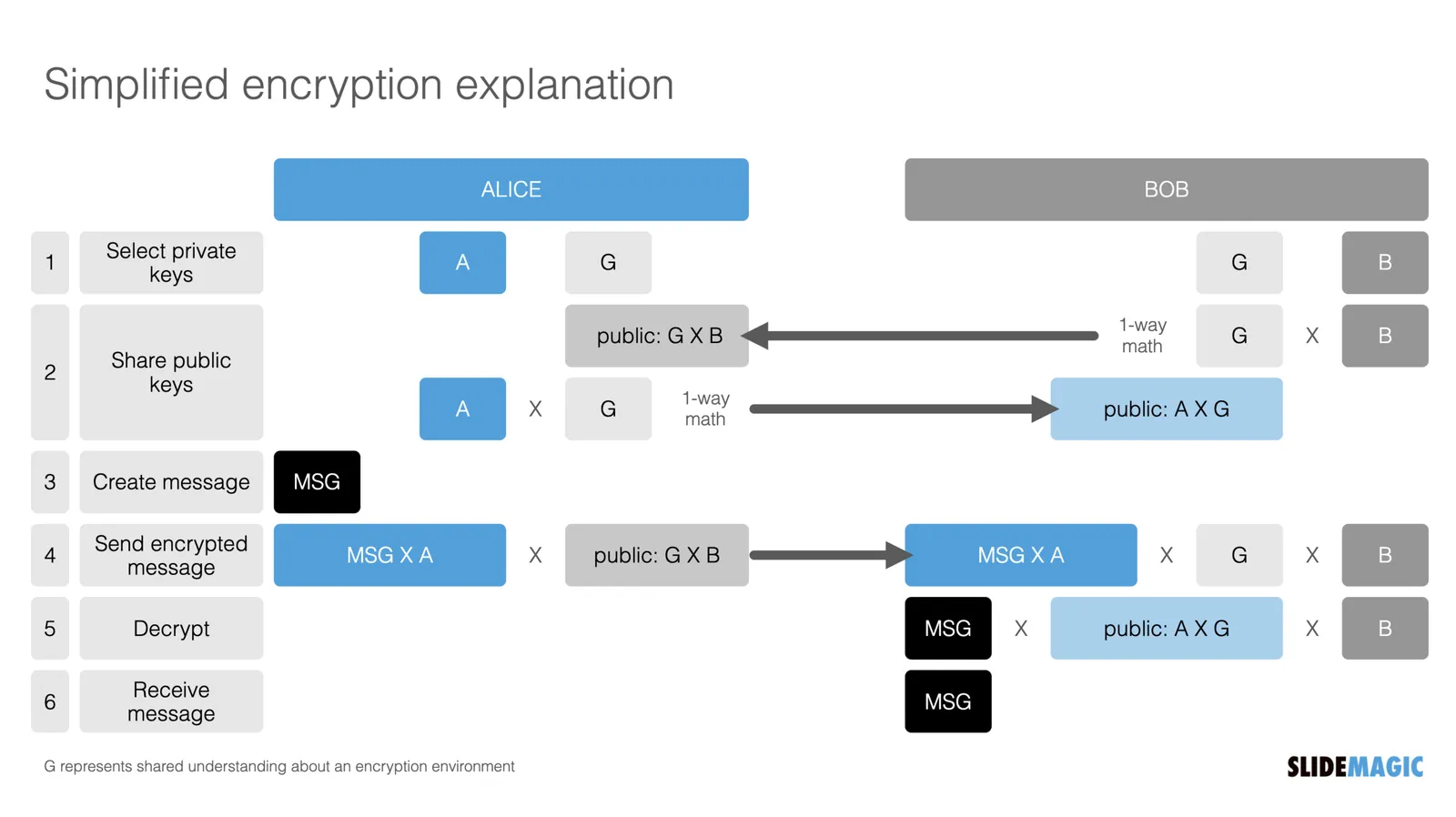
For another project, I had to get a better understanding of the blockchain and various encryption algorithms. This summary helped me a lot, how it is possible that a total “stranger” can verify the validity of a digital signature without sharing confidential information.

Still this explanation suffered from an issue with almost all explainers and technical presentations: certain critical steps that are blatantly obvious to the expert, but very hard to get for the novice get skipped over. The big online YouTube stars in education are masters in getting it right: anticipating what an audience is likely to struggle with.

Anyway, in the process, I added a chart to the SlideMagic library with the very basics of encryption:

Search for “encryption” in SlideMagic and it will show up as a slide template.

·Concepts

Scaling of data charts in SlideMagic

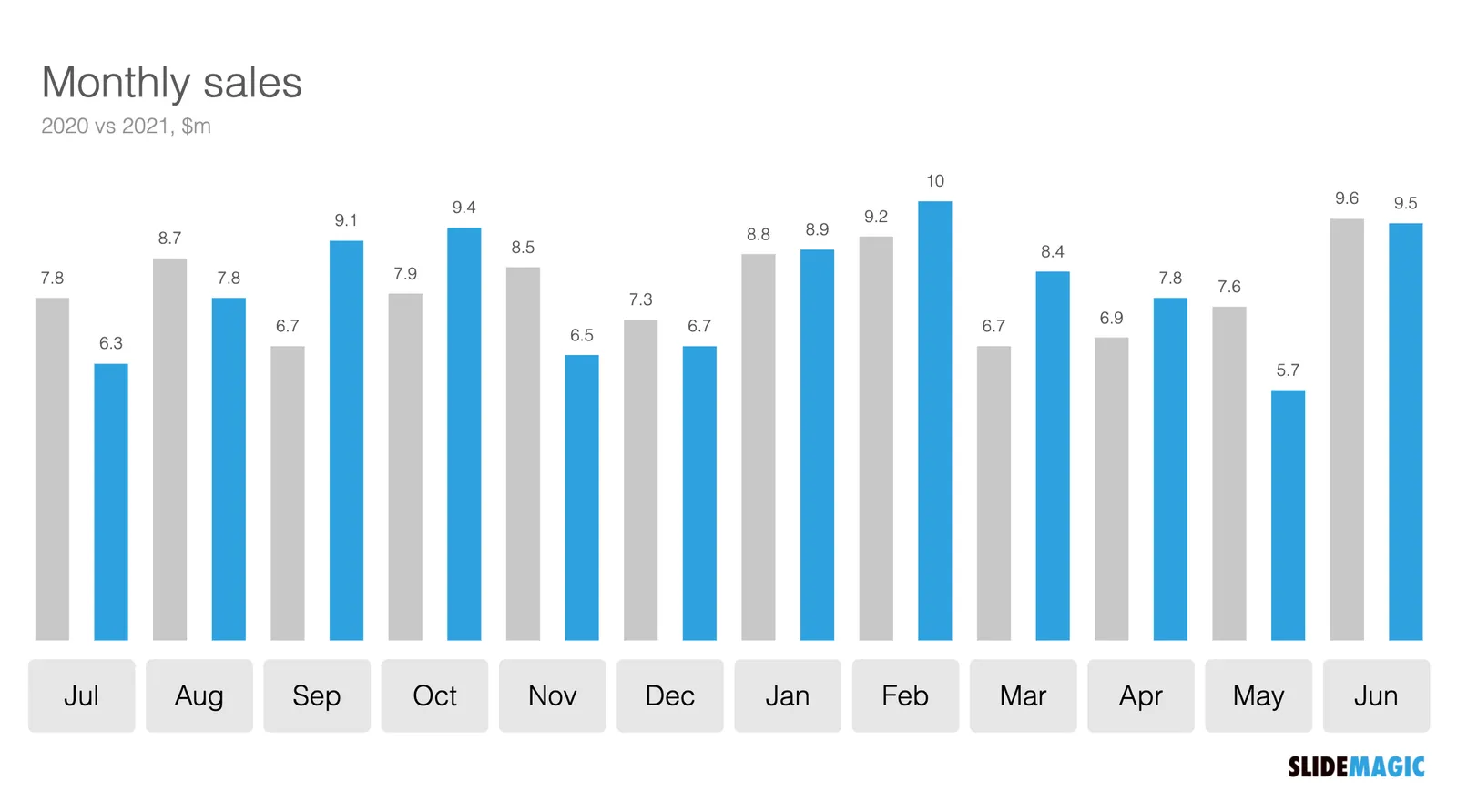
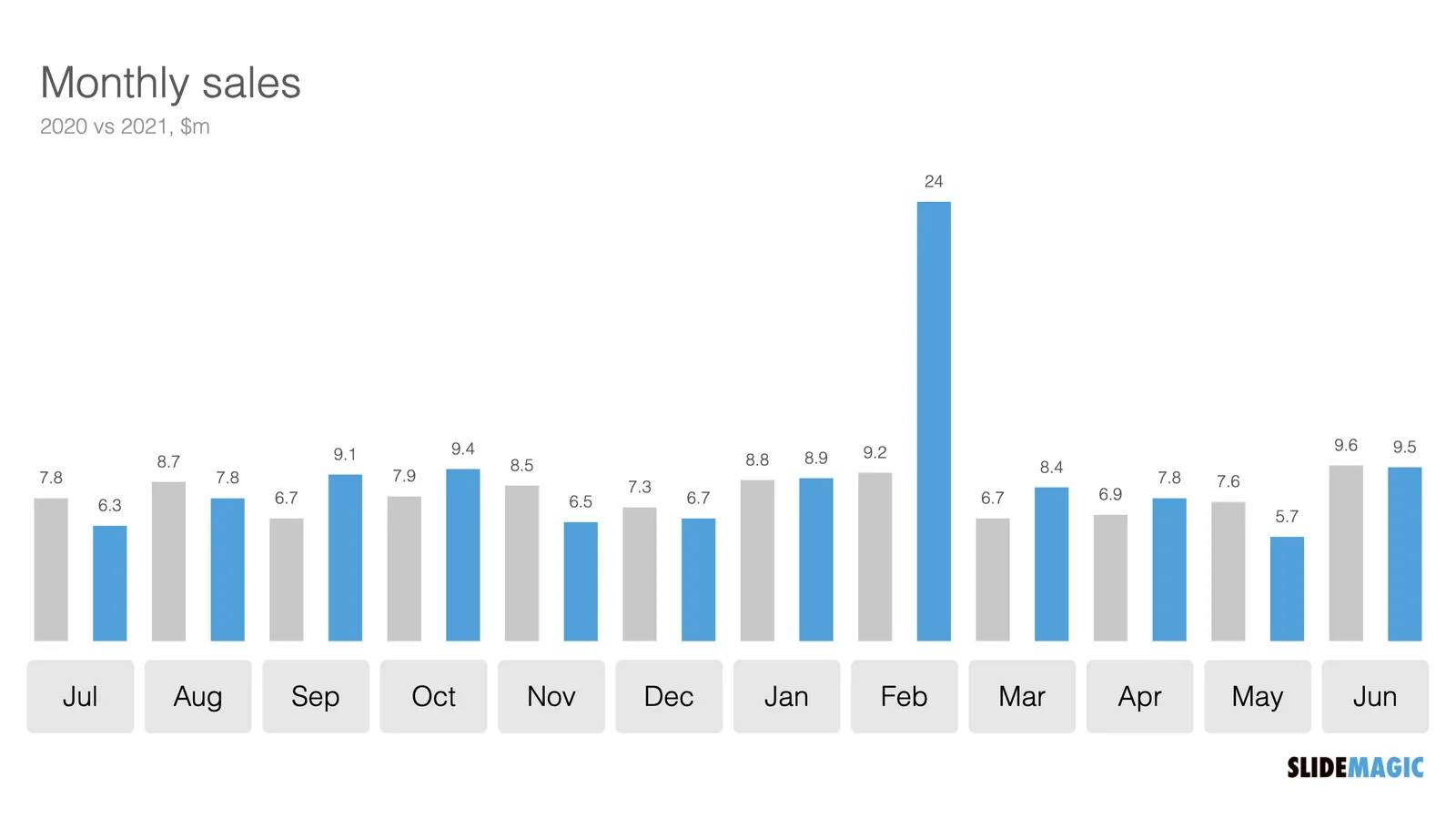
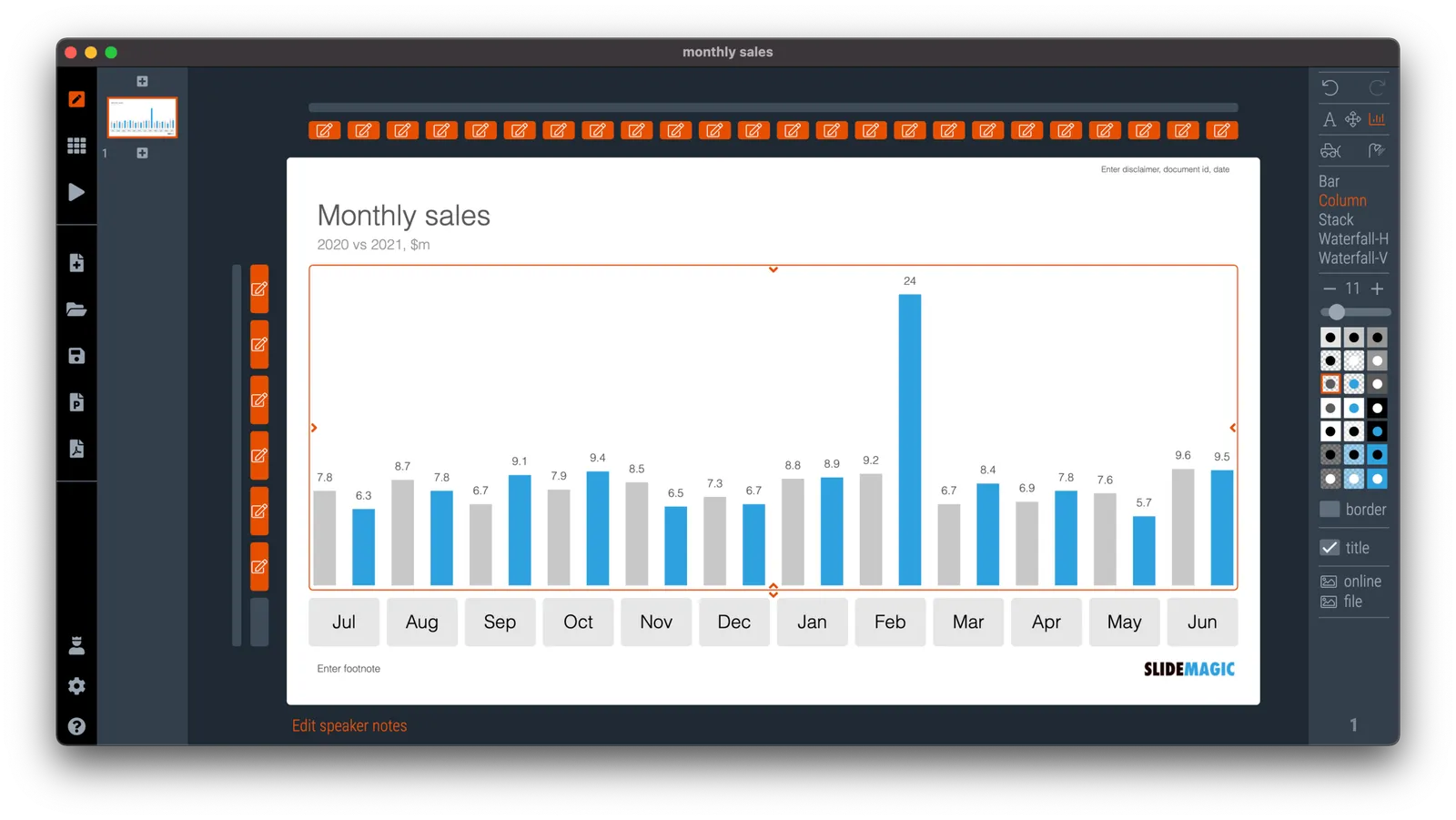
In SlideMagic, you do not have to worry about picking the right scale for your data chart. The entire chart adjusts itself to the numbers you type in. See the example below:

To make sure that a consistent scale is used for your entire chart, you need to place all your data points in one shape, instead of using multiple shapes for example for each month.

P.S. I have added this monthly sales comparison chart to the SlideMagic slide library so you can easily use it in your own presentations as well. Search in the app for ‘sales’ and it will pop up.

·Concepts

Shuffling

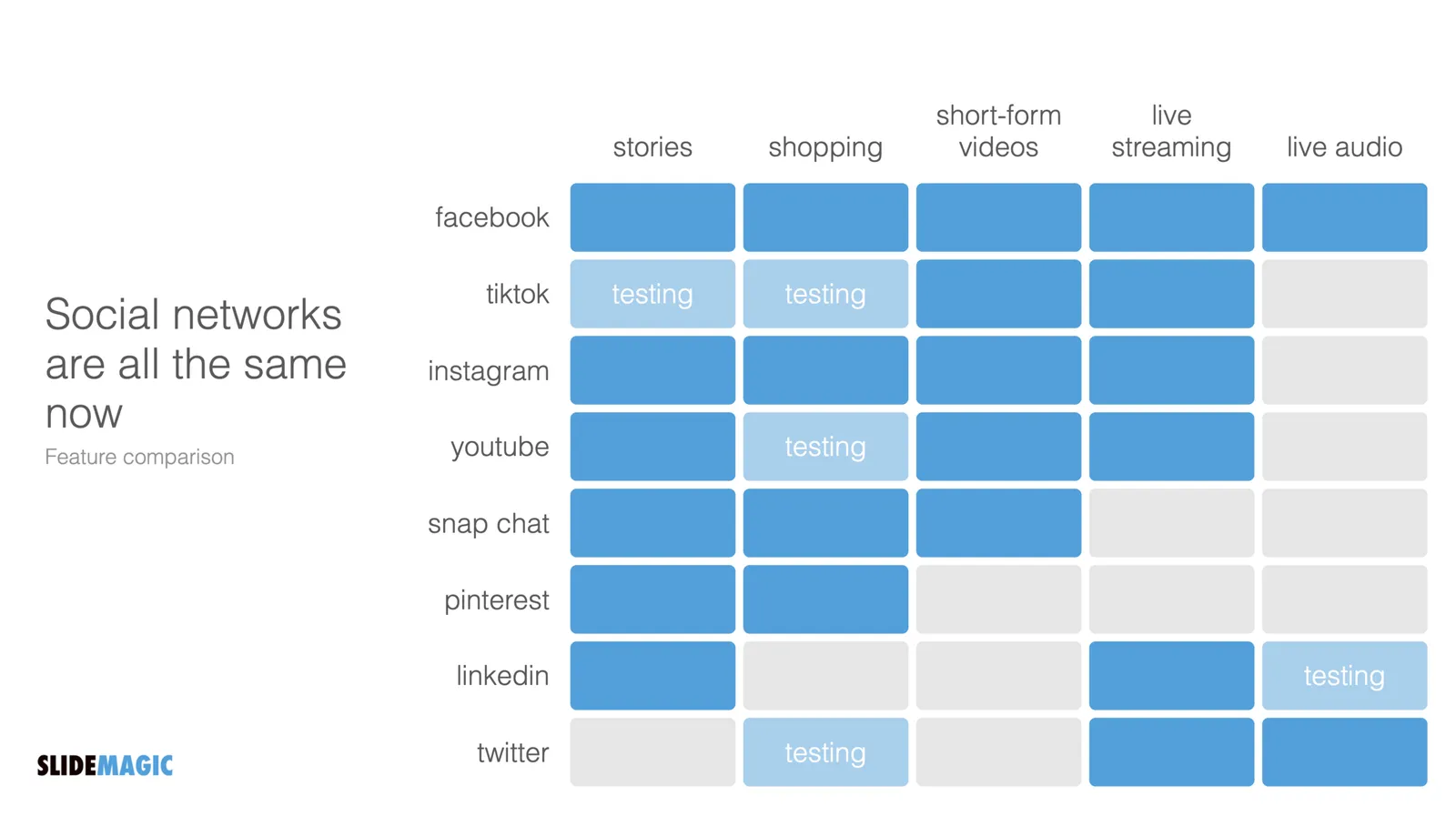
Another slide makeover. I will post the ‘after’ before the ‘before’, since the email delivery service sometimes does not render all the images I put in my blog posts…

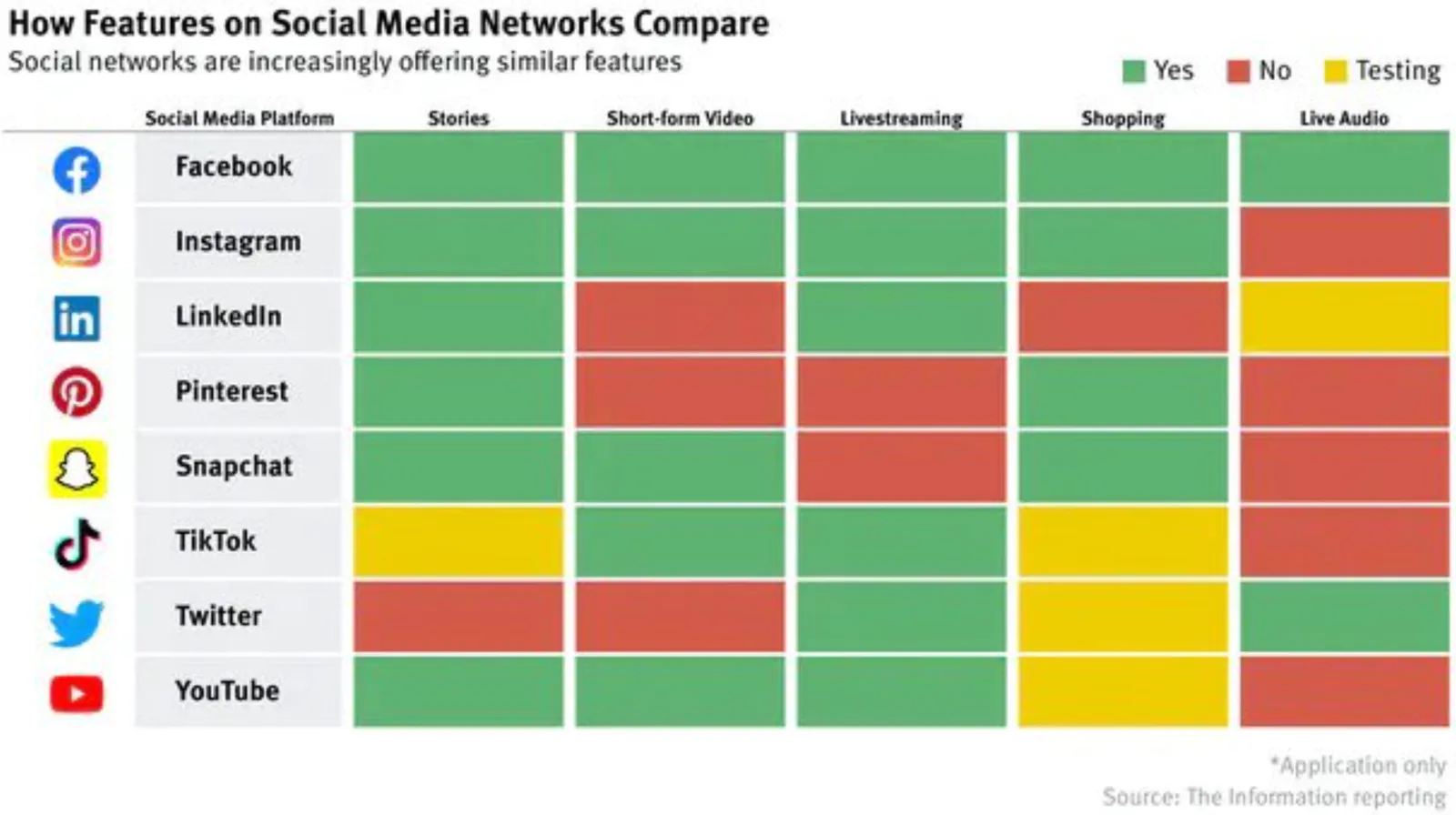
And here is the original, created by The Information

What did I change?

  • I shuffled rows and columns to get the biggest possible continuous space of similar blocks, this is visually more pleasing, and groups/ranks players in a better way. (Hmm, should have swapped Instagram and TikTok now that I look at it).
  • I changed the colors, the traffic light analogy does not really work here. The “yes” and “testing” should be very similar in color, while the “no” should be a clear gap.
  • I added a more punchy headline
  • I calmed the whole chart down by simplifying the legend and taking out the logos.

I have added the slide to our template bank. Users of SlideMagic (try it, there is a free version), can access the slide by searching for “social” in the template bank.

·Concepts

Busy economics slide in SlideMagic

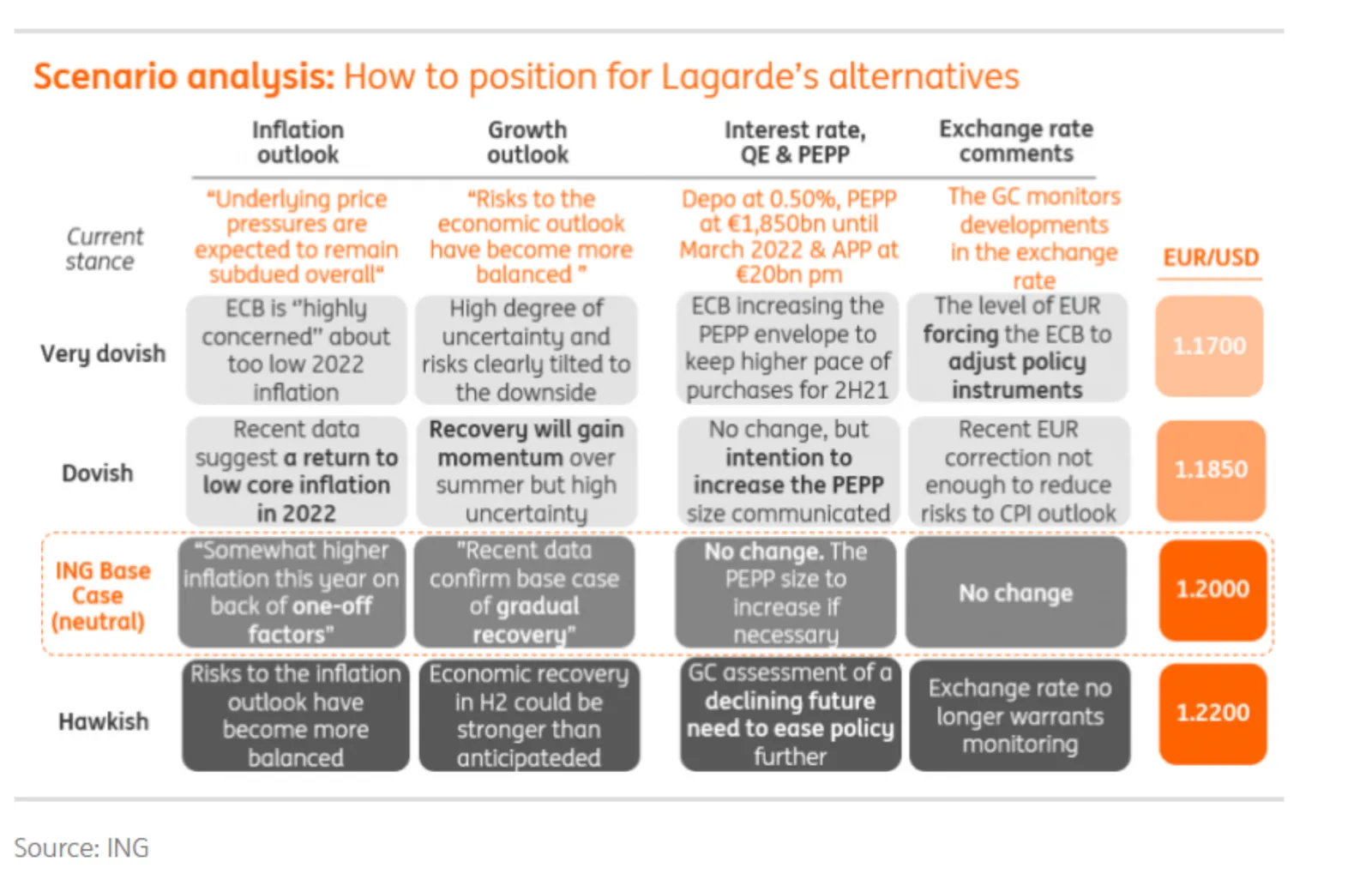
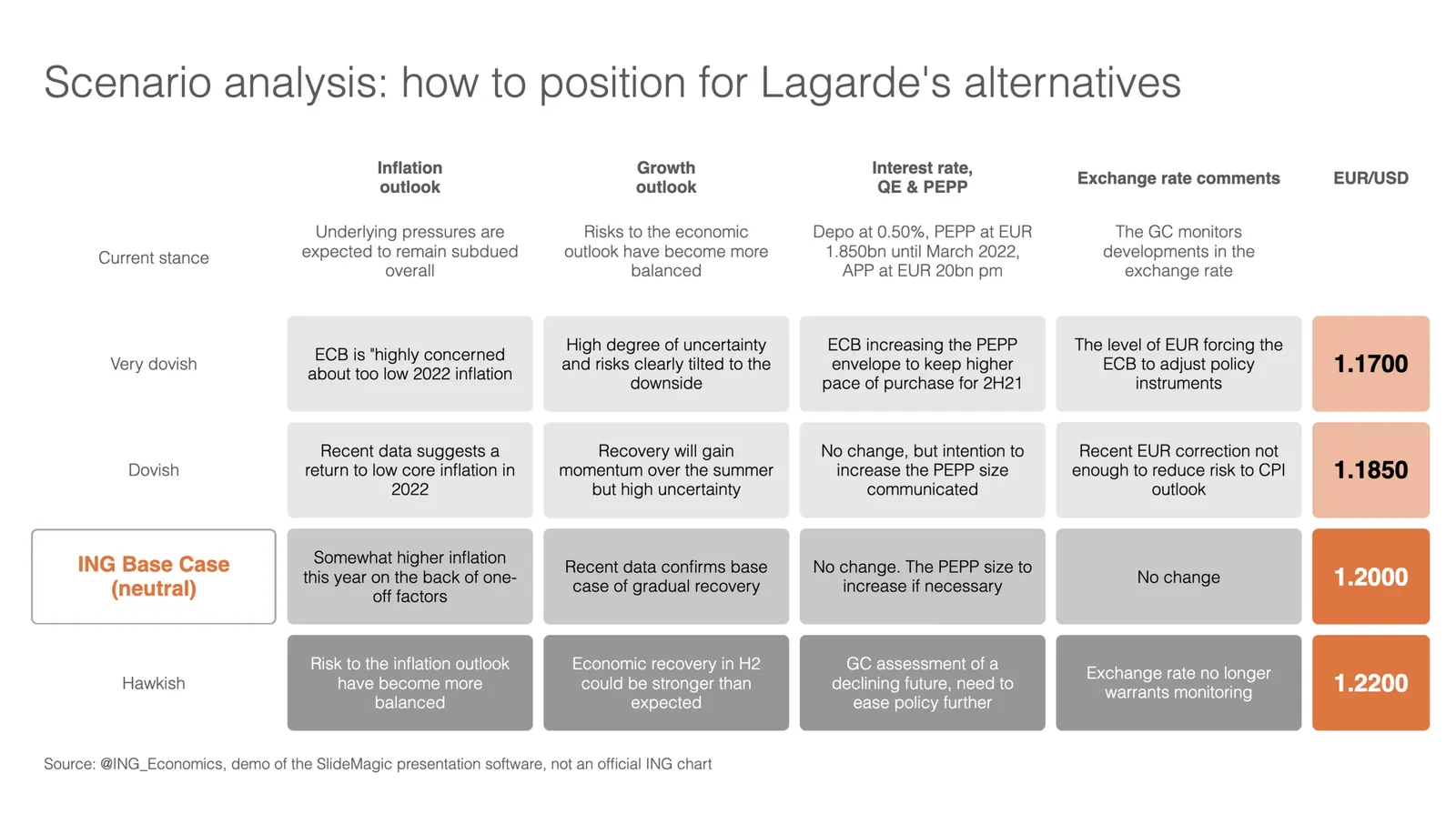
I stumbled on the slide below by @ING_economics.

This is a slide intended for reading, rather than serve as the backdrop for a TED Talk. It can be improved on a number of fronts:

  • Move the aspect ratio to 16 x 9 to make more space for text in the boxes
  • Actually reduce the font size (we are reading anyway), to make the text fit better in the boxes, with more white space, and less irregular sentence wrapping
  • Make the rounded edges less extreme
  • Make the dark colour accents a bit less strong
  • And most importantly, fix those misalignments that make me cringe…

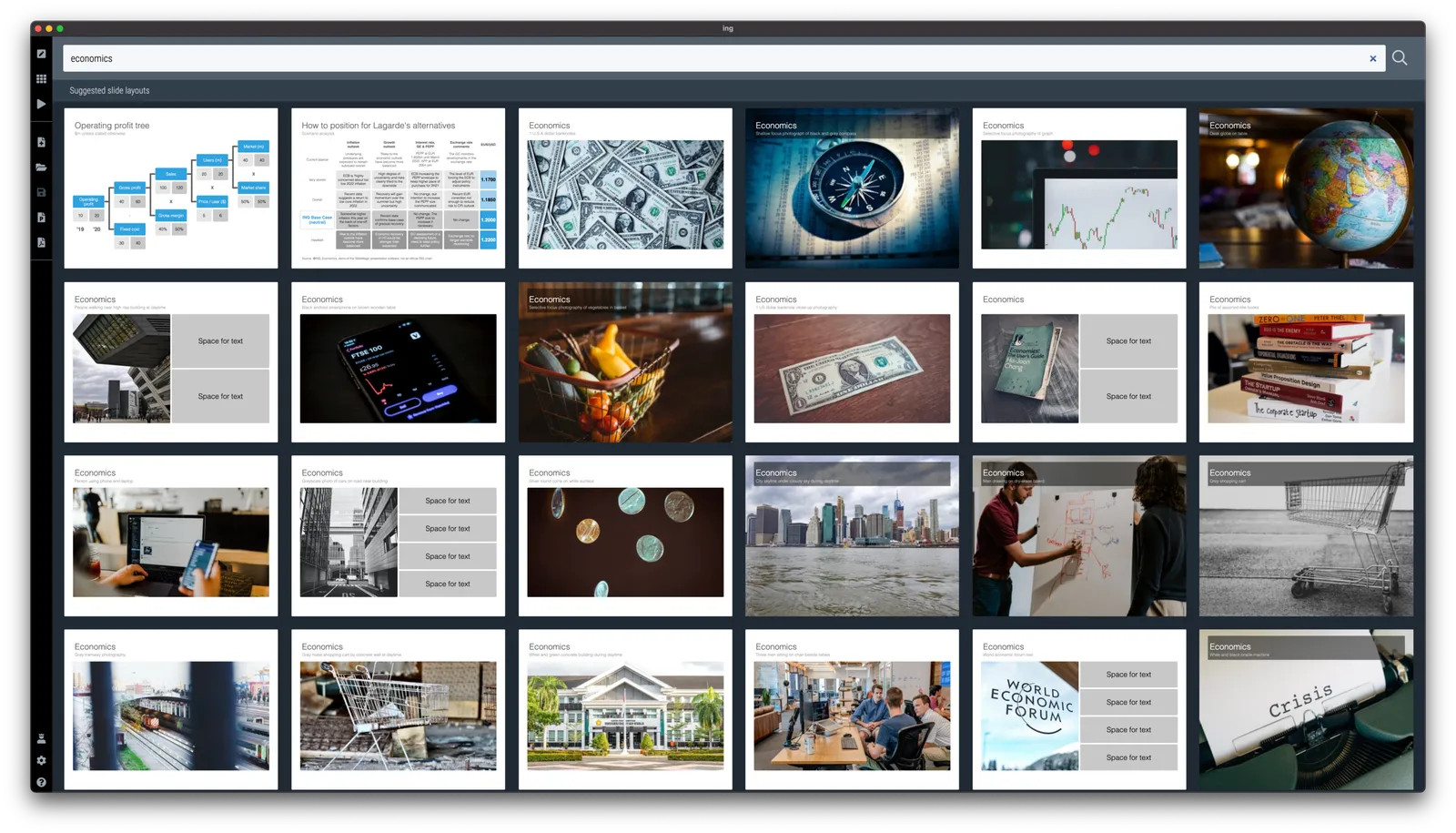
I did a quick re-do in SlideMagic, with is particularly powerful when it comes to text tables. I added the slide to the SlideMagic library, search for “economics” in the desktop and it will show up.

·Concepts

CMMI template

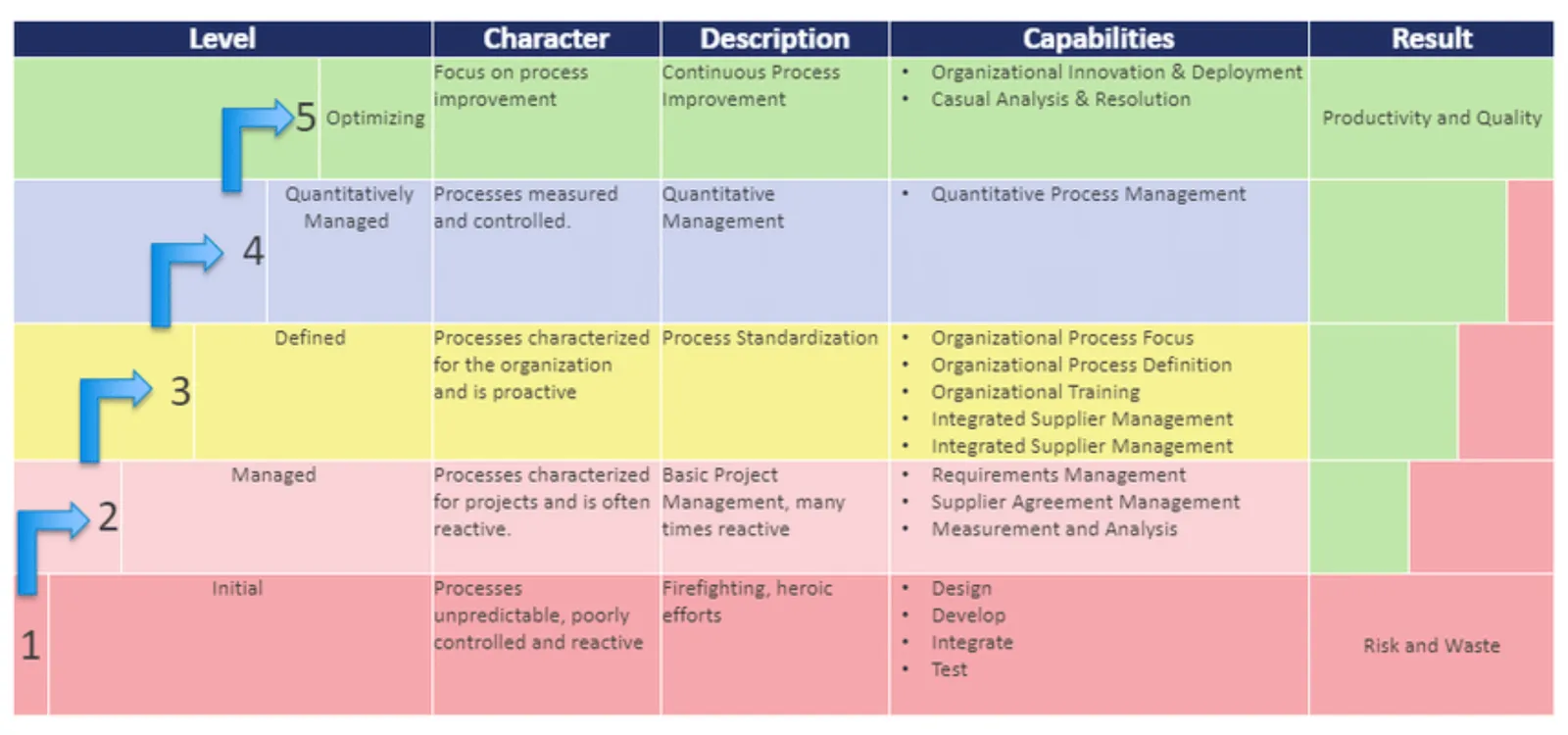
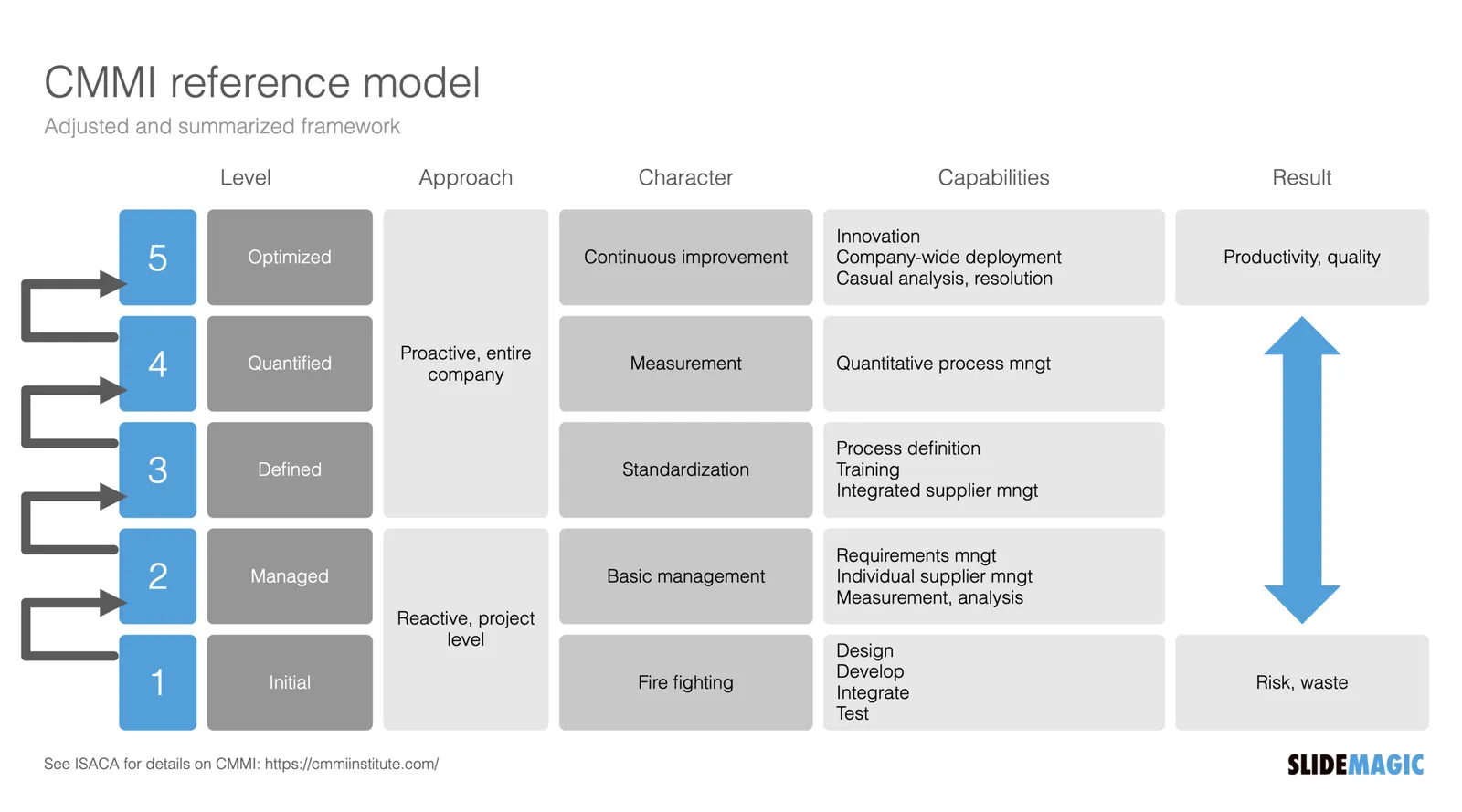
One of the users requested a template for the Capability Maturity Model Integration framework (more information on the site of ISACA’s CMMI Institute).

I worked of the following original (not created by CMMI):

Next to the general layout, there is also a lot of improvement possible in the text. Overlaps, and jargon can be removed. Here is the template that I added to SlideMagic, search for “CMMI” and it will pop up in the SlideMagic app.

This is my interpretation of the framework, and not endorsed by the Institute. But this reflects how I think you should treat all these diagrams by consulting firms, academics, and business schools: use and adapt them for your own situation. If the jargon does not make sense for you, take it out.

·Investor presentation

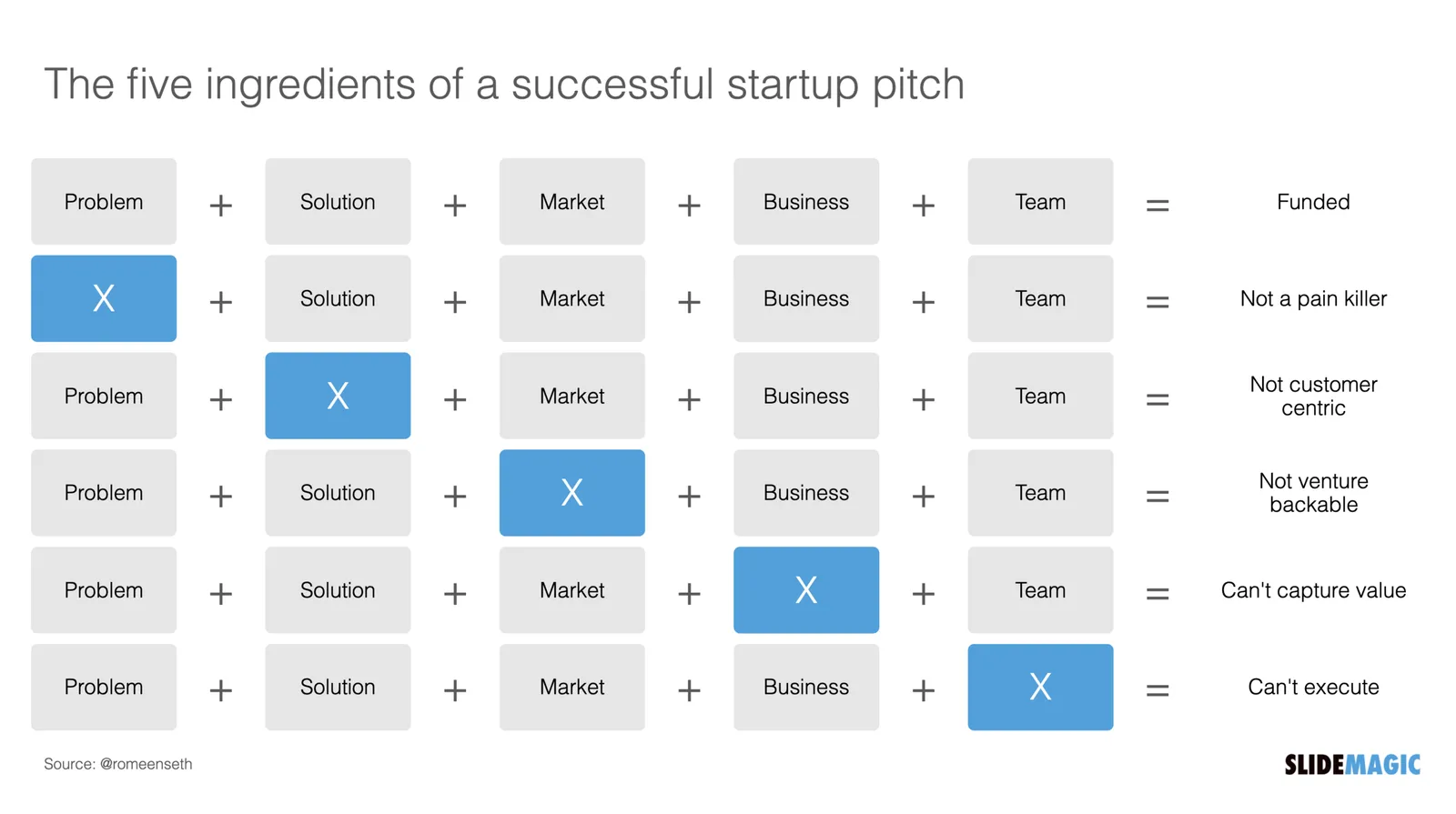
The five ingredients of a successful startup pitch

I added the slide used in this tweet to the SlideMagic library. In SlideMagic it is super easy to quickly create a grid with lots of boxes. There is a lot of redundant information on the slide, but the repetition on the other hand serves a purpose here.

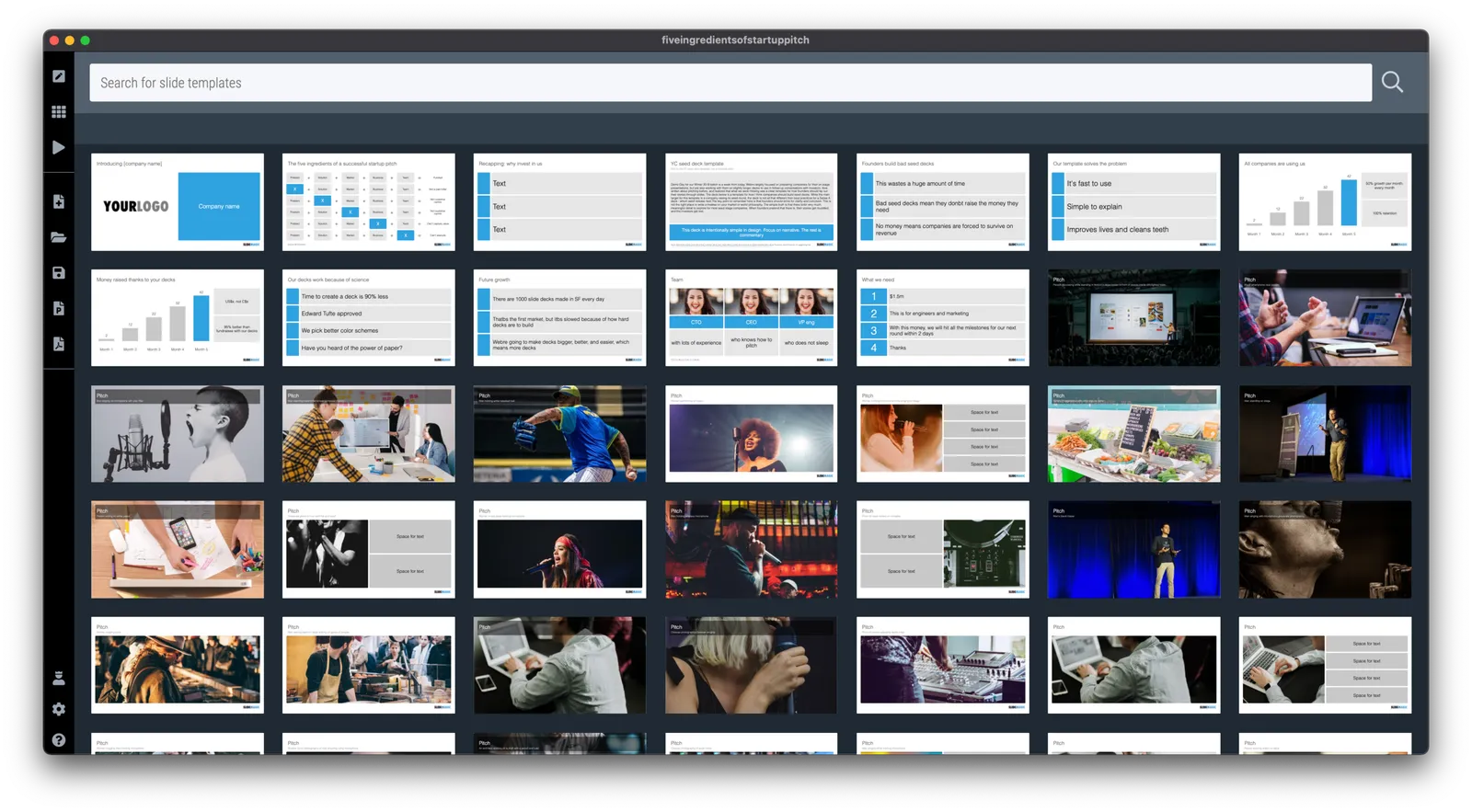
Search for “pitch” in the SlideMagic app and it will pop up for you to use (alongside some other investor and musical pitch related slides).

·Concepts

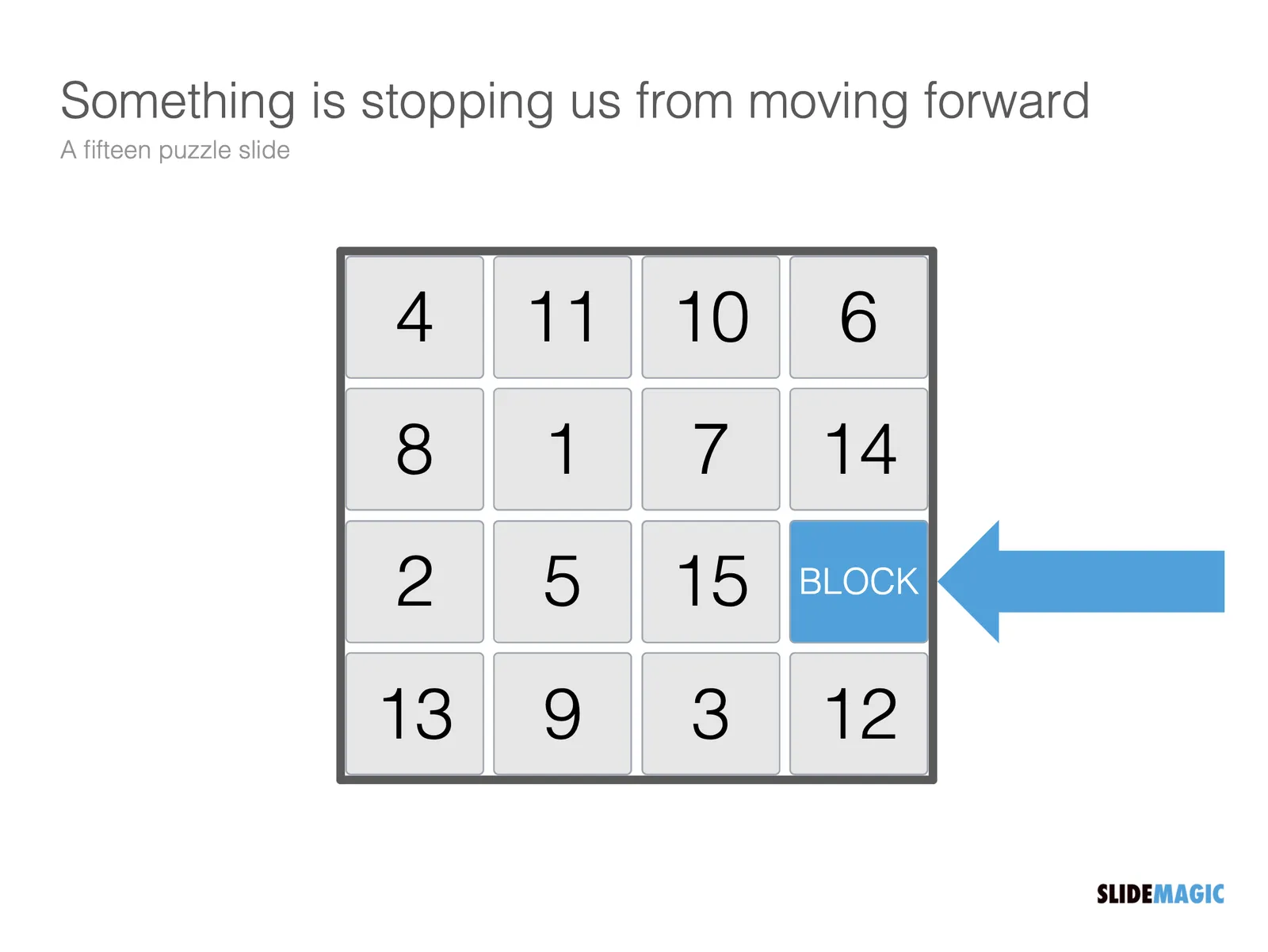
Blocked! Fifteen puzzle slide

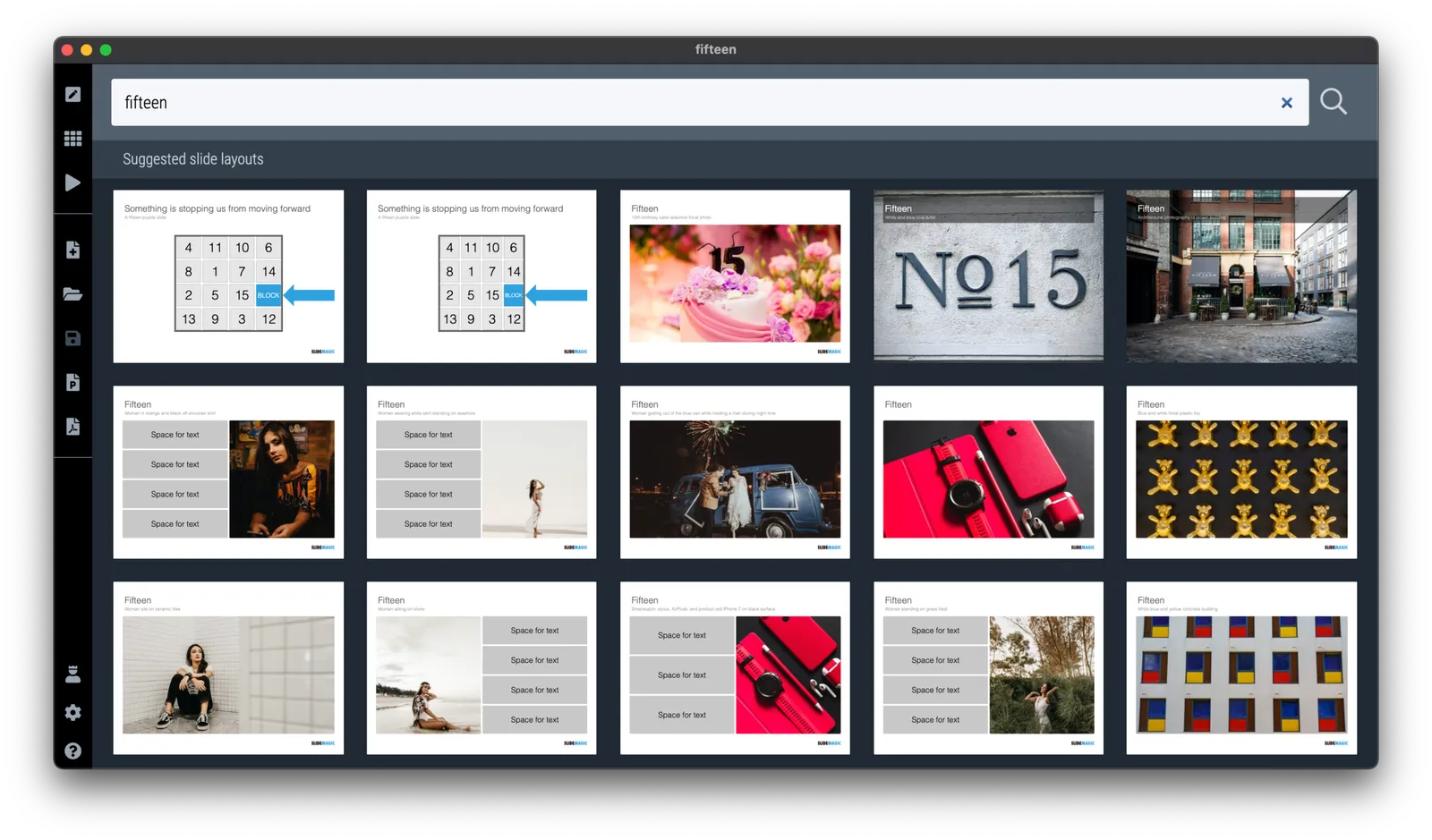
The fifteen puzzle was a popular download on the legacy SlideMagic PowerPoint template store (RIP). It is easy to recreate in SlideMagic 2.0 and I have just added it to the library of slides. Search for something like “fifteen” or “block” in the app and it will show up. This slide can be tricky to make in traditional presentation software as you need to get 16 boxes to line up nicely in a square.

PS: This is probably the only slide in SlideMagic so far where you have to make an adjustment when you switch aspect ratio. A wider slide layout will stretch the square into a rectangle. I added 2 versions of the slide to the library.

Image by Micha L. Rieser