SlideMagic Blog

Frequent updates about all things presentations since 2008. Subscribe to never miss a post.

RSS
all posts

Search results for “projector”

·Delivery

The problem with projectors

I have written about the poor quality VGA projectors that are still sitting in conference rooms of many companies before, but I myself fell into the trap again yesterday. A presentation that looked great on my computer screen was barely readable in a conference room, I have gotten used to high resolution screens and the option to use thin fonts and very subtle colour shadings. Reminder: these do  not come through on projectors.

Now we have a dilemma:

  • Presentations designed for retina displays are not readable on crappy VGA projectors
  • Presentations designed for crappy VGA projectors look “1990” on a retina display

My presentation app SlideMagic should be OK, it uses fat Roboto fonts and reasonably blunt shadings. For PowerPoint, think about where your deck will be used most: a person reading the attachment of an email or an audience watching things on the screen. If the latter, test your presentation before the all-or-nothing pitch.
·Delivery

Crappy VGA projectors

Screens on computers and mobile devices are getting better in 12 month cycles. I design presentations on 2 giant 27" displays that show a lot of detail and reveal the most subtle color shade differences.

Then you put your presentation on a conference room overhead projector that has been sitting there since 2002… The screen resolution is so small that it takes you 5 minutes to find your application windows, and when you finally get to show the slides in presentation mode you will notice that white and light grey is the same color, and that almost black grey is actually bright grey, and that orange means pink.

Test run your designs for the crappy conference room projector.

·Gadgets

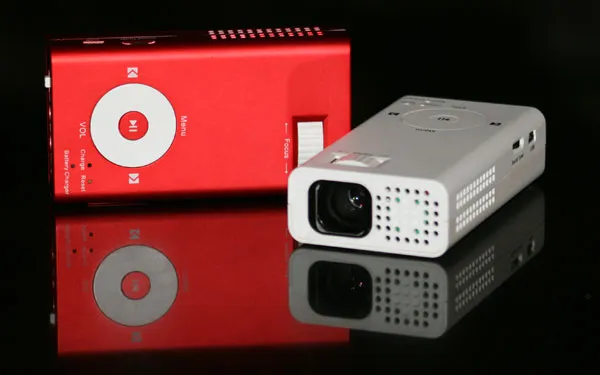
Popvideo iPhone projector

I speculated a few years ago about the potential of having a projector with you in your pocket. By that time, it was not yet possible to run presentations off your smartphone. Things have changed now and devices like the Popvideo pico projector for iPhone (comic sans alert) might be on their way to becoming a replacement for the crappy VGA corporate overhead projectors in conference rooms (the keynote hall is still too much of a challenge). I think there will never be a real market for projecting confidential business presentations on the walls of public places such as cafes. It might spur a new generation of graffiti or performance artists though…

·Design

New pocket projector launched in the market

I have been following the developments in the market for pocket projectors. If they work, they have the potential to create a whole new setting in which to give presentations (conference auditorium, small meeting room, and now the white wall in the local coffee shop).

The (obvious) problem with the early devices was that they lacked power. Here is a new device that is a bit bigger/heavier, but promises to deliver more performance: the Beambox Evolution R-1.

Via engadget.

·Delivery

The pocket projector is coming to an empty white wall near you

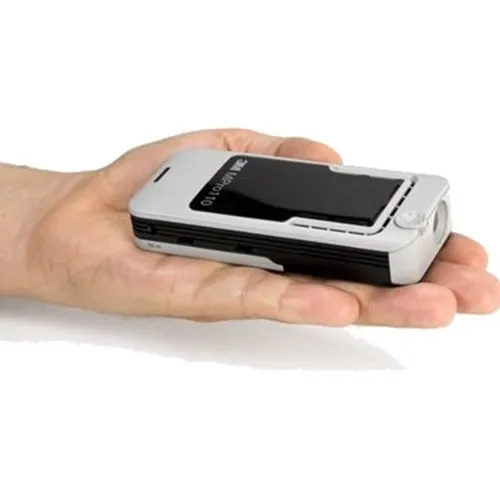
Pocket projectors are starting to ship. Two reviews posted within the last 24 hours: the 3M MPro 110 (around $475) and the Epoq EPP-HH01 ($229).

The reviewers’ comments suggest that although the devices can be used, it is still early days. Light strength is still relatively weak and resolution is not optimal (especially for text). As a result you need a darkened room, put the device 1-2 meters from the wall to get an image of around 40-50cm.

It sounds like we need some patience for 2 things to happen:

  1. These devices become powerful enough that they can project a bright, big image. Until then, the laptop screen might be better. Maybe a compromise could work. A projector that is as flat/small as a laptop, but not quite pocket size that does meet minimum projection quality requirements.
  2. More interestingly, this technology is incorporated in a mobile phone, providing these devices with a big screen instantly. The first application will actually be a replacement of the mobile phone screen for let’s say web browsing without the need for scroll bars, or viewing Microsoft Office documents for private use, or projecting the latest family pictures. Showing presentations to an external audience is still less obvious.
·Gadgets

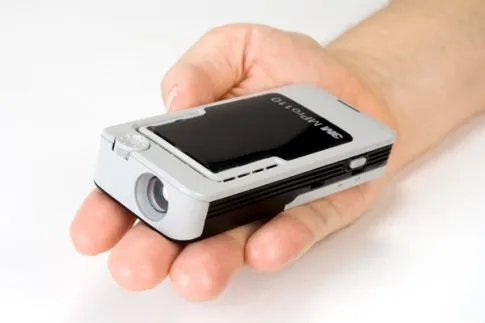
3M will launch a pocket-sized projector soon

I wonder whether this gadget will change the way we conduct presentations. The overhead beamer has just been resided to something that actually could fit in your pocket. Rather than looking in a coffee shop for a socket to plug in your laptop, now you also need to find a decent surface of white space on the wall…

Photo by 3M. Source: Popular Science

·Story

The spontaneous speech

Here in Israel we had an eventful swearing in of a new government yesterday. The “swearing in” was preceded by a lot of swearing, heckling, and screaming. One of the members of parliament tossed his prepared speech and instead delivered a spontaneous one on the spot, denouncing the behavior of some of his colleagues.

In the world of presentations, many probably have observed this. You work for months on a document/presentation, think carefully about every slide, and then, when put on the spot without your slides, speaker notes and/or projector, you delivery the whole story eloquently and seemingly without any preparation.

Well, not really without preparation. You have been building this story for months in your head. Without the work, the spontaneous presentation would never have worked. It always a good health check for your presentation, “ditch the deck”, and scribble your story if you had to tell it right now without any support. Then compare notes honestly.

Spontaneous speeches are not for everyone. You need to have the plot very clearly in your mind and avoid being side tracked on tangents, losing your energy and ending the story without the punch.

Photo by Steve Johnson on Unsplash

Imaginary eye contact

Eye contact is essential for any presentation. Just think of the speakers you have watched who were staring at the ceiling, the floor, or their slides on the projector.

And eye contact means eye contact. Lock in with a member of audience for a few sentences. Quickly moving from one audience member to the other will make it look like you are looking for someone in the room.

This eye contact with strangers will feel awkward for the presenter, but it does not for the audience. There is a way to make it slightly less uncomfortable though. Call it “imaginary” eye contact. Look at random spots in the (dark) audience, for away to the back. Look in between 2 members of the audience. The audience thinks you are connecting with someone, but you don’t really.

In video calls you need to be aware of the camera as your point of eye contact. If you are looking at the screen, the audience will see that you are “looking down”. The closer you are to the camera, the stronger this effect is. If you are relatively far away from your camera and/or laptop, it becomes hard to tell what you are actually looking at.

One other solution is using an external camera and a teleprompter (Seth Godin created the shopping list for you). You look straight into an angled semi transparent mirror, behind which you position your camera. Direct eye contact news anchor style. This setup is great for one on one discussions. But the picture in the teleprompter is relatively small, so it works less well for group calls and presentations where you have to follow along with slides on the screen.

Continue reading →
·SlideMagic

Making SlideMagic more Zoom-friendly

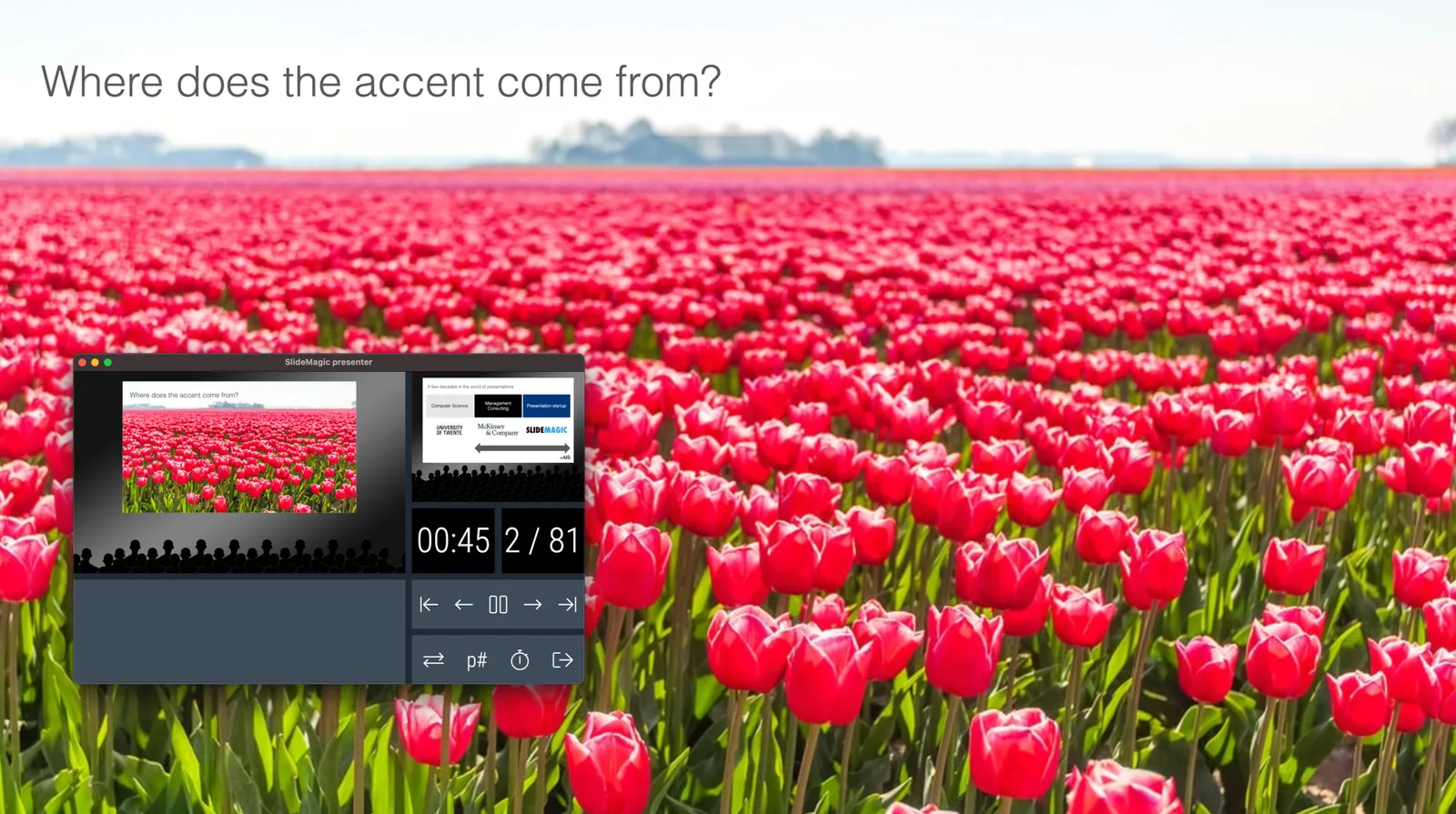
Up until now, playing a SlideMagic presentation would trigger a full screen view of your slide, plus second full screen window on the presenter machine (if available). Switching back and forth to full screen, swapping monitors can be a bit disorienting, and in the area of Zoom, it does not work well when you want to share your audience window, but not your presenter view.

As of version 2.6.3, entering a presentation will now always trigger 2 windows (not in full screen): the slide and a smaller presenter view with timer, counter, and a thumb of the next slide coming up. You can re-rearrange them to monitors as you see fit, and go to full screen manually if needed.

This also ‘solves’ the issue of deciding which screen is the audience screen, and which one the presenter’s when many on screen projectors (not replaced very frequently) have lower screen resolutions than most computers.

·Design

What do you mean, "presentation"?

This is a comment by my 15 year old daughter. She sees SlideMagic or PowerPoint as software that you can use to create your school project or make a photo compilation to share with your friends.

She is right. “Presentations” are mostly documents that capture an idea. Only a small percentage of these slides actually get presented on a screen in front of a live audience. “Presentation Zen”, TED Talks, Steve Jobs, and others have taught us how to make good live presentations, and SlideMagic can support this.

Now it is time to take on the quality of the other 95% of slides that get produced in businesses (and schools).

Photo by Alex Litvin on Unsplash