SlideMagic Blog

Frequent updates about all things presentations since 2008. Subscribe to never miss a post.

RSS
all posts

Category SlideMagic

·SlideMagic

App features in a row

I created a few new images to show the features of the SlideMagic presentation app. I am started to feel very good about where SlideMagic is going. This post is a bit like a 1980s Dutch consumer product commercial where “We, people of [product] recommend… [product]. I, the developer of SlideMagic recommend…. SlideMagic.

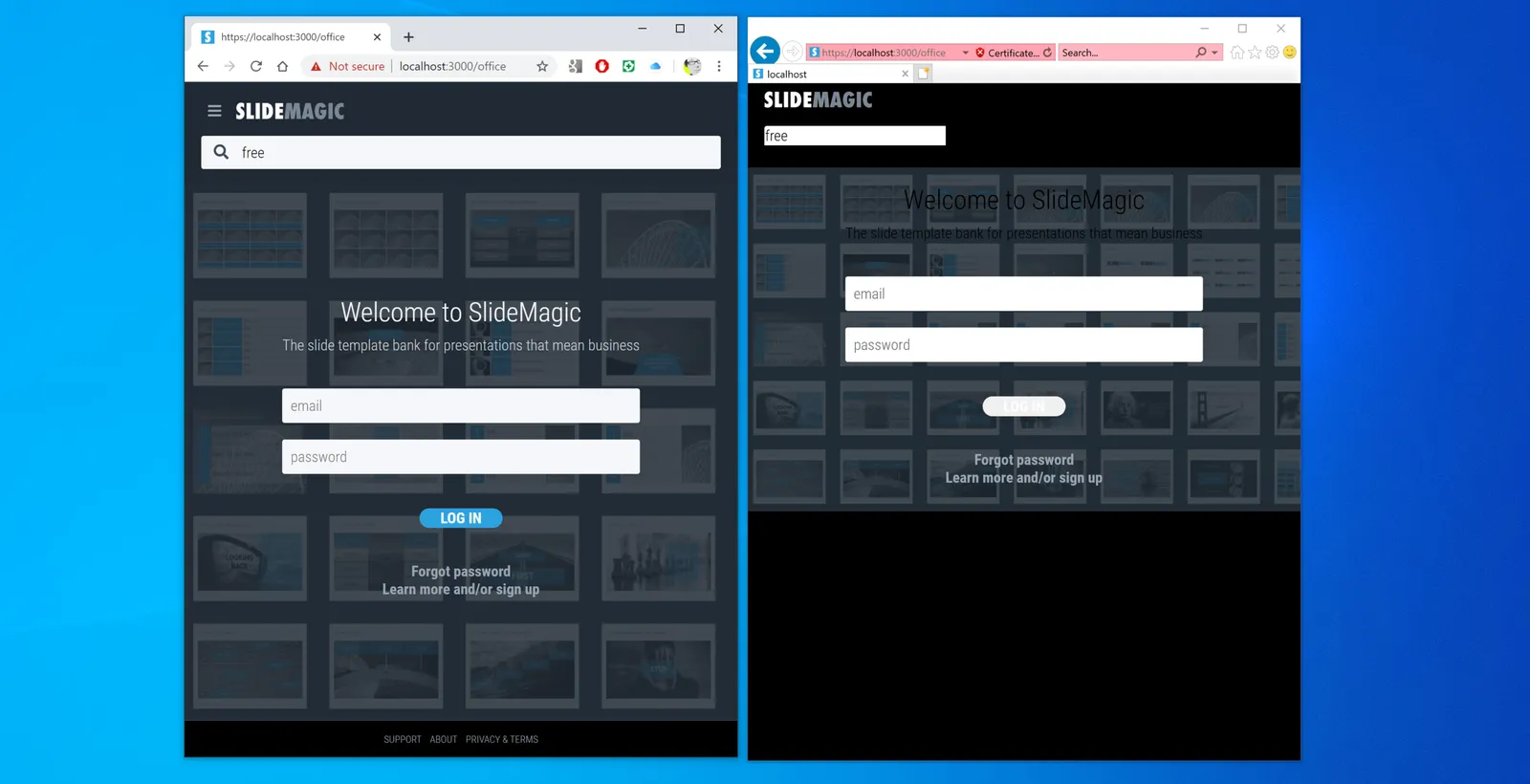
 Search templates directly inside the app. Currently, the app gives free access to all slide templates in the SlideMagic database

Search templates directly inside the app. Currently, the app gives free access to all slide templates in the SlideMagic database

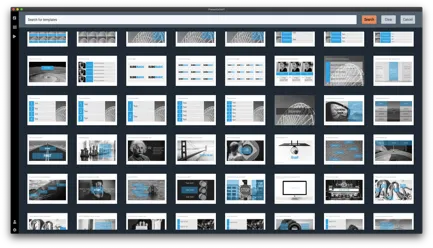
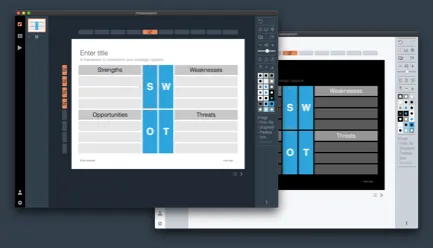
 Instant PowerPoint conversion

Instant PowerPoint conversion

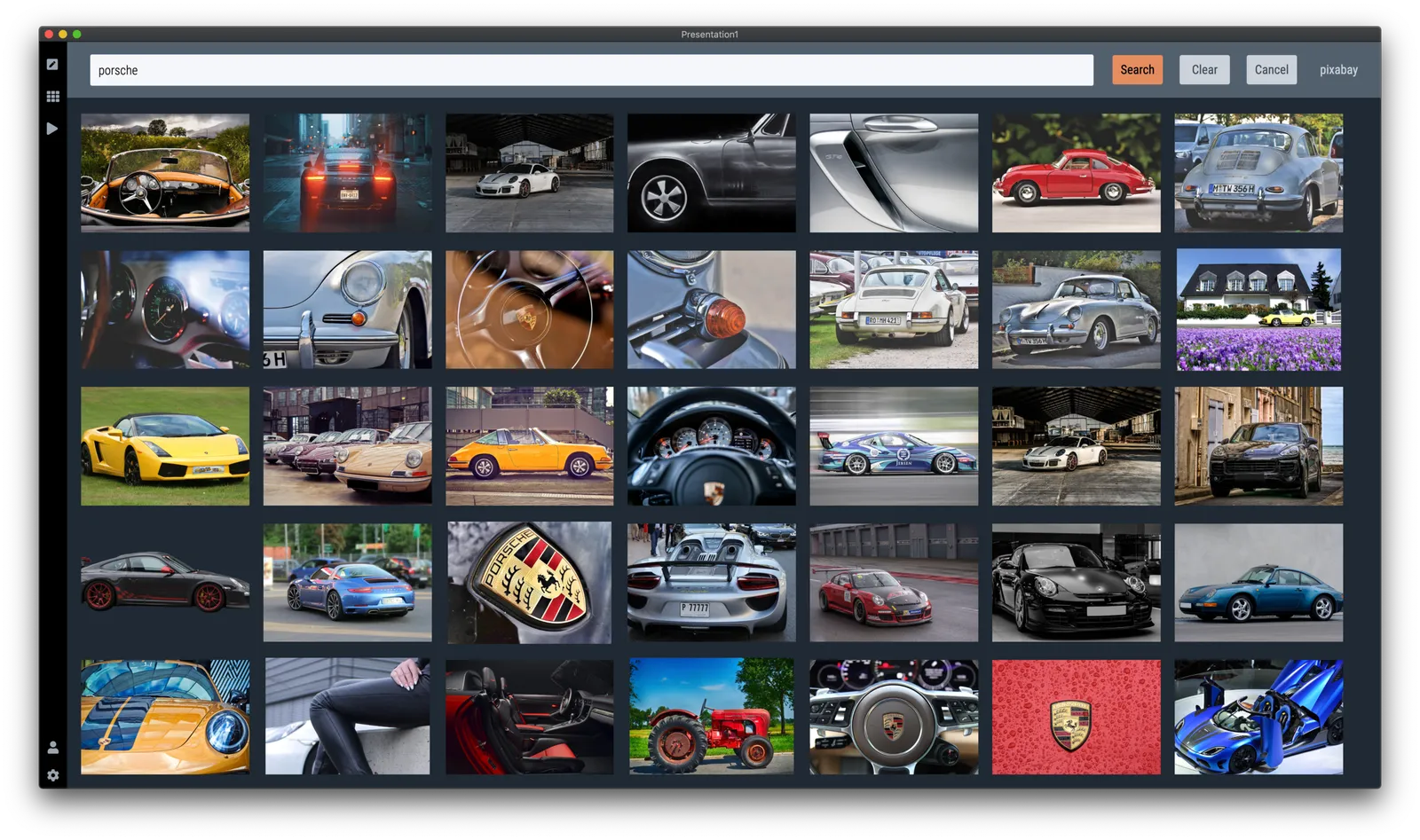
 Integrated online image search

Integrated online image search

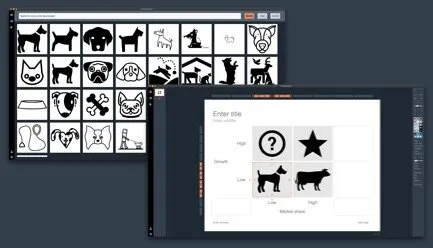
 Integrated online icon search

Integrated online icon search

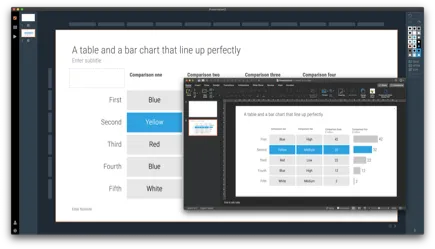
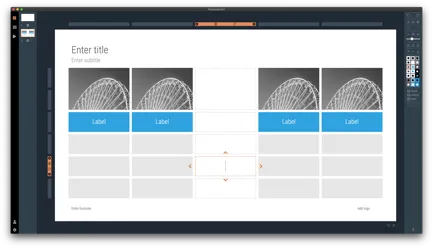
 Patented user interface keeps everything lined up

Patented user interface keeps everything lined up

 Dark/light background colour switching

Dark/light background colour switching

 Collapsable slide explanation panel when you cannot present in person

Collapsable slide explanation panel when you cannot present in person

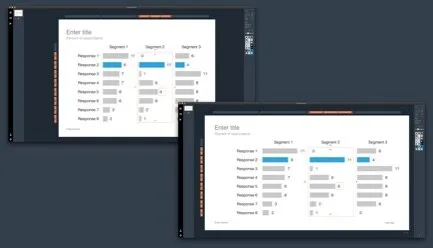
 Dual monitor support

Dual monitor support

 Distortion-free aspect ratio conversion

Distortion-free aspect ratio conversion

Photo by Yunming Wang on Unsplash

·SlideMagic

Integrated Pixabay image search

Pixabay offers a large database of free stock images. The site has become increasingly useful over the past years. In 2020, free images are now often better than paid stock photos, simply because the designer/photographer tries less hard to add effects and edits to the original photographs. (This is all written from the perspective of a corporate presentation designer, there are probably other people out there who value edited images).

Each free image site has its own profile. Unsplash has better aesthetics, more natural images. Pixabay has more functional images.

I have now added the ability to search Pixabay images in the desktop app. (Unsplash images, and the Noun Project icons were already present). All implementations are still beta features, as I finalise the approval for the API. (But I am confident I checked all the right boxes).

In-app image search is not just a “lazy” feature. It can greatly improve your presentation design workflow. Especially when it comes to copying, pasting, cropping and positioning images. In SlideMagic, this is just a few clicks. And, because of SldieMagic’s rigid slide grid, every image will always line up neatly with the other elements of your slide.

You can download the latest version of SlideMagic here (2.3.6). Integrated image search requires a pro subscription plan.

·SlideMagic

Better image search UI

Version 2.3.5 of SlideMagic went up this morning. The interface for searching images from within the desktop application now looks a lot better in a grid layout that takes into account portrait or landscape aspect ratios of photos.

I will further improve the in-app image search soon, with a preview ability to test the image in your slide, and combining more than one image bank provider. A lot is changing in the world of online stock images at the moment, to the extend where I often find free images to be of better quality than paid ones.

Business presentations are different from ads or consumer graphics design projects: picking the right image and getting the credits right is what matters. More to come soon.

The image search API calls are still a beta feature with limits on the amount of searches per hour and/or the image resolution, as I need to make sure my (unusual desktop) app gets the back linking and credits done in agreement with the image bank provider.

One more feature was added: tool tips for the app icons after feedback from a user. Leave your mouse stationary for a second, and the app will suggest what you can do here. Most icons and actions are obvious, but while placing them, I realised that indeed a few things were hidden and/or unclear.

You can download the latest version of SlideMagic here.

·SlideMagic

Just push harder

When repositioning images in SlideMagic, there used to be the slightly lag when dragging the mouse. I spent days and days over the past year trying to fix this, but got to a point where I gave up after reading posts of other developer who compromised on a “fudge” approach for the exact same issue (in a different software of course).

Well, no longer. As of version 2.3.1, images follow the mouse button precisely. Deep, deep, down in the world of CSS was a weird way of calculating things, that combined with how I keep track of a slide coordinates made this one particularly tricky to solve, but it is done.

Also in 2.3.1 you icons are no longer “flattened” when you copy paste them, but you can now still change their colour and appearance, just as in the original.

The new version should automatically install in the background, or you can force the upgrade by visiting the SlideMagic app download link and pick your version for either Windows or Mac OSX.

Photo by Alora Griffiths on Unsplash

·SlideMagic

V2.2.9

A new version of the SlideMagic app is now available for download with very detailed improvements to how the app responds to clicks. These are not earth shattering new features, but are incredibly important to make the app workflow even better. You can visit the download link to force a new install, otherwise, your app should update in the background.

UPDATE: Make that 2.3.0, now with direct full access to the entire slide database from within the app. (PowerPoint conversion and downloads require a pro subscriptions)

Photo by Harpal Singh on Unsplash

·Templates

Startup Board update deck

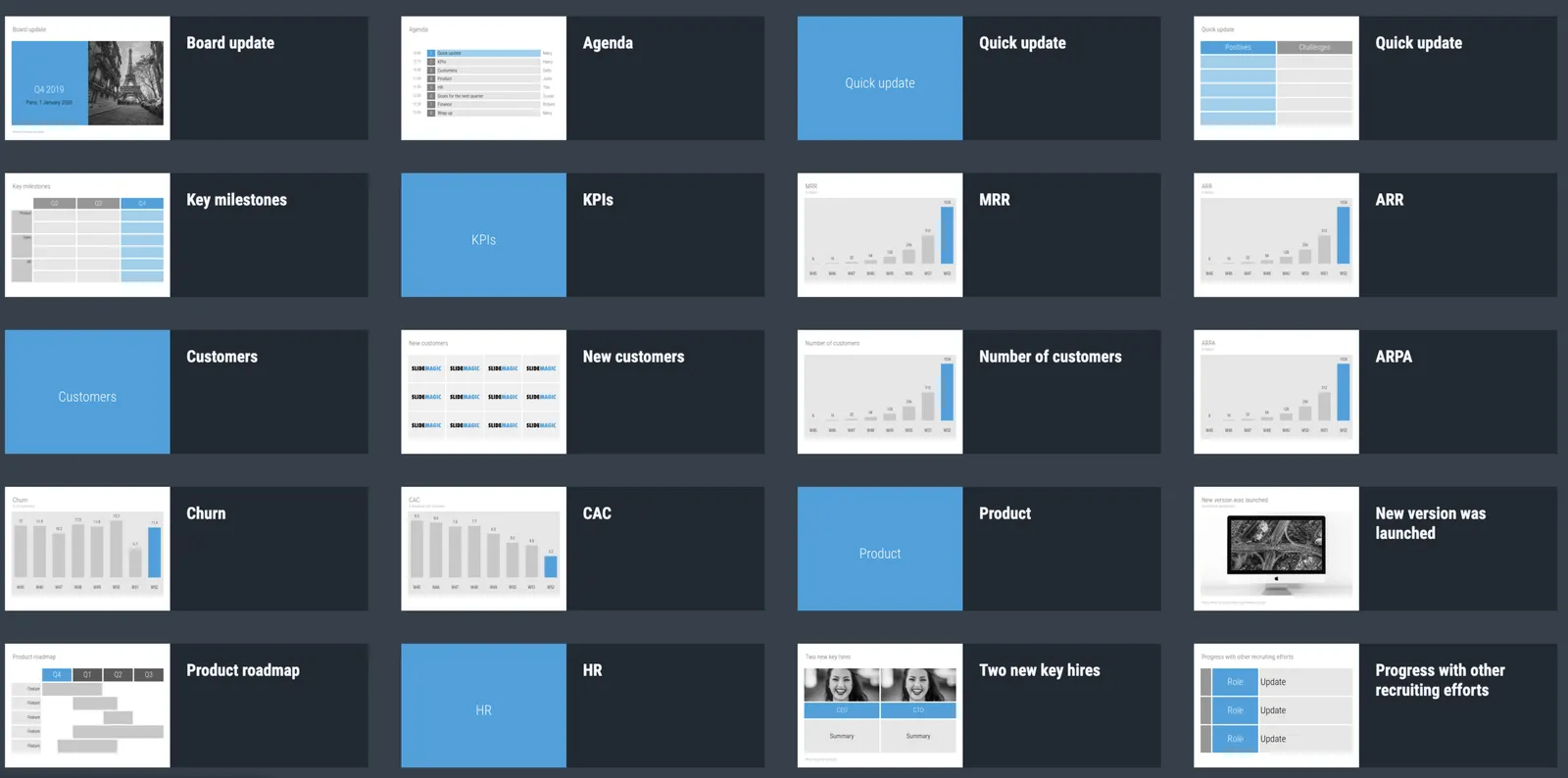
You can now access entire slide decks (“stories”) from the home page of SlideMagic. A few days ago I added a slide deck template for a startup Board update. As I upload the new slide decks, individual slides will get added with the right tags to the slide database as well so they will pop up when you search for relevant layouts.

More slide decks to follow. Let me know if you have any special requests.

·SlideMagic

Testing the first SlideMagic stories

I reshuffled the code on the server, so I can now stitch entire decks (I call them “stories”) together that you can download in one go. I think these stories can complement the offering of individual slides.

  • Slide templates are focussed on one particular design or image that cover a certain topic
  • Story templates are all about well, the story. I expect them to contain mainly very simple slide layouts, what matters is what is written in them, and in what sequence they are put together.

I am starting with a quick make-over of the YCombinator seed deck,you can download it for free here. See the original post on YC for the background.

It is available both as a .pptx and a .magic file, but it with these simple slide layouts where the power of SlideMagic comes in: quickly adding or deleting rows without messing up your slide layout. You know which I would pick :-)

There is still work to do, you can’t get to the stories easily from the top slide menu. Also, the user interface can be confusing now when as a user you are not sure whether you are browsing slides or stories. Also, in-app story downloads are not your implemented . Work in progress.

·SlideMagic

Stories coming next

I am using the current quiet to beef up the usefulness of SlideMagic. Next up are stories, bundles of slides with a coherent story that stitches them all together: startup pitches, board updates, budget plans, CVs, strategy reviews, etc.

The slide decks are easy for me to create, I need to solve a technical and a design challenge:

  • Technical: the whole SlideMagic architecture is based on individual slides, I need to start linking them together to stories.
  • Design: I need to come up with an intuitive user interface to browse and select stories easily.

Work in progress.

Photo by Erik Brolin on Unsplash

·Software

Alpha testing: SlideMagic PowerPoint plugin

If you want, you can try out the SlideMagic plugin for PowerPoint. When installed, it opens a task pane on the rights side of your PowerPoint screen, you can log into SlideMagic, search for templates, which when downloaded appear in a new PowerPoint presentation. With a copy-paste or drag, you can add them to your presentation.

I am currently in the process of getting SlideMagic Ltd. approved as a Microsoft Partner to add it to the official Office app store. Microsoft is experiencing some capacity issues at the moment as the working-from-home-world is overloading its cloud servers.

To beta test the add-in in the mean time, you can do the following. This is a slightly advanced process, sorry.

  • Download the slidemagic.xml file here
  • On Mac follow these instructions (original on the Microsoft site). Copy the .xml file in this folder: /Users//Library/Containers/com.microsoft.Powerpoint/Data/Documents/wef (if you cannot see the Library folder in your Finder, select the ‘go’ dropdown in the Finder, then press the OPTION key and it should appear. Restart PowerPoint and a new icon “Start SlideMagic” should appear.
  • On Windows, the process looks a bit more tricky: see here.
  • The easiest is actually the online version of Office (instructions). Open PowerPoint in your browser, select Insert, select Add-ins, click manage my Add-ins, then upload my Add-in to upload the slidemagic.xml file.

This is all still work in progress.

·Software

PowePoint plug-in mechanism works

A follow up on yesterday’s post: the basic mechanism of the PowerPoint plug in works. I can side load the app in a task panel, let users log in, you can search for templates, to add a slide to your presentation I can only open it as a new presentation with 1 slide at the moment, you have to copy the slide across to your own file.

It is fascinating to see all the stages this slide goes through (automated mostly):

  • I design the slide in the SlideMagic app
  • Upload them to the template server
  • The server converts them to PowerPoint and create screenshots
  • The server updates the tags
  • PowerPoint connects to the server and loads the side panel
  • User logs in, and searches
  • PowerPoint loads the PPTX file from the SlideMagic server

As soon as you download the SlideMagic slides into PowerPoint you instantly see the strength of SlideMagic when it comes to adjusting templates. Try adding a row to the SWOT diagram, it is hard.

I am not expecting to unseat PowerPoint’s install base any time soon, and the optimal situation would be where both applications can work together nicely. A robust plug in can help users who are hesitant to make the full switch to SlideMagic (and included in these users are people that work for companies that have very tough security policies to run software from new vendors on corporate machines.)

The next step is to make the plugin robust and get it distributed properly in the Office app store. Work in progress