SlideMagic Blog

Frequent updates about all things presentations since 2008. Subscribe to never miss a post.

RSS
all posts

Category Keynote

·Creativity

2 great creative movies

Here are 2 movies I recently watched that talk about the revolution in the creative industry and how individuals can now deliver the work that a few years ago only could be done by big firms. This is also true for my own firm, where I often work alongside big PR or Investor Relations consultancies.

Indie Game: The Movie is about independent game developers realising their dream and incorporating some very personal stories in their work

PressPausePlay is a more general film covering a lot of creative disciplines
·Images

Face or no face?

It depends:

  • To make an emotional point, or show a human connection to whatever you want to say, show the face (pick a stock image that is not fake, but shows a real person)
  • To show a gesture or an object, it is better to crop the face out and zoom in on what you want to show
·Investor presentation

Join me for a G+ Hang Out

I am glad to speak live about startup investor pitches in a Google Hangout organised by the Google Developer community in Israel. The event is this Wednesday 14:00-14:30 Israel time. I think up to 9 people can join the interactive conversation, but Google will live stream the event so other people can follow it “on mute”

Details of the event can be found here.

·Keynote

Give your eyes a break

When someone emails you a PowerPoint presentation, PowerPoint remembers the screen size that was last used. If that version was created on a small laptop, the slides will show up as tiny rectangles on a big desktop monitor.

All the time I see people making edits to presentations in tiny tiles. Why not give your eyes a break and scale up the slide to fit the page? Getting rid of toolbars, the speaker notes field, and reducing the outline on the left will deliver some more screen real estate.

·Keynote

Changing a corporate template

I am close to convincing a large client to change its corporate presentation template (at least for one event). Here is my strategy:

  • Convincing people that a high-profile, external event merits a format that can deviate from everyday documents that are mainly used for internal audiences
  • [But this is the most important one] Comparing the 2 template options not based on a blank slide, but on one of the most important slides of the entire event. Seeing a straight comparison of what is, and what could be for one of the most important messages of the company makes deciding easy. You pick the one that looks better.
·Keynote

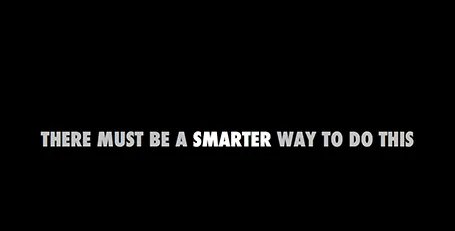
Pause slides

Some slides require a more dramatic introduction than just plopping it on the screen. I often use a blank slide wit a teaser sentence (not “the solution”) for this purpose. It breaks the flow and brings the audience attention back to the presenter.

·Keynote

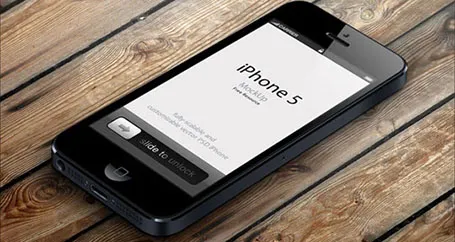
iPhone mock ups

Many high-tech presentations involve some sort of show casing of a mobile phone app. This site has a number of iPhone mock ups that could work great in presentations. With elementary image editing skills, you can take a front-facing image and past your device screen shot in. More advanced Photoshop users can probably get the 3D tilting to work.

The full list of iPhone mock ups are here on Design Beep.

Someone suggested this link on Twitter, but I forgot who it was… If it was you let me know and I will give you credit.

·Keynote

Saving time with files

An annoying part of my workflow is clicking through file hierarchies to open and save documents and images. I do not understand why it took me around 20 years to figure out to pin the folders of the current projects I am working on to left of my file open menu. On the Mac, you simple dag a folder onto the side bar (you can do something similar in Windows as well).

·Concepts

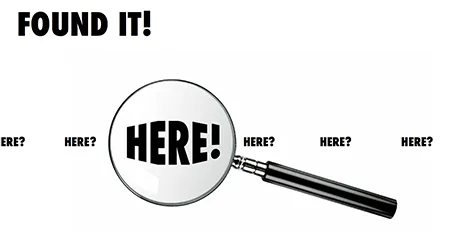
Found it!

A client spend a lot of time and effort looking for a solution to a problem, until they discovered it in an unexpected place. The chart below is simple to make: a magnifying glass and different font sizes (and a transform font effect if you want), that is all.

·Concepts

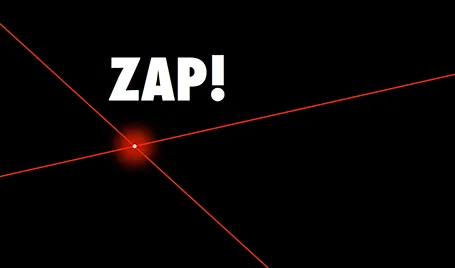
Zap!

In case you want to use laser beams in your presentation, they are easy to make: red lines, black background and a small dot with a huge red, semi-transparent glow.