

SlideMagic Blog

Frequent updates about all things presentations since 2008. Subscribe to never miss a post.

RSS
all posts

Category Design

·Delivery

Sartre, Beauvoir, and Miles Davis talking presentations

I just returned from a wonderful holiday in France and hope to pick up my posting habits soon. While in France, I read this interesting book: Parisians: An Adventure History of Paris by Graham Robb (affiliate link). Robb uses a variety of styles and settings to describe famous characters living in Paris through the centuries. One chapter is a film-type script set in Cafe de Flore in Paris around 1948, a small fragment:
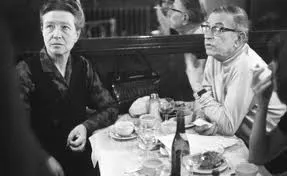
Beauvoir: He [Sartre] was invited to give a conference at the UNESCO. It was the first meeting of UNESCO, two or three years ago, in 1946. At the Sorbonne. The evening before, we went to the Scheherazade, with Koestler and Camus. And Sartre - you remember? - danced with Mme Camus, which was like watching a man lugging a sack of coal. He was very drunk, and he had to give his talk in the morning, but he had not written a line. Miles Davis, pointing at Sartre: The teacher hadn’t done his homework! Beauvoir: Yes, and Camus, who was also drunk said, said, “You will have to do it without my help,” and Sartre said, “I wish I could do it without my help.” Sartre, stubby fingers spread on the the table giggles. Beauvoir: An then - he does not remember this - we had breakfast Chez Victor at Les Halles, soupe a l’oignon, huitres, vin blanc - and then it was dawn, and we stood on a bridge over the Seine, Sartre and me, and we were so sad about la tragedie de la conditione humaine - eh oui! - that we should throw ourselves into the river. But instead of that, I went home to my bed, and Sartre, he went to the Sorbonne to talk about la responsibilite de l’ecrivain… Miles Davis: That’s cool Jean-Paul. They knew you were talking straight because you hadn’t prepared… Beauvoir, shaking her head: No Sartre, he had everything already in his head.

·Design

Re-post: cutting up shapes

Cutting and pasting your object as a PNG image allows you to cut up regular PowerPoint shapes in random components. See an example here.

·Design

Re-post: creating a realistic blackboard in PowerPoint

With color and light effects you can create a black board in PowerPoint, an earlier post here.

·Design

Re-post: cutting words and still say the same

An excellent list of words you can lose on a slide here.

·Design

Re-post: keeping titles readable over busy images

A semi-transparent background shading greatly improves the readability of chart titles. See how to do it here.

·Design

Re-post: aligning bullets in PowerPoint

If you are not running PowerPoint 2010 (review), then the 2nd line of a bullet point will always come out wrong. Here is how to fix it.

·Data visualization

Re-post: creating McKinsey-style water fall charts in PowerPoint

Waterfall charts can X-ray a complicated story. Here is an explanation about the technicalities of creating one in PowerPoint, here is an example of an application.

·Design

Re-post: merging presentations without mixing up formats

When Frankensteining a deck (i.e., stitching a new presentation together from old slides), there is nothing more annoying then slide formats that go crazy when pasting in slides. Here is a trick to avoid this.

·Design

Re-post: editing overlapping objects with the selection pane

One of the best-kept secrets of PowerPoint is the selection pane, that allows you to remove overlapping objects from a slide temporarily to make it easier to edit layers. Details here in a previous post.

·Design

Re-post: PowerPoint text in a circle

PowerPoint makes it possible to morph text in a circle, read the details here in this earlier post.