SlideMagic Blog

Frequent updates about all things presentations since 2008. Subscribe to never miss a post.

RSS
·AI

The indirect communication loop

Humans have a talent of using indirect communication to get an idea across. Powerpoint used to be the culprit. You want a certain decision, you create a big slide deck, hope that the recipient on the other end decodes it correctly and understands your message.

With AI tools, it gets even worse: . “Draft me a memo that says A, B, and C.”, SEND, “Can you summarize this memo for me?”, “The memo basically says A, B, and C”.

Something is wrong with this picture.

(I wrote a similar blog post before that got lost in the cutover from Squarespace)

·AI

AI is trained on pretty html and bad pptx

Everytime I use an AI agent to create slide deck I can spot the 2 influences it has been trained on: beautiful and well-designed web sites, and the “common practice” of making business presentations: i.e., bad PowerPoint. AI has seen too many poor slide decks…

The result, you can dense “slidocuments”, consulting-type, that are beautifully executed with typical web design artifacts. Especially when you start requesting multiple rounds of content edits, things go off the rails. The PowerPoint influence gets the upper hand.

·AI

Is AI starting to sound a bit 'smug' (justifiably?)...

I am working a lot with AI models and maybe unusually so across very different disciplines: traditional strategy work, legal things, design and layouts, software product design, coding/development, biopharma research, etc.

I love reading the thought process and the dialogues and I can really spot the different personalities of each model. How the model behaves beyond whether responses are useful or correct.

The latest and most powerful AI model cranked to the max, has an interesting undertone. It is incredibly smart and capable, but almost a bit impatient. “OK, OK, I am not sure whether what this user wants is that smart, but let’s let help him out (that’s what my instructions say) and maybe he will come to the conclusion himself at the end”. Does it know something I don’t, and is it holding back?

It could be me, it could in fact be the model, or is it the particular idea I am working on and is it maybe not that good?

Think of presentations and spreadsheets as code

The #1 skill that a coder learns (often the hard way) is to be on top of folders, files, version. Losing a file, overwriting the wrong one, mixing up different pieces of work can be a catastrophy.

Knowledge workers, people producing presentations and spreadsheets, can learn from this, especially with the rise of AI tools.

For most people, “the internet” has been a place for one shot questions. In Google: “Find me an Italian restaurant in Tokyo”, in ChatGPT: “polish this memo”. You ask the question, use the result, and forget about the tab that was open on your machine.

Now, people can get carried away, working all afternoon chatting with their AI bot, agreeing assumptions, tweaking things editing things, creating multiple files, only to discover the next morning that the chat history has gone, the files might not be there anymore, and the new chat window seems to be in the same state as yesterday morning: no clue.

You don’t write computer code by chatting (at least you should not), you don’t do knowledge work by chatting.

You need to set up every project and task carefully. Use an AI desktop app, not the browser chat window. Next point that app to a folder on your computer. Ask the AI agent for a confirmation, “are you in <folder name>?”, “which folder are we in?”

In this folder your AI agent, can now save files with the results of the work you do, rather than offering downloadable files. You can save files that can serve as input, rather than uploading them in a chat window. The agent can iterate files.


Continue reading →
·AI

Why design is so tricky for AI

First problem: it is so hard to define “what is right”

A math problem is solved. A piece of software does what it is supposed to do. The travel itenary takes less than 14 days. These are all goals that can be easily be verified, including by AI. This means that it is possible to train AI models to reach these goals, and/or teach an AI agent to check the result against the spec.

Design is harder. The functional elements are easy to check. Does the page contain the information it is supposed to? But layout?

There is the overall impression. Most (but not all) humans can see in an instant whether design looks good or poor. But it is hard to verbalize what makes it that way. Colors, hierarchies, proportions, alignments, white space.

A trained human designer can iterate towards a results that “looks better” by making lots and lots of small tweaks. Trying some of them, rolling back, trying something different.

Second problem: a visual rather than a text-based feedback loop

A picture says more than a 1000 words, and that is a real problem for a technology that is trained on predicting what is the most likely character of text that should come after the 3 million previous ones. Take a screenshot. Analyze the picture. Milliseconds for a human, not so for an AI model.

Eventually, this will be solved as well. Until then, we need some shortcuts.

·SlideMagic

App update to 3.1.10

I have just deployed a new app version that contains security and performance improvements. It should install automatically when you next run SlideMagic. Let me know if you experience any issues.

·Books

How to write your memoir using AI

A friend asked me advice on how to use AI to write a memoir. His challenge: how to make the book and get the real emotion in. A (human) ghost writer had only partly be successful. My hunch was a double approach. First, use AI to get your dry fact base right. What happened when, backed up by files, urls, etc. Then ask someone to interview you and upload that audio to provide emotional context.

When I asked AI, it came up with a similar solution. It went further, have AI interview you, not a human. Anyway, I am adding the whole result below, since it contains many useful points about how to set up your file system, where to use AI, where to use a ghostwriter, and where to do things yourself.

This mirrors what I suggest people do when writing a pitch or presentation. After having battled the content for a few weeks, take a step back, record yourself giving the elevator version of your story (no slides), and listen back to the result. What sequence did you use? What points did you emphasize. Where were you really missing a slide. The best way how to capture how a story comes natural to you.

🤖 AI-generated — the rest of this post was written by AI.

From Shoebox to Book

A complete method for writing your memoir with AI — using the machine where it helps, and staying human where it matters

Continue reading →

Blog now self-hosted

For the first time in 18 years, the SlideMagic blog now runs on my own servers. We went from Blogger, to Squarespace, now to slidemagic.com. AI enabled me to quickly write a solution for hosting and editing the blog and manage the email and rss subscriptions. The big advantage is that I am no longer tied to formats and templates that always felt very forced, I can simply apply my own. Secondly, I can back through 18 years of post history and clean up broken links and images.

The current design of the blog is still very plain and standard, I will update it later. For the moment I made sure that the plumbing works. If you encounter any issues, let me know.

·AI

Dream cycles

Humans process information absorbed during the day in a good night’s sleep. Important things get put in long-term memory, details that are less important go to the “forget bin”. Stress and noise gets reduced. When we get up, we feel refreshed and ready to get going again.

Memory is a big issue in AI at the moment. A few months ago, it was about remembering your last 3 prompts (sentences). Today, these “context windows” can span novels, to the point where this memory actually starts to confuse the model. A technical solution: dream cycles where the AI model peruses its information, selectively forgets details, and stores important data for future reference.

When it comes to presentation design, it is important to give your thoughts rest as well. Coming back to a story line after a few days makes your realize what actually is the best way to communicate the message.

And a fresh pair of AI eyes can help as well. Clear the context of your model, or open an entirely different one, upload your draft and ask whether this is actually the best way to tell your story…

·AI

ChatGPT Images 2 beats Nano Banana

Another day, another model improvement. The latest visual model by OpenAI is now the gold standard for creating realistic image, beating Google’s Nano Banana (August 2025).

I prompted a “911 in Hoogeveen” back in an earlier post to Nano Banana (left), and the ChatGPT result today to the right. Nano Banana figured out Hoogeveen was a town in the Netherlands, and created a historical Dutch town as the backdrop, ChatGPT got the actual details of the town (which I recognize very well), but created its own mashup version of the city.

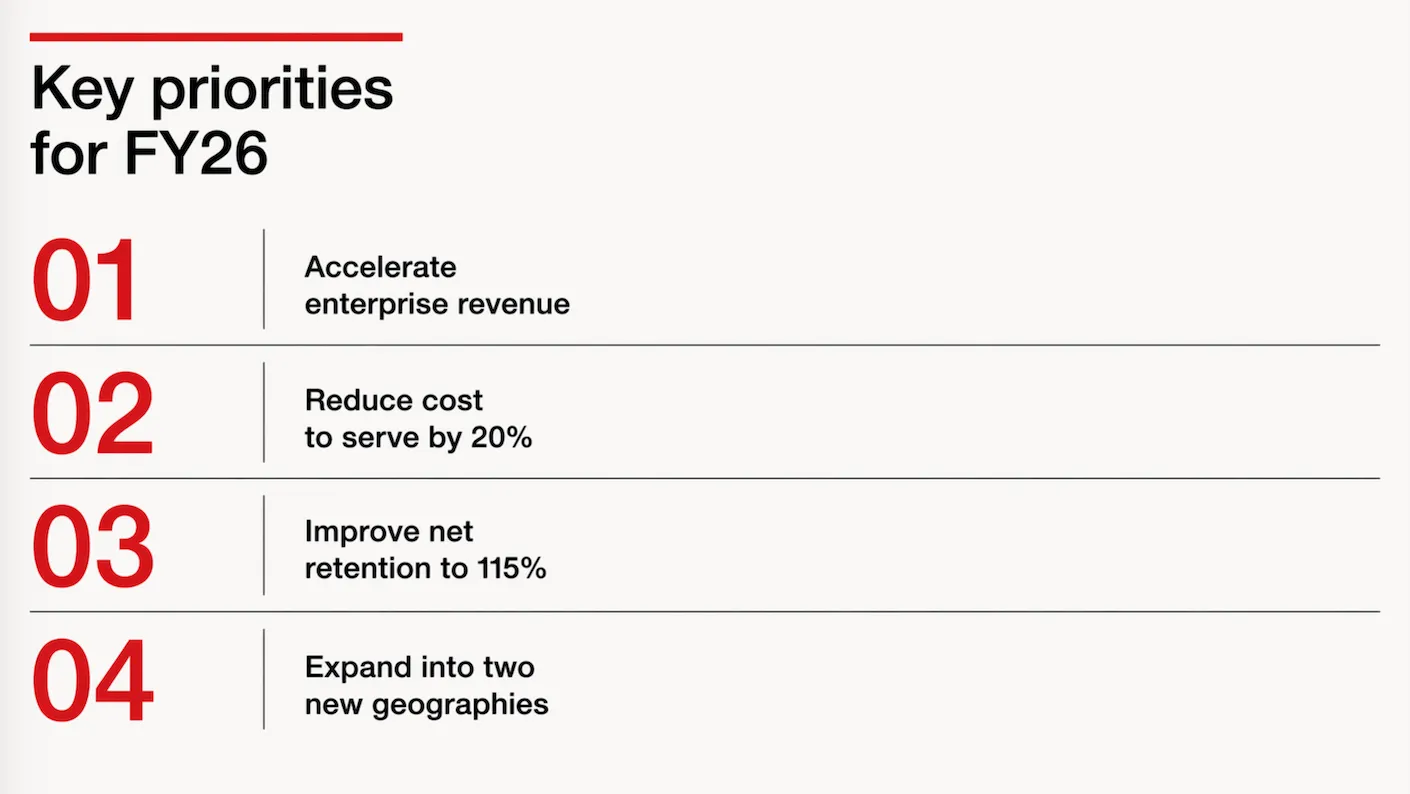
Text rendering is now great. Look at the traffic sign: correct spelling and places relevant to the town. The model is actually incredibly good at making slide in consistent on-brand format. Below the result of a request to transform a slide in a 1960s Swiss graphic design style. The catch: you get pixels not a file you can edit…

It achieves these results not by just being a better pixel generation model. The response to a prompt now involves reasoning about it, sketching a few raw options, ‘seeing’ (an LLM cannot see) the intermediary results, picking the best one, then producing the final result in pixels.

ChatGPT Images 2 is now the default model in ChatGPT, it will be used when you ask it to create an image. Set the model effort to ‘thinking’ to add more reasoning effort in the processing.

To be continued.