SlideMagic Blog

Frequent updates about all things presentations since 2008. Subscribe to never miss a post.

RSS
·Data visualization

Farewell to static charts? Um, no.

A quote from a Venture Beat post that paints a bright future for BI (Business Intelligence) dashboards:

Say farewell to static charts pasted onto presentation slides — the new standard is shareable data stories

I have heard it many times before. Your new BI system plugs into whatever data you have, you click and browse through the data, and automatically the most insightful slides and tables are generated, on the spot.

I think BI vendors are mixing up a few quite different activities:

  • Analysis is finding the problem and solving it, presenting is communicating the results and getting people to act.
  • Freely flowing in data, slicing, dicing, charting, is analysis. It is actually pretty hard to find what is going on in a business, especially with an overload of data available. This is definitely not something you do in front of a live audience.
  • Once you have identified the problem, and even found the solution, it is again pretty hard to craft that one chart that explains it all in less than 5 seconds. You need to take exactly the right data, cut it the right way, and highlight the right trend. Again, something that takes too much time to do live.

Where I see role for these type of dashboards, is after you did the hard work: you figured out what data is important, what statistics to track, what charts to show. Then, you can use the power of modern BI systems to pull together slides on the spot. You get instant updates about the state of the business today, or you can apply your methodology to other business units, other geographies and see what you can learn.

Continue reading →
·Story

You care about your company history, others less so

The speaker puts up the “Company background” as the first slide with bullet points full of founding dates, employee numbers, when the second office was opened, etc. etc.

You probably lost half your audience.

For the presenter, the company history is incredibly relevant. It summarises your entire path (10 years) that got you here neatly on 1 page. It makes total sense.

For the audience, company history does not matter that much (maybe with the exception of luxury brands), what solution are you offering today? Also, company history slides tend to look remarkably similar across companies. So the audience probably saw it before, somewhere else.

Often, the history slide is a left over from when the company was still small. It always was page 2 of the deck, we just updated the employee and office numbers for each presentation. And the same slides are probably used in different presentations. When the founder addresses the annual sales staff gathering, the company history told directly by her, might actually be funny and/or insightful. But she is unlikely to stick to the bullets on the slide. And, the same bullets in the hand of a sales rep sound boring and without context.

Photo by Pawel Kadysz on Unsplash

App update

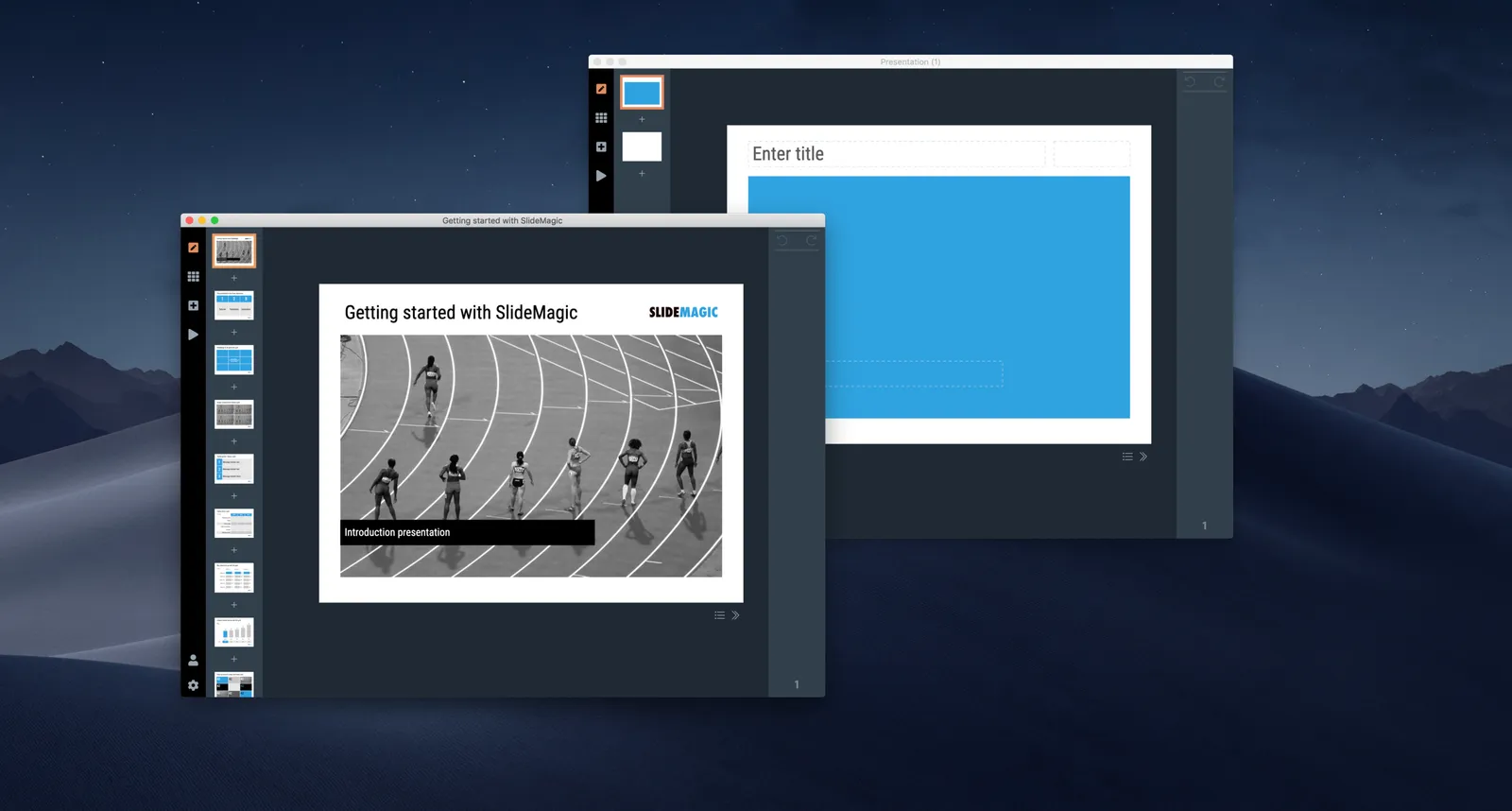
With SlideMagic 2.0, I have hit the last 20% of the effort that takes 80% of the time. Getting everything to run perfectly is nitty gritty detail work. The result will be worth the wait though.

I am revisiting the image rendering and cropping engine at the moment. Cropping and masking images and getting them to line up in a grid is a painful process in PowerPoint, Keynote, and even in Adobe software. The professional designer has learned where to find the right tools. The amateur is struggling to make a simple crop and make sure that text over the photo is still readable, especially when the next version of the deck needs to go out in the next 15 minutes with an additional person in the team bio slide (headshot + 5 logos).

SlideMagic will come to the rescue, the screenshot below gives an idea of what I am working on now.

 Image cropping and masking in SlideMagic 2.0

Image cropping and masking in SlideMagic 2.0

Memorising a presentation?

Seth Godin suggests that it is better to memorise stories than exact sentences when delivering a presentation.

He is right. It is totally apparent when someone is reading sentence after sentence from a “piece of paper” that is stored in her brain. There is no connection between the part of the brain that is uttering the words, and the other part of the brain that is a believer in the story. Disconnected.

Memorising stories is not as easy as it sounds. To sound spontaneous, you actually need to know your material inside out. Musicians can produce solos that seem effortless and spontaneous, when in reality they can dream every note on every scale across every chord, after which it is easy to play around with variations.

Even if you (think you) know your story, it is hard to tell it without uh’s and oh’s, repeats, restarts, forgetting a key element, and getting lost in a tangent that is not relevant.

Not all people are equally confident to tell a compelling story, and for those, being able to recite the individual sentences of your presentation might be a sign that you are 50% on the way. Now rehearse until you get to 100%.

Photo by Alexandre St-Louis on Unsplash

·Software

Designing with phone cameras in mind

A large portion of conference audiences now diligently snaps a photo of every slide that the keynote speaker presents. Some implications:

  • You can no longer hide secrets by quickly going to the next slide. A high resolution camera got all those quarterly sales numbers in that nano second the slide was one. If you don’t want things to end up in the public domain, don’t put it on a slide, not even small. Yes, that might mean investing an extra half hour recreating that graph from the budget document.
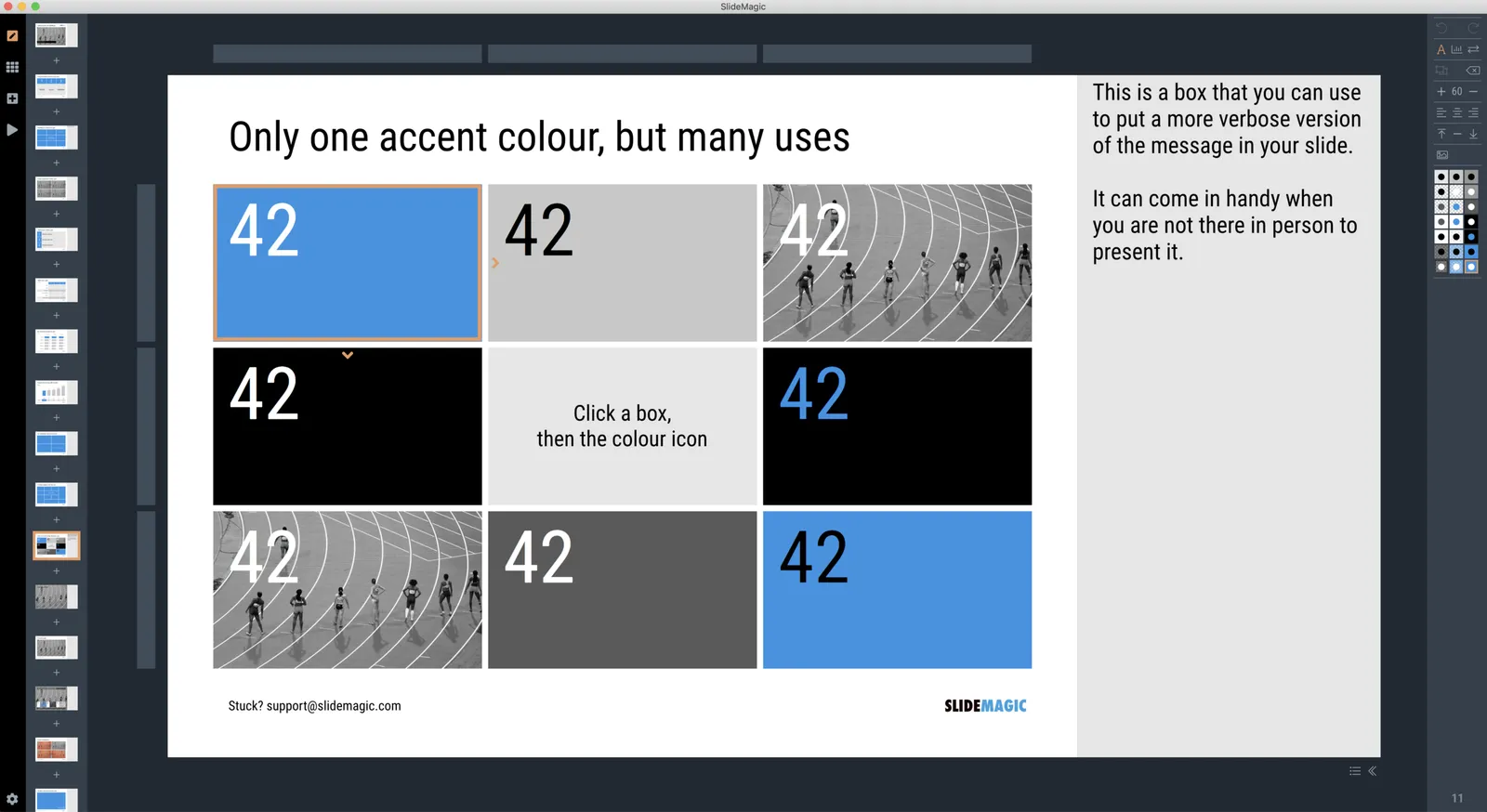
  • The opposite is also true. Slides have a second use, pondering over them after the big presentation. This means you could add more content than you normally would do for an in-person presentation. One way to do that is to use an “explanation box”, like this feature in the SlideMagic presentation app. The main slide and the explanation are clearly separated.
  • You could take it even further by designing slides explicitly for the photo: for example, a calculation how you got to a certain number. Show it, say what it is, invite a picture, and move on.

 The SlideMagic presentation software has an explanation panel that you can slide in and out.

The SlideMagic presentation software has an explanation panel that you can slide in and out.

Get the start right

You had it all planned:

  • Lights dim
  • Lights on
  • Intro speaker walks on stage and introduces the panel
  • Roaring applause from the audience
  • Panelists walk on stage
  • Lights dim
  • Intro video starts playing
  • Lights on
  • Panel sits down in their assigned seats

Here is what happened last week at the very first session of a conference:

  • Intro speaker starts
  • Microphone has no sound, tok, tok, tok,
  • The panel is not ready
  • Intro speaker tries to crack a few jokes, while looking back stage
  • Panel starts walking on the stage
  • Lights go out, makes it hard for the panel to find their way
  • Video starts playing too early in the middle of the intro applause
  • Video starts straight with a dialogue without slow intro, hard to follow for the audience that tries to understand what is all going on

As soon as the panelist have settled in and the content of the session starts, all is fine. That first hick up could have been easily prevented.

Photo by Headway on Unsplash

Yes, yes, yes, yes

At a conference last week I had a few conversations with representatives of companies that were eager to sell their solutions to SlideMagic. For these sales people, these events are hard work: targeting and scheduling quick discussions with hundreds of attendees. Their progress is probably monitored by software that tells them their scores in each stage of the conversion funnel: approached: tick, responded: tick, scheduled: tick, etc.

The experience from someone who was on the receiving end of all of this:

  • If someone responds to your message with "we are not ready yet for your product”, it is likely to be true. A quick visit to slidemagic.com, will show that I do not yet employee 50 people and need a solution to scale up operations.
  • In most cases, initially it was not clear what people wanted (a cooperation, sell something, advice)
  • A no-show with an apology 12 hours later, does not leave a good impression, now and in the future
  • “So what does your company do”. I start explaining, but am greeted with a constant flow of “yes, yes, yes” and a blank stare. Nothing registers. If the detail about my company is not important for your pitch, you can simply move with “Great, a presentation design solution. Now, I have something that might really interest you”.

Someone advice for pitching products at a conference:

  • Qualify your leads (it will save both you and your prospect time)
  • Be upfront with what it is you.
  • Keep your promises (show up, send material)
  • Be human
Continue reading →

Going on a short break

I will be off the grid for a few days, so apologies for fewer blog posts. Part of the disconnected time in the air however, will be a big test of SlideMagic 2.0, and see how it serves me as the main tool to build a big presentation.

Photo by Pedro Lastra on Unsplash

More beta testers

At the moment, SlideMagic 2.0 is tested by “friends & family”. Soon, I would like the help of more beta testers for SlideMagic 2.0:

  • Mac only for the moment: I am doing all the development on Mac with short cycles without having to build a Windows version every time (Windows will be available the moment the Mac version is stable)
  • I would love to get the help of users who have invested time in getting to grips with V1.0, the web app, they understand the design concept and can focus on the improvements (hopefully) of V2.0.
  • As an early beta tester, you will need some patience, as release version can still be unpredictable. If you would like to find out in general what the app is like, I would suggest waiting a bit until things become more stable.

Let me know at jan at slidemagic dot com if you are interested.

Photo by Louis Reed on Unsplash

White noise and creativity

You get so called “white noise” when you mix a large number of random frequencies together. High volumes of white noise eliminate any singular frequency or melody that is out there, it all gets absorbed.

That’s pretty much what happens in creativity-killing workspaces. The constant flow of small distractions prevents you from doing things that really matter.

Most people think that only loud distractions matter (‘Hey, do you want to join our meeting [x or y]?”). This is the equivalent of a siren that pierces white noise. But I think it is the constant flow of small distractions, worries, thoughts, that is the real problem.

In a similar way that’s why people get good ideas while exercising, taking showers, meditating, having a drink, dancing the night away, it turns down the white noise and makes room for that thought that was always there but never came out.