SlideMagic Blog

Frequent updates about all things presentations since 2008. Subscribe to never miss a post.

RSS
all posts

Search results for “web design”

Freelancing and career stability

Now and then I get people considering a career change asking me about life as a freelance consultant. “Isn’t that a very uncertain profession, when compared to someone in a permanent position?”

My answer: not really. Yes, you need to get your first clients/projects, but if you do good work, clients will refer you to other clients, and clients will come back. A person in a permanent position has one employer (who can go through reorganisations and other fun things you do not control), whereas you can hedge and spread the risk among multiple “employers”.

There are a number of things to consider though:

  • The biggest one: do great work. As small independent business, you depend on word of mouth advertising. A beautiful website, massive SEO efforts, might get you the first inquiry, but then people want recommendations. You simply write off an unfortunate purchase of a $5 book that was not great, a 1-month consulting project is different. Most internet marketing has very low funnel rates, freelancers rely on 95% conversion.
  • While the downside for a good freelancer is limited, the upside is probably limited as well. It is hard to scale a bespoke service business. You want to add a second person and not dilute your offering, that person probably needs to be as good as you, and as a result will need to be paid as well as you. Two times the revenue, two times the cost, the same profit. For my own presentation design business, I realised 1 employee (myself) was a great business model, and 50 probably is. But the role of making sure that 49 people have enough work and do it well, is a very different one from helping clients yourself. In short, as a freelancer, you are likely to pretty much the same thing in a few years from now as yo do today, albeit better and a bit faster. In a big corporation, you can go up the ladder and do different things every couple of years.
  • There are things that freelancers often overlook in their pricing: pensions, disability insurance, etc. etc. All this protection that a regular employment position usually offers.
Continue reading →

Boxifying...

The philosophy behind SlideMagic is to save making everyday presentations:

  • A bank of useful templates (still small, but growing rapidly now)
  • A clever search algorithm
  • A proprietary UI to make obvious changes to slides at lightning speed (with the option to convert to PowerPoint)
  • A simple framework to make all slides look uniform and consistent with corporate branding

But there is one other important component: simplifying (call it “boxifying”?) layouts.

Shapes and layouts that are great for drawing on paper or a whiteboard, are harder to get right and look good on a computer, think circles, arrows, curved lines. Professional designers know how to space text out evenly, add white space, line up the 7 levels perfectly on a circle at even distances. For the rest of us, this is a lot harder, or maybe even impossible. Not everyone has that eye for design, you know your slide looks bad, but you somehow cannot pin down why.

Another problem with these “sketch shapes” is that they are not ver efficient to hold text. Try adding long words in a circle shape and you run into problems. (The Japanese figured out a way to create square water melons so more of them would fit in a fridge).

And maybe you have that eye for design, then you still need to invest all that time to get your shapes and layouts right. Time that is worth it if you are designing your annual sales team kick off keynote address, time that is definitely not worth it when bashing out the quarterly numbers for a quick review meeting with the team.

Continue reading →

We only have the first half of the year

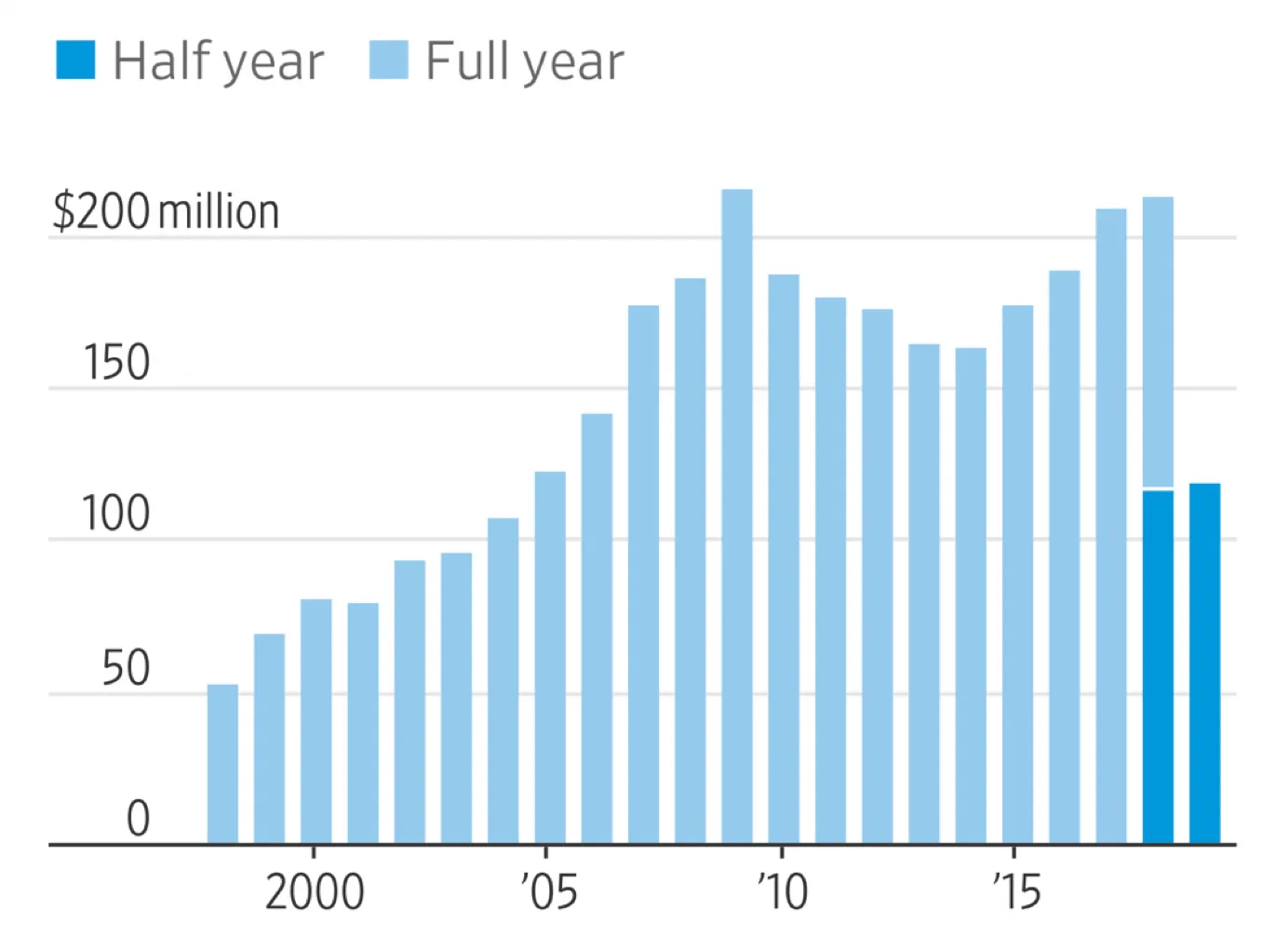
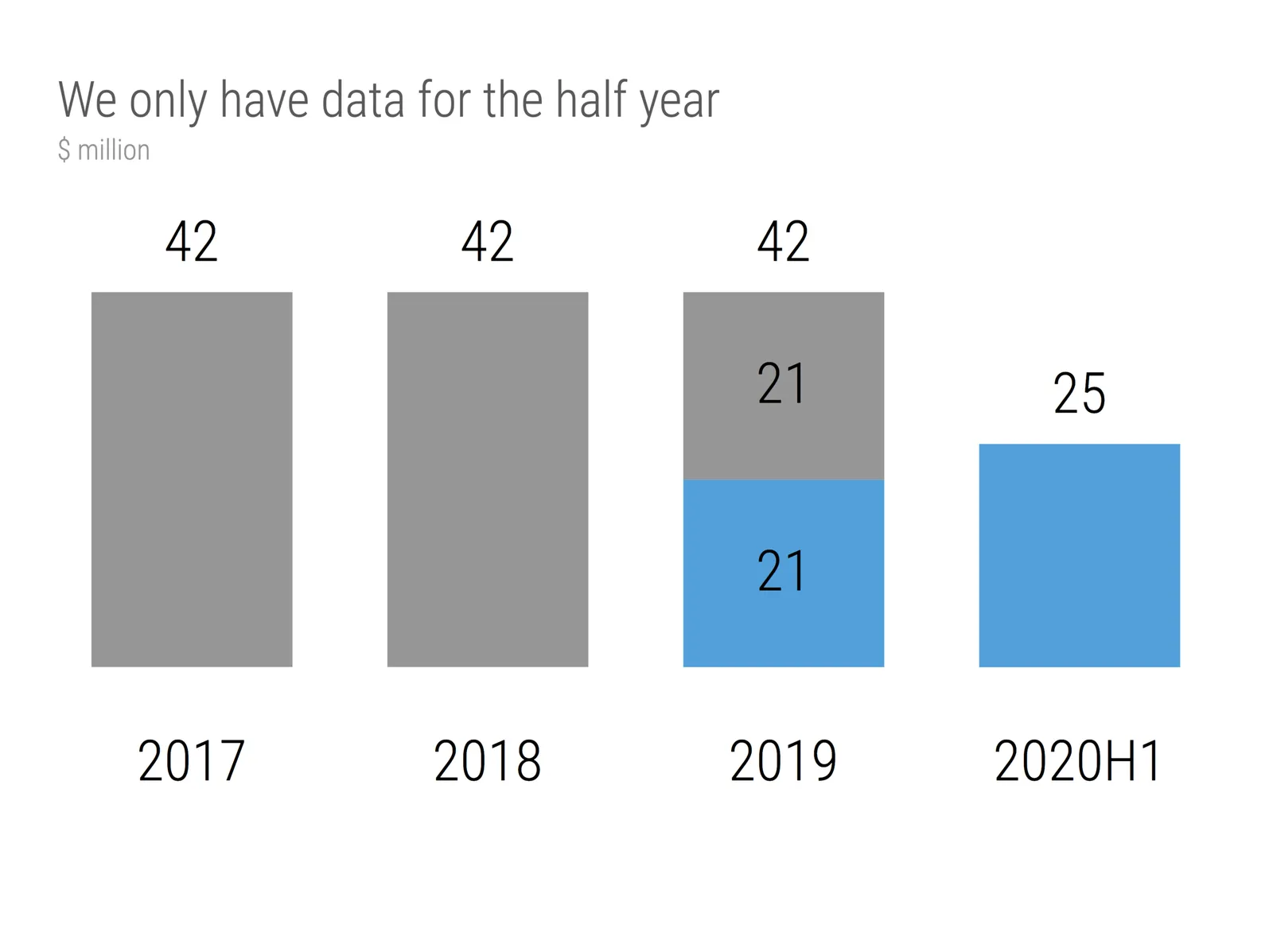
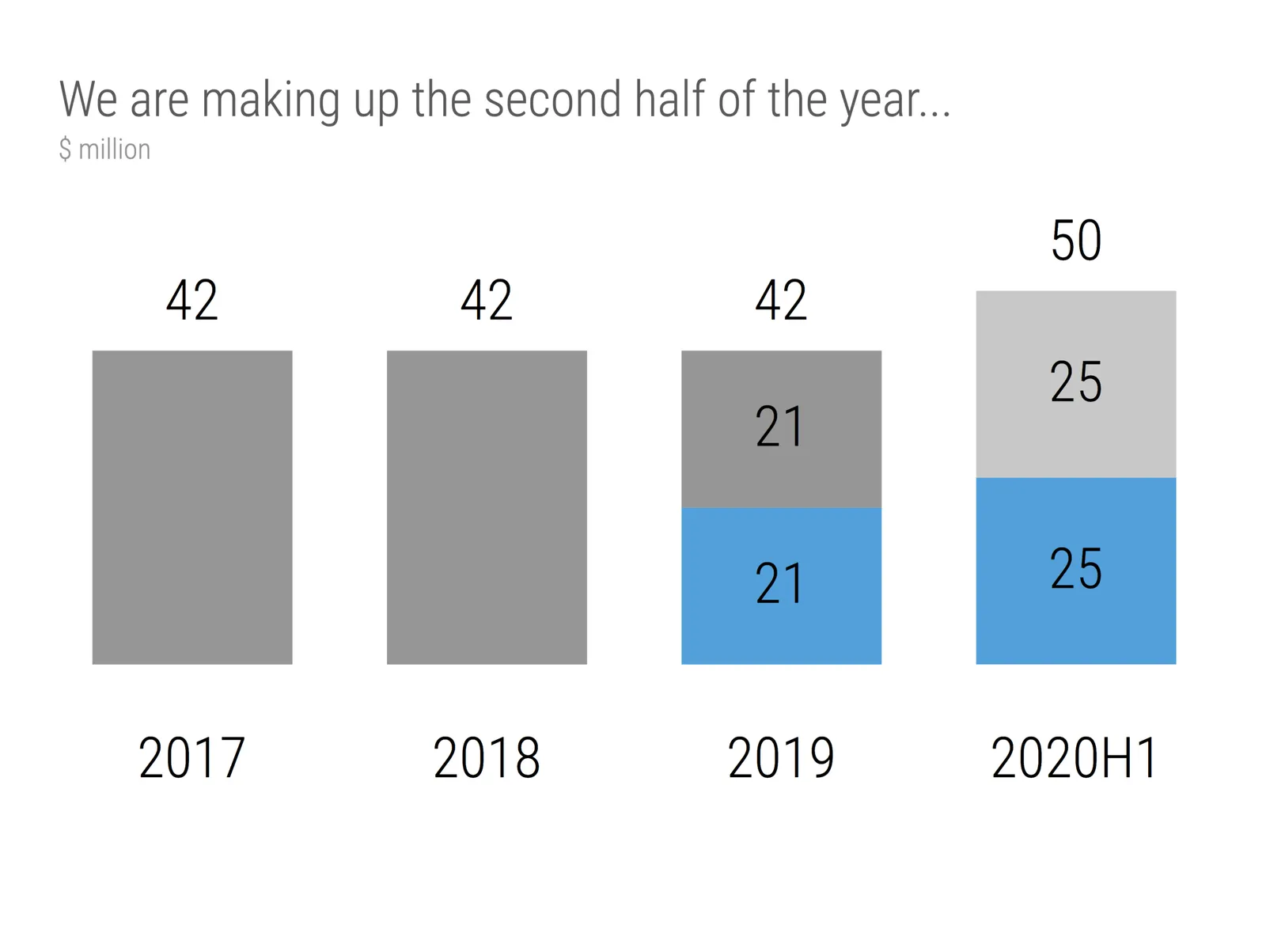
This chart that was published in the WSJ shows a good way to highlight financial data when you only have the first half of the current year available. You create a stack chart that only appears for this, and last year. For this year, you only show H1 data in the matching color.

I have add a template to the SlideMagic 2.0 database with a setup for this type of chart. It is extremely easy to add more years to the data history.

Some of my bespoke design clients were very eager to push things further, why not add an extrapolation for the H2 data, assuming similar growth? Well you can, but you should realize that your chart just became a totally different one: it no longer reports what happened, instead you are putting your name on the line for delivering the H2 numbers.

Photo by Mark Boss on Unsplash

·Creativity

(Finally) free to really think

For the first time in months, I am spending more time designing slides than writing code as I am building up the template database. It is a great feeling to see all that hard work paying of now as I add one slide after another to the database at a very high speed.

This also puts me in a position to start thinking really what SlideMagic (maybe 3.0?) could do, now that I have a basic platform in place that can store/search templates, all listening to a uniform design layout. What if there are eventually thousands, and thousands of slides, keywords, concepts? Things can get interesting!

Yes, there is still the challenge of turning 2.0 into a proper company…

To be continued.

What to do with 7 boxes?

Any slide that has a prime number of boxes on it higher than 5 creates a layout challenge. One, three, or even five boxes can still work, but more, it becomes cluttered.

Yes, can lay out boxes according to mathematical shapes. A heptagon distributes everything evenly. But it is a pain to figure the exact spacing out, but the more important drawback is the amount of slide space you lose. Beautifully arranged shapes that nobody can read. That is the reason why in SlideMagic, I did not even bother to put these types of shapes in.

So what to do? A few suggestions.

  • Do you really need a slide with 7, 11, or 13 boxes? The best solution is to cut the thing up in 7 , 11, or 13 stand-alone slides that just make one point.

In some cases there might be no avoiding (for example when you negotiate a contract or some other deal that has 7 key agreement points).

  • The obvious solution is to keep things simple and straight: just list the bullets

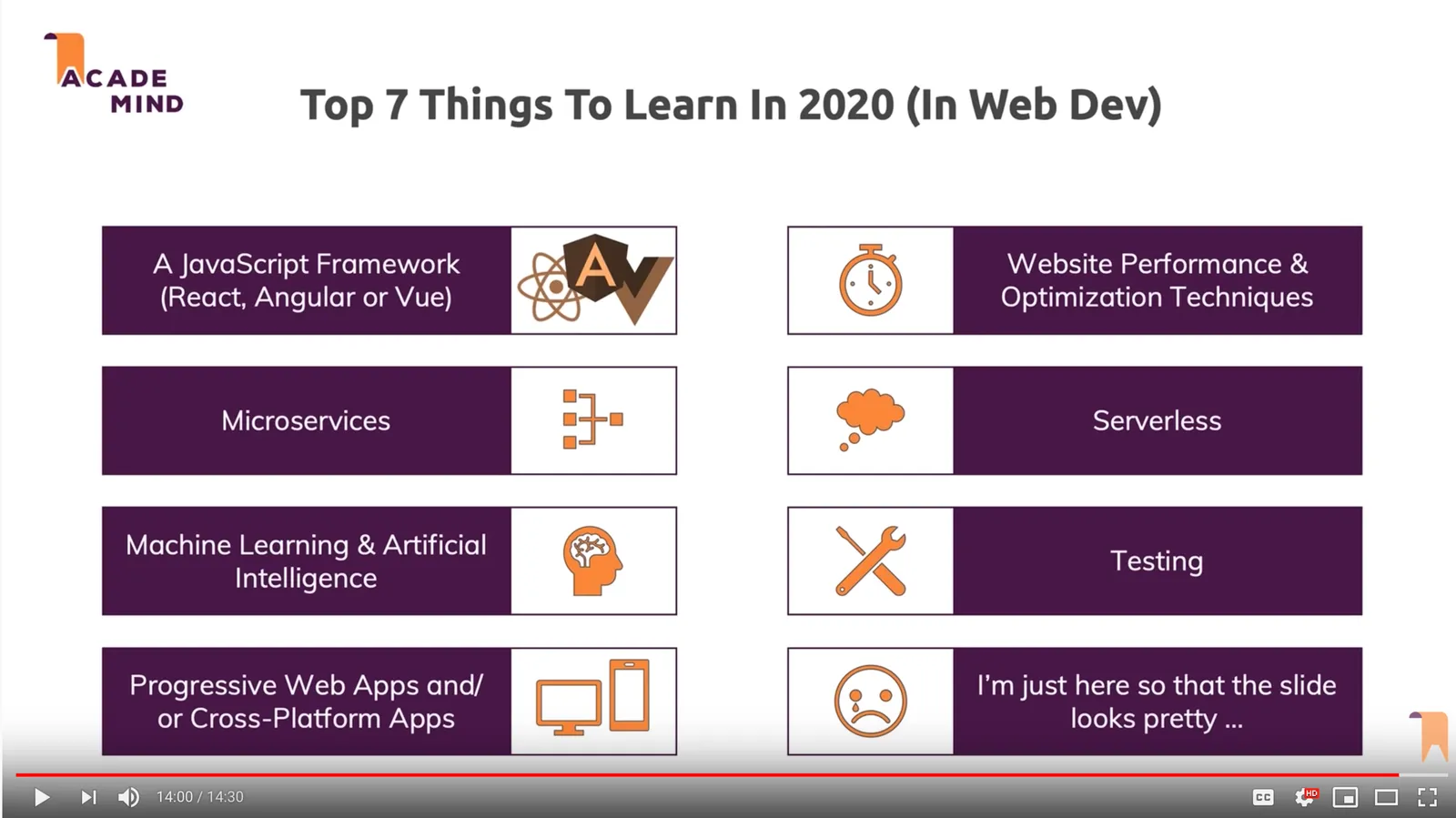
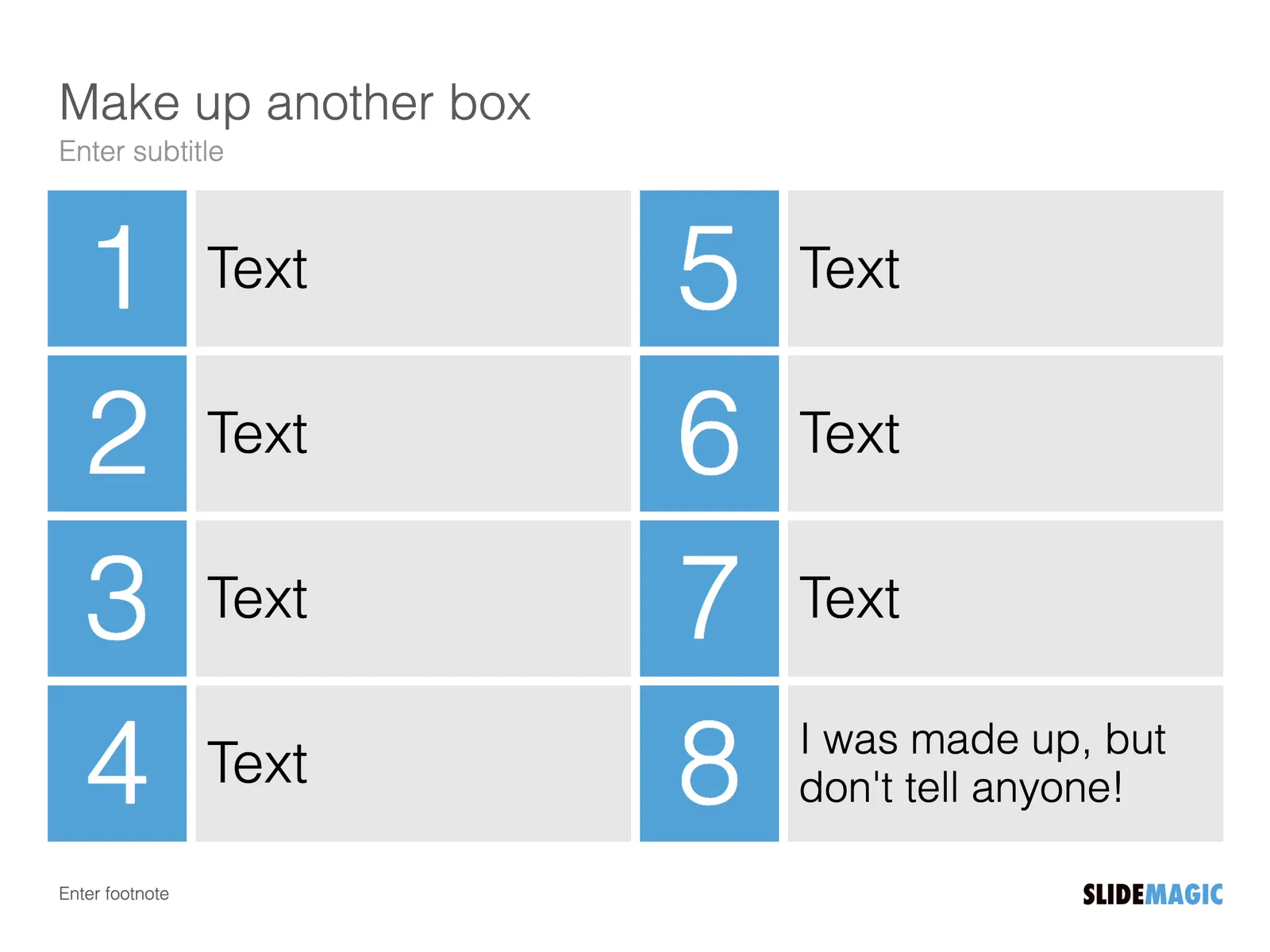
  • You can do what this YouTube instructor did: add an 8th box to make the slide symmetrical. It could work in most cases, I would not give the design decision away though, but find a meaningful extra point

  • You can use the bullet points as some sort of tracker, speak very briefly about it, then click through to the next slide that discusses the point in detail
Continue reading →

Soon: integrated images and icons in SlideMagic 2.0

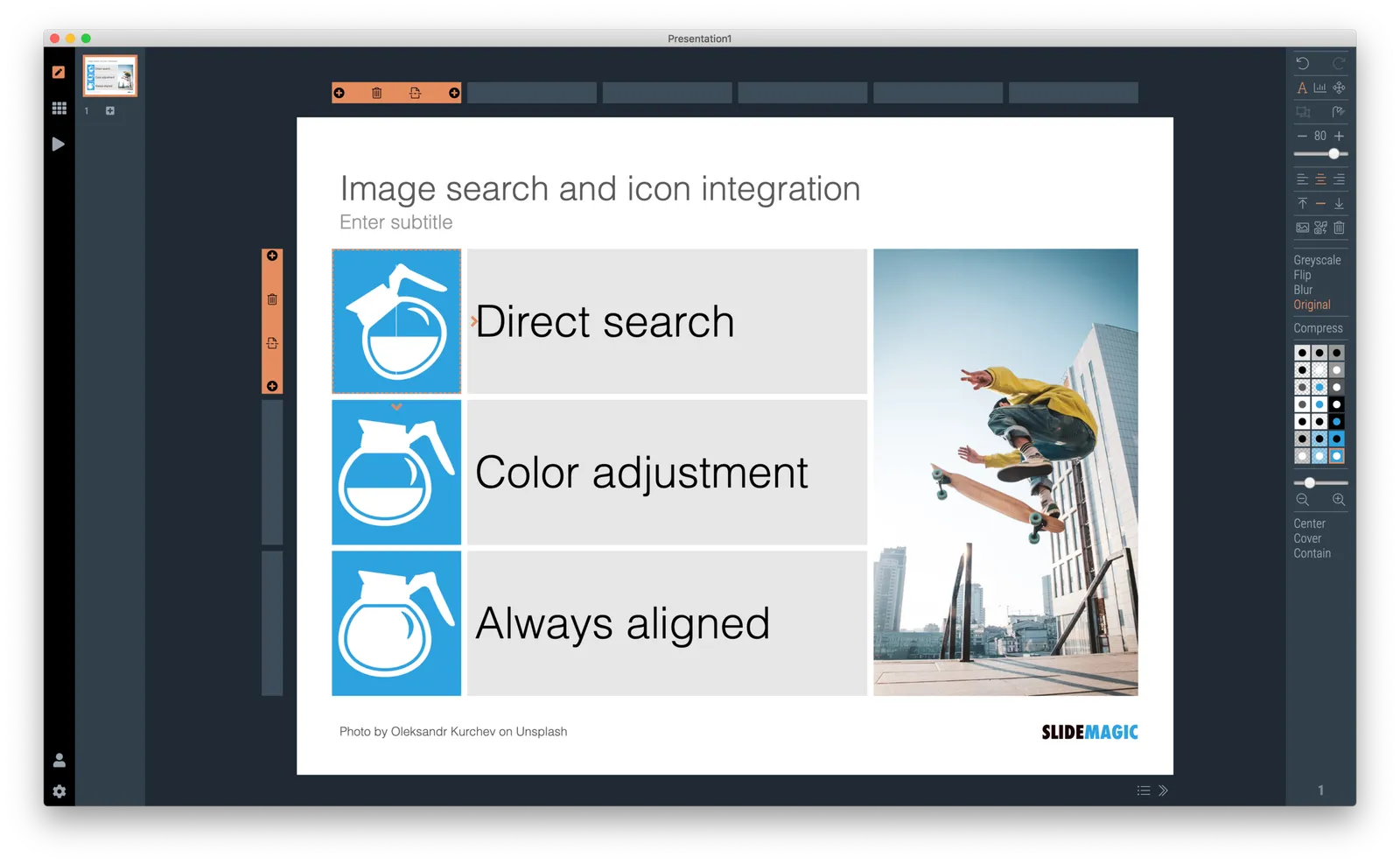
I am working to integrate images and icons into SlideMagic 2.0. The workflow for both in current presentation design tools is seriously broken:

  • Search for an image
  • Save it on your hard drive
  • Find it on your hard drive
  • (If relevant : waiting to upload it again to your online tool)
  • Crop and change colour (especially challenging for SVG icons), can be very slow and cumbersome in online image editors
  • Get the image/icon to line up with the rest of your slides
  • Finding the link to the photographer you need to give credit to (if required)

All of this can soon happen directly in SlideMagic 2.0, which in turn can churn out a perfect conversion to PowerPoint if needed.

·SlideMagic

Starting a brand overhaul (once again)

Slowly, slowly, I am starting up overhaul my website and branding once more. The custom presentation design business site has been taken down, marketing for SlideMagic 1.0 has been hidden in a menu, and I started to display alanding page for SlideMagic 2.0.

Sunsetting 2 businesses on which you have worked for years (even more than a decade) feels a bit strange, I remember worrying about SEO and other things, while I am now switching off the whole thing in one click.

All to make space for 2.0.

·Layout

I got the vanishing point wrong all the time...

They key concept in drawing in perspective is the vanishing point: every line in your slide should disappear in it (see an earlier blog post). It turns out I got the concept slightly wrong all the time. Because of the curve in the Earth’s surface, the real vanishing point for someone standing at sea level is actually below the horizon. A vanishing point that sits on the horizon, would require the radius of the Earth to be 64x as large. (For comparison, the Sun as a radius about 109x that of Earth.

 Vanishing point at a planet with a radius 64x that of Earth

Vanishing point at a planet with a radius 64x that of Earth

 The accurate vanishing point

The accurate vanishing point

With this new knowledge, will I change my approach to slide design? Not sure.

Based on an article in NRC Handelsblad. Simulation images by Siebren van der Werf.

·SlideMagic

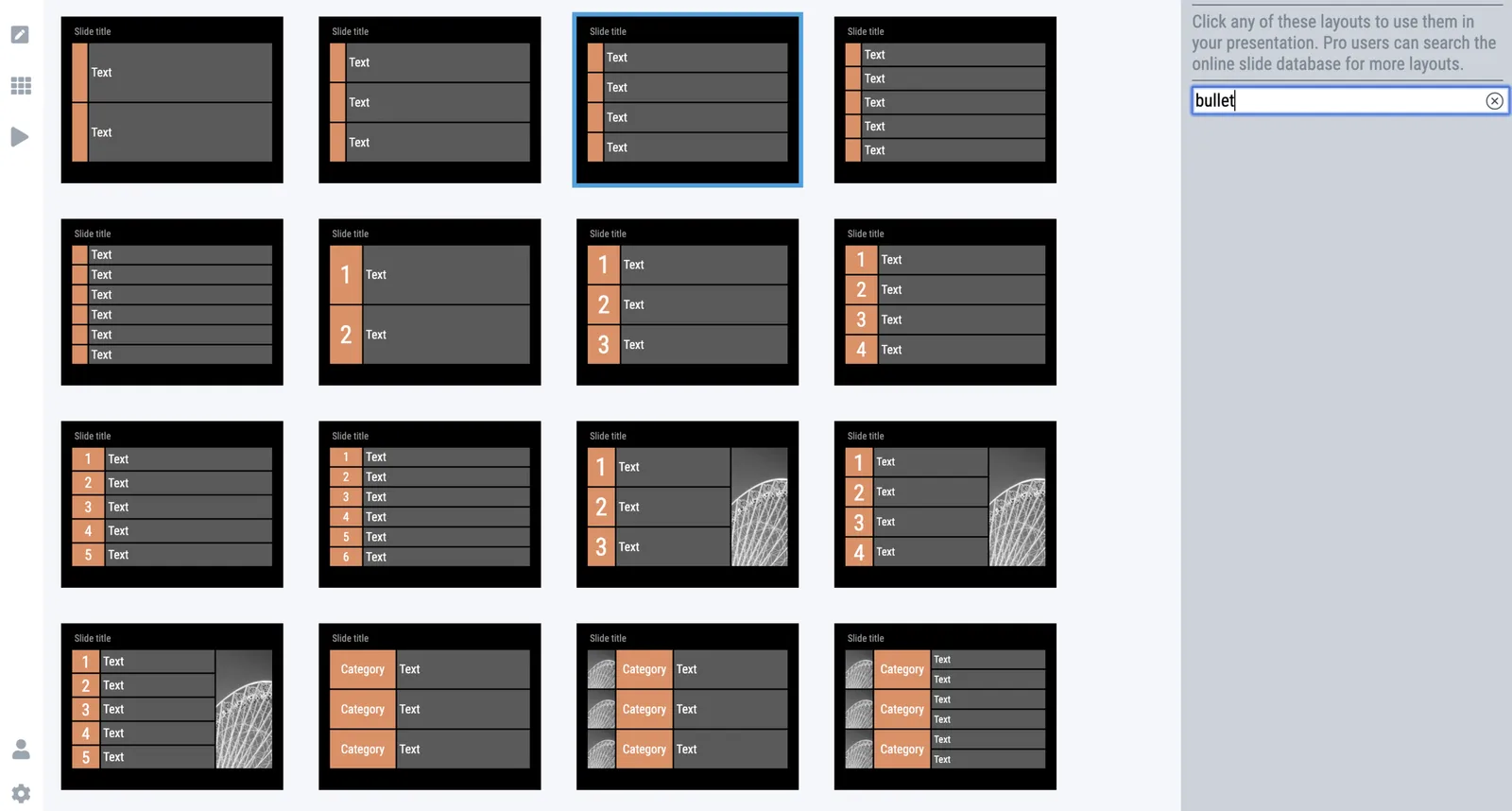
Where are the bullet points?

A question I got from a SlideMagic 2.0 beta tester.

The answer: there aren’t any. I am trying to create a presentation design tool that changes people’s design habits. SlideMagic does not have built-in bullet point formatting options. It is meant to be that buzzer that reminds you to find an alternative design solution the moment you are about to fall back to your old habits.

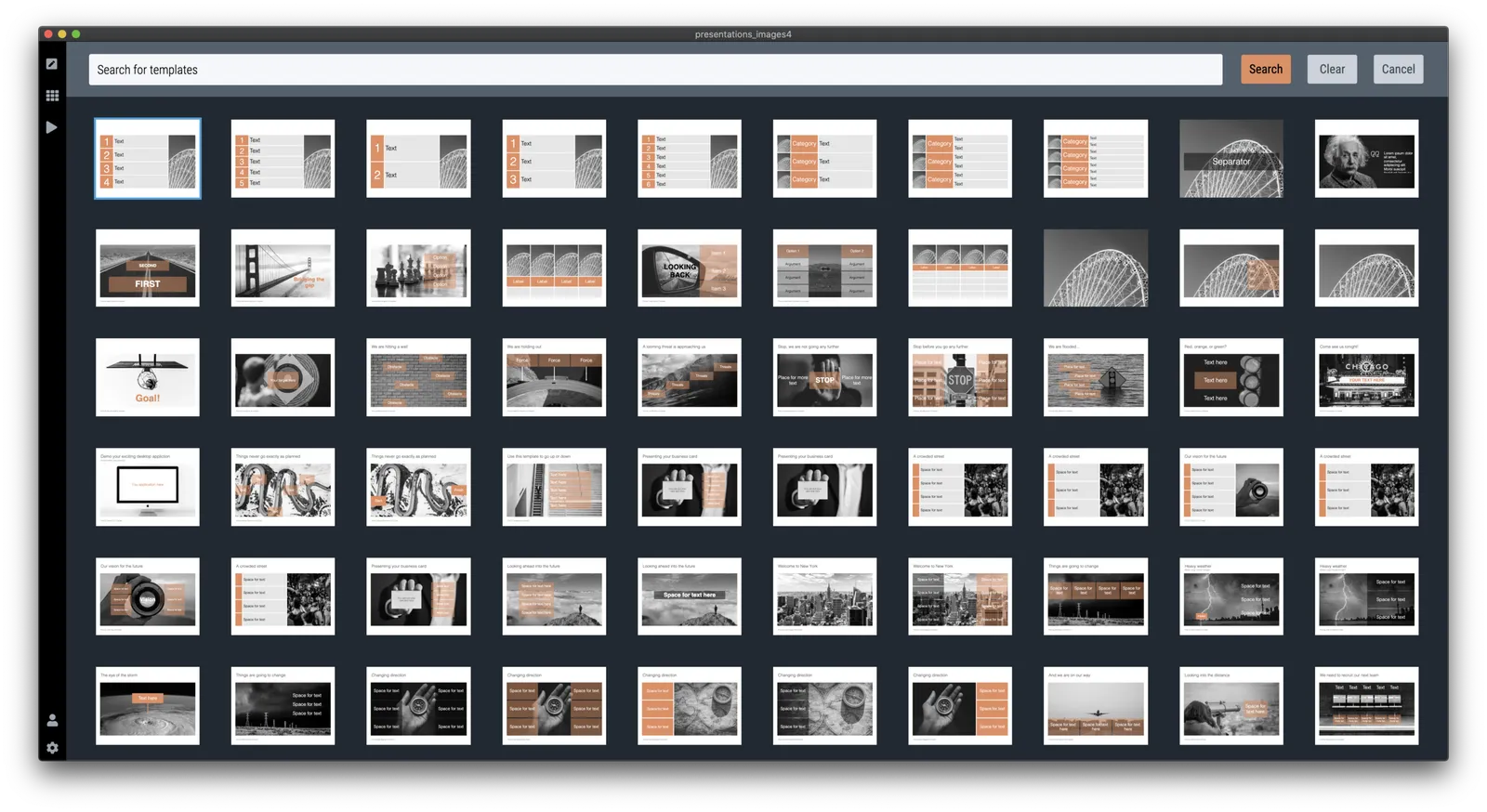
It is possible to create lists in SlideMagic though. Below a screen shot from a template search in the (still very small) slide library. If you need to make a list as a conscious design decision, you can, if you want to fill a box quickly with a number of bullet points, you can’t.

Maybe I am pushing things too far here, but I am not yet ready to give in.

Photo by Jon Tyson on Unsplash

·Software

Is it just me?

Years ago I started SlideMagic 1.0 “brain washed” by “modern” application design: cloud, tablet-friendly, SAAS, an always up to date version of software running in the browser.

Bit by bit, I am reverting to a 1990s setup for SlideMagic 2.0, focused on a desktop application with a selected cloud-tweaks:

  • Design apps need to be super snappy and fast, latency because of saving stuff in a database that sits at the other end of the world is not ideal
  • Presentations do get edited on planes that still do not have 100% WiFi coverage
  • Presenting a presentation on a screen that is dependent on a live internet connection is risky, yes even in 2019.
  • Having multiple windows on a screen and copying, pasting, dragging things across is actually useful (not yet implemented in SlideMagic 2.0). It is funny to see the developer discussion on bulletin boards where people are waking up to the challenges of managing multiple windows of the same application. Something web designers usually do not have to do.
  • Storing things in a tried and trusted local file system solves security headaches and is good set up for when creating documents: finding things, copying, pasting. (Long-term storage and archiving is a different story)

Photo by Matthew M on Unsplash