SlideMagic Blog

Frequent updates about all things presentations since 2008. Subscribe to never miss a post.

RSS
all posts

Category Presentation design

·Design

Experiment with typography - slice up those paragraphs

Typography is a major under-utilized tool in PowerPoint. On the right a standard PowerPoint display of a large 100pt text. Wide distances between lines, not very interesting. On the left, I cut it up in 3 pieces and started to re-align characters vertically. I am only starting to learn.


·Design

The problem with design and computers

I just watched this entertaining TED presentation by John Maeda, president of the Rhode Island School of Design, reflecting on his career as a designer (more information about him in the linked TED post).

The most interesting bit comes mid-way in the presentation. John shows a video how he orchestrates an excercise where people need to get other people to draw things on white board using their “voice commands”. After some miscommunications the groups starts designing a coordinate or grid system (similar to a PowerPoint canvas). The maximum output of the excercise was a completely boring, 2-dimensional drawing of a house.

I often feel the same. How to make this 3D composition? How to add quality hand-drawing or artwork? How blend different images? Computer constraints determine the majority of my slide designs. Something is still missing in the human-computer interface.

·Design

Make big things look huge by adding something small

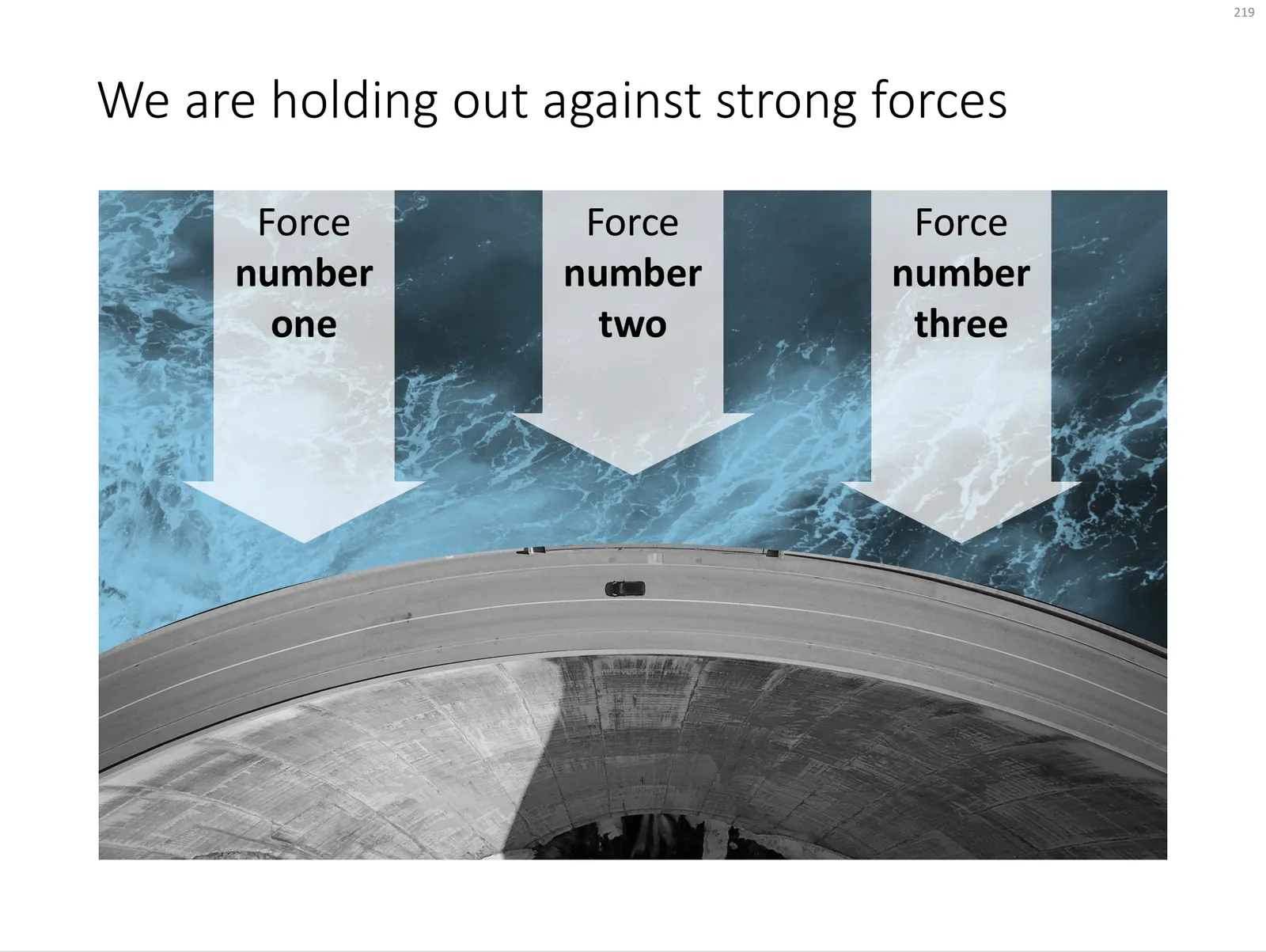
The 2 tiny people, and their 2 tiny shadows make the whole dam look huge. You probably remember your highschool physics teacher explain: “if the nucleus of an atom is a strawberry, its electrons would be flying around the football field”.

Something to think about when making your next slide composition. Image purchased from iStockPhoto

UPDATE: I have now added a chart concept featuring a dam in the SlideMagic template store, you can download it here.

 A PowerPoint slide template featuring a dam

A PowerPoint slide template featuring a dam

·Design

How to recreate a realistic looking chalk board in PowerPoint

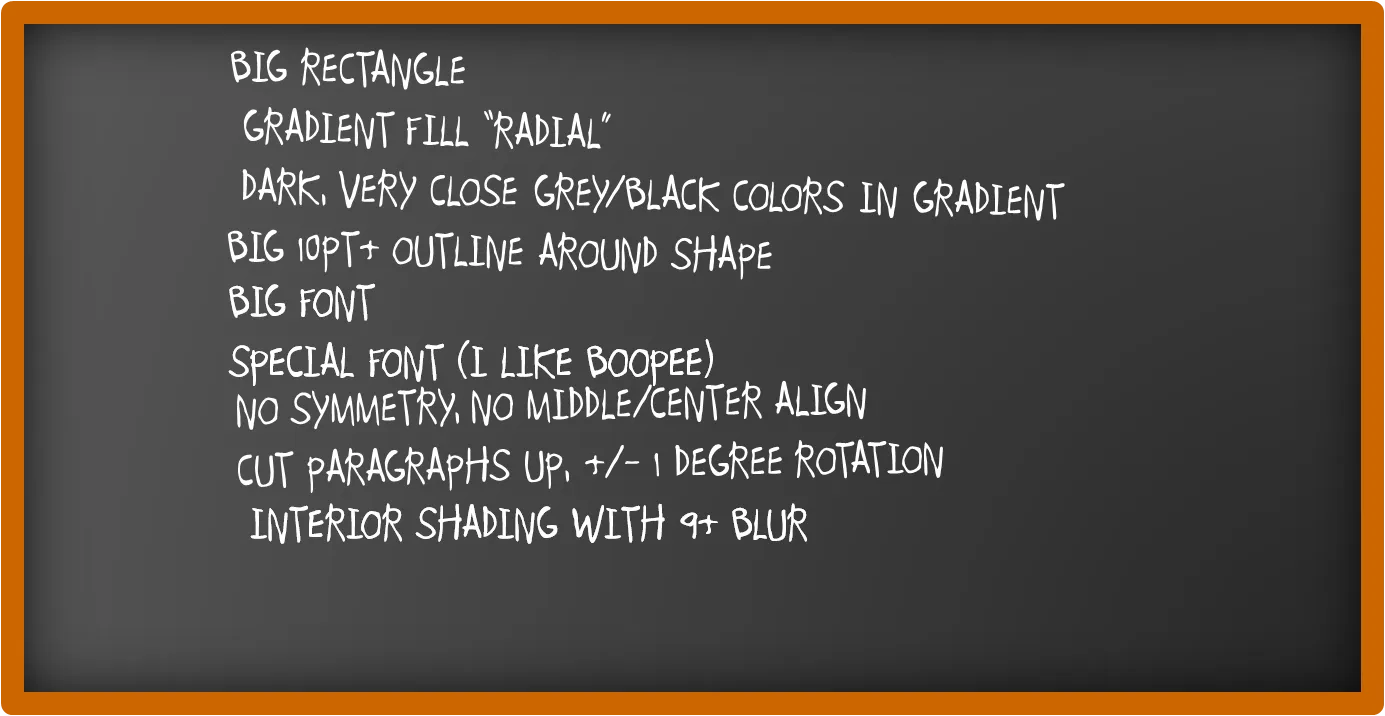
After graffiti, now the less permanent graphics of the chalk board. I scribbled some suggestions on a black board below (click image for a larger picture):

Now that we are on the subject, check out my favorite Bart Simpson chalkboard generator as well.

·Advertising

So hard to do - "real" art in PowerPoint

PowerPoint effects, PhotoShop, and a bit of typography/fonts enable an amateur to create PowerPoint slides that start approaching the capabilities of a graphics professional. Not so fast.

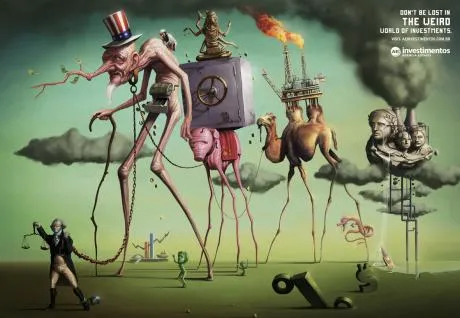
This ad for a financial services firm shows that good artwork cannot (yet) be matched by a PowerPoint slide.

  • Taking someone like Dali as the inspiriation for a slide
  • Creating the characters and the elaborate backgrounds
  • Insert the detail and small “jokes”

You immediately “get” this ad. Another one I took from Ads of the World (larger image here).

·Design

Squeezing more text inside a PowerPoint shape

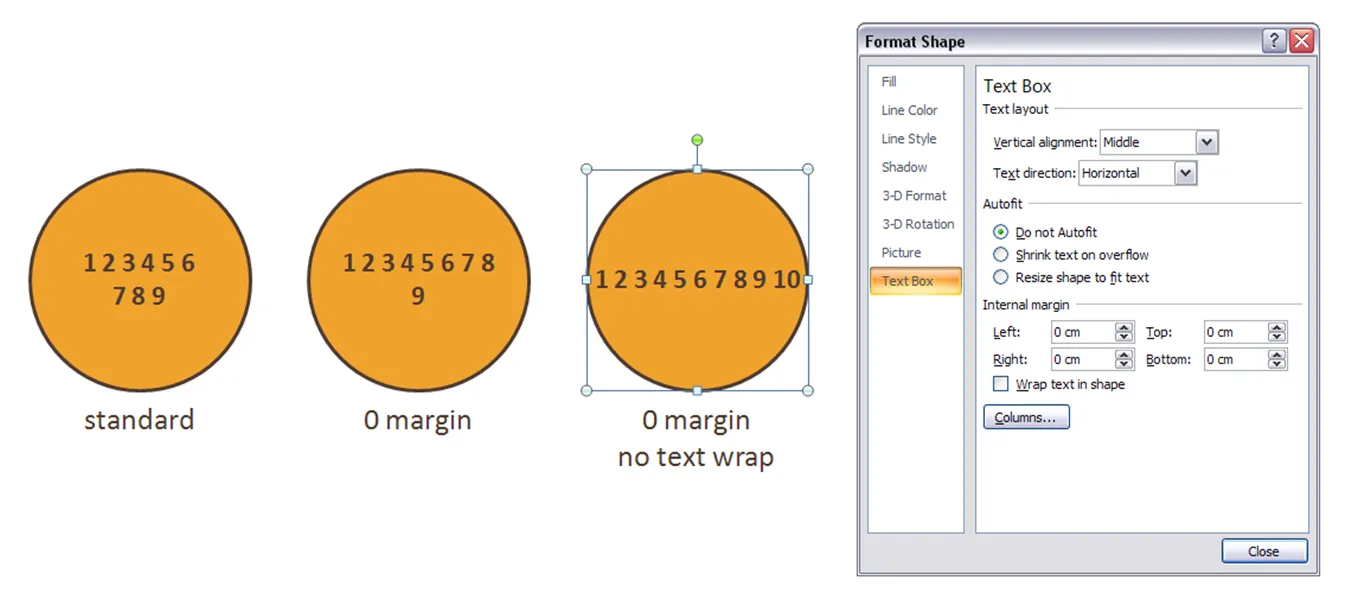
Circles are beautiful shapes to work with. Unfortunately, PowerPoint’s standard settings make it hard to fit in text. To get a bit more space, got to “format shape”->“text box”:

  • Set the internal margin to zero
  • Switch off automatic word wrap

·Design

Symmetrical shapes - hold shift while drawing

Symmetry should be avoided in slide layout. Symmetry in shapes on the other hand is beautiful. Hold-down shift while drawing to create a shape with equal hight and width, and in the “size ribbon” click the box to lock the aspect ratio.

·Design

Almost all presentation bloggers are introverts

A little fun on January 1. I ran the typealyzer test on a number of presentation, speaking and communication blogs tonight.

In case you are unfamiliar with Myers Brigs personality types, you can catch up here, and do a test here.

ISTP - “Mechanics”

Me (!!!) [a bit different from my test results]

Slide:ology

Speaking about presenting

Breaking Murphy’s Law

Speak Schmeak

ISTJ - “Duty fullfillers”

David Padani

Xplane

INTP - “Thinkers”

Presentation Zen

Bert Decker

Guy Kawasaki

Mike Pulsifer

INTJ - “Scientists”

Seth Godin

PowerPoint Ninja

All of these great communicators are introverts? And now for the only extrovert in the pack:

ENTP - “Visionaires”

Empoweryourpoint

It is great to have so many excellent presentation blogs around. I am looking forward to exchanging ideas with you in the new year.

·Design

2009 - looking ahead in the world of PowerPoint presentations

It is the time of the year to look ahead. Here are some thoughts where the world of presentations and PowerPoint might go in 2009. A start for debate:

  • The bar is rising to make your presentation stand out. More and more people will get exposed to Presentation Zen and other books, more people will know how to find good stock images, and will be able to produce Zen-style presentations.

  • People will recognize presentation design as a “serious” business discipline. Presentation gurus like Garr Reynolds will become general “business celebrities”, who can reach audiences beyond those people who are just interested in graphics design or public speaking. They will be selling many books, doing many public speaking events, just like experts in other functions such as marketing (Seth Godin) . Congratulations Garr! This will further grow the tribe of people who want to change the world of business communication.

  • Slideshare will become the dominant online presentation sharing platform, defeating many rivals in this area. Big corporates will start using it to upload their official presentations (quarterly results etc.), pretty much in the same way that YouTube has become a mainstream platform for sharing ideas. Online presentation tools that rely on learning a new user interface will not be among the winners.

  • Huge file sizes will drive more and more presentation development work and collaboration into the Internet cloud

  • Slideshare-style presentations meant for online sharing will become one of the most used formats. Almost too simplistic for my taste: “1 word a page”, often accompanied by cliche stock images, to be clicked through at very high speeds, often abandoned mid-way. Better than bullet points, but not necessarly the best presentation form either.

  • Typography and fonts are tools that will be exploited more in mainstream business presentations, beyond the world of advertising

  • More daring creativity will be accepted in the (often “boring”) board room. People suffer form information, PowerPoint overload. Using provocative images, formats, fonts, informal language (i.e., the techniques a billboard designer would use) will become acceptable forms of communication.

  • 3D will be used better, enabled by PowerPoint 2007, bringing “the technology to the masses” people will start to think how to use shadings, gradients, perspective in a way that is more than just adding a (useless) dimension to a bar chart

  • Data visualization is still relative virgin territory. More data is available. More processing power is available. It becomes easier to integrate things like maps. Etc. Etc.

  • Gradually doing away with the overhead projector heritage: one slide per subject, title in the top-left, source at the bottom. Instead slides will become more fluid as they transition into each other. New technologies enabling zooming in and out of areas will be leveraged. A great PowerPoint presentation become more similar to the supporting graphics that are often used in TV documentaries.

Continue reading →
·Design

Images with emotion - Flickr versus stock image sites

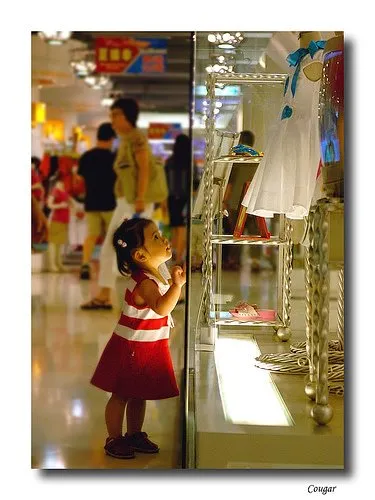
Stock images can be cheesy, staged, unnatural, cliche, especially when it comes to getting a shot of “real” people with real emotions. Try Flickr or other image sharing services as an alternative to stock image sites.

Here is a great, spontaneous and real image that caught my eye today. Look at the emotion in the girl’s eyes, great light coming from below.

Original (in larger size) here on Flickr, picture taken by Studio Cougar. Always check copy right and license restrictions before using Flickr images in your presentations.