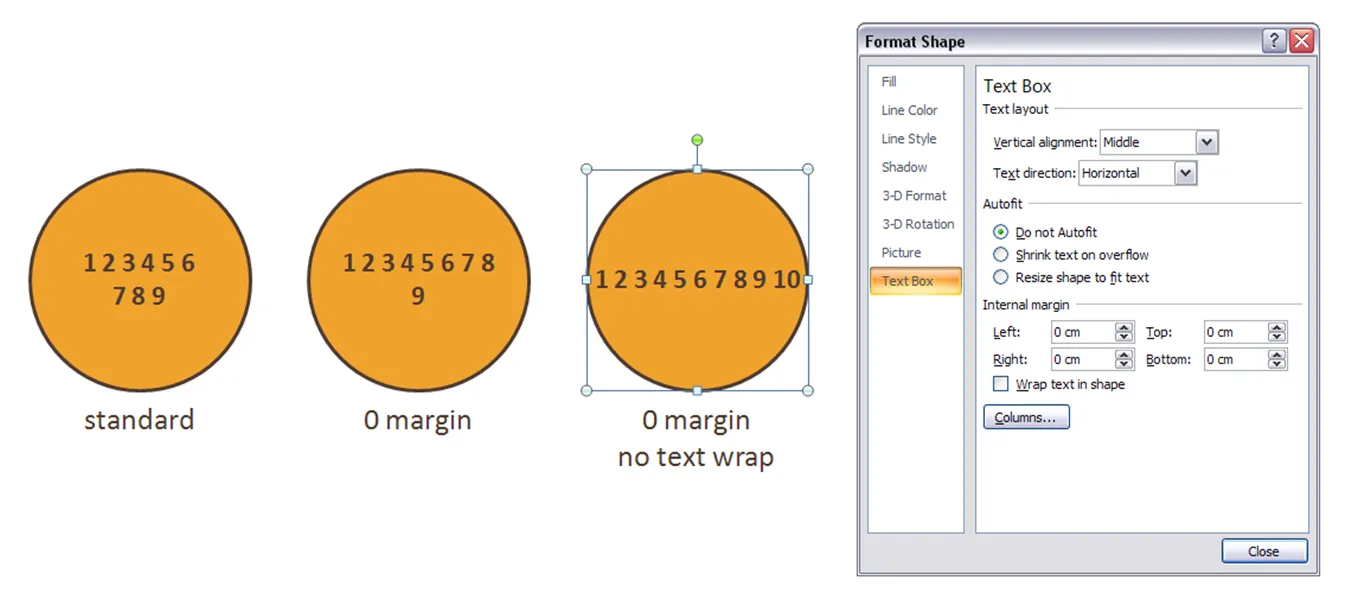
Circles are beautiful shapes to work with. Unfortunately, PowerPoint’s standard settings make it hard to fit in text. To get a bit more space, got to “format shape”->“text box”:
- Set the internal margin to zero
- Switch off automatic word wrap


Blog post
Circles are beautiful shapes to work with. Unfortunately, PowerPoint’s standard settings make it hard to fit in text. To get a bit more space, got to “format shape”->“text box”:
About this blog
Notes on all things presentations — design, storytelling, and AI workflows.
Subscribe now to never miss a post.
About SlideMagic
A platform for business presentations.
A free student plan is available.
2 comments
Titus Tielens