SlideMagic Blog

Frequent updates about all things presentations since 2008. Subscribe to never miss a post.

RSS
all posts

Category PowerPoint

·PowerPoint

Reading decks on the go

This guest post by Jakob Jochmann on Jon Thomas’ blog triggered this observation: more and more, I start to email out intermediate versions of my presentations in PDF format because people can read them on mobile devices. This format is good enough for high-level comments on early drafts. The final round of edits needs a bigger screen.

·PowerPoint

What happened in Fukuchima in PowerPoint

This presentation is a good example of building up a complex systems diagram in multiple stages. Keep 99% of the diagram the same, and provide a text explanation of the 1% that changed.

Via Elan Dekel.

·PowerPoint

Back from New York

No major insights regarding presentation design today as I am getting myself organized after returning from a fantastic week in New York. I really enjoyed the 2 speaking events at NYU, and want to thank Sean Black from SalesCrunch for inviting me. Sean will publish the content of the 2 evenings in chunks on his site.

I also would like to thank venture capitalist Mark Suster (author of Both Sides of the Table and one of the “3 musketeers” of VC bloggers together with Fred Wilson and Brad Feld) for spontaneously agreeing to introduce the first event (on VC pitching) in person.

I enjoyed my week tremendously, met great people, and am really impressed by the buzzing startup scene around Union Square in New York. If you were in the audience and would like to connect and/or have additional questions, do not hesitate to contact me.

·Investor presentation

No red in financial data

Red is a great accent color to make text stand out from other elements on the slide. Do not use it for financial data though, people are associating red with negative performance and losses.

·PowerPoint

A new ergonomic chair

One of the easiest ways to become better at presentation design is to have a calm and relaxing work environment and an ergonomic chair and computer setup. I have not found the idea chair solution yet. Simple kneeling chairs put too much pressure on your knees after long use, complicated ergonomic chairs are so huge that they seem to come straight out of  a science fiction movie. Maybe this simple elegant solution, the Tip Ton by Vitra might be a good solution to put next to my regular office chair (nice commercial by the way), it will be launched later this month.

·PowerPoint

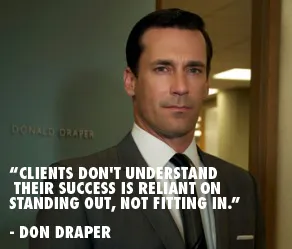
"Clients don't understand their success is reliant on standing out, not fitting in"

I came across this quote by the fictional character Don Draper (Mad Men) on the Advertising is good for you blog. It does apply to some of my presentation design projects, especially when there is some resistance to let go of the common bullet point approach.

Image via Wikipedia

·Investor presentation

How to present your team to investors

The founding team is a one of the most important inputs in a venture capitalist’s mind when she decides to invest in your startup or not. For a large part, an investor will size you up during the pitch by judging how you present and how you answer questions, information that is not written down anywhere on a slide.

Still, the team slide is a crucial part of any VC presentation. It is difficult to put CV information in a slide. There is lots of information, and CV entries require lots of text (long university, company, and position names). So I usually end up designing 2 versions: one to go in the front and one with full details to go in the appendix (the latter is meant for reading, not presenting).

You should adopt the design of your high level team slide, depending on what you want to say:

  • We have many of years of experience, a very long time line
  • We have worked together before, multiple time lines circling the overlap in your careers
  • We worked for big name companies: company logos
  • We have complementary skills, some sort of (slightly cliche) puzzle that shows what skill set the individual team members bring to the table.

And if you can:

  • Put in high-quality head shots of the team members
  • Or even better: an energetic group picture.
·PowerPoint

Spring cleaning: de-personalizing your laptop

If you use your laptop to present slides in presentations, it is time to let go of all that personal screen real estate such as cute family pictures. Screen savers kicking in with images of you in the pool with your 2 year old son, instant message popups, wallpapers showing off your new motor bike are all very interesting to you, but not to your audience. Spring cleaning time.

·PowerPoint

A few tickets left for my NY seminars next week

I am very happy with the signup rate for my NY seminars next week. There are still a few seats left, you can sign up here using the “ideatransplant” promotion code. I am preparing for my flight and hope to get to see some of my New York readers in person next week.

·PowerPoint

Memory and stories

Joshua Foer, the author of Moonwalking with Einstein (affiliate link), shows an interesting technique to memorize a string of unrelated object: imagine them one by one positioned on a familiar path. Boiled egg on the driveway, duck at the front door, 17" MacBook pro at the bottom of the stairs, etc.

Speaking of ducks, the Hebrew word for duck is ברווז, or barvaz. Imagine that duck sitting in a cafe, having a coffee, while in the distance you can see that huge red vase sitting on top of the bar. Barvas.

It shows that our spatial memory is much stronger than our ability to remember a list of bullet points. It might have something to do with our ancestors whose key to survival was to remember the location of that apple tree, and even more importantly, the way back home.

Stories are a great framework to store and memorize facts and ideas. It comes naturally. This might also be an explanation of why you can remember an entire 2 hour discussion by just looking at a messy, incomprehensible white board full of scribbles.