Online versus offline
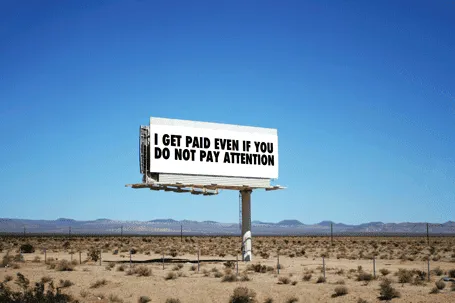
Online, advertisers pay by the click. In the offline world, not yet. This slide was made using Photoshop’s vanishing point filter and some fat Futura Condensed Extra Bold


Frequent updates about all things presentations since 2008. Subscribe to never miss a post.
Online, advertisers pay by the click. In the offline world, not yet. This slide was made using Photoshop’s vanishing point filter and some fat Futura Condensed Extra Bold
Spirals are a great way to visualize an endless repeating of something. Stock image sites are full of images of real staircases, rendered ones, or other images that have a spiral structure. You can use the visual as-is, or add text (maybe in circles that get smaller and smaller) to shows that something is going on forever, that something is repeatable.
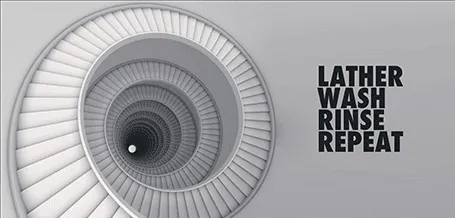
Some people associate a diagram like this with a downward spiral. I do not see it that way, you?
Almost every pitch presentation talks about something that is missing. A simple image of a paper hole is a great way to visualize it. You can have one, you can have fifteen, you can cut out the white background and put the whole into something else. You can find hundreds of paper holes on stock image sites.

Using a visual cliché can happen to the best of us… I recently was guilty of this one. “We are scalable!”

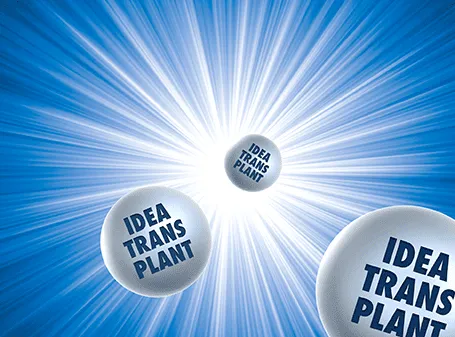
The star burst is often used in retro advertising. You can pick one up from any stock image site to create a background for a composition with a lot of depth.
Back in the early days, you had to use aperture, shutter time, and chemicals to create special effects in images. Then came Photoshop, and now we see a stream of apps written for touch-based mobile devices. The success of Instagram has taught the amateur how to apply simple filters with the touch of a finger.
I am starting to use these applications for professional presentations, usually not to recover a poorly shot image (most stock images are of excellent quality), but to harmonize images across a presentation with a certain look and feel that is consistent.
Photoshop is still great for removing backgrounds from images, and inserting a 2D image onto a 3D surface. However, its artistic filters are far too dramatic. And making quality adjustments is tricky. It requires a lot of skill to darken a background, lighten a foreground or vice versa. You had to familiarize yourself with alpha channels and the fundamental ways digital images are stored.
| Tel Aviv this week, on filter steroids |
My favorite app so far is Snapseed. Next to the dramatic filters that I do not use, it has a set of easy tools that give great control over an image. Ambience to change the balance between foreground and background, sharpening to make images crisper, structure to emphasize texture without destroying the edges of a subject, and best of all, the ability to adjust these effects to part of the image. I find it easier to use and more powerful than iPhoto.
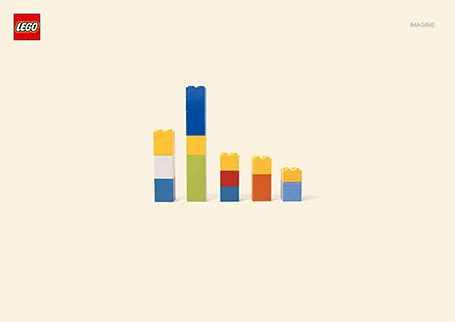
I love Lego. The ad below looks like a PowerPoint column chart, but also like the Simpsons family. It shows the power of imagination that many of us forget about when we grow up. (More ads here on Ads of the World).
Stock images sites are full of images that are not real (post from 2008). Images from Flickr with a creative commons license are a great alternative. But recently Instagram is taking over as a great source of images. The site searchinstagram.com allows you to search images on a desktop (Instagram is a mobile-only application). If you want to use an image in your presentation, you need to send the person who took it a message, because she owns all the rights to material posted on Intagram.
Instagram is the new Flickr.
Maybe a bit overused, I still applied the billboard concept in a number of presentations recently.



This photo posted by Carolyn McDowell is much more powerful than a bar charts with the sugar content of soft drinks