SlideMagic Blog

Frequent updates about all things presentations since 2008. Subscribe to never miss a post.

RSS
all posts

Category Delivery

·Delivery

Everyone or no one

If everyone is on a Zoom connection, the meeting works, we have gotten used how to deal with the new setup. If a few people are present in person, and a some others are “Zooming in”, the meetings dynamics are broken.

When planning meetings for next year, think about the time, money, and the environment wasted in travel, and prioritize which meetings really have to be in person, and which ones can be done remote. If you go for in-person, everyone has to show up though. Another reason to think twice about that option

Photo by Marvin Meyer on Unsplash

·Delivery

Aide memoire

The highschool teacher of my daughter handed out small cards to the class. Every student was allowed to fill it with whatever they feel like and take it to the upcoming test, or… sell it to the teacher for 3 points extra. The teacher’s sneaky strategy: making that card is actually 80% of the work of mastering the material for the test.

This is a bit like holding a small piece of paper in your hand during the wedding speech, or peaking at the speaker notes when doing a stand up presentation. In the world of Zoom, it can even be more blunt: lots of cheat sheets around your screen that nobody can see.

There are 2 ways to approach these cheat sheets:

  1. Write down the actual content that you want to remember, literally.
  2. Fill it with little hints that make you remember things.

The second strategy is more effective, it is easier to remember things, it takes less space (or time to look at your cheat monitor) and you will present things in a more natural way (reading out bullets from your speaker notes is even worse practice than reading them from your slide).

Maybe write “P.O.P.” or “pop” when the three words you need to remember start with a P, an O, and another P. This is similar to the strategy that memory champions use: put things you need to remember in an imaginary 3D space. (Number 42 sits under the pink elephant, next to the grand piano).

Continue reading →
·Delivery

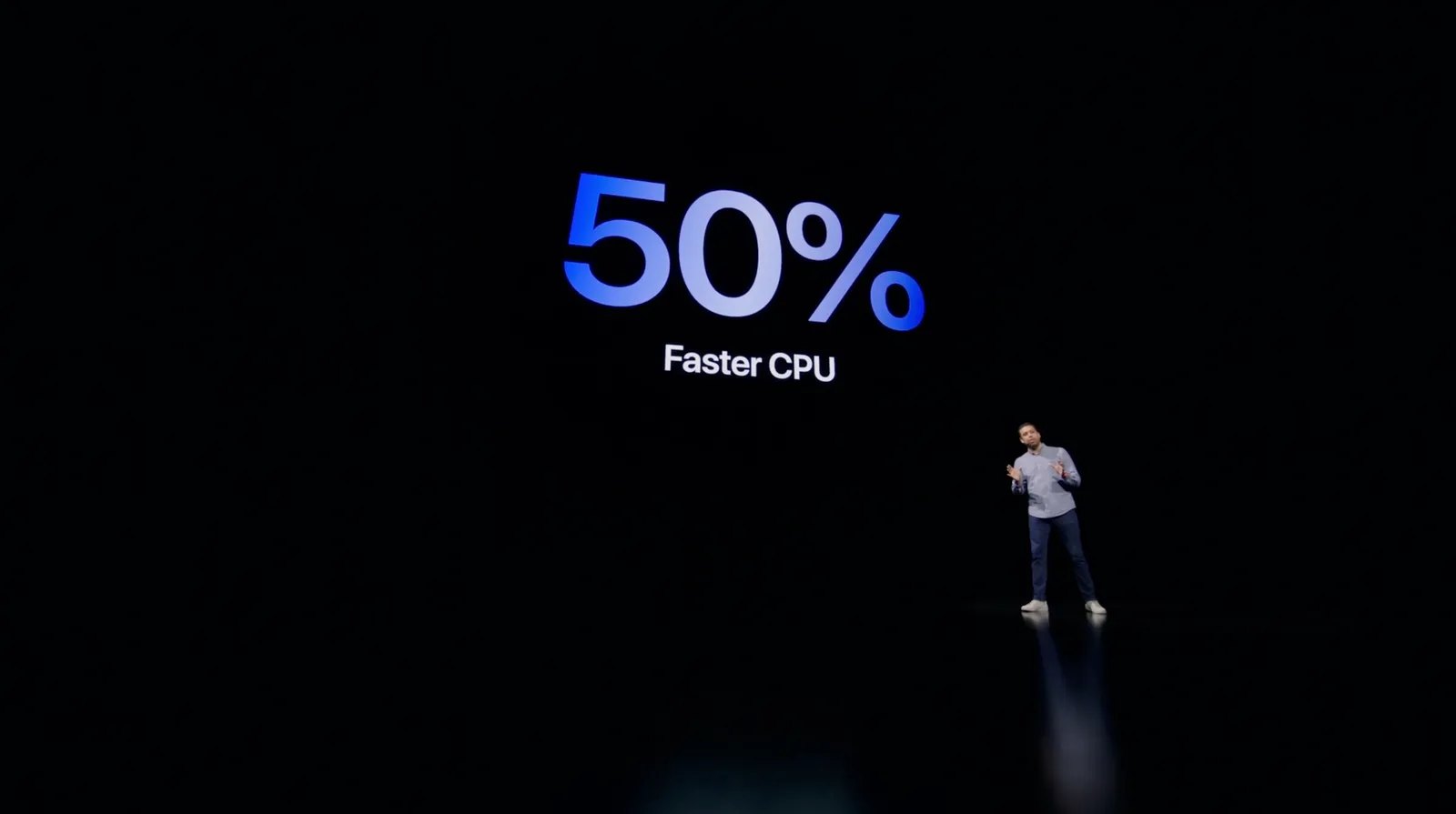
Apple event - "auditorium camera position"

Apple is known for setting the standard when it comes to product presentations. It is interesting to see what they produced in yesterday’s event within the constraints of COVID. A pre-recorded, pre-produced long-format “television commercial” without a live audience.

As we know from Zoom calls, webinars-style presentation of slides with a presenter voice over can be pretty boring. Adding a small picture-in-picture video of the presenter makes things a little bit more interesting, but it still does not capture the energy of a live presentation.

Apple used an auditorium-style camera position in some of the presentations:
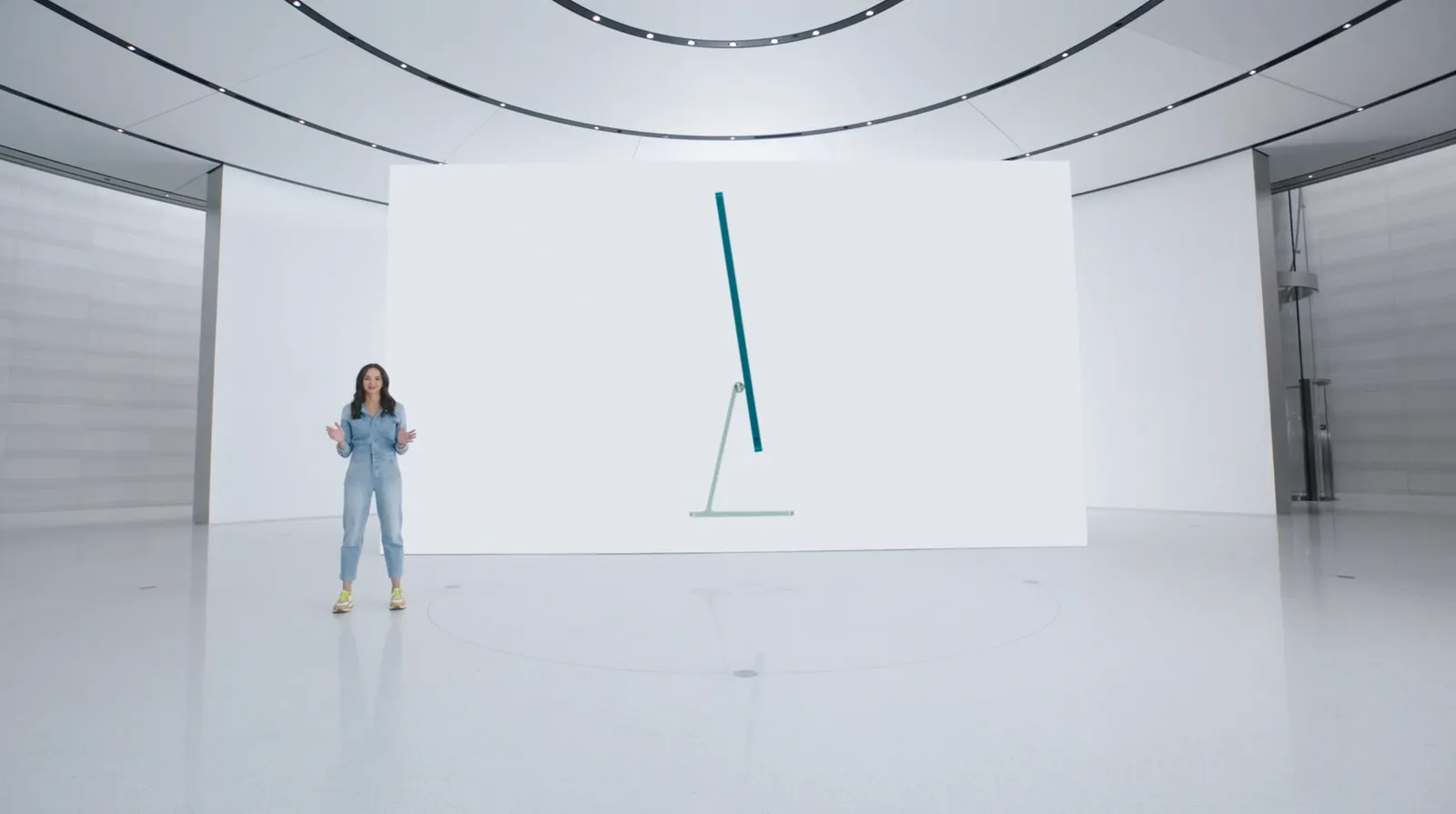
This enables the speaker to walk around, to create a much more interesting presentation. Big budget, multiple camera editing completed the effort.

This is something you could copy, if your business has a large neutral wall, record yourself event without slides in the background, peeking at a small presenter laptop, and later on edit the slides in the background. Or if you have an amphitheater around (if you are a university student), you are lucky and can use that.

I guess this could also be a good idea for some future startup, that maybe can record you in a much smaller setting, and add the digitally created auditorium in a later stage. I see Prezi moving in the direction of video now, but it tries to make the slides more dynamic and exciting. I think this opposite approach is more effective: very calm slides with an energetic presenter.


·Investor presentation

Live demo in presentations, should you?

It is tempting to show a live demo of your product in your pitch presentation: look, we have a real product, this is not just “slideware”.

There are downsides too though. Murphy’s law, if a technical issue could happen, it will happen, especially in important pitch presentations. Demoing a product involves all kind of time consuming steps that are not really adding to your pitch: log-in screens, clicking through various settings pages, loading dummy data. If you have only 20 minutes, each and every minute is very valuable. Fifteen minutes of demo might be too much.

So, what to do?

  • Include a series of relevant screen shots in your pitch deck that show the key features of the product. The objective is not proof of technology, just educating the audience what it is that you actually try to build. Choose the screens wisely and put them in the right sequence. Add arrows and markups to make things clear if needed. (App screens are not presentation slides).
  • If possible, have a live demo of your product running on your machine, and in that first 20 minute pitch, simply click through a few screens. The objective is not to use it to explain what you are trying to build, but proof that there is actual technology. “Look, here it is!”
  • If the audience is interested, schedule a second meeting that is entirely dedicated to demoing your product, leaving sufficient time for solving technical glitches.

Photo by Rhett Noonan on Unsplash

·Software

A better way to edit speaker notes

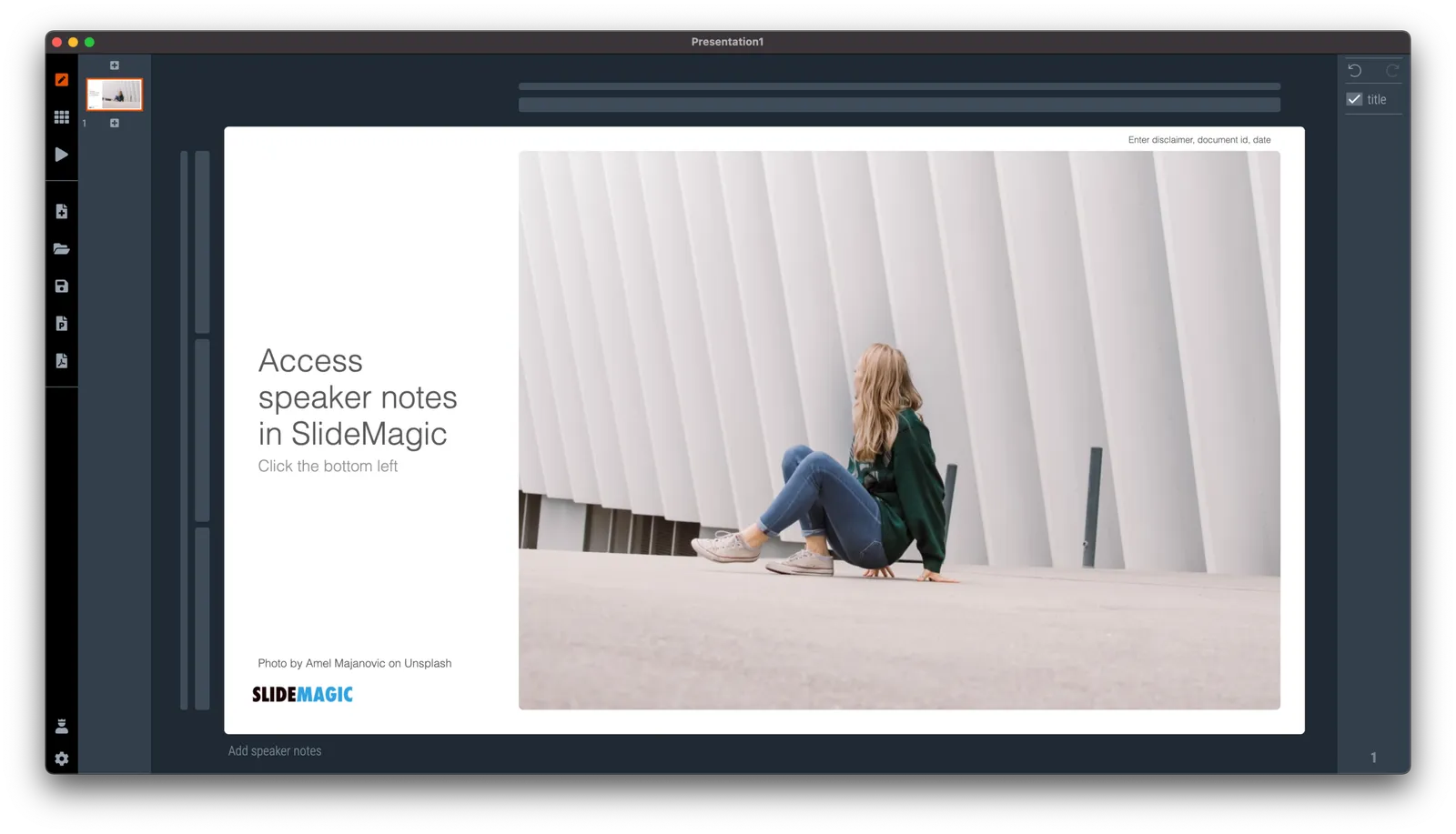
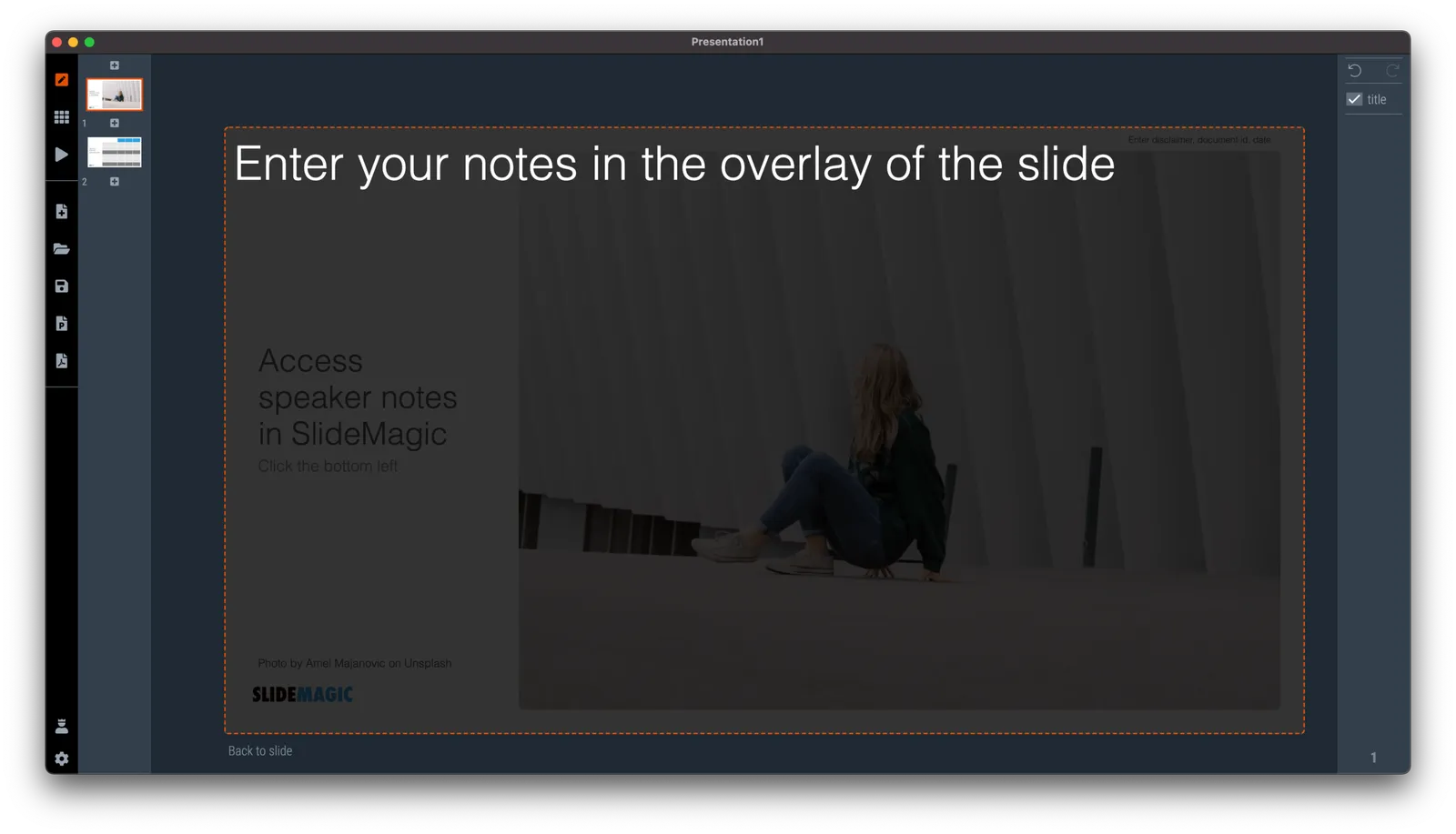
I made the user interface for speaker notes a bit clearer in version 2.6.12 of SlideMagic. The mysterious bullet point icon at the bottom of the slide has been replaced with a simple text link. Click and you will see a big and bold overlay over the slide where you can add your notes.

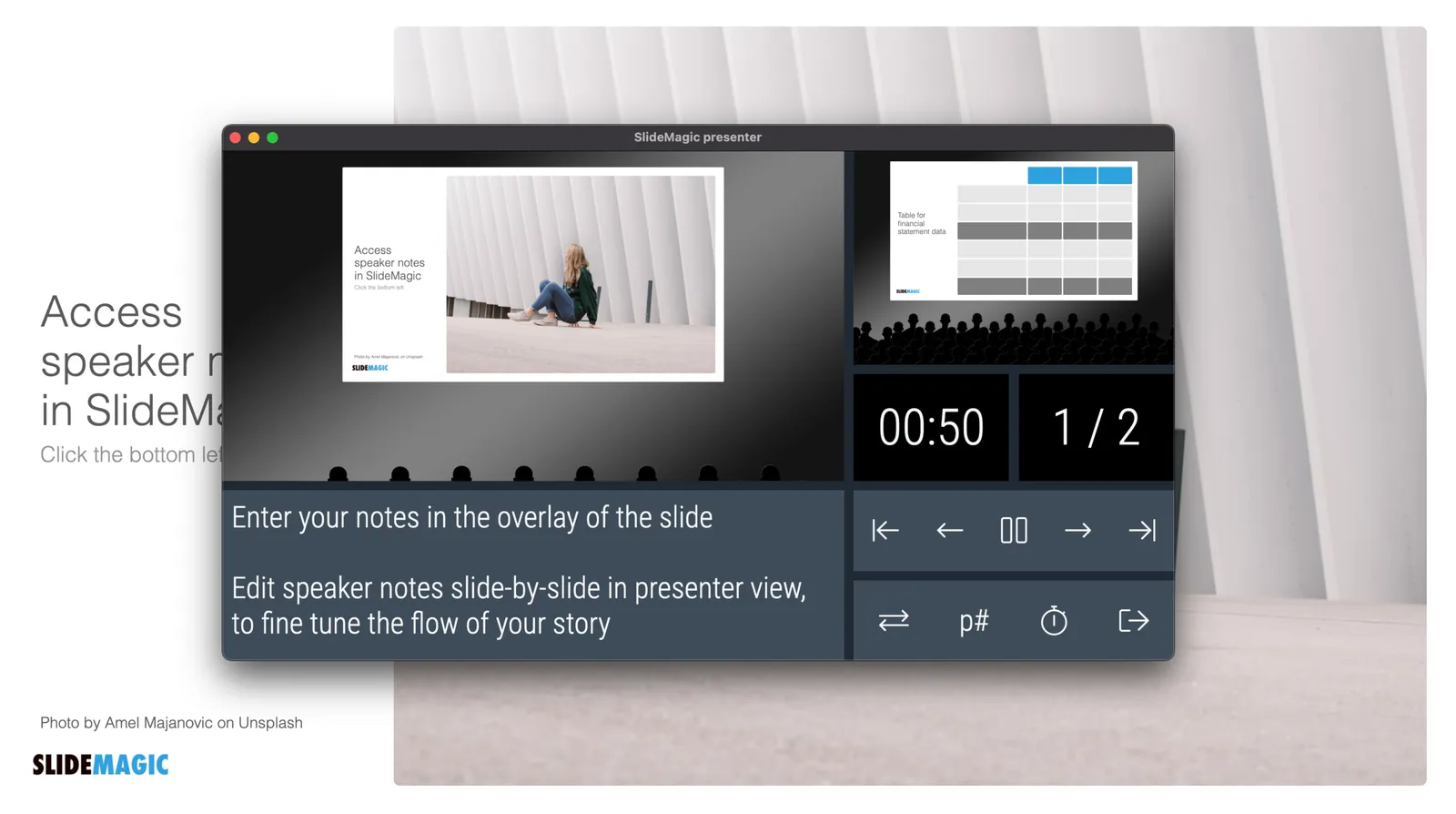
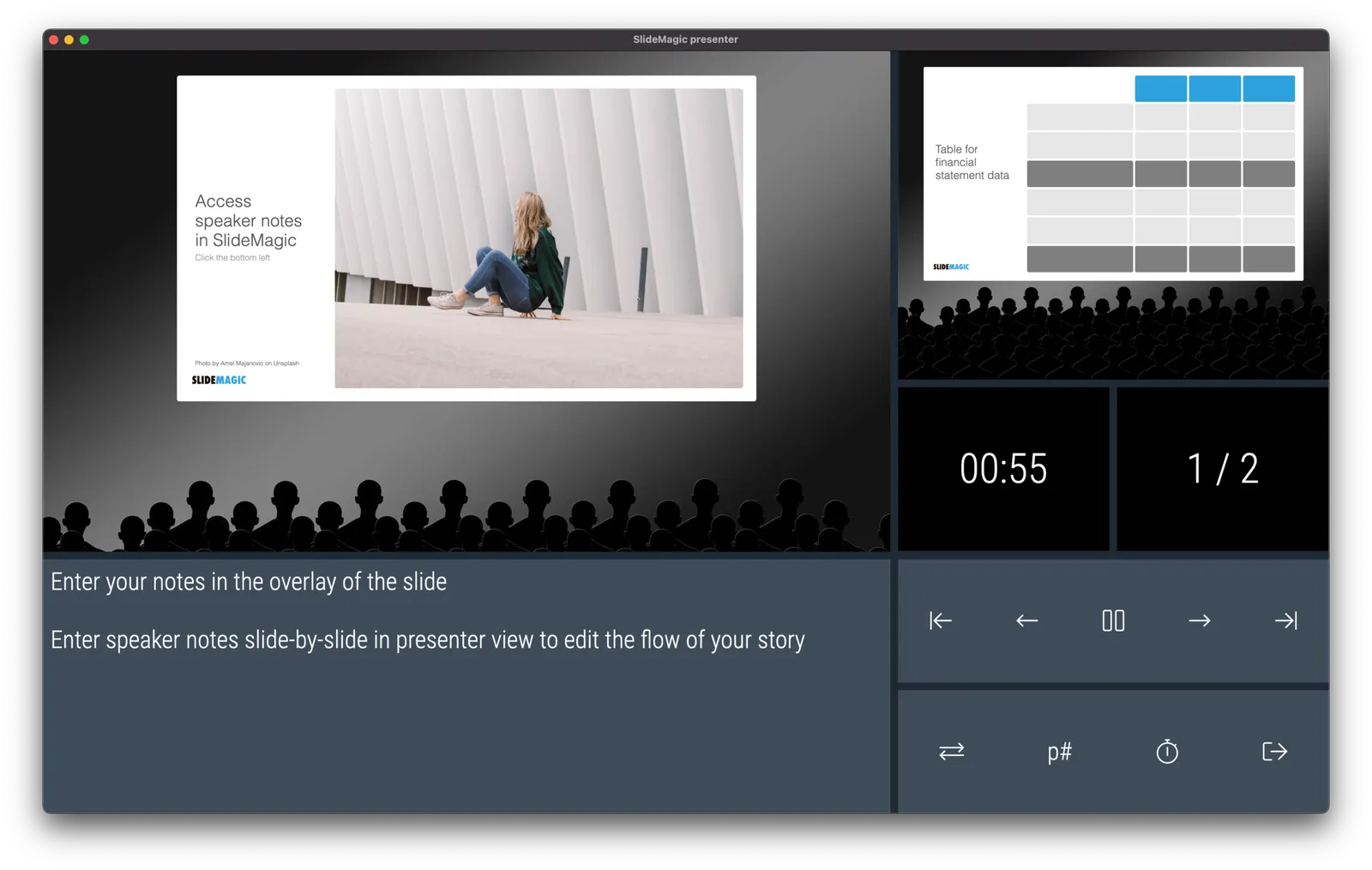
Speaker notes will show up in the presenter view window when you present the slides and are only visible to you the presenter, not to the audience. On a Zoom call, share the audience window to the video call participants, while you keep an eye on your private presenter view with important reminders of the points you want to make when presenting the slide.

In SlideMagic, you can edit your speaker notes also in this presenter view window. This is not only great for last minute fixes of your story, but also gives you a platform to edit the flow of your story slide by slide. Increase the size of your presenter view window, and click through your presentation. You see a small thumb of your slide, an even smaller one of the next slide up, and a big text box to write down your points.

When you return to the normal view of the slide, you will see that the speaker note edit link has changed colour, to remind you that there are speaker notes in this slide. This is important when you share .magic files with other users, because they will be able to read those speaker notes as well. (This prevents you from sending “Better not share our 50% churn with investors in the first presentation with investors if they do not ask for it….” to well, an investor attending your first presentation)

Continue reading →
·SlideMagic

Making SlideMagic more Zoom-friendly

Up until now, playing a SlideMagic presentation would trigger a full screen view of your slide, plus second full screen window on the presenter machine (if available). Switching back and forth to full screen, swapping monitors can be a bit disorienting, and in the area of Zoom, it does not work well when you want to share your audience window, but not your presenter view.

As of version 2.6.3, entering a presentation will now always trigger 2 windows (not in full screen): the slide and a smaller presenter view with timer, counter, and a thumb of the next slide coming up. You can re-rearrange them to monitors as you see fit, and go to full screen manually if needed.

This also ‘solves’ the issue of deciding which screen is the audience screen, and which one the presenter’s when many on screen projectors (not replaced very frequently) have lower screen resolutions than most computers.

·Delivery

Appearance

Wearing a mask in times of the virus (probably) protects you somewhat from catching the virus, (probably) protects others from you. Individually, the change in odds are probably not that big, but as a society as a whole (the perspective of the government), a small change in infection rate can have an incredibly positive impact (exponential mathematics).

But there is something else, a mask has a social function

  • A mask signals that it is not rude when you don’t shake my hand
  • A mask signals that you are probably a careful person in general and therefore OK to be with (from 1.5 meters distance)
  • A mask makes others think (feel guilty) whether to do the same

The mask signals who you are.

This ‘appearance’ also applies to your presentation. You can have the perfect story line, slides with little text, clear and crisp headlines. But the look and feel of your slides says a lot about the culture of you and your company, irrespective of their content.

With SlideMagic, the look and feel is sorted.

Photo by Fran Boloni on Unsplash

·Delivery

Why does Merkel's explanation work?

Why does Merkel’s explanation of the virus “R0” (basic reproduction number) work so well?

She makes abstract mathematical concepts very tangible. Instead of talking about R0 being 1.0 or 1.2 and the resulting number of patients, she explains:

  • If that ratio is 1, it means that every patient infects one other, hospitals are full in October
  • If that ratio is 1.2, it means that out of 5 patients, 4 infect another one each, and one infects another 2, we are out of beds in July

No graphs needed.

·Delivery

Now is the time to experiment

Everything gets thrown around at the moment. Everything is all of a sudden allowed. Laundry, pets, and kids in the background of video calls., no problem. Why not take the opportunity to change the way you present as well?

Sorry, I did not have a lot of time to prepare that 100-pager, but these 10 pages capture exactly what we should discuss today

And while you are at it, why not use SlideMagic as an alternative to PowerPoint now that everything is risk free? Hey, maybe some of the new habits will stick.

·Delivery

Getting to the point

Everyone is working remotely The meeting is on an improvised video call. Less time to prepare the slide deck. People watching slides on small screens. There is less room for “escape behaviour”, request another sensitivity analysis, rephrase slide 25 to get back to it later.

The current situation might be a turning point in corporate communication. PowerPoint still holds the fact packs and the result of our analysis, built up over months, updated with the latest information. Then, there is the (virtual) meeting tomorrow where you have 5 minutes to make a point. “OK, what it all boils down to is this…”

And that’s where SlideMagic comes in: fast and simple.

Photo by Tommy Lisbin on Unsplash