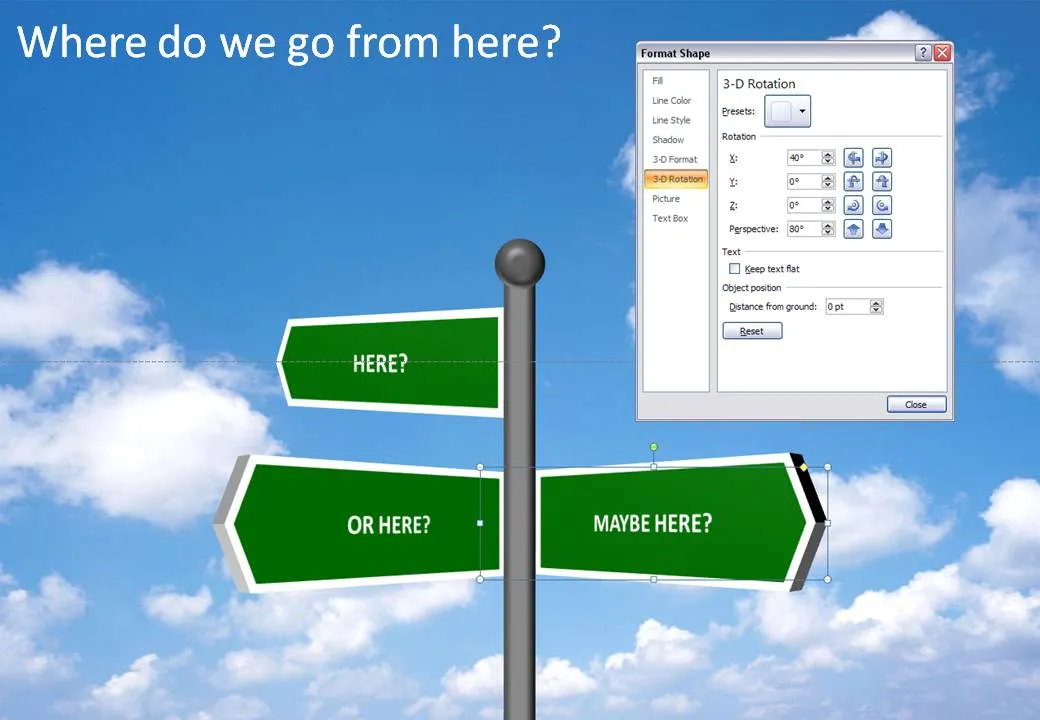
It is easy to make your own 3D road sign image, no need to buy a stock image, and you get the 3D text perfectly aligned. Click the image for a larger picture (with the settings in the “format shape” box).


Blog post
It is easy to make your own 3D road sign image, no need to buy a stock image, and you get the 3D text perfectly aligned. Click the image for a larger picture (with the settings in the “format shape” box).
About this blog
Notes on all things presentations — design, storytelling, and AI workflows.
Subscribe now to never miss a post.
About SlideMagic
A platform for business presentations.
A free student plan is available.
10 comments
John
There is not bevel on the signs. In the 3-D format tab (not the 3-D rotation one), you can set the "depth" to something like 15 pts
Also set the weight of the line in "line style" to something like 6 pts
The pole was spiced up with a small bevel.
Great tip for doing 3d generally in powerpoint.
Kinda laughed when I saw how much yours looked like ours: