Movie posters
The site of the IMP Awards has an excellent database of movie posters, searchable by year, title, actor. Useful inspiration.



Frequent updates about all things presentations since 2008. Subscribe to never miss a post.
The site of the IMP Awards has an excellent database of movie posters, searchable by year, title, actor. Useful inspiration.
Last week in New York, I used both Keynote and Adobe Acrobat for the first time on stage in a live presentation. Keynote worked great (it is designed to do just that). Presenting in Adobe Acrobat (PDF) was interesting.
I presented at a large conference (this one) where it is hard to switch hardware (I needed a Mac for Keynote) in the middle of the conference program without disrupting the experience of the audience (engineers walking back and forth, screens going on and off). Hence, I went for a PDF version of the deck. (An earlier post on why I think we are going to use PDF for presentations more and more)
With CMD-L you can put Adobe Acrobat in full screen mode, and it responds perfectly fine to the Logitech remote control I am using. The only adjustment you have to make is to make sure that any animated slide builds are spread out over multiple pages.
The one thing I am missing though is the ability to have presenter view in Adobe Acrobat: having a pre-view of the next slide displayed on the monitor that only the presenter can see. Adobe, are you listening? (An old post about PowerPoint presenter view)
To take this a bit further. The one thing that Apple can do to increase the penetration of Keynote is to develop a Windows application that can run Keynote presentations with animations. Editing is not necessary.
This was the question I got after my high-paced presentations full of impressionist paintings last week. Here is what is different about a Board presentation:
Having said that, Board presentations are actually very similar to other presentations:
So maybe Board meetings are not that different after all…
Read more about designing good Board presentations in this earlier post.
Last week I attended a Creative Mornings presentation by John Maeda in New York. He is the head of the Rhode Island School of Design and a well-known designer, artist, and author (more information about him here).

He made an interesting point about the graphics design industry. What caused the creation of the graphics design industry as we know it today? The fact that in the 1950s and 1960s, it became customary for publicly traded companies to have well-designed annual reports for their shareholders.
I think we are seeing something similar in presentation design. The bar is rising constantly. Presentations, and videos of presentations are being shared online and are getting wider and wider audiences. Corporations start seeing the value of good slide design. Enterprises will start allocating budget to it.
I do not think this investment will solely go to the design of PowerPoint slides. The corporate story needs to be brought out consistently in presentation slides, documents that can be shared online, videos, and the web site. A new discipline in graphics design, and a new design market is emerging.
Recently someone asked me: “How much time do you need for your presentation, 30 minutes, 45 minutes?”. While I can fill 2 hours with just talking about presentation design I chose to go for the 30 minutes. It focuses you to be to the point and interesting.
TEDTalks can discuss very complex subject matters in just 20 minutes. I have designed 6 minute presentations for startups participating in pitch competitions that managed to convey the entire company’s story. Often I find that a time constraint results in a better presentation.
The idea of visual presentations is spreading and I see more and more decks that I would call “80% there”: very limited use of bullets points, big images, one message per slide. For those experienced amateurs among you, here is how to get it to 100%:
Photoshop is growing on me, after having confused me for many years. Photoshop is catering to multiple audiences. Professional photographers need the sophisticated tools for correcting camera images. Advertising designers need the engine for creating complex layer compositions.
What is useful for presentation designers? (search help in Photoshop for exact instructions how to find them):
Whenever a new version of Photoshop is released, I am not so much looking forward to more features, but better implementation of existing ones.
What features have I missed?
Tim Harford is defending PowerPoint in the light of the recently formed Anti PowerPoint Party. I agree. He argues that PowerPoint is a tool used poorly. The link to the article.
I am increasingly interested in designing documents for tablets. They could work great in one-on-one meetings (or even stand alone). I have not found the right platform to develop them yet though.
PDFs do not always work (especially when converted using the Microsoft Office plug in) and show up within the frame of the iPad PDF reader (menu bars, chart thumbnails).
HTML5 looks promising. Onswipe aims to be an HTML5 publishing platform for magazines that also could be useful for presentations. If you visit the Marie Claire web site on an iPad for example you see what it can do (it looks like an app, but it is a regular HTML page). But you also see the limitations. A browser-based environment makes page switching slow, and again, you still have the navigation frameworks of the browser application.
Custom apps. Over the past weeks, I taught myself Adobe InDesign, and loaded up software that can turn Adobe InDesign files into custom iPad apps. My computer science background is trying to convince me actually download the entire IOS 4.3 SDK to have a look inside to see what it takes to program an iPad app from scratch. It is a heavy-handed approach though.
Do you have experience with this? Let us know in the comments.
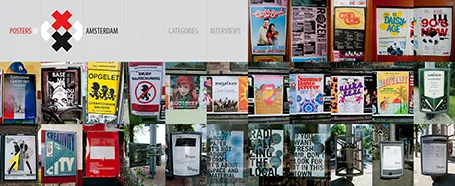
The summer is here: time to slow down a bit and look around for design inspiration. The site Posters in Amsterdam by Jarr Geerlings enables you to walk around the city without physically going there.