SlideMagic Blog

Frequent updates about all things presentations since 2008. Subscribe to never miss a post.

RSS
all posts

Search results for “powerpoint mac windows”

·Hardware

Presentations on mobile - 2018

Now and then, I go back and analyse the inroad that mobile devices have, and have not made, on mobile devices, after the state of euphoria we all had back in 2010.

As a viewing device, phones and tablets have made great progress. In a significant number of face-to-face and small conference table meetings, people are using mobiles and tablets to present theirs slides.

As a creation device though, things are not that advantaged. And now that we have apps that do  perfectly fine job at creating presentations on a tablet, we can no longer blame it on technology. Here are some reasons why it is (and will remain) difficult to create presentations on a tablet (let alone phone):

Presentation design is a creative process that requires a big, bold, clutter-free work environment. This means it will always work better with a big screen, a nice big desk to work on, and a quiet environment. Trying to type things on a small screen in a crowded cafe, or in the back of the taxi will never create brilliant presentations.

The default work setting for creating a presentation is the office, and, when given a choice, the small tablet is inferior to the laptop or desktop computer.

File management is still tricky on small screens. Having 3 presentation decks open, plus 2 spreadsheets, plus the dashboard with last quarter’s results in the BI system, plus a stock photo site, plus 4 old emails with attachments that contain slides, is by definition hard to manage on a tablet.
Continue reading →
·Keynote

Mixing and matching

Before starting a presentation design project, I need some basic guidance from my clients: dark or light background, custom fonts or not, Mac or Windows. Useful information.

A few times, I made the mistake of asking design (not content) input on specific slide elements: this way of putting pictures or that way, this type of titles or that, black & white or colour. It somehow did not work. As a designer you need to select the entire design approach in a consistent way.

I sometimes see something similar in interior designs of houses: individual elements look OK, but the whole composition together does not make sense.

Mixing and matching gives mediocre results.

·Keynote

Saving time with files

An annoying part of my workflow is clicking through file hierarchies to open and save documents and images. I do not understand why it took me around 20 years to figure out to pin the folders of the current projects I am working on to left of my file open menu. On the Mac, you simple dag a folder onto the side bar (you can do something similar in Windows as well).

·PowerPoint

Hard-to-find Excel 2011 shortcuts

I do not use many Excel keyboard shortcuts. But my switch from Windows to Mac OSX showed that I really was dependent on a few that were hard to find in my new software. Maybe you have the same issue.

  • In Windows, I constantly used the Office 2010 (Windows) CTRL-MINUS and CTRL-PLUS to add/remove columns and rows. For some reason CTRL-PLUS does not work in Office 2011. To insert a row or column on the Mac, select it and hit CMD-I instead.
  • I use the soft line break in an Excel cell a lot, on the PC it is ALT-ENTER, on the Mac it is ALT-CMD-ENTER.
·Software

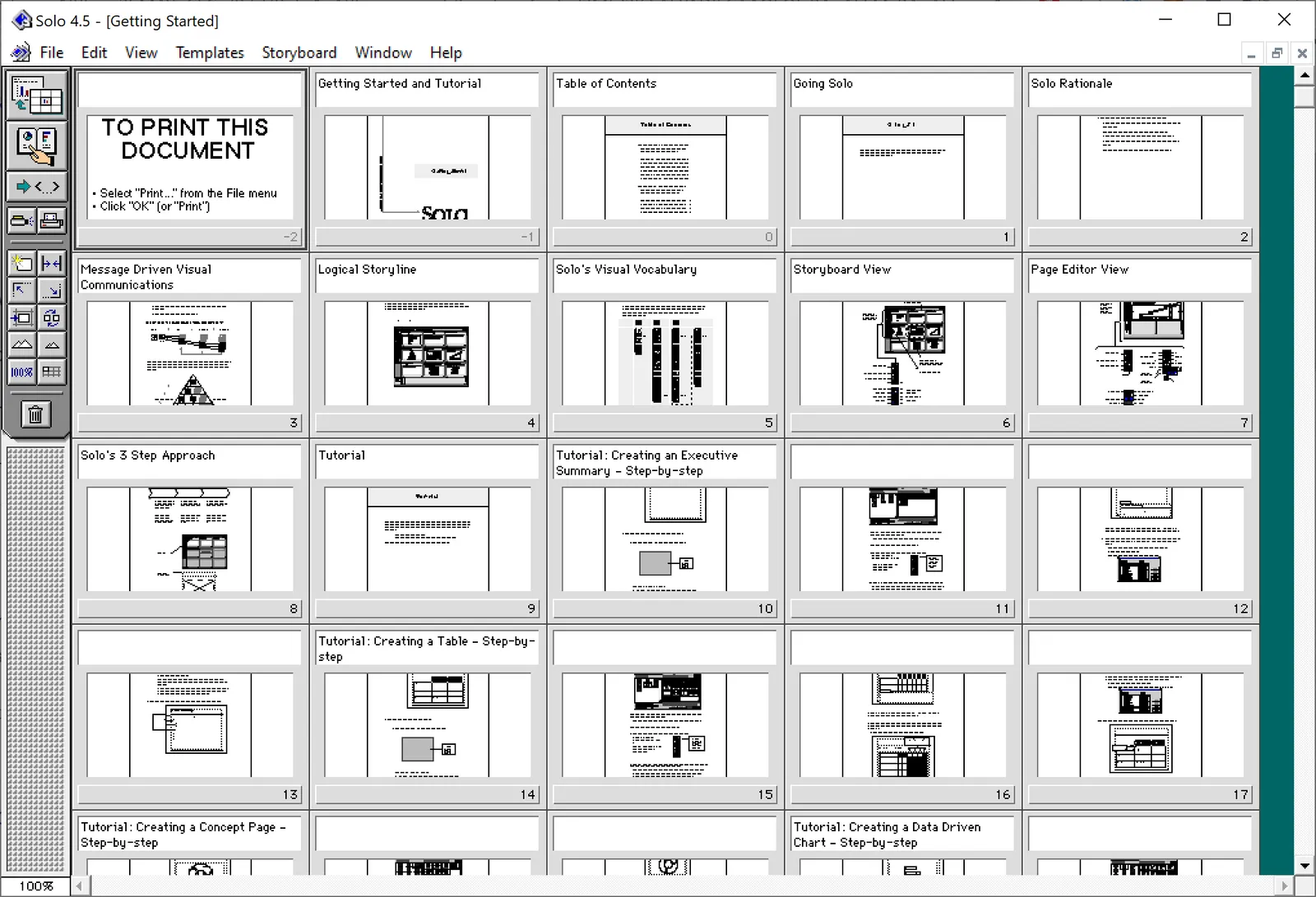
Vintage presentation software

At McKinsey in the 1990s, we used ‘Solo’ presentation software to make slides. It was far ahead of its time (before PowerPoint became the standard). It had a very advanced template engine that enabled you to recreate charts in the McKinsey style. The software required some skill, and charts were usually created by professional graphics designers who took hand-drawn charts as an input. Back then, Solo would run on Macs only. Which was the reason that McKinsey issued Macbooks to their staff at the end of the 1990s, so that consultants could edit (and create) their own slides if they had to.

Ultimately PowerPoint was the end of Solo. Not because of its capabilities, but because McKinsey’s clients would have this installed on their machines, and these clients wanted to edit slides themselves. And with the advent of PowerPoint, the slide format became less consistent in McKinsey. (Both the result of a less sophisticated template library, and the reduced influence of professional graphics designers to create the slides).

I checked this morning, and Solo is still around, here is the web site: https://www.axoninc.com/. Support has ended in 2020 though. I tried installing the demo on Mac, but failed. The PowerPC engine no longer works. It does work on Windows 10 though, but I had to click a button 587 times because the license of the trial version expired 587 days ago (on 7 February 2022). Those clicks were rewarded with some good memories though, I have added some screen shots.

Continue reading →

Rounded edges

In the latest version of SlideMagic, all boxes now have slightly rounded edges. You actually need to look carefully to see it, but the impact on the overall slide layout is dramatic, things look more friendly.

Apple is a big believer in round edges in its designs. It claims that sharp edges do not appear in nature and are not natural shapes. (Well there are crystals). But I think Apple is overdoing it. The camera unit on the back of an iPhone for example has too large of a corner radius, and in many of the app screen designs the corner radius of the window, hardware, and icons clash.

In PowerPoint and Keynote the default setting for a corner radius is also too big, and there is no way to adjust them precisely to the same value (you can only drag with a mouse).

The edges in the SlideMagic PowerPoint conversions stay sharp for the moment, I can programmatically tweak regular shapes in PowerPoint (so no more mouse dragging), however for images I still have an issue.

The latest version of SlideMagic is 2.4.45 and you can download it here for free (Windows and Mac).

Photo by Eddy on Unsplash

·SlideMagic

Waterfall charts in SlideMagic!

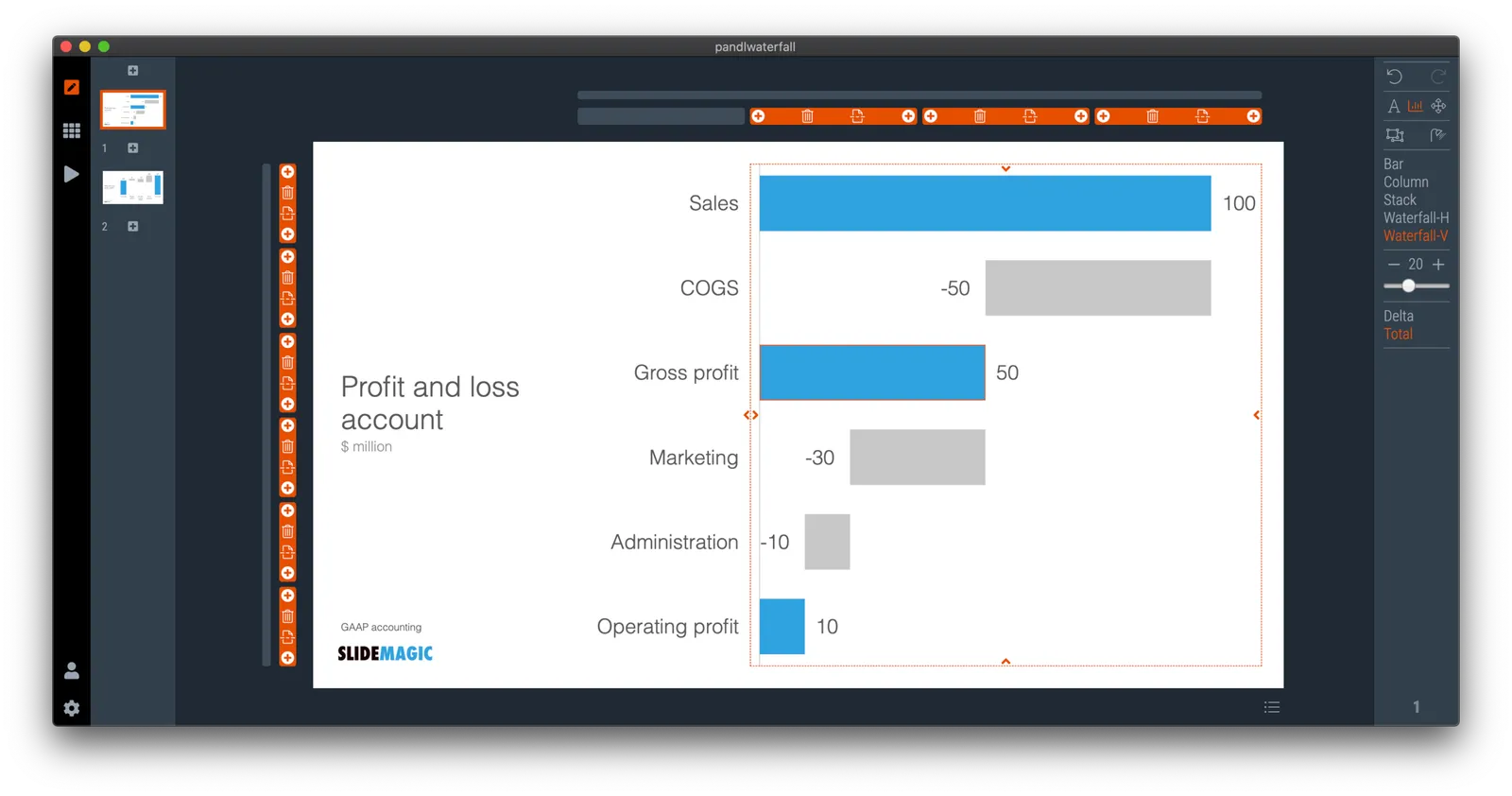
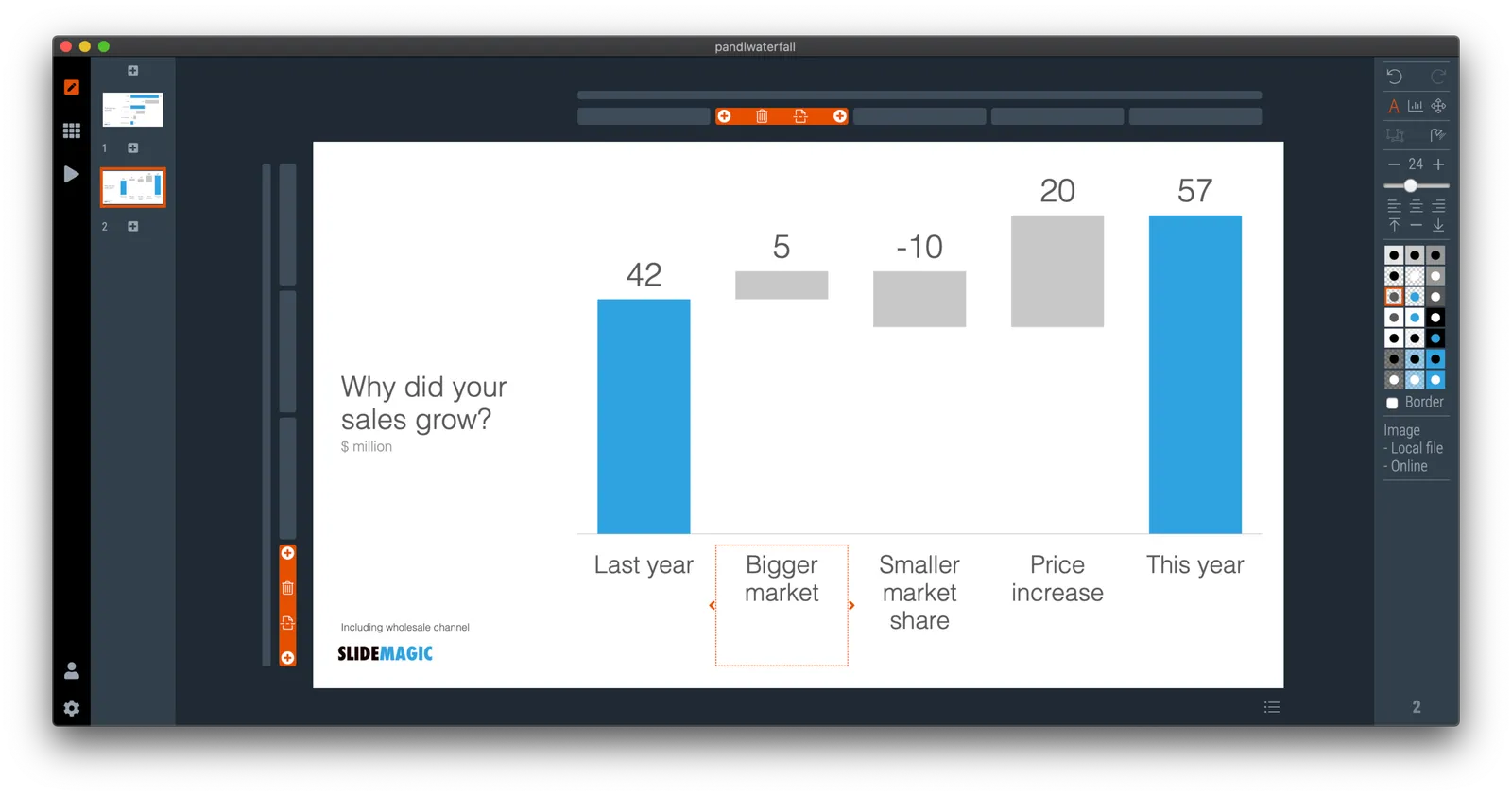
Finally, they have arrived. Waterfall charts in SlideMagic. Everything lines up with other elements in your slide. Super easy to make and edit, super easy to convert to editable PowerPoint / Excel charts if needed. Download version 2.4.7 of SlideMagic to try it out (both for Windows and Mac). This is a brand new module in the app, please let me know if you experience any issues or have other suggestions.

·Software

Preserve image positioning when switching between 4x3 and 16x9

SlideMagic swaps instantly between traditional and widescreen aspect ratios. The slide content stays nicely in the slide frame, everything stays aligned and you can revert instantly.

Because SlideMagic does not distort aspect ratios of images (no stretching or squeezing), the positioning of an image changes slightly if you switch between a narrow and a wide screen layout. This can be annoying for images where positioning is a big deal (compare the lined up eye lines of a series of portrait images versus a long-distance shot of a mountain range). If you switch aspects 5 minutes before your meeting, your presentation is misaligned. (This is obviously still a lot better than PowerPoint where everything would stretch and move to unpredictable places when picking a different screen format)

Well, SlideMagic fixed this last hitch as well. I just released V2.3.17 (download SlideMagic here for both Windows and Mac) which now keeps 2 sets of image size and crop frames, one for each slide aspect ratio. You switch back and forth, so will the image positioning. Make sure to double check each image once in both aspect ratios, and the settings will be saved together with the presentation.

For future releases I am studying more advanced image analysis, where I could automatically recognise a face in an image for example, and lock in the position of the eyes (maybe the first true “AI” application in SlideMagic).

·SlideMagic

Dynamic slides generated on the fly

Version 2.3.16 of the SlideMagic presentation app went up last night (download it here for either Mac or Windows). The major new feature in this release is the dynamic generation of slides (at least, the first steps).

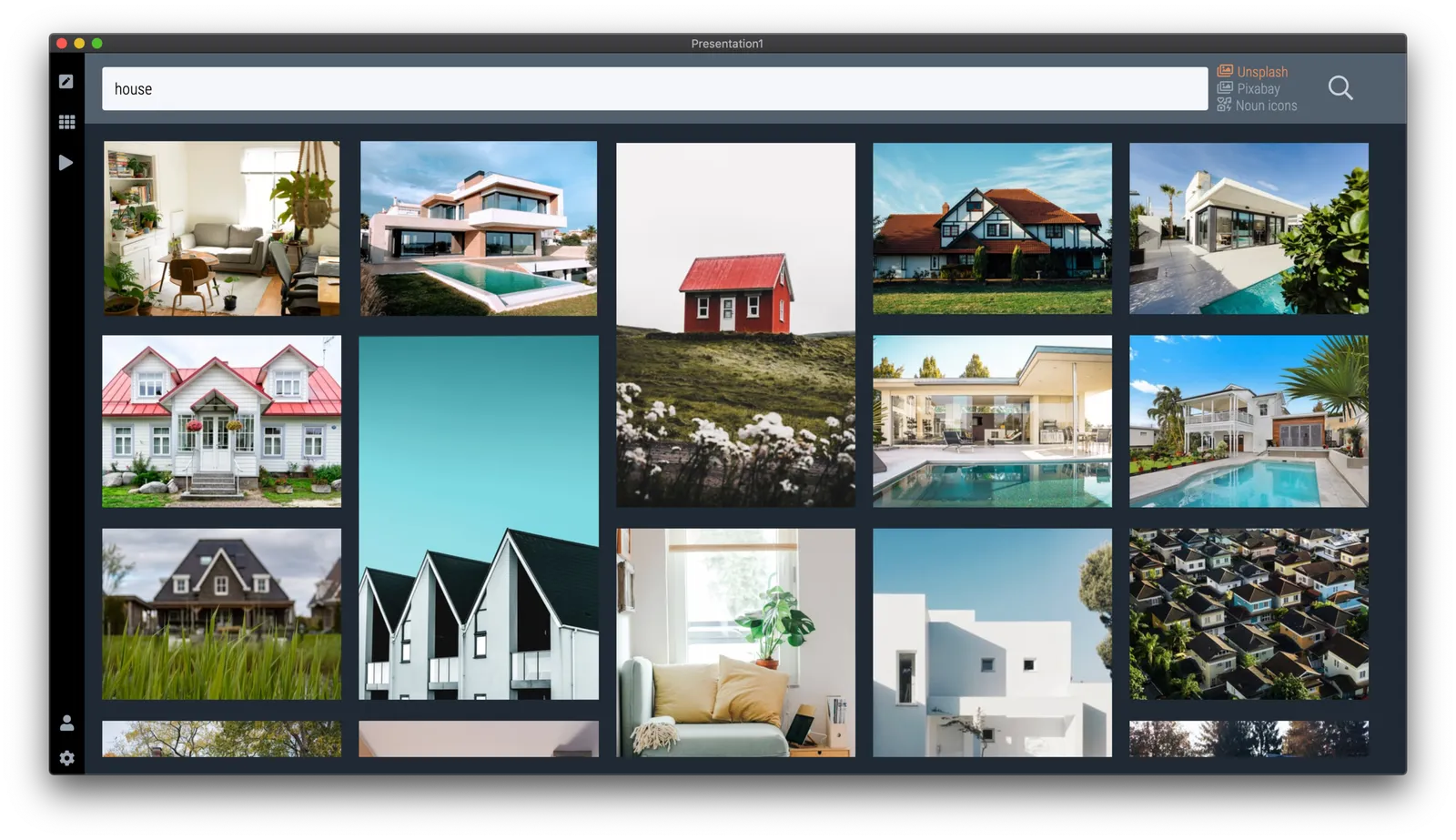
There are different types of template search queries entered on the SlideMagic server. People look for a specific framework (e.g., ‘BCG matrix’), a specific layout (‘3 bullet points’), but then there is a whole lot of more descriptive queries to are a better match for an image search site (‘house’ , ‘diabetes’). While I could populate the database with hand-made slides for each of these terms, it is more efficient to let technology do the work for you.

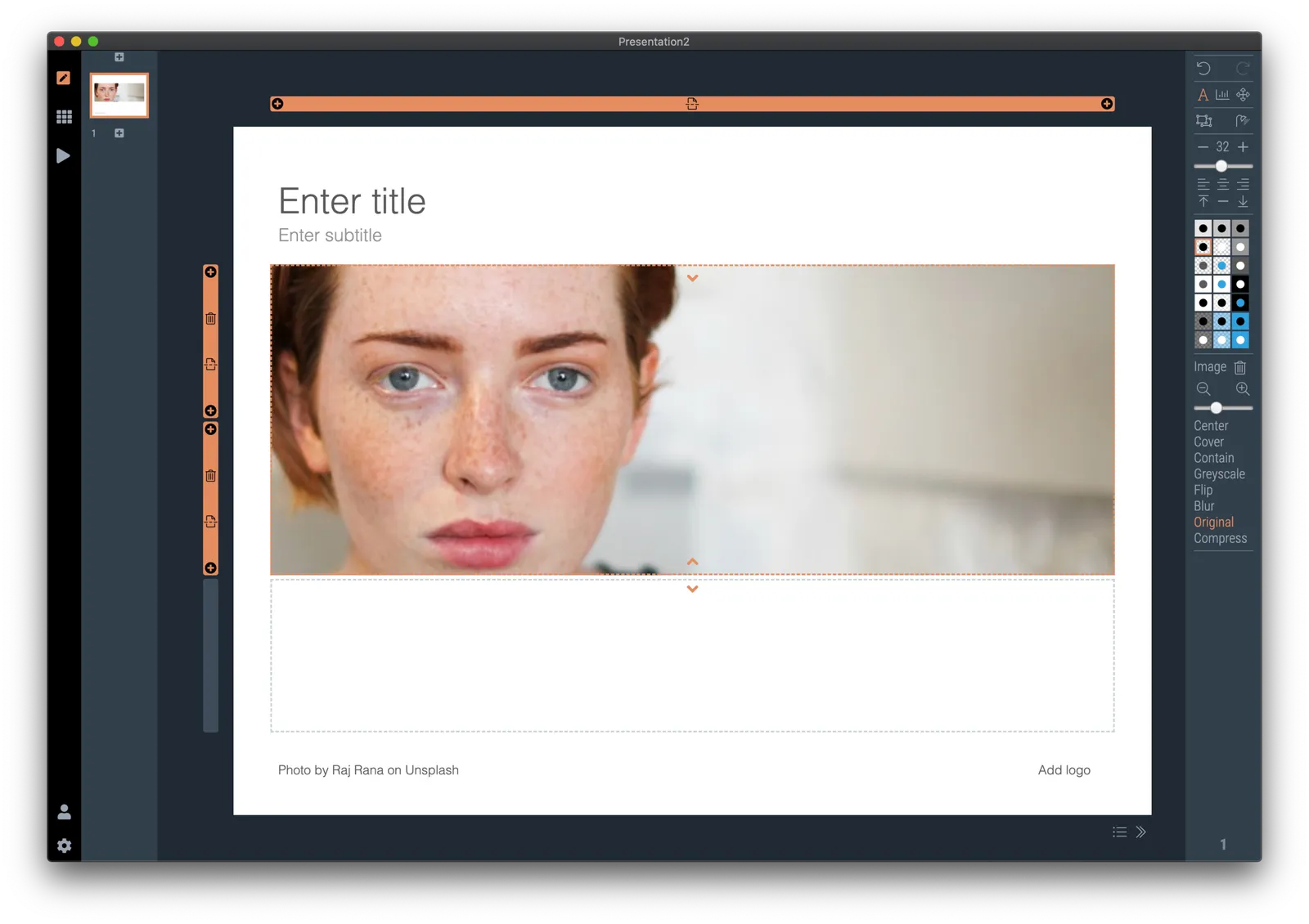
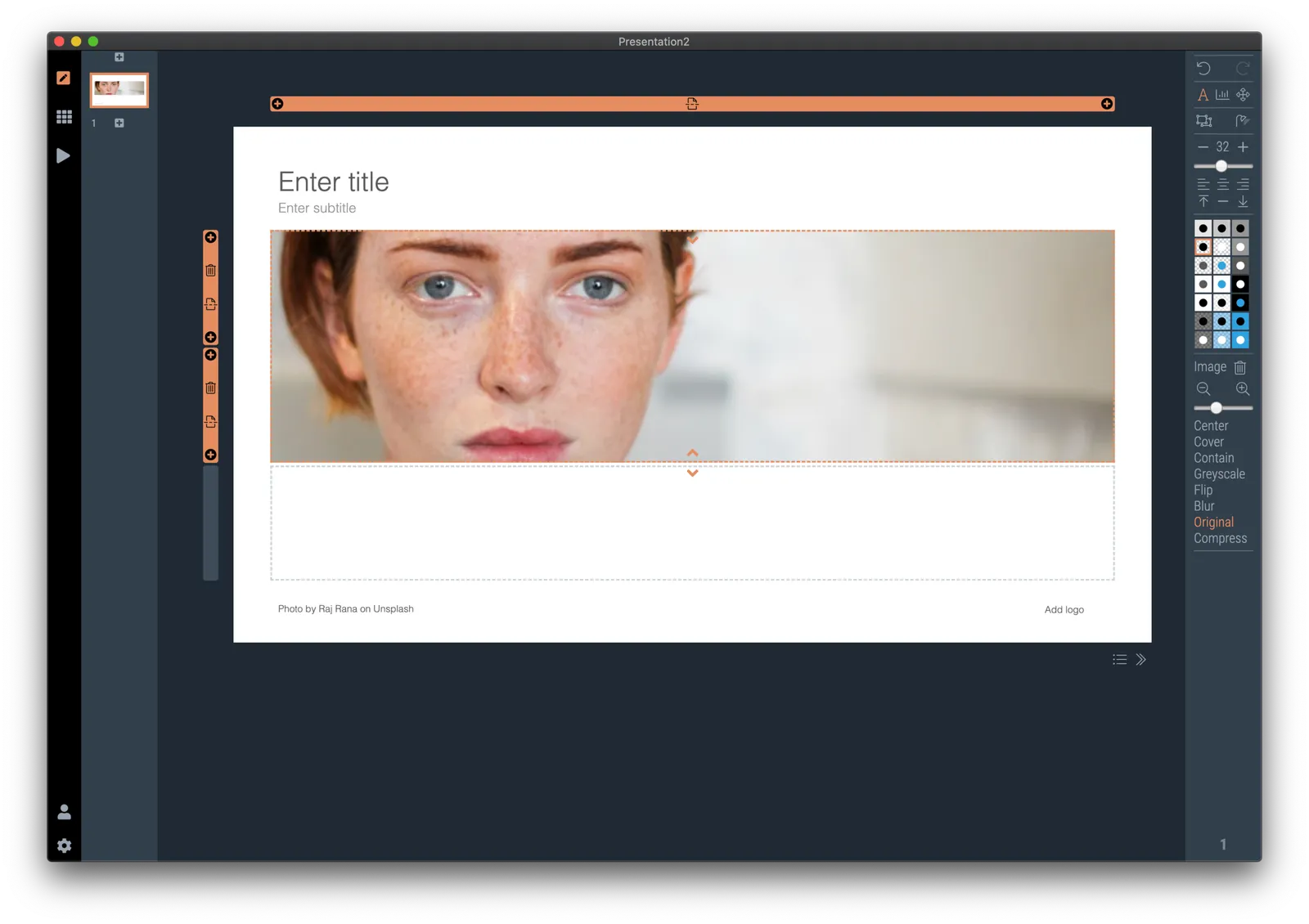
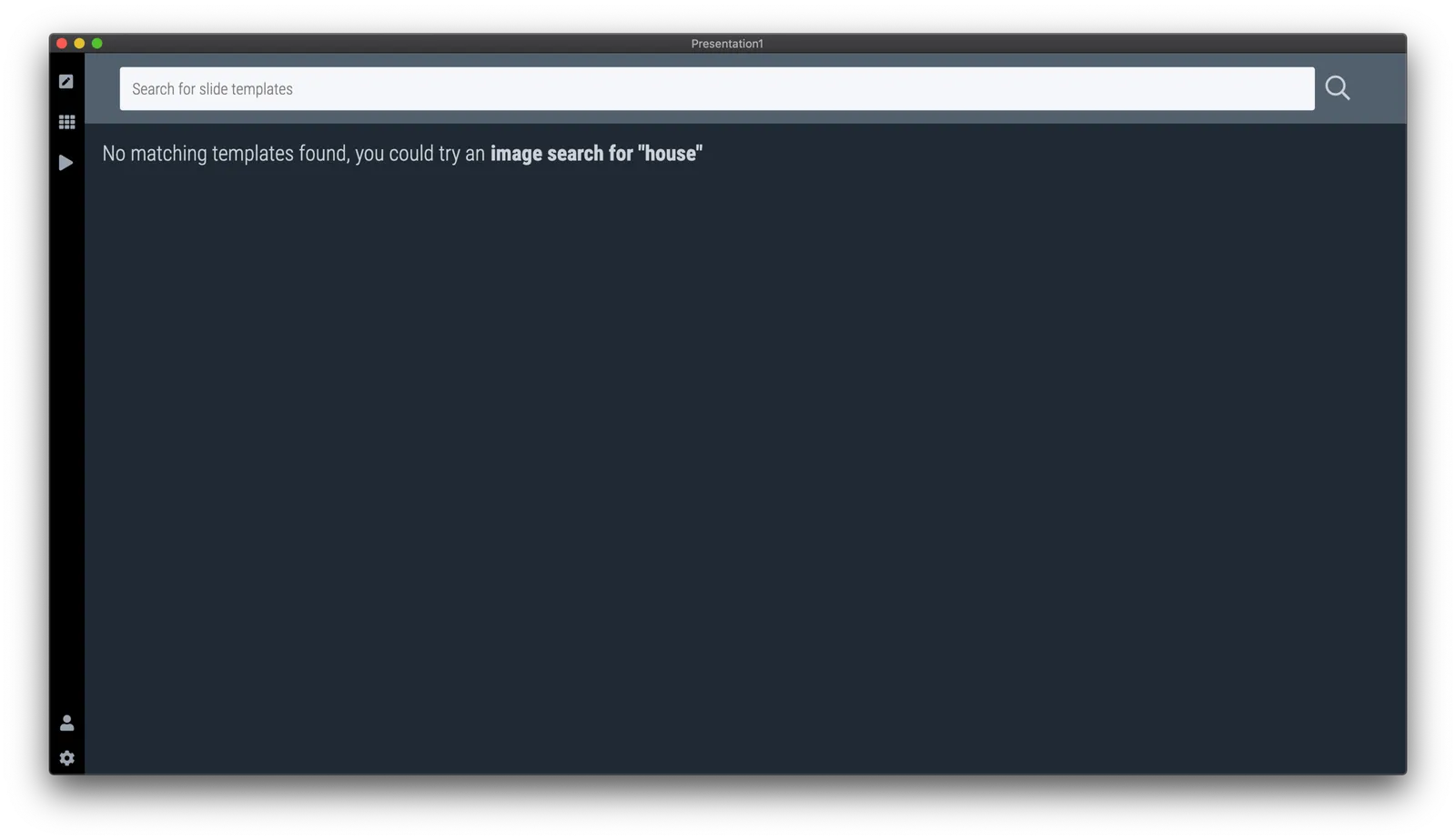
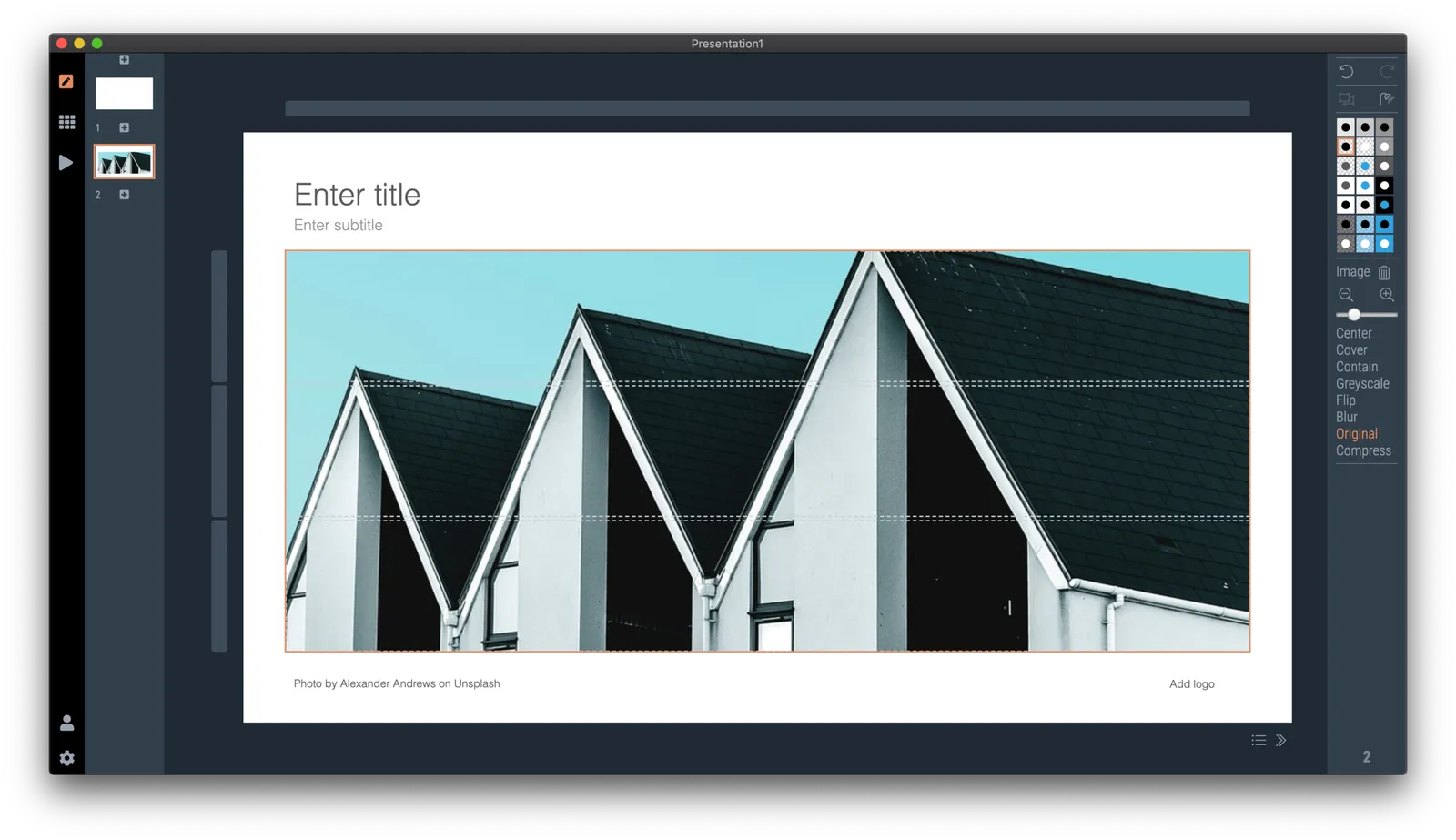
So at the moment, when the server gives up and returns a “no slides found” message, the user gets offered the option to run an image search instead with the same keywords. After picking an image, the SlideMagic app turns it into a framed slide with proper image credits that can form the basis for a new slide design. This slide is created on the fly, without the need to store templates on my server. So the number of slides that SlideMagic can produce now goes into the millions rather than hundreds.

The screen shots below give an overview of the flow as it stands at the moment:

Obviously a slide with a simple image is still pretty basic. I am looking into expanding this approach with colour matches, and more interestingly analysing images for white space, with suggested pre-population of text placeholders on the image.

Continue reading →

What it took

Building a product is slow, but steady going. I jotted down this list of the various hurdles and went through to get a useable product today:

  • Design the UI: most of this was done for version 1.0 five years ago
  • Understand the basics of Javascript (with 1990s Pascal to start from)
  • Understand post 1990s programming concepts: objects, methods
  • Get an environment up and running so that I actually could run a simple piece of code
  • Find a way to get access to the data (presentations) version 1.0 was producing.
  • Setup an environment that turns a program that says “Hello world” and turns it into a desktop app
  • Figure out a way to scale text in a browser environment, preserving the exact proportions of design elements (resize your web page, this is not what most web pages need).
  • Get github and multiple versions to work
  • Build the first rendering engine that actually displays a chart: text boxes are easy, scaling images a bit trickier, data charts get nastier even
  • Find a way to register clicks and make things editable: shapes, menus, in different context.
  • Copy the rendering engine to a generic format (for thumb nails in story mode for example)
  • Duplicate the app engine to enable multi-screen presenter mode (running 2 processes and a master process that talk to each other)
  • Enabling on-screen editing of text, graphs, image dragging, image cropping, flipping
  • Building the grid editing system (implementing my patent)
  • Build the PowerPoint conversion
  • Build the PDF conversion
  • Build the image export
  • Build the printing functionality
  • Add automatic 16:9 to 4:3 and back conversion
  • Add automatic dark/white background conversion (beyond simply changing the background color)
  • Enable multiple windows (each window is a full copy of the render process) and coordinate settings between them
  • Build user authentication: pro users get features others don’t have access to via a web server, involving password hashing and building a user database
  • Build the first version of the online template database: search slide layouts inside the app, but pull data from the central server
  • Hook up unsplash image search
  • Hook up noun project icon search
  • Create an auto-update mechanism that updates the desktop app in the background when new versions are released
  • Get the mac app to run on windows as well
  • Get certified with Microsoft and Apple so that people don’t receive scary warnings when installing the software
  • Build the full-scale slide template server, integrating the PowerPoint-only content from the old one
  • Get payments working
  • Build the front end of the marketing web site and the template store
  • Get PowerPoint conversion to work on the server as well
  • Build the management console to manage slides, users, and the search algorithms
Continue reading →