SlideMagic Blog

Frequent updates about all things presentations since 2008. Subscribe to never miss a post.

RSS
all posts

Category SlideMagic

·SlideMagic

Why SlideMagic is different

I created a quick presentation (hey, in SlideMagic) that highlights some of the features I have put inside that you will not get in other presentation design apps. Some of them you will never find there (even if people try to copy them) because of the fundamentally different way SlideMagic works. Less designer freedom and more uniformity allows you to do great things!

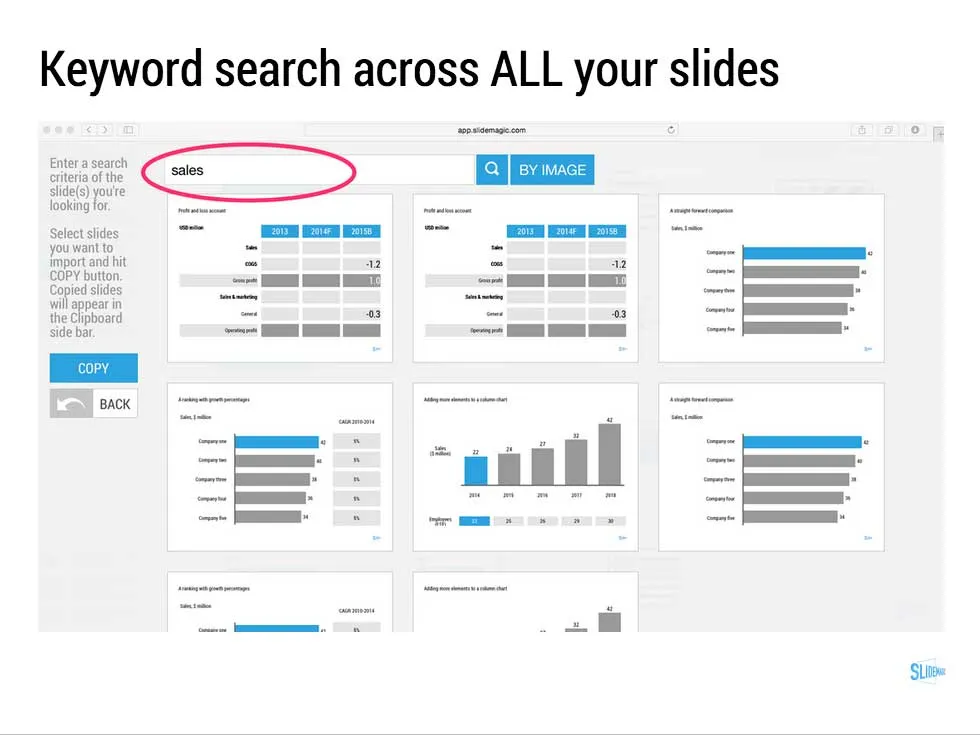
  • Keyword search across all your slides, no more opening and closing files
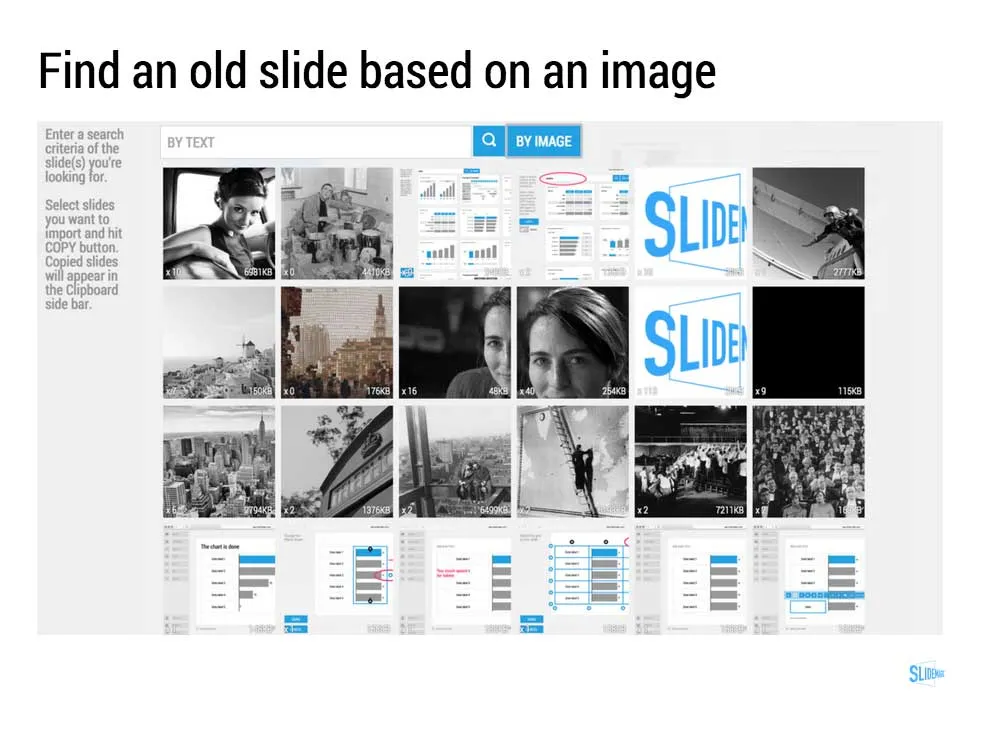
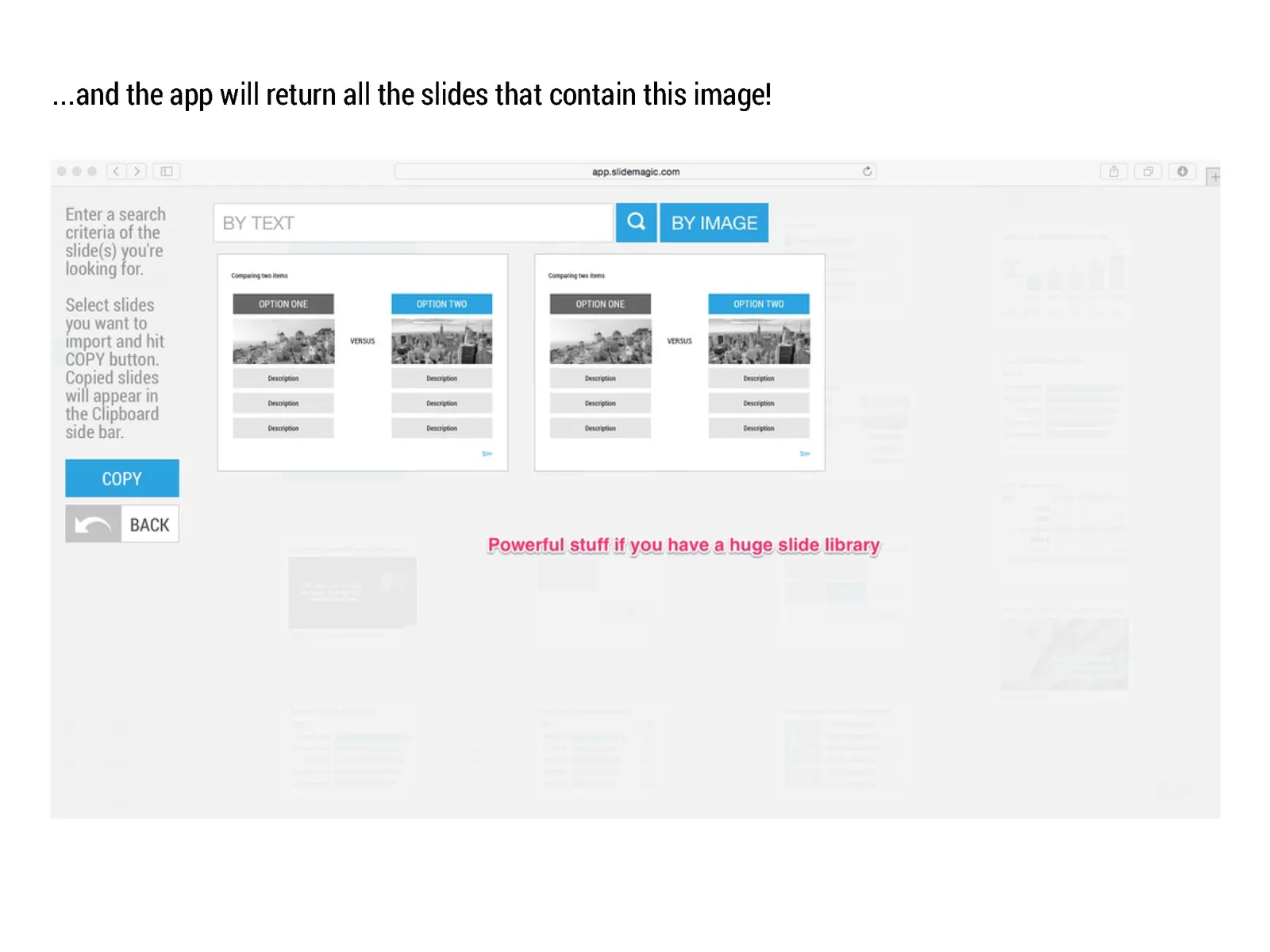
  • Image-based search: “get me all the slides that contain this image”
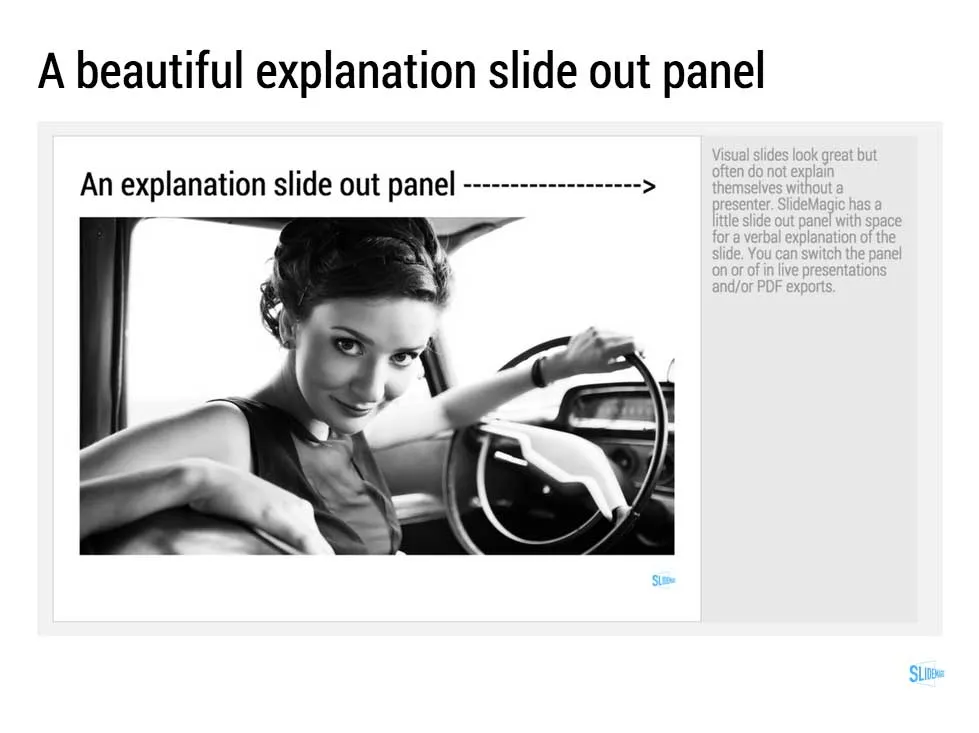
  • Explanation slide-out drawer to turn an abstract visual presentation that needs verbal explanation into a document that you can email.
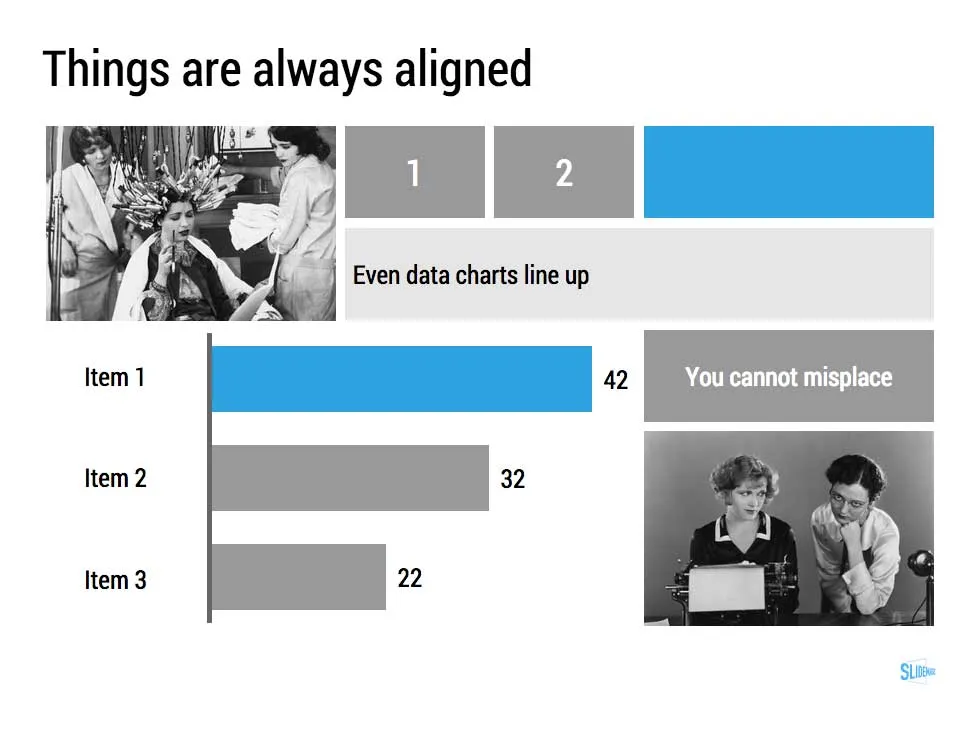
  • A strictly enforced grid that makes sure everything is always lined up and distributed properly. And the most tricky part: that includes the columns and bars of data charts as well.
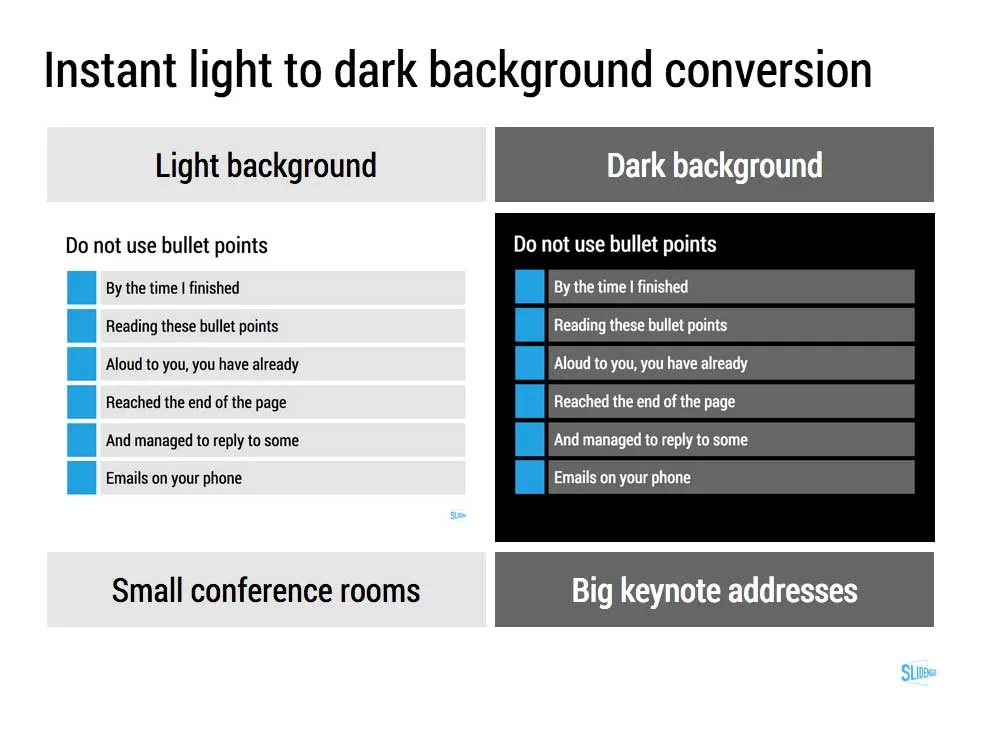
  • Instant conversion from a light to a dark background and back (switch between a conference room and a keynote hall setting)
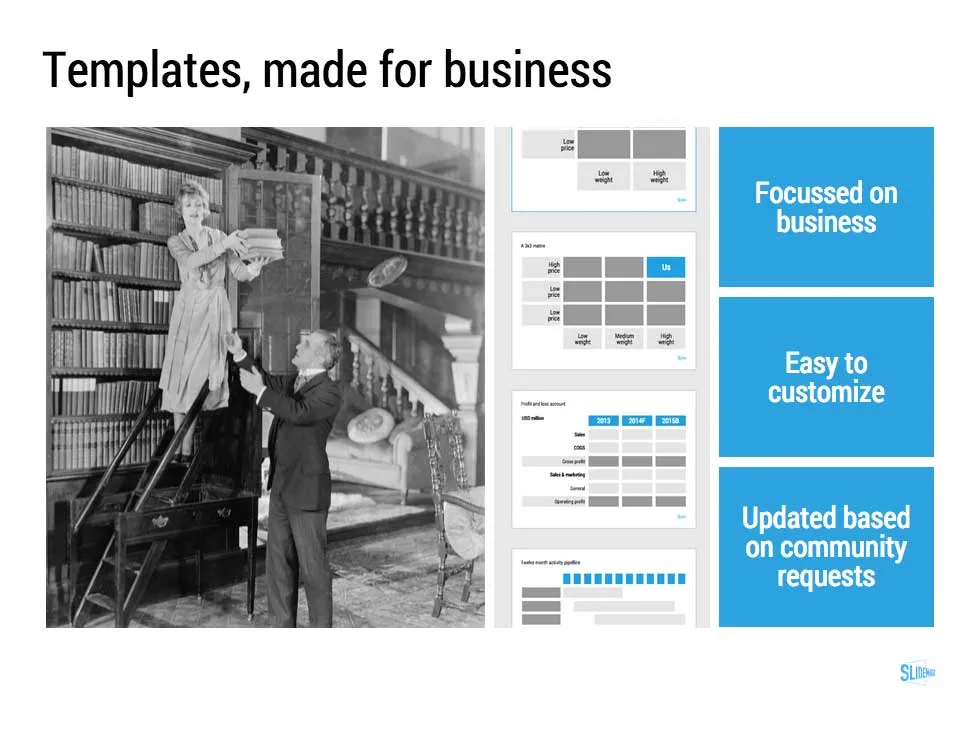
  • And, a template bank that is constantly updated by a McKinsey/Idea Transplant designer!

Give SlideMagic a try yourself, you can request an invite here.

Art: Albert Gleizes, 1912, Les Baigneuses, oil on canvas, 105 x 171 cm, Musée d’Art Moderne de la Ville de Paris. Published in Du “Cubisme” Subscribe to this blog, follow me on Twitter

·Layout

The final clean up

Some things to check once you think you have finished your presentation:

  • Are the fonts consistent throughout the presentation? Are have default Arials/Calibris managed to sneak in?
  • Are font sizes in comparable boxes the same?
  • Are the headlines all in the same place on every slide?
  • Are objects in each slide aligned, and properly distributed?
  • Are the proper colours used on every slide, including data charts, or do you still see standard PowerPoint colours anywhere?
  • Are all images in the proper aspect ratio, without distortion?
  • Did you include an attribution to creative common images?
  • In case you will be displaying the presentation on another computer, have you checked Windows/Mac rendering issues? Sometimes fonts are rendered in slightly different sizes, causing words to drop to the second line.
  • Is data properly rounded up?

Now you see why SlideMagic has 1 font, 1 accent colour, and a strict grid that makes it impossible to misalign objects or put titles in the wrong places.

Art: Berthe Morisot, Hanging the Laundry out to Dry, 1875 Subscribe to this blog, follow me on Twitter

·SlideMagic

The catch up slide

Here is a concept that you can use in many investor and/or sales pitches for technology:

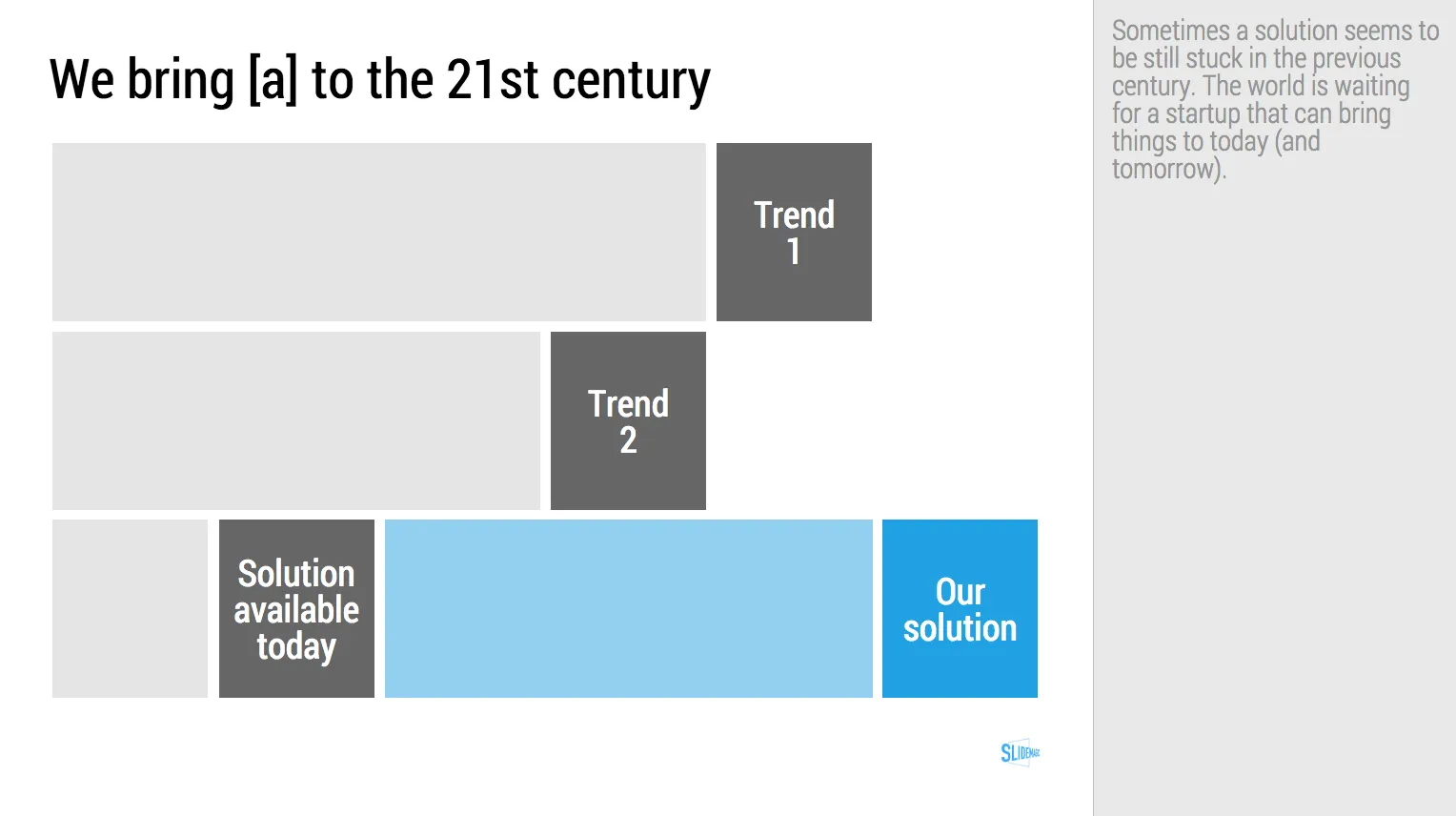
While [a] and [b] have moved on, [c] is still pretty much stuck in the 1950s despite a lot of technological development. Our company is going to fix that.

I have added a slide to the SlideMagic startup pitch template library that reflects this idea, Two “arrows” moving to the right, and a third one which is catching up. Look at the simplicity of the graphics which exactly fits the philosophy of SlideMagic. It looks pretty, it gets the message across, is easy to design. A new business language that does not need arrows, drop shadows, and gradients. It is almost a Lego-like abstractification (is that a word?) of a complex visual.

Art: Le derby d’Epsom, painting by Théodore Géricault, 1821 Subscribe to this blog, follow me on Twitter

·SlideMagic

Your requests for SlideMagic templates
I am keen to make the templates in presentation software SlideMagic as useful as possible. Let me know if you have specific requests for templates and/or story flows that I should include. Two conditions for this free presentation design help:
  • You do not get angry with me when I could not find the time to work on your request and prioritised another template
  • The result of your request will be publicly available for everyone to use, so strip it of any specific/confidential information

Send your requests to jan at slidemagic dot com, start with TEMPLATE PLEASE in the subject line.

Art: Henri Matisse, The Open Window, 1905 Subscribe to this blog, follow me on Twitter

·SlideMagic
Working with templates in SlideMagic
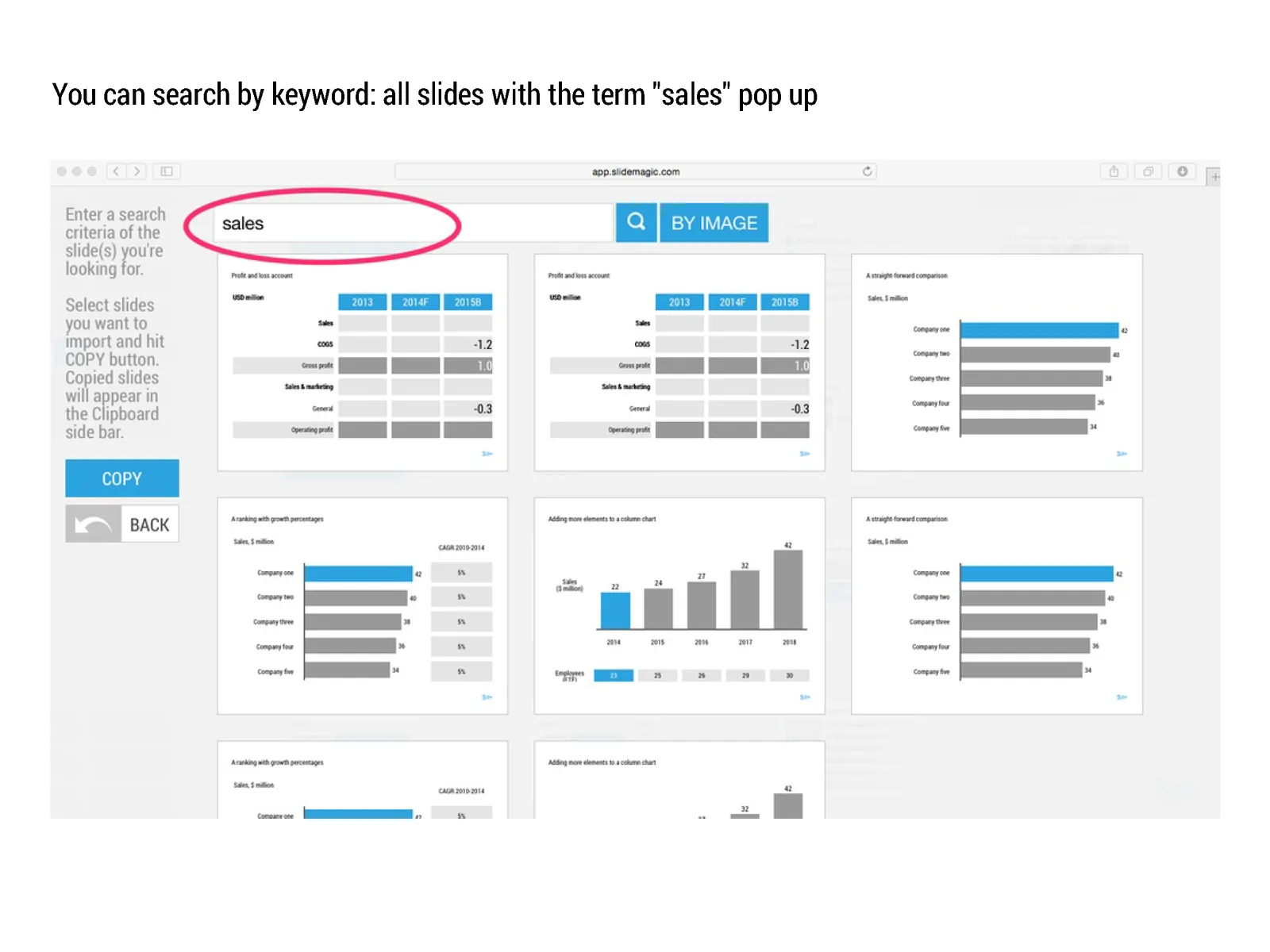
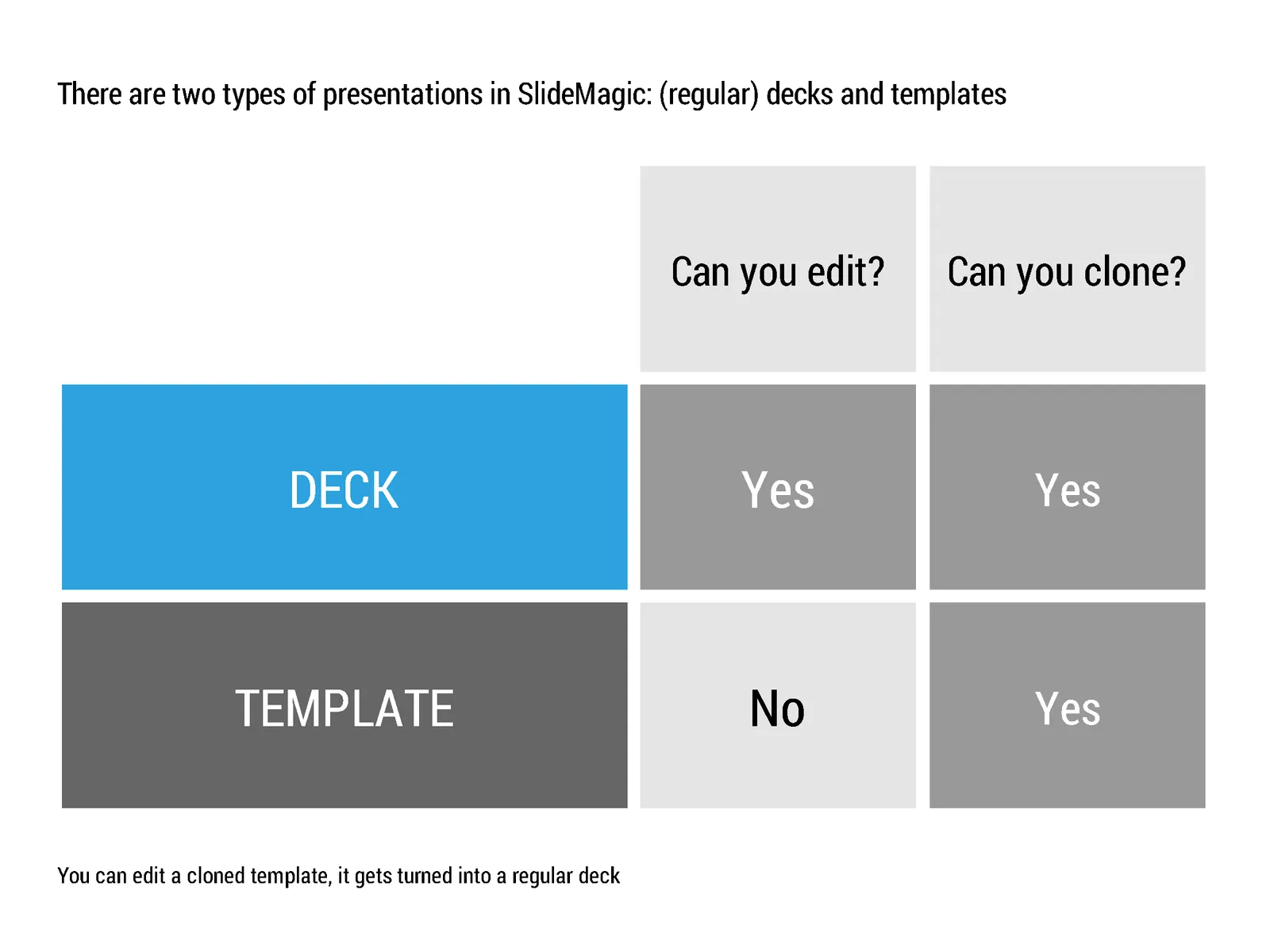
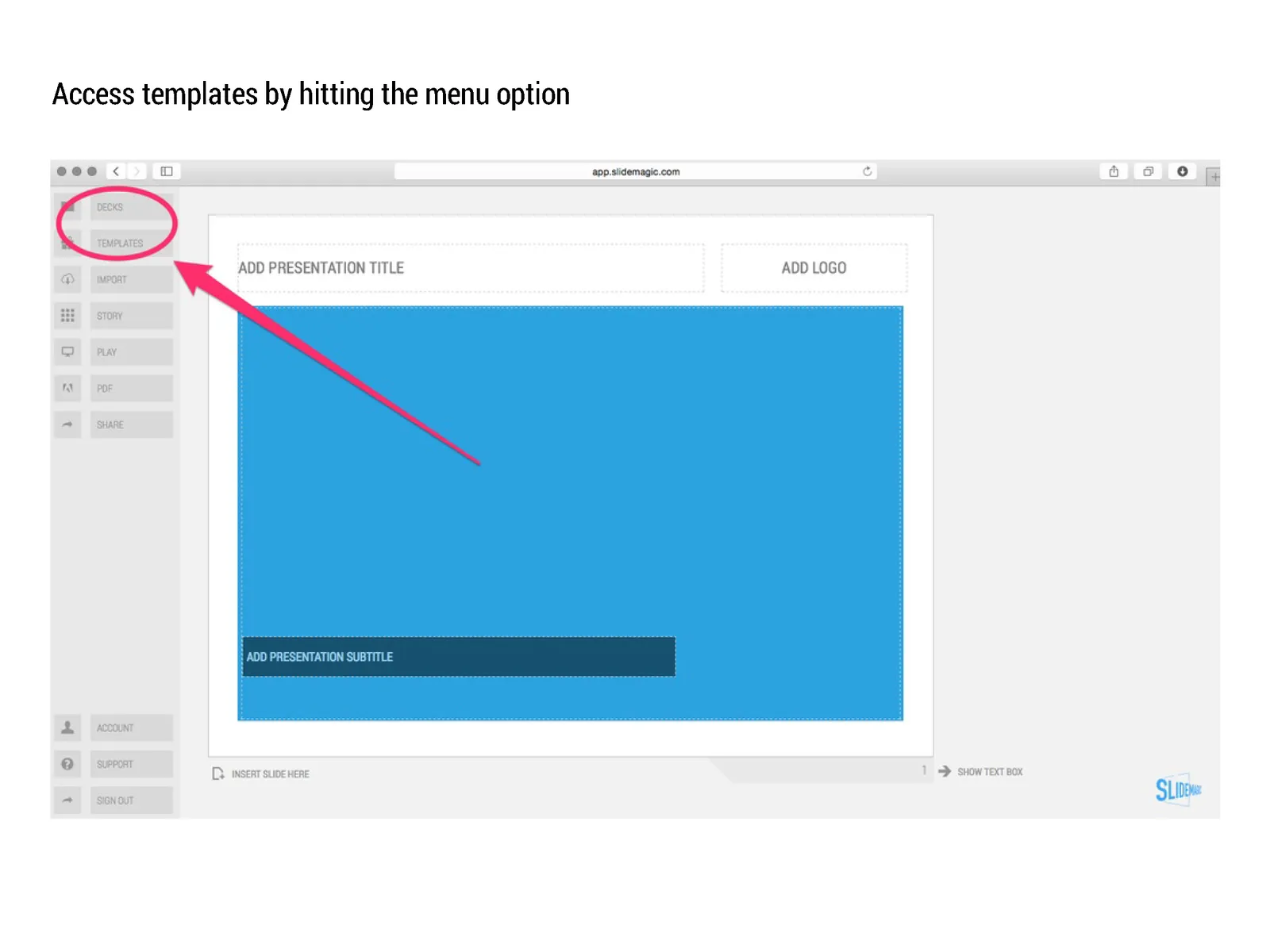
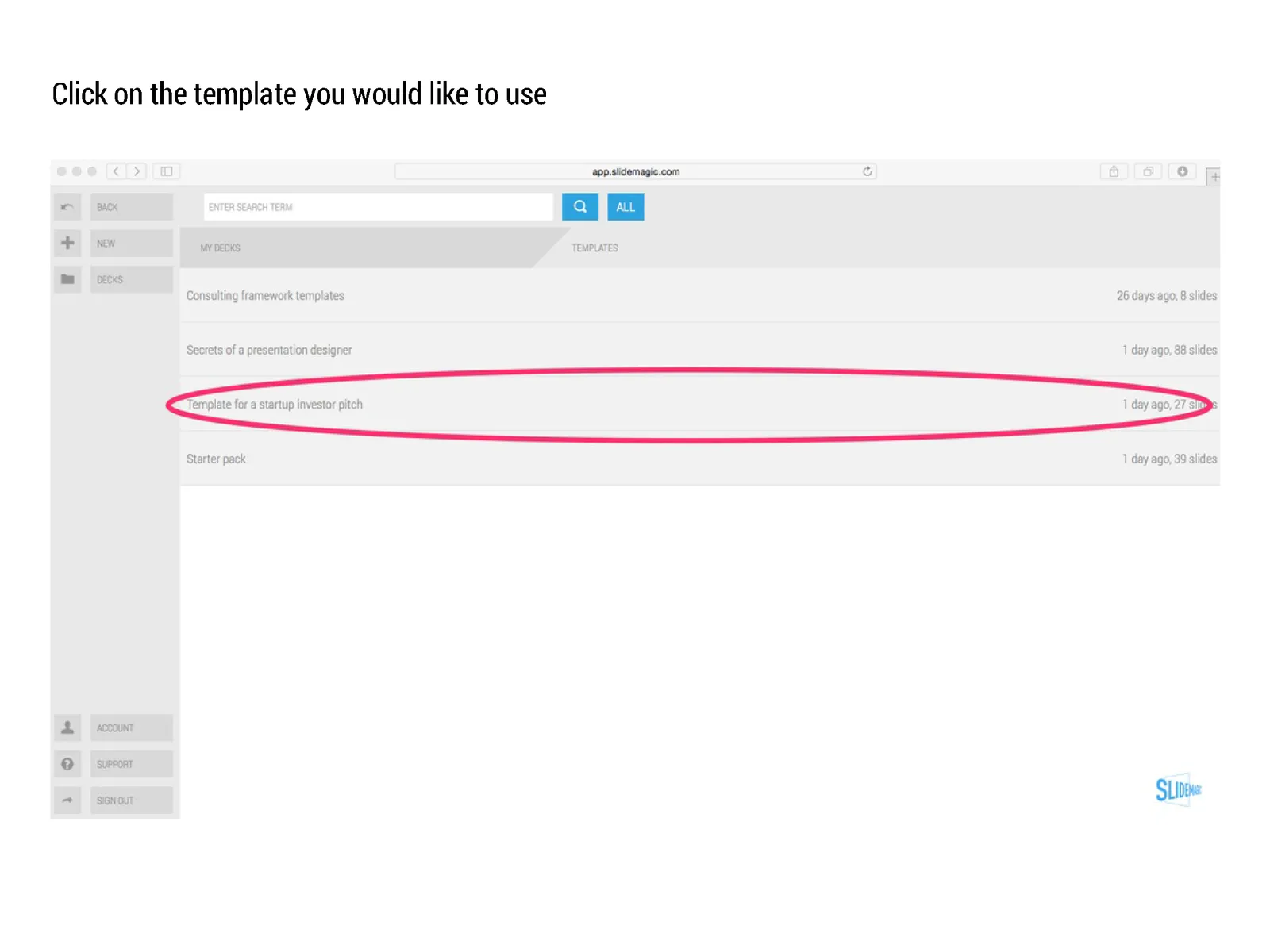
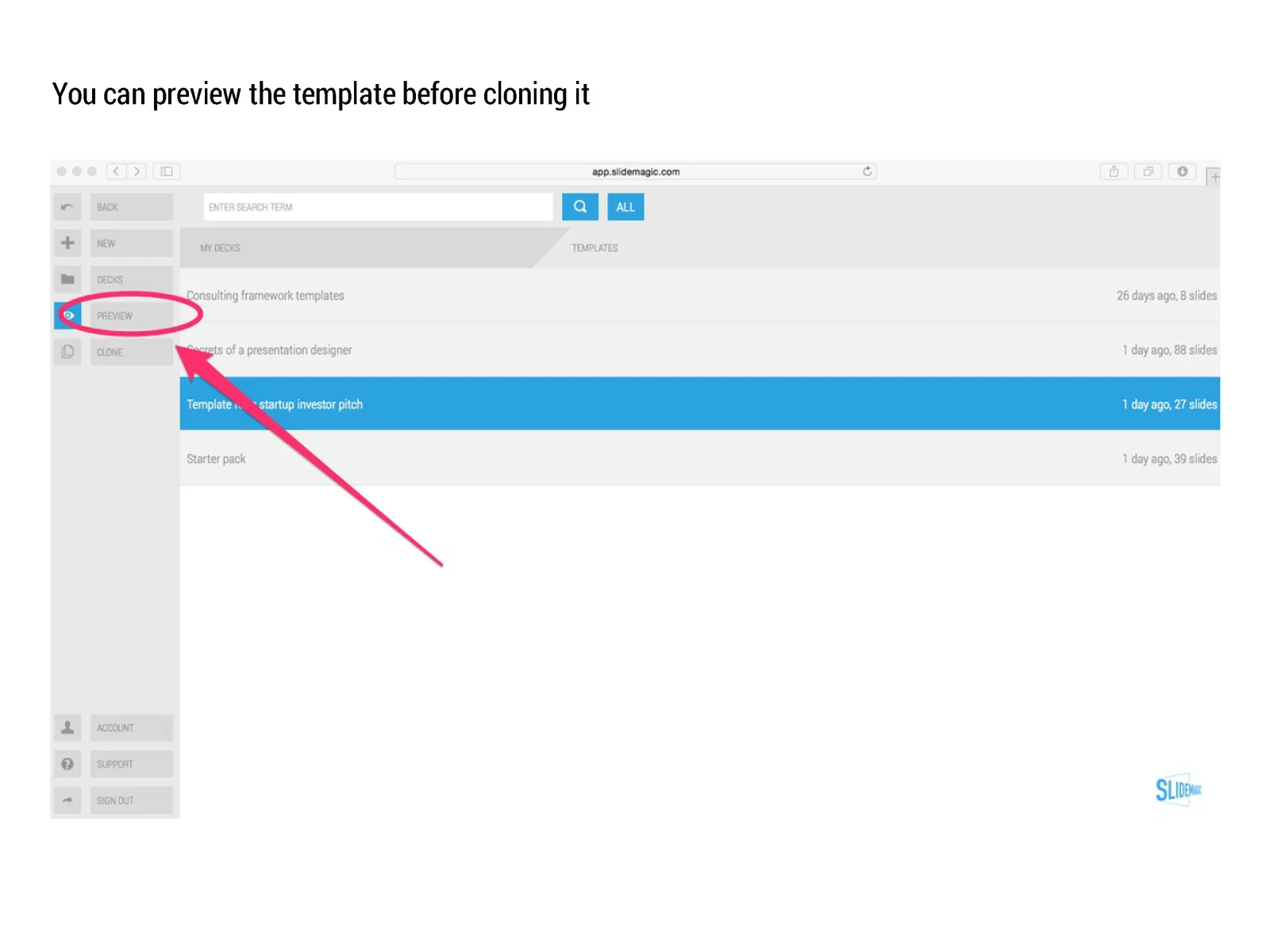
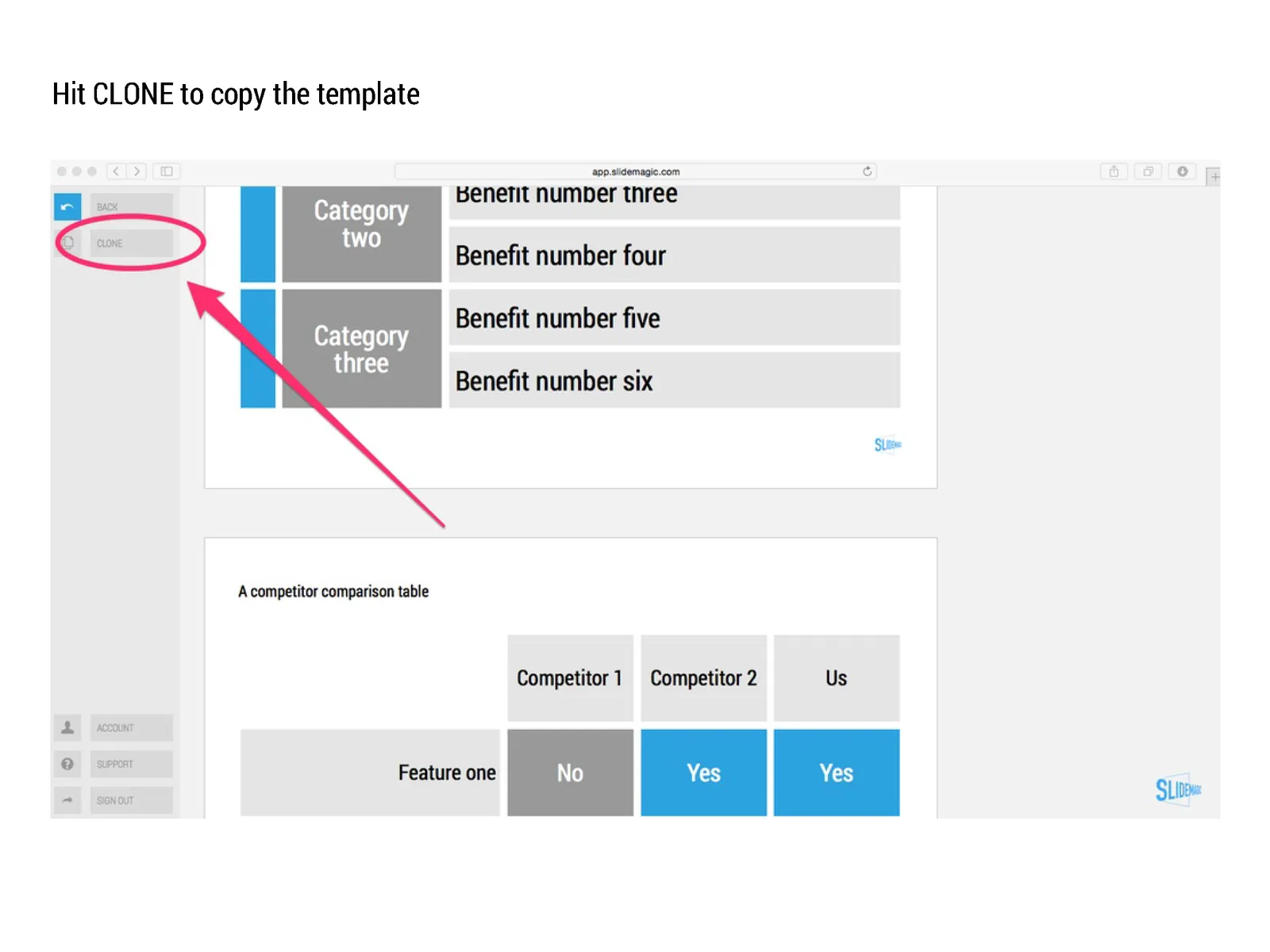
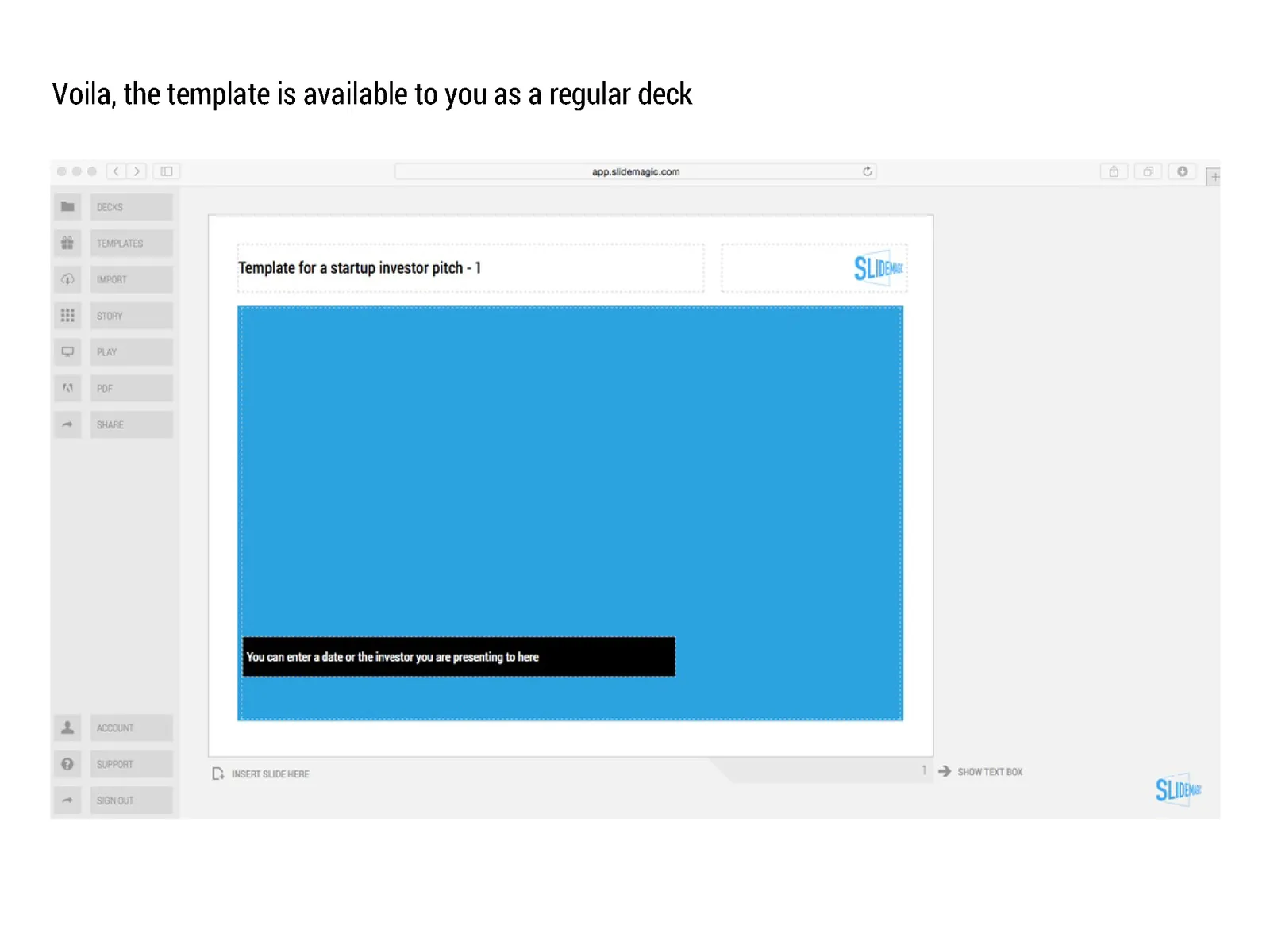
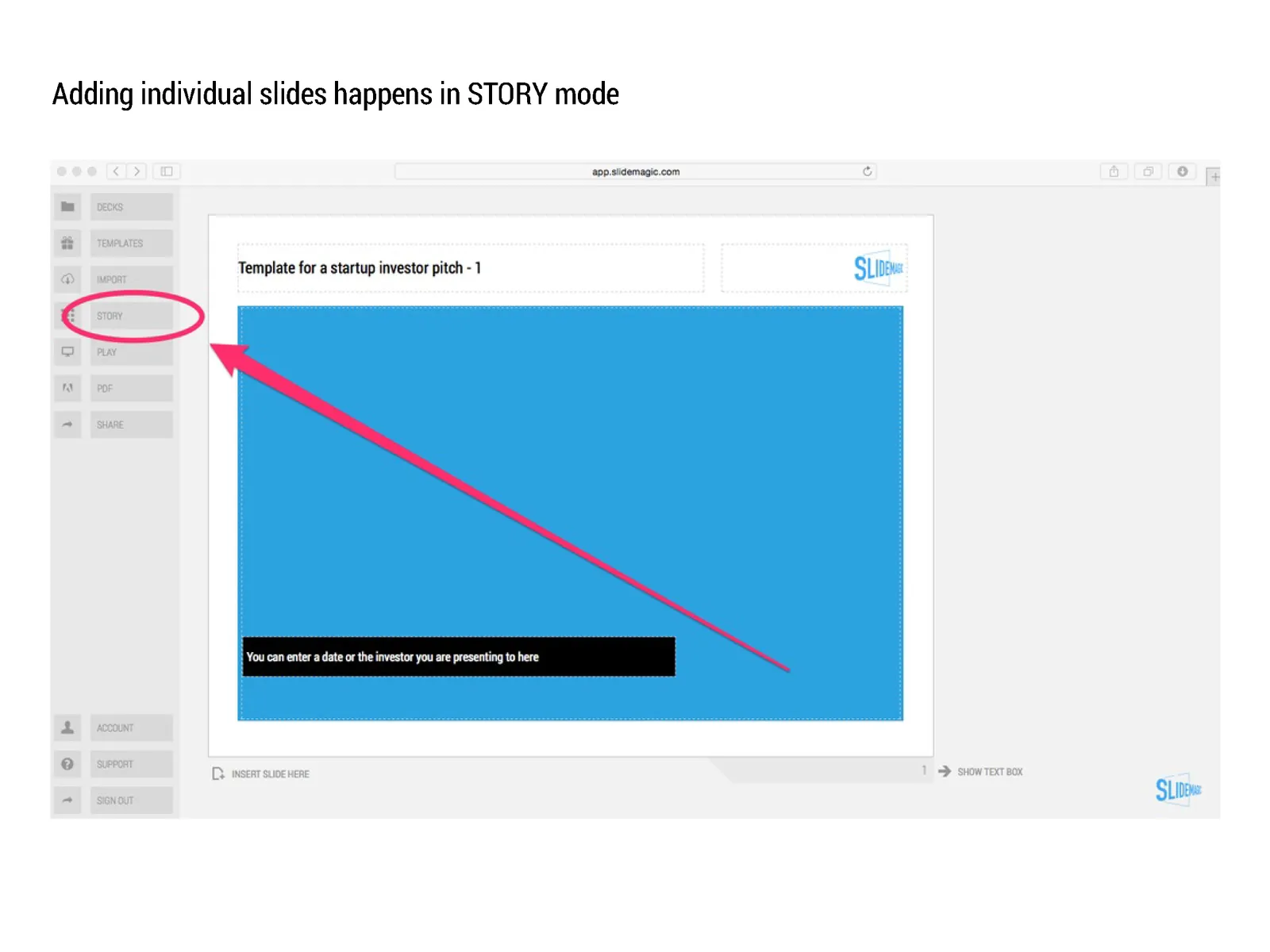
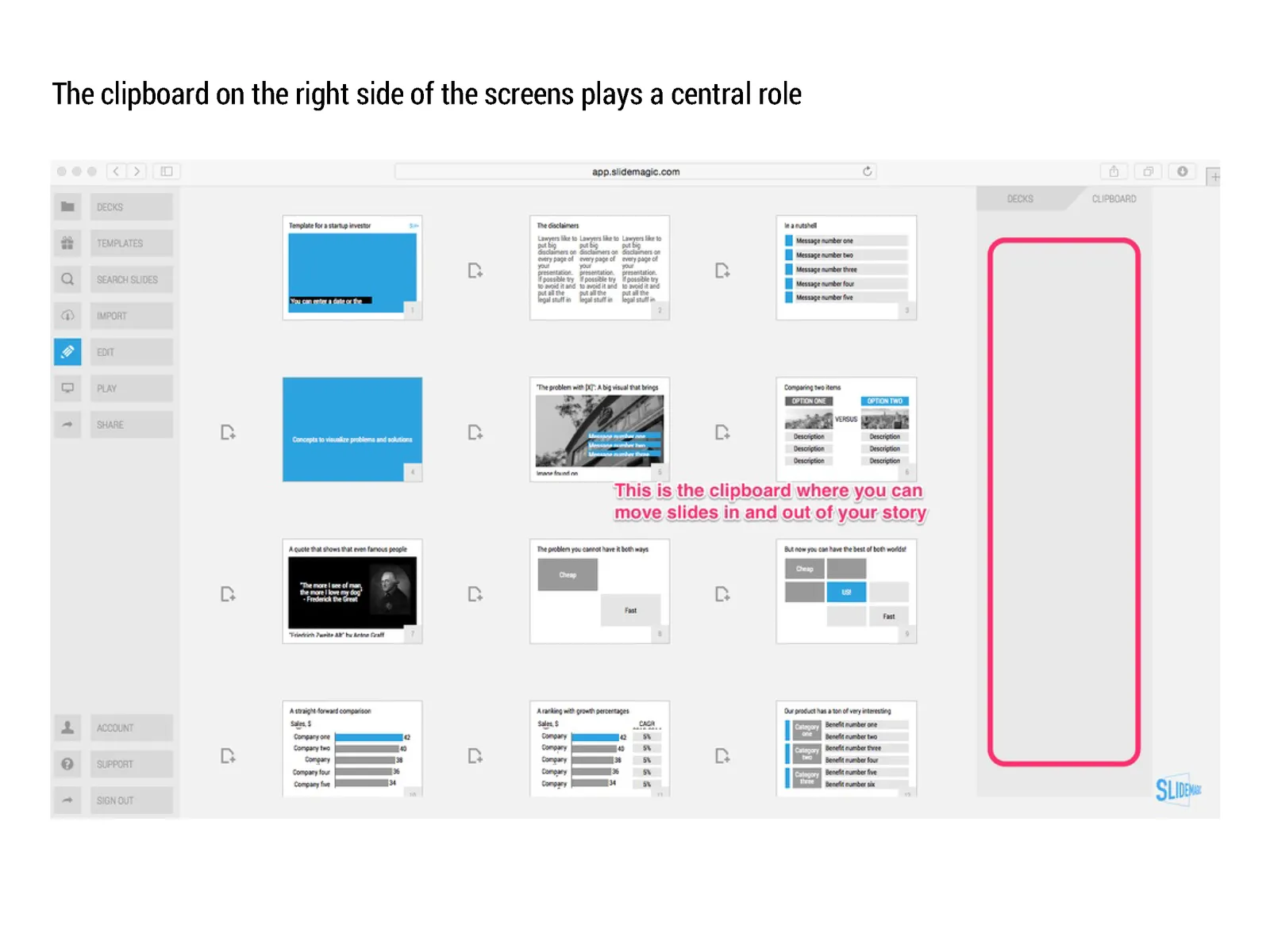
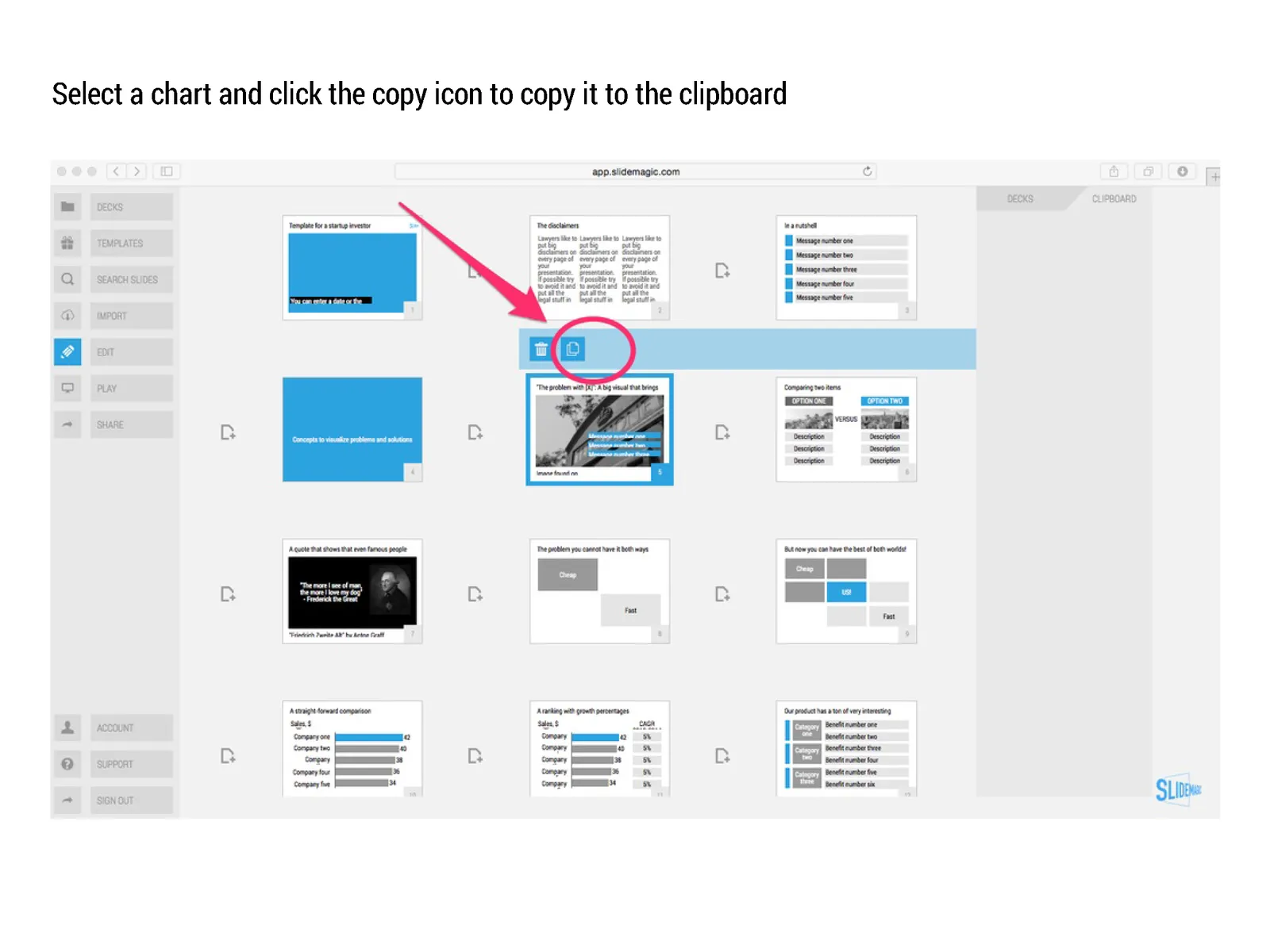
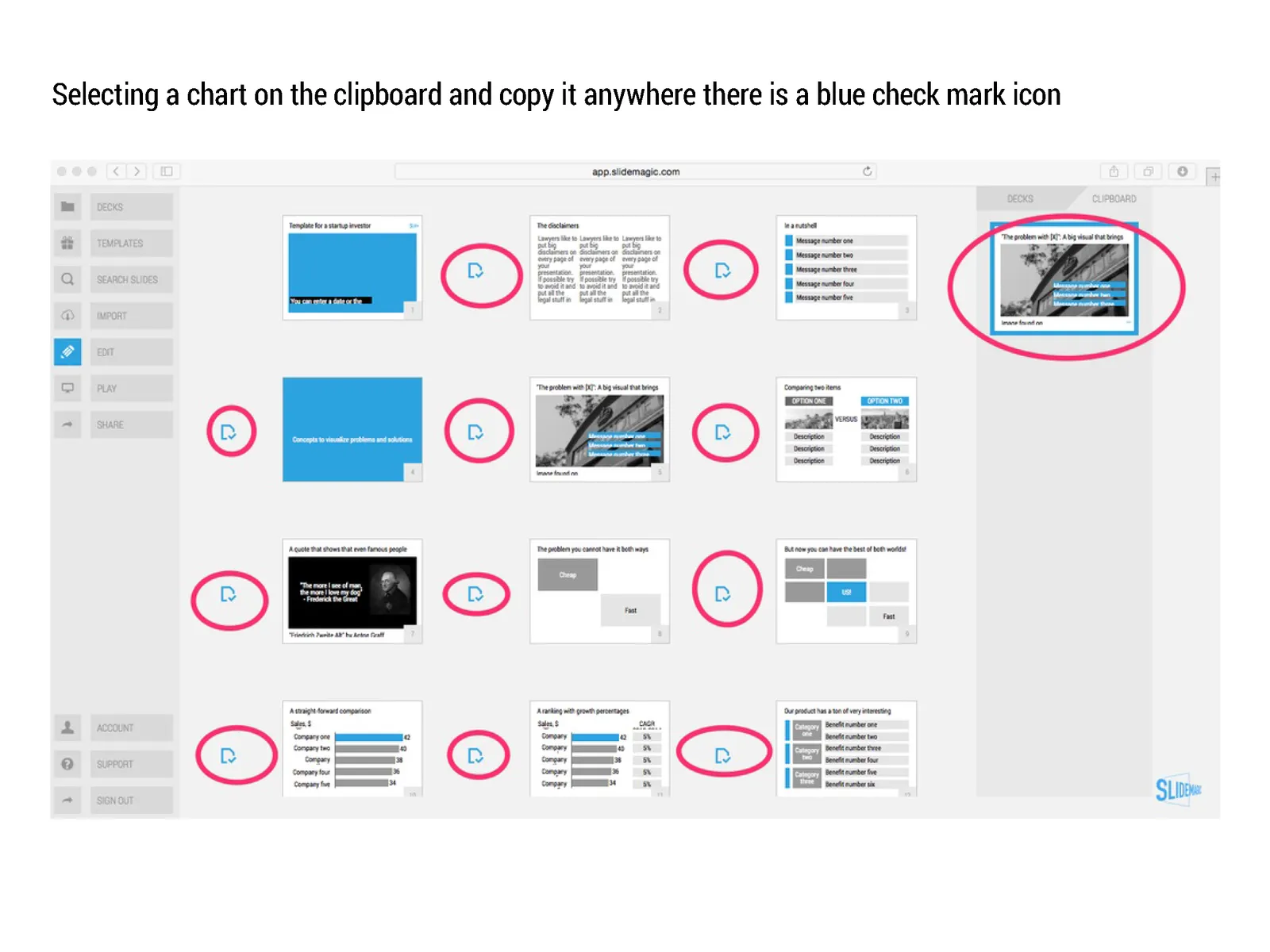
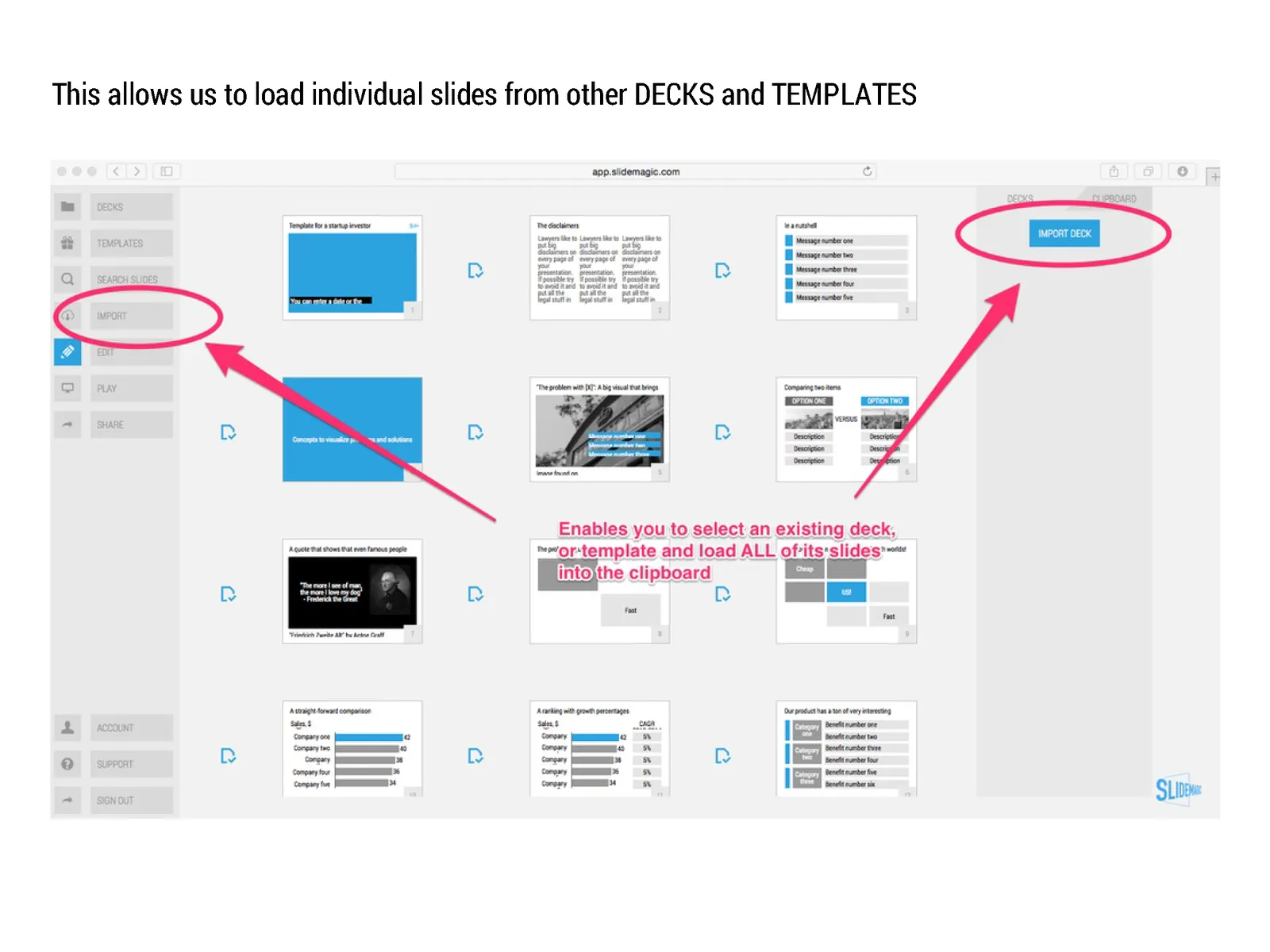
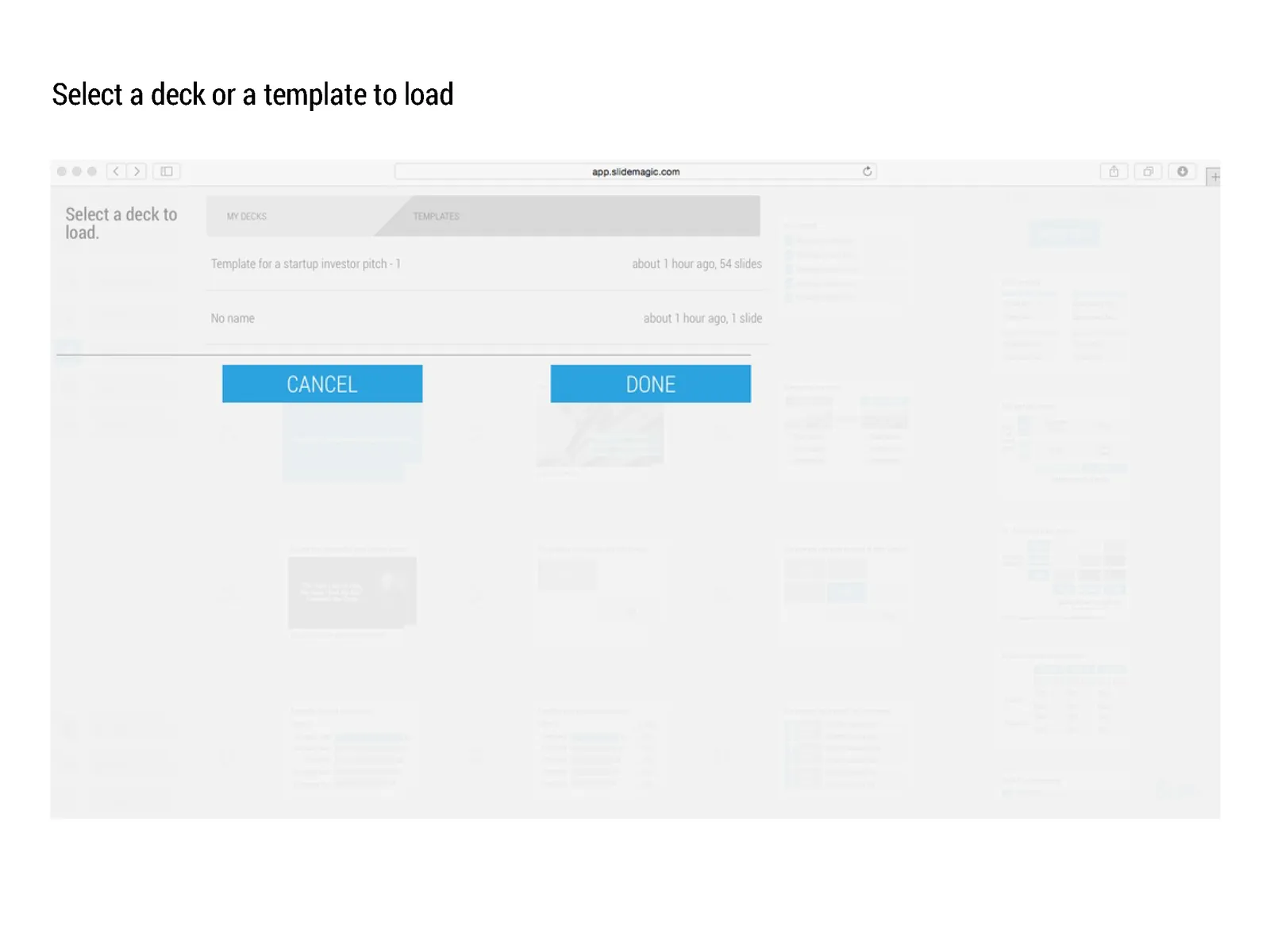
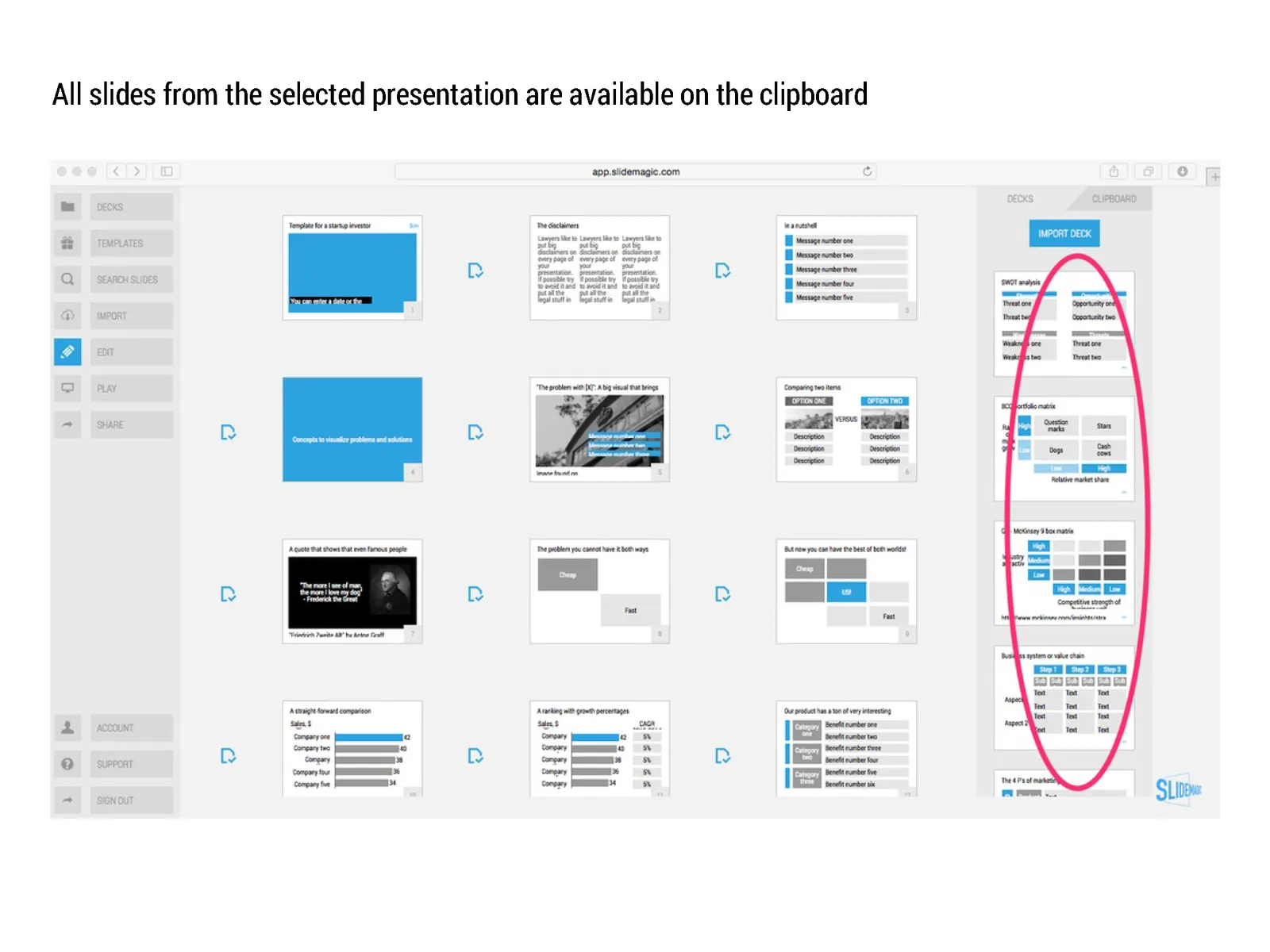
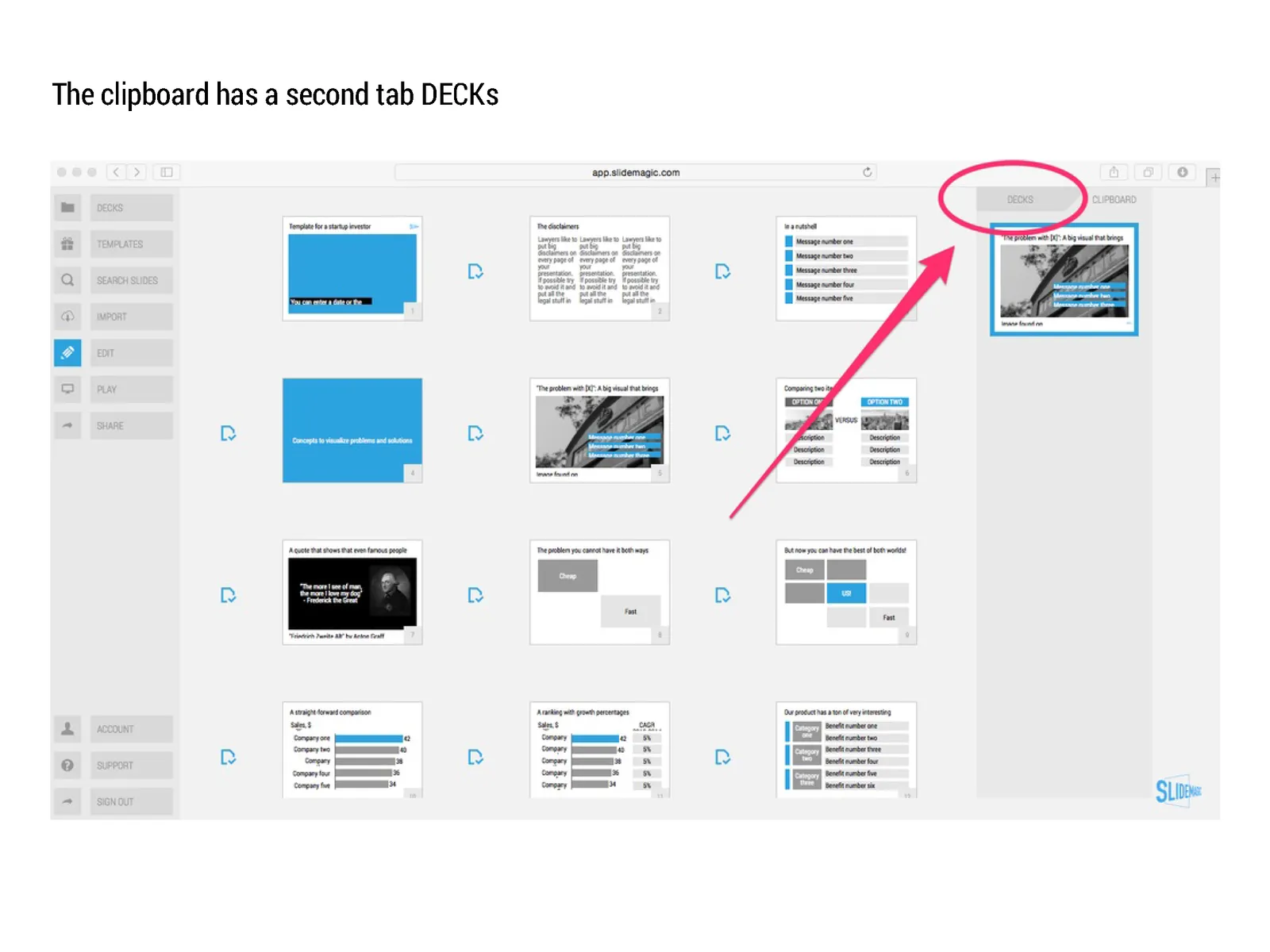
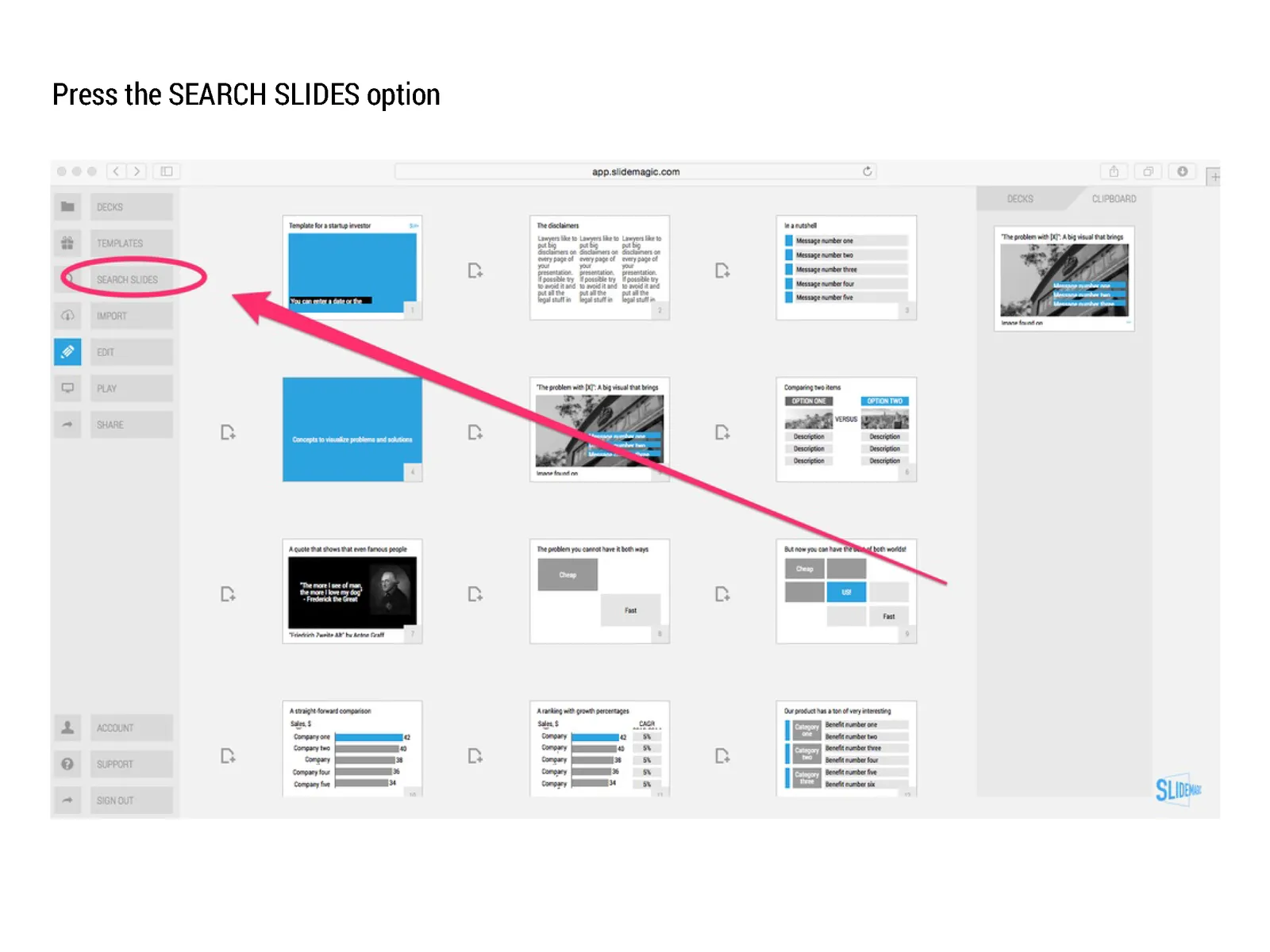
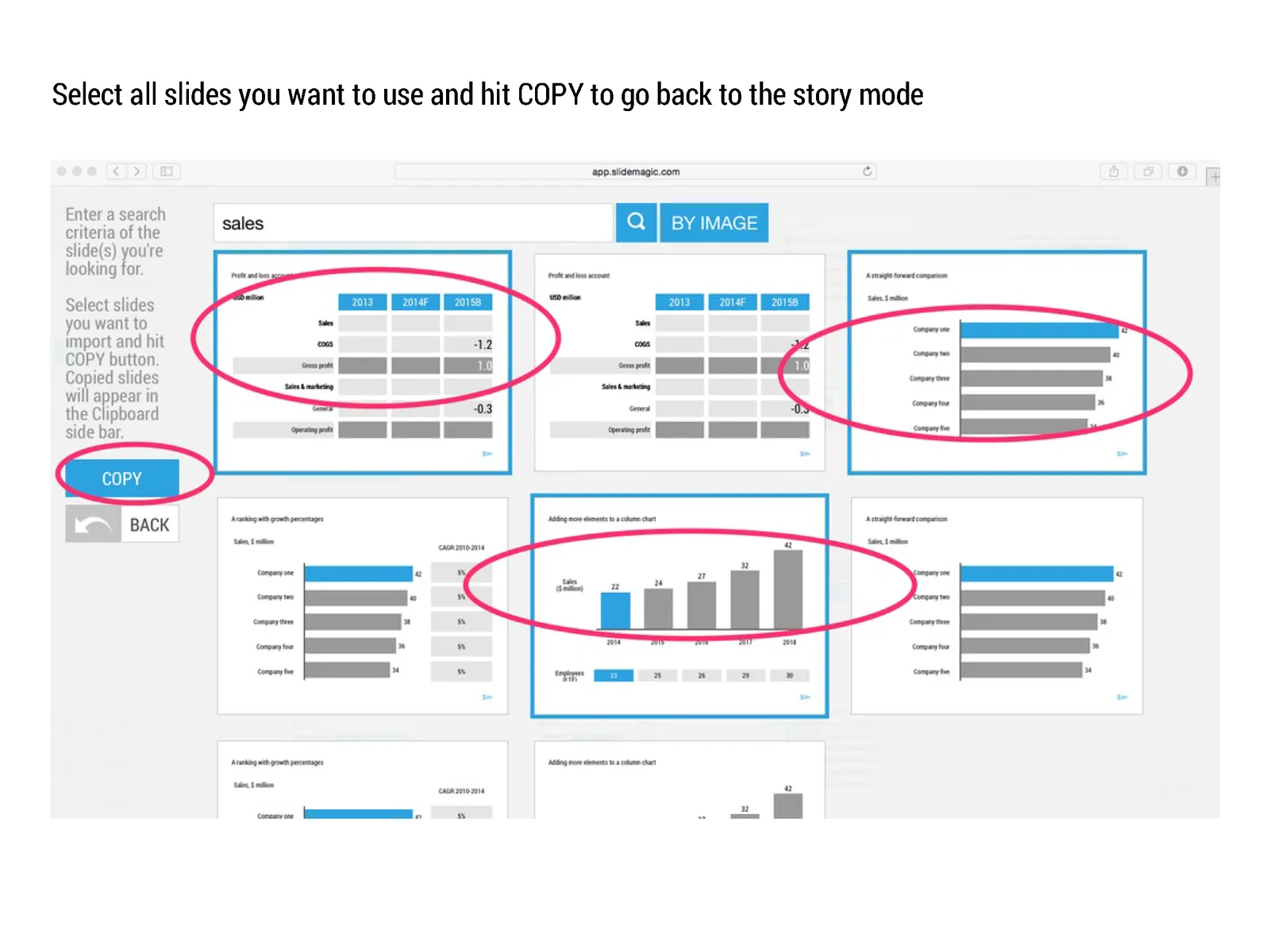
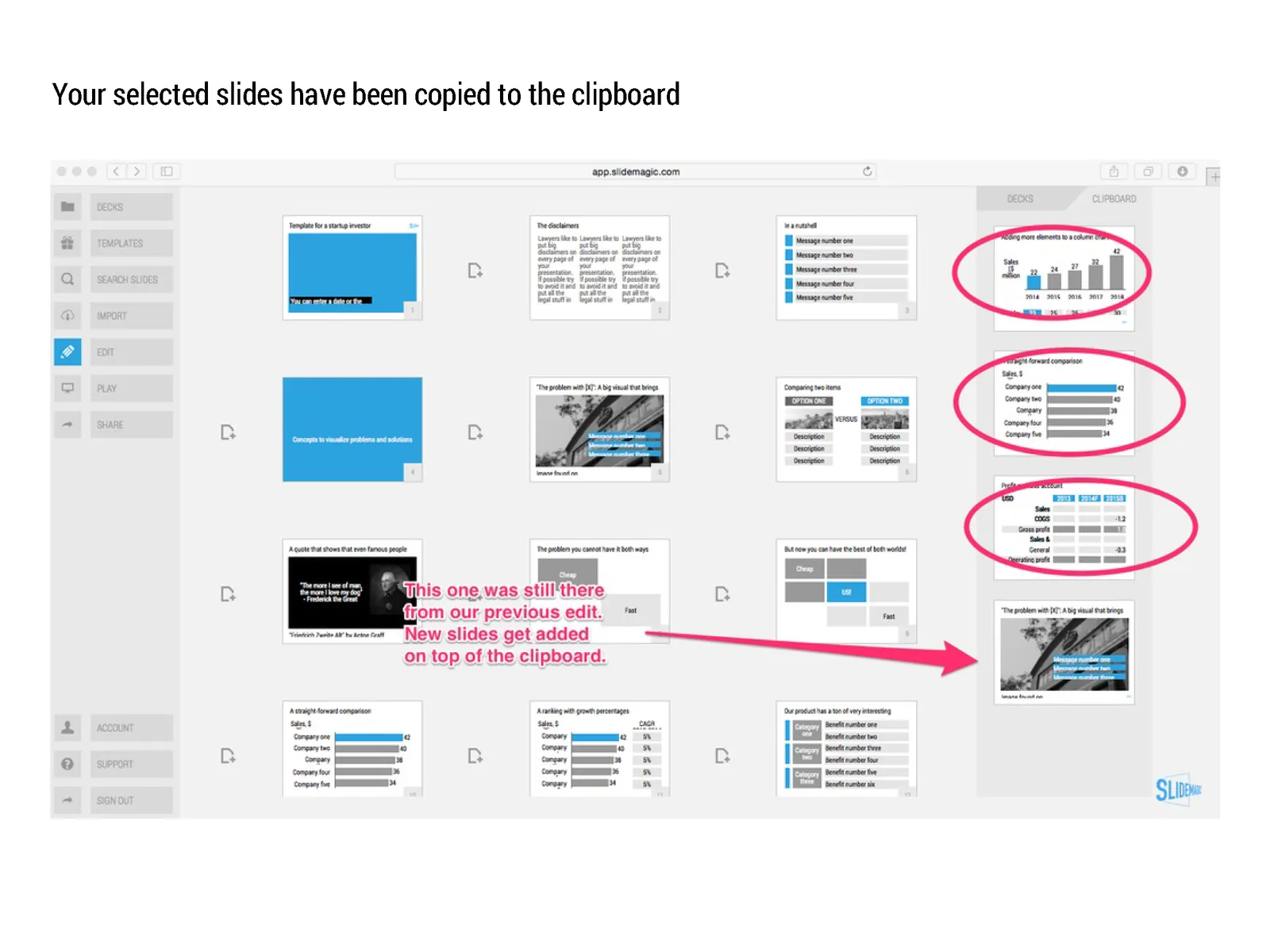
Many beta testers ask me how to use templates in presentation software SlideMagic. The series of screen shots below explain how you can access and use them. You can:

  • Clone an entire template presentation into a new presentation
  • Import selected template slides into your presentation

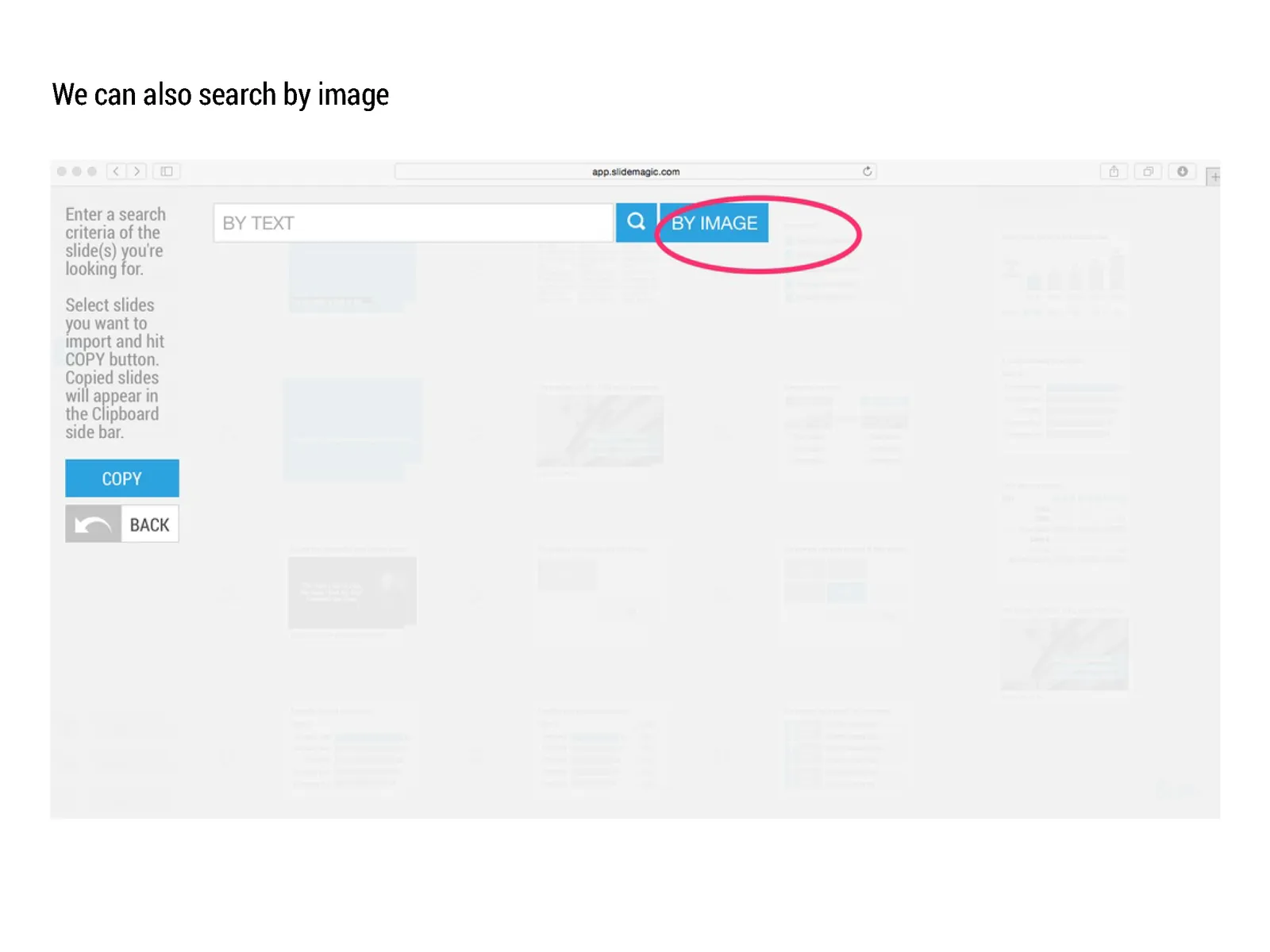
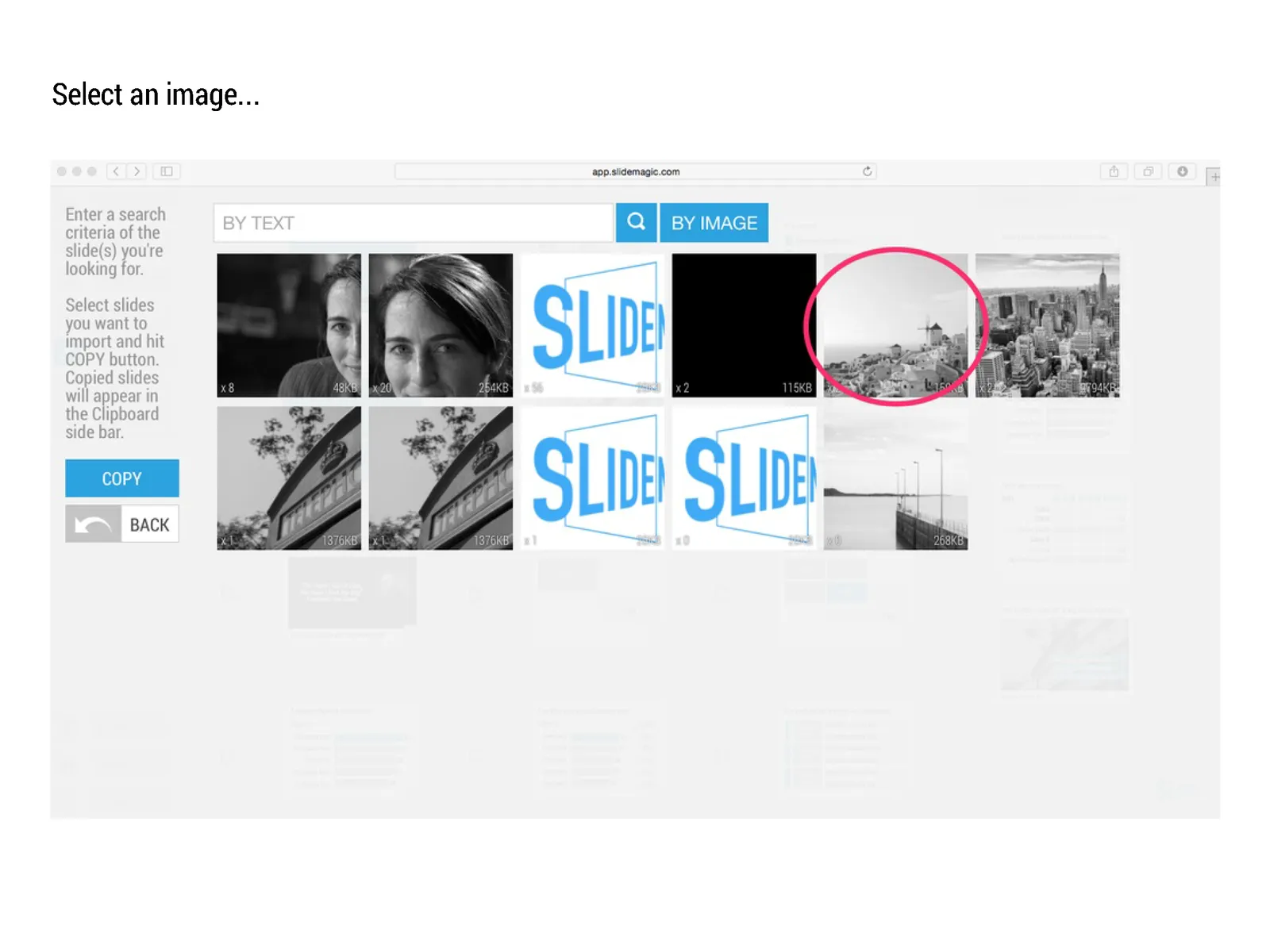
SlideMagic stores all presentations in one big database which created the opportunity for a really cool feature: the ability to search through ALL your slides like a Google web search. And not only with keywords, you can also ask SlideMagic to return all slides that use a specific image.
Art: William Powell Frith, The Sleeping Model, 1893

Click here to subscribe to this blog

·Hardware

The future of the PC

Technology analyst Ben Evans was pondering the next possible revolution in computing platforms: the PC, the smartphone. This triggered me to give my thoughts about the future of the desktop or laptop computer (I will call them PC). I posted a quick comment, but will elaborate here a bit more.

It is important to separate device from the usage setting. There will always be a need for a creative, focussed work environment to capture your ideas. I do not think that we will ever witness the moment where we can do serious design work on the go on a small device. Creative means, focus, concentration, and an organised clutter free spacious environment.

No, smartphones and tables (current screen sizes) are not going to be the dominant platform for design work (that is why I am launching SlideMagic for bigger screens first).
Having said that, the PC as we know it could totally change. Design work requires some form of big visual interface, and some form of human-machine interaction. What is in between can be completely different from the form factor that we know today.

Technology might advance to such a level that all PC-type processing power, storage requirements, and power supply can easily fit in a smart phone-sized device. And I think that is the future. Everyone carries one piece of hardware with them that contains these functions, but also serves as a wrapper for our security credentials.

Screens could evolve drastically (remember that touch screens were the big driver behind the smartphone revolution). We could see very large tablet style devices for design work. But maybe e-ink technology will enable the creating of super thin, super light, paper-like foldable screens The same is true for keyboards and mouse controllers. Maybe that same screen can spread out in front of you and creates a combined input device and visual screen for your work?

Continue reading →
·SlideMagic
SlideMagic is not Software
I tend to look at it as a new business communication design language. When you give people simple building blocks they end up doing great things with it. Look at Lego. Look at Twitter. Constraints actually drive creativity.

I can see the confirmation that it works in the behaviour beta users. Advanced designers who are looking for the most advanced features miss certain functionality (but hey, check out that automatic light to dark background conversion). Some people are confused by the user interface which is radically different (read much more simple) than PowerPoint. But the user who makes a first effort to go through the dip and actually makes a presentation for real is hooked.

I could have written a book, created a training program, but I thought I would never get the reach that a web based tool could give. Hence the presentation design app SlideMagic.

So the ambition is not to remove PowerPoint from corporate desktops, it is bigger than that. The ambition is to change the way people talk to each other in business.

Art: Rene Magritte, La trahison des images, 1928–29, Image credit: Nad Renrel on Flickr.

Click here to subscribe to the blog

·SlideMagic

Speaker versus explanation notes on SlideMagic
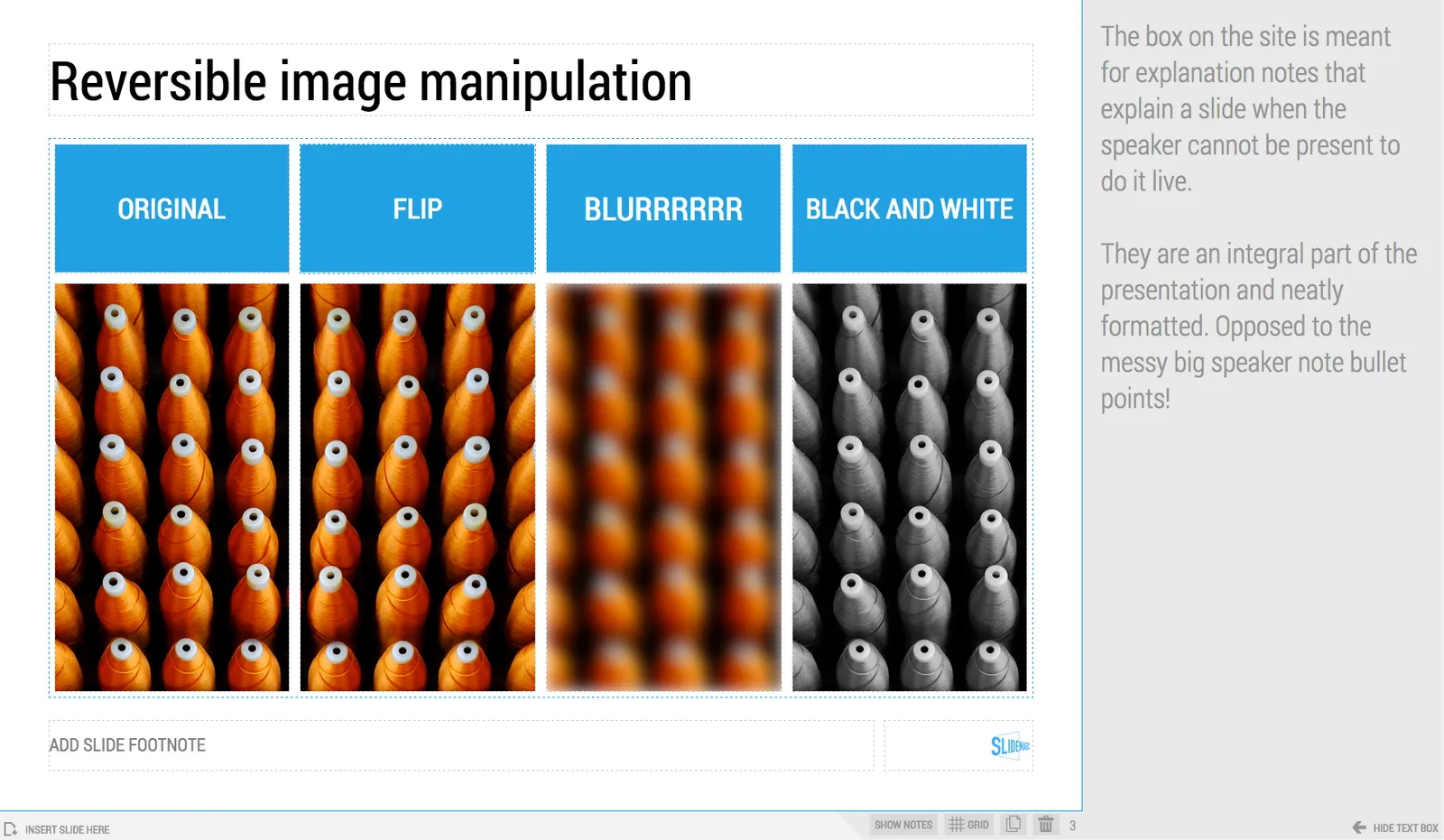
SlideMagic now has 2 types of notes for each slide:
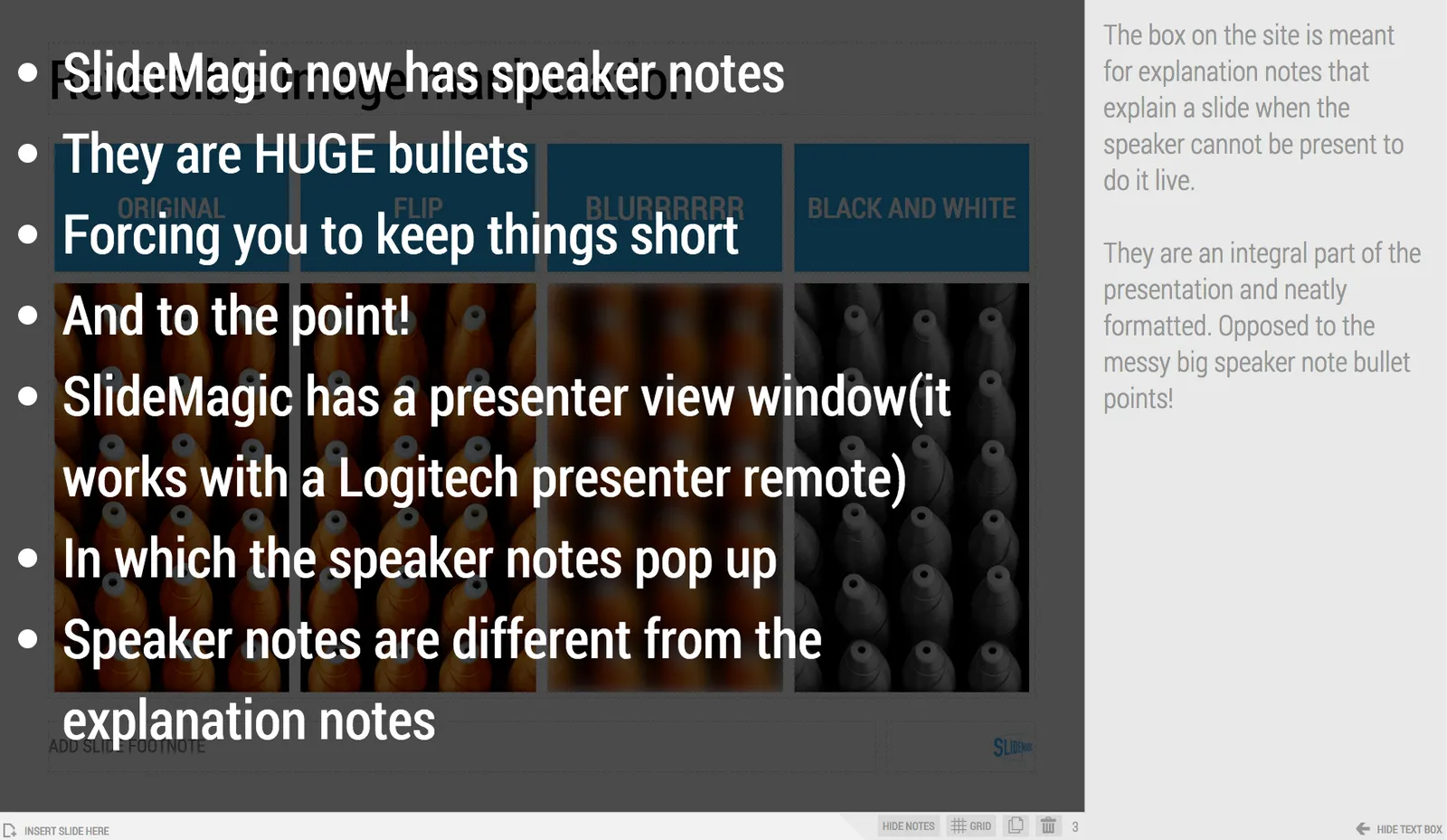
  • Explanation notes can be added to the right of the slide (optionally) and are meant for explaining the content of the visual is nice fluid full sentences. In case the presenter cannot be there to explain things in person. They are nicely formatted.
  • Speaker notes are messy, huge bullets that serve as a reminder for the speaker during a live presentation. The bullets are visible to the speaker on the presenter window (not to the audience).

Art: George Jakobides, Two children playing peekaboo, 1895

Click here to subscribe to the blog

·Software

Lawyers, politicians, doctors, priests, and corporate executives...

…They all have their own traditional language. Complicated contracts, evasive and woolly statements, illegible prescriptions, religious books only written in Latin, and bullet point-filled PowerPoint presentations full of jargon and buzzwords. These languages were formed by tradition, and some may argue are here to protect a profession (who needs a lawyer when you can seal agreements with a simple paragraph?).

And yes, I put business presentations in the same category. Change is already happening. Formal letters are replaced by short, informal emails. The woolly Microsoft Word long hand memo was replaced by PowerPoint bullets. And for very important presentations (1% of the total?), businesses start investing in visual, custom designed, presentations (the work I do under the Idea Transplant name)

But change can go further.  The other 99% of business presentations can be different as well. These documents do not have to be graphically stunning, loaded with the latest animation and zooming effects, or full of exciting video clips. They need to look good, and they need to have a clear, crisp, direct, visual language.

It requires a change in the corporate language that corporate executives are using. And making that change is hard. Requiring a new complicated piece of software for it would kill the change before it even starts. The idea behind my presentation design app SlideMagic is to stop comparing business language to that used by lawyers, politicians, doctors, and priests…

Art: Benjamin Ferrers, The Court of Chancery during the reign of George I, circa 1725

Click here to subscribe to the blog

·SlideMagic

Inviting SlideMagic feedback

For all of those who are beta testing SlideMagic, I would love to hear your reactions.

  1. Important: bugs, glitches
  2. More important: whether you like the concept
  3. Most important: what is holding you back to use software like this for a real document or live presentation: a) bugs, b) cannot do what I want to do, c) a beta version is too risky d) other. Please elaborate!

Email your thoughts to jan at slidemagic dot com.