

Blog post

Aspect ratios and image fills

January 16, 2013 ยท by Jan Schultink
โ† all posts

PowerPoint distorts the aspect ratio of images when you use them to fill a shape. To work around the issue, you need to crop the picture in the aspect ratio of your target shape. In the example of the circle below, that is a square.
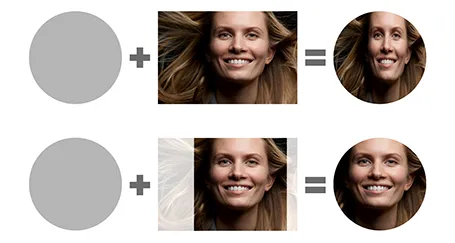
I use PhotoShop to crop my pictures. You can also use the PowerPoint crop function itself and right-click, save as image.

ImagesPowerPointPresentation designShapesSoftware

About this blog

Notes on all things presentations โ€” design, storytelling, and AI workflows.

Subscribe now to never miss a post.

RSS

About SlideMagic

A platform for business presentations.

A free student plan is available.