

I often need a cloud shape in PowerPoint to draw a network diagram. The standard PowerPoint cloud is not very pretty. Here is a way to construct a new cloud shape in the style of the logo of the iCloud service by Apple.
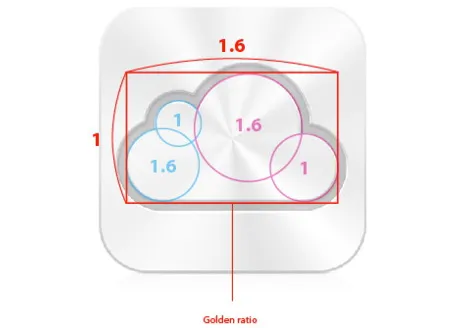
Takamasa Matsumoto originally discovered how the iCloud logo is infused with golden ratios. If you use these proportions to draw some basic shapes in PowerPoint, you can combine them using the shape union command (on the Mac right click the selected shapes, go into grouping and select union). You see that I use 2 extra rectangles to fill up the shape.
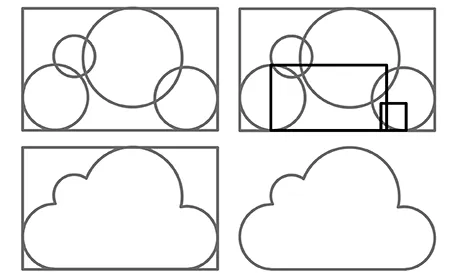
Here is the final result compared to the standard PowerPoint cloud shape, with heavier lines around the shape.

5 comments
Just one note: this only works starting with PPT higher or equal to 2010 (PC) and 2011 (Macs). Meaning that it is not (completely) possible under 2007. In 2007 (and previous) you are stuck to Grouping, thus obliging you to fill completely the grouped shapes (and unable to use a border color different from the filling one).
Under OpenOffice, the add/substract tools are present for years...
@hanselman has a nice post about the icon as well over at