Blog post

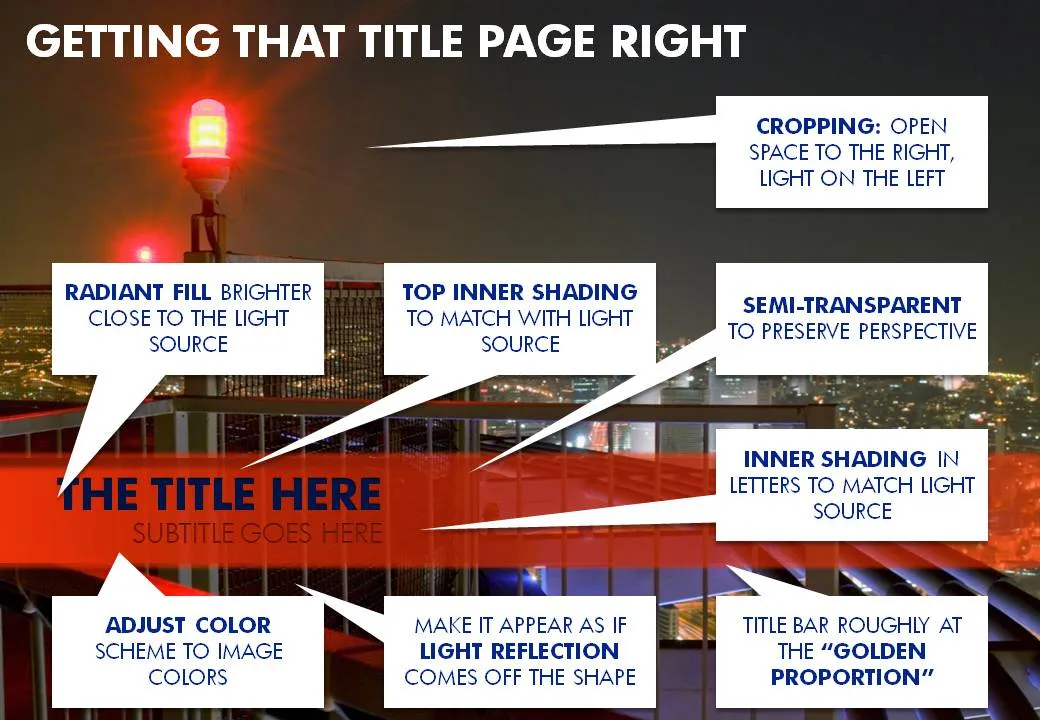
Blending PowerPoint shapes into your image

November 25, 2009 ยท by Jan Schultink
โ† all posts

A recent image I used for a cover page of a presentation provided some excellent opportunities to blend PowerPoint text and shapes into the image. Use the strong red light source to create matching shadows and colors. Click on the image with the boxes to get a larger picture.

DesignImagesLayoutPowerPointPresentation designPresentation

About this blog

Notes on all things presentations โ€” design, storytelling, and AI workflows.

Subscribe now to never miss a post.

RSS

About SlideMagic

A platform for business presentations.

A free student plan is available.