Blog post

How into insert an Adobe Shockwave Flash animation into PowerPoint

June 18, 2009 ยท by Jan Schultink
โ† all posts

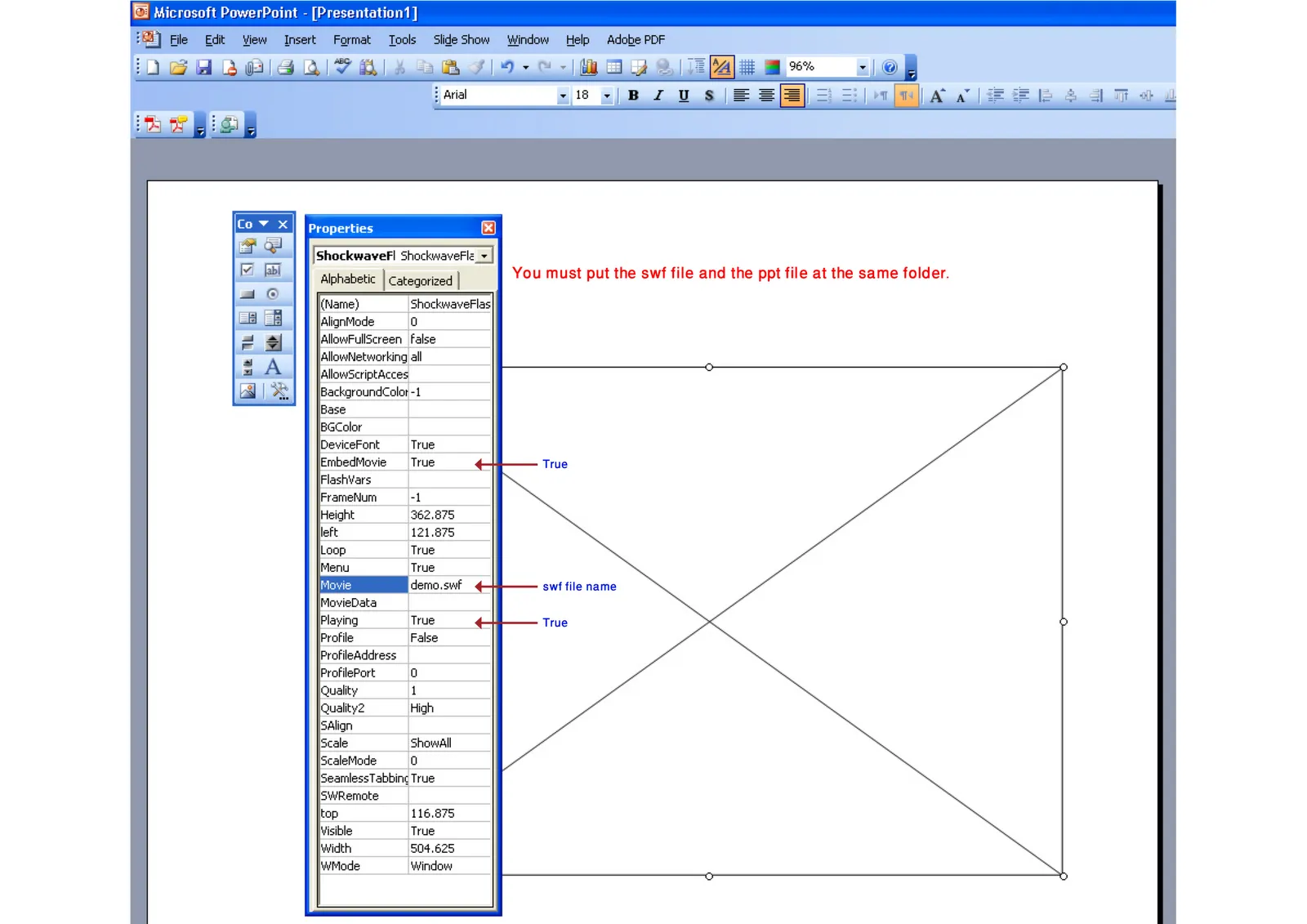
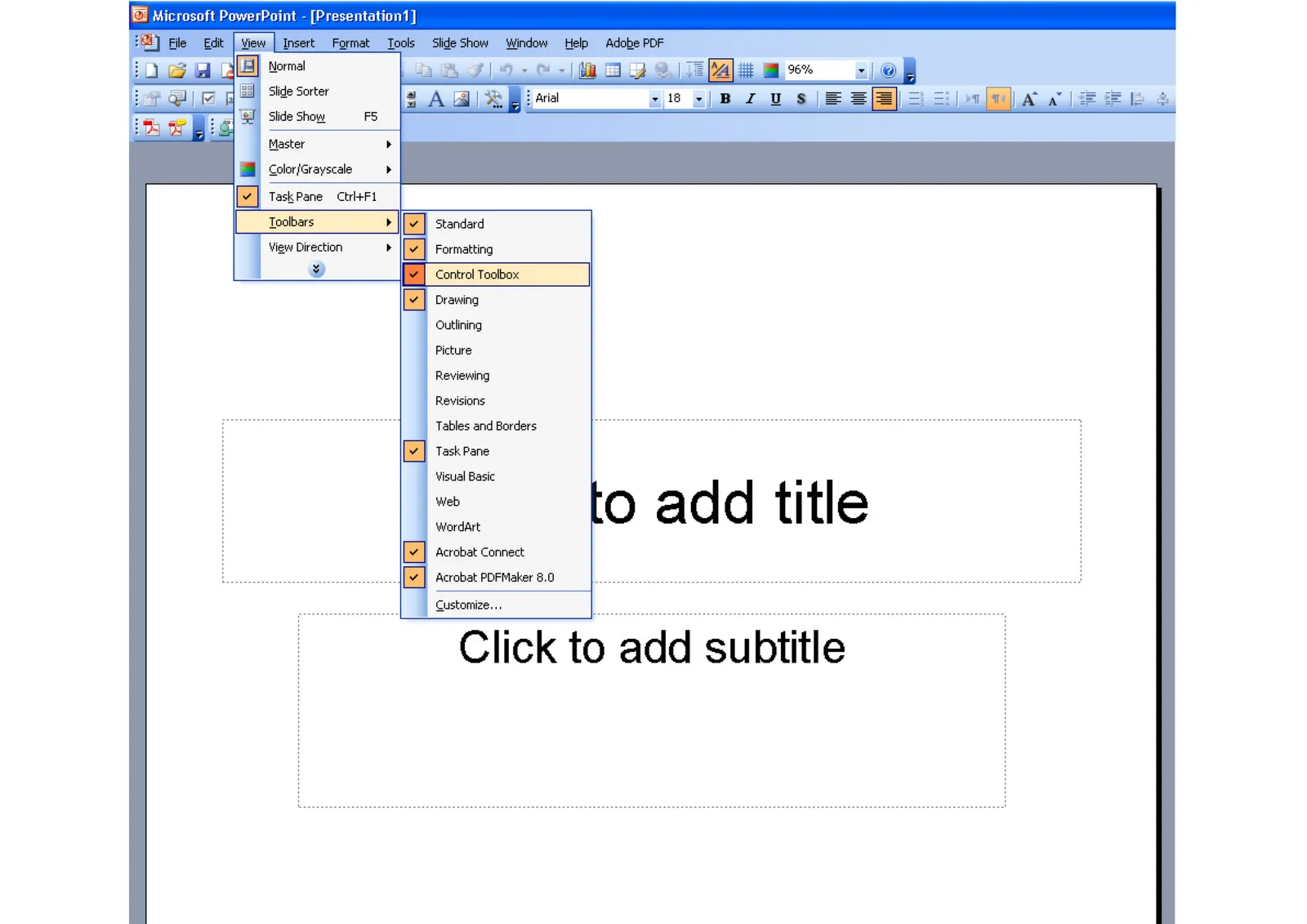
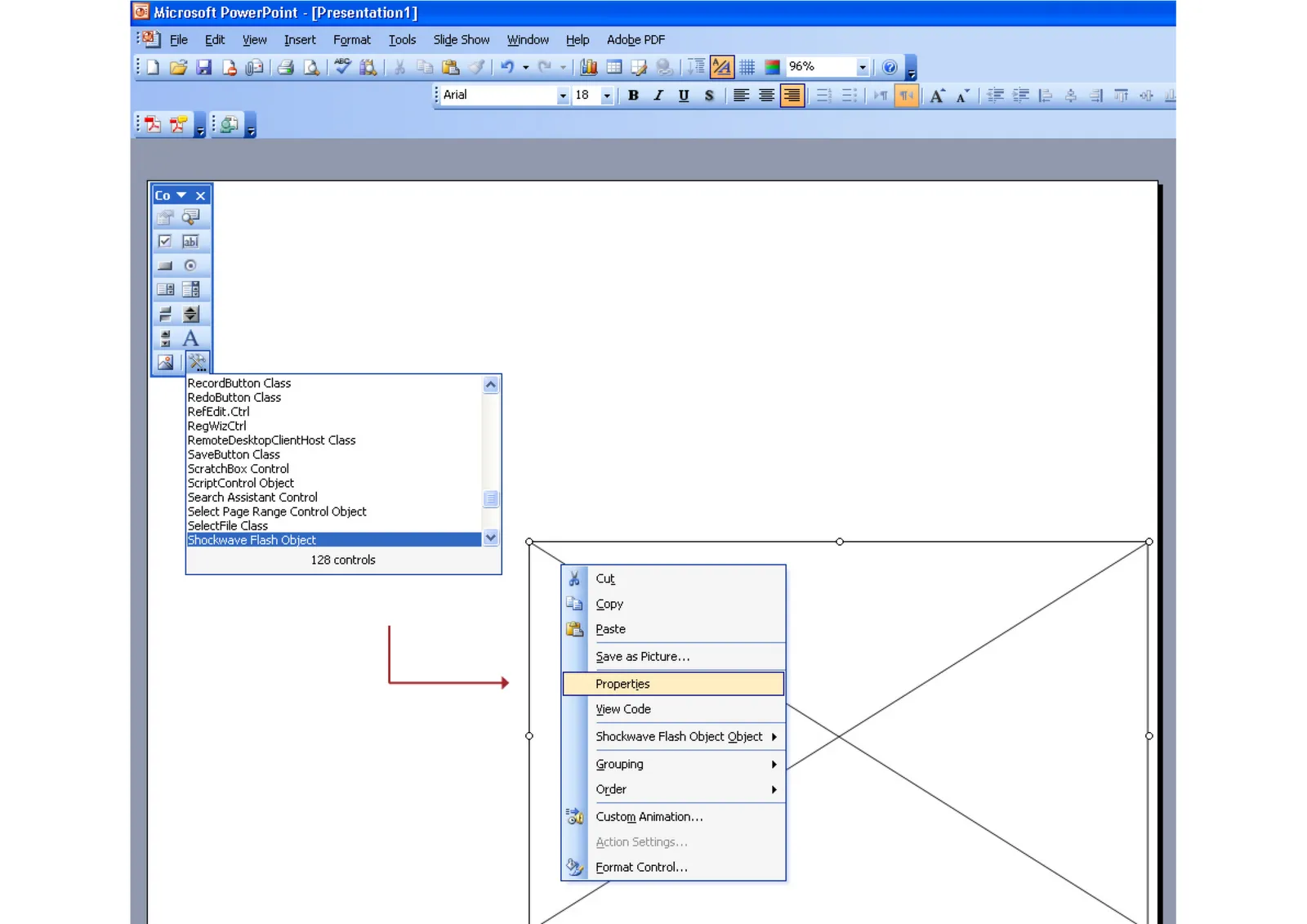
Maybe because Flash files are not a Microsoft format, integrating them into PowerPoint is a bit tricky. Here is how to do it. Make sure that the .SWF file is in the same directory as the PowerPoint file. Click on the images for a larger picture.
When sending the presentation via email, it is best to ZIP the 2 files (PPTX and SWF) into one document. Still there is a high risk that the receiving party will not manage to see the Flash animation correctly. Do not use this for the critical slides in your deck. Thank you Karin Mazor for pointing this out to me.

AnimationsDesignPowerPointPresentation designPresentationSoftware

About this blog

Notes on all things presentations โ€” design, storytelling, and AI workflows.

Subscribe now to never miss a post.

RSS

About SlideMagic

A platform for business presentations.

A free student plan is available.

3 comments

Alessandra2009-06-24 14:40:02
for some reason, I don't see any images on this post, not with Firefox, not with IE8.
Is the problem only mine?
Jan Schultink2009-06-24 18:47:01
Thank you Alessandra for pointing this out. Blogger kicked out the files for some reason. Re-uploaded them. Hopefully these will stick.
Alessandra2009-06-24 18:50:16
Jan, glad I could help. Your blog is always a pleasure to read.