SlideMagic Blog

Frequent updates about all things presentations since 2008. Subscribe to never miss a post.

RSS
all posts

Category Animations

·Animations

"We need to animate that!"

The audience does not see the difference between 4 consecutive slides with different images, or 1 slides with 4 consecutive image build up, so there is no point in trying to cut slides by consolidating 4 images into one. Four slides are easier to edit, and four separate slides are easier to email as PDF.

·Animations

European borders time lapse

This video shows how the political map of Europe has changed in 1,000 years. There is a lot of information packed in here, but the only one that gets across is: “lots of things have changed”. To bring more information to the surface, you need to slow down the pace, and add labels/stickers to highlight the key changes and go into the detail. Both visualisations work, the third option - stuck in the middle - will not.

·3D

The wow intro

Bombastic animated introductions are often used to promote movies, and some people might think they make spectacular product presentations. However, I think that a 3D animated product name with loud music does not make a good connection with the audience.

·Animations

Uncovering

When you need a complex animation, it is often easier to uncover objects by removing a white box than build up a shape step by step, especially if the shape includes a data graph (columns, lines, bars).

·Animations

Creating cartoons with PowToon

PowToon aims to enable you to create cartoon-style, animated presentation and video clips without professional illustration and motion graphics software. I test drove the beta version.

When you look at many cartoon-style videos you see that they are actually not that complicated from a graphics point of view. Usually they involve a number of scenes (slides), they use static characters, basic entrance, exit, and emphasize animations and sometimes a cute hand that puts items on the slide, all accompanied by some simple music.
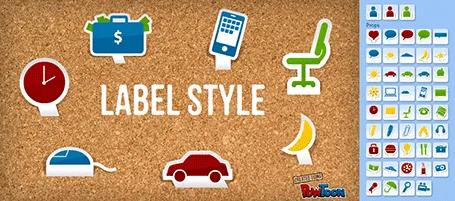
And this is what PowToon does. The edit interface looks Windows blue, it allows you to place items in a slide and specify the animations. In theory, PowerPoint or Keynote can do the same things, but it requires a deep understanding of the software, plus a library of characters.

There is definitely a market for a tool like PowToon. I do not envision these type of animations to be used in a stand-up presentation, but rather they could be useful to create demo videos on web pages, or presentations for emailing to prospects.

The basics of PowToon work great. I spent 10 minutes to stitch together this video based on a pre-defined template. PowToon is still in beta, and there are a number of features that I would recommend the team to incorporate:

  • Invest in the object library, and make them look less clip-arty (the picto character has some resemblance to the 1990s screen bean), this could also be a good revenue model: premium illustrations
  • Create the ability to export the presentation as a movie and embed them in a regular PowerPoint or Keynote file, this will make adoption in corporate environments a lot easier.
  • Make it easy to embed presentation videos in sites (I am sure the team is working on this)
  • Find a way to let the hand draw shapes and write text, so everyone will be able to make animations in the style of RSA Animate.

Continue reading →
·Animations

Uncover versus popup

I am not a big fan of animation, spectacular effects do not support a serious business message and documents with animations do not convert well to PDF for emailing.

Sometimes there is no escaping though, especially when you need to explain components of a complex system. The best way to do this is to add elements one-by-one through a series of clicks.

The usual way to do this is to use pop-up animations. However, these can be cumbersome to edit: you often forget one item in a group, and have to start all over again.

There is an alternative: cover the critical elements in your slide with boxes and remove the boxes one by one. Easier to edit. You can even make it more sophisticated by given the boxes a 10% transparency: the viewer sees sort of what is coming, but not completely. When you want to PDF and email a version of your document, you simply delete all the boxes which leaves the full diagram intact.

·Animations

A cinematic presentation opening

Have a look at the way**Francesco Paciocco** credited this short video about Milan. It is a video, but the shots are very close to still images. We do not see the cliché images of the Duomo and other tourist attractions. Instead, a flow of scenes from daily live.

I like cinematic openings in PowerPoint presentations. A series of images to take the audience to a different place. While it might be a bit too complicated for the average designer to create such a video, you can create a very similar effect in PowerPoint by sequencing a series of Flickr images with a Creative Commons license. If you want, you can go one step further and add a slow-zoom effect to your images.

Via Fubiz.

·Animations

Motion graphics: Stuxnet virus explained

Here is an impressive piece of video animation work by Patrick Clair. Watch the use of narrow all caps fonts.

·Animations

IDU Biometrics: 41 slides in 6 minutes

One of my presentations in the public domain. This time the setup was the global finals of the 2010 Global Security Challenge in London. Startups that had won the regional semifinals were granted 6 minutes to pitch their company in the field of IT security to a jury. I designed the presentation for IDU Biometrics within the following constraints:

  • 6 minutes, no second more
  • An audience that understands IT security, but has no idea what so ever about the company the moment the 6 minutes start, we begin at level 0
  • A very tight startup budget: all designed in basic PowerPoint without sophisticated effects and/or illustrations, one file that forms the basis for the company presentation, a looping presentation inside the company booth at the exhibition that was held in the same venue, a video for online viewing, and a good introduction for a broader presentation for fund raising from venture capitalists.

Here is the video version of the presentation:

·Animations

It is still hard to do it right in Prezi

Here is a Prezi-presentation (see earlier posts) with some facts about the growth of data sent over mobile networks. Praise for Byte Mobile to experiment with different presentation formats. Here: Prezi is used in the following way:

  1. Animated slide transition
  2. Zoom in on the title with the message of the chart
  3. Zoom in on the data in the chart
  4. Zoom in on the foot note with more detailed explanations

Bytemobile Mobile Minute Metrics - Feb 2010 on Prezi

For me, this is not yet the best way to use the power of Prezi. But if you ask me what is the right way, I must admit I do not have an answer yet.
