

Blog post

PowerPoint template colors and color blindness

February 10, 2009 · by Jan Schultink
← all posts

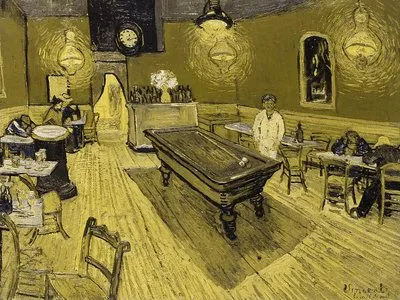
My Vincent van Gogh color set from a few days ago is not very good for people suffering from red-green color blindness.


Use Vischeck to test your own templates. To do so, you need to “save as” a PowerPoint page as “PNG”.

A side-benefit of this test is that you get sense of what happens if someone prints your presentation on a black & white printer. (But hey, the B&W white test is the easiest of all: print preview)
Somewhat related: an earlier post about designing presentations with people suffering from dyslexia in mind.

Via Richard Garber. A more elaborate post on Vischeck and PowerPoint in this post on the Indezine blog.

ColorsDesignPowerPointPresentation designPresentationTemplates

About this blog

Notes on all things presentations — design, storytelling, and AI workflows.

Subscribe now to never miss a post.

RSS

About SlideMagic

A platform for business presentations.

A free student plan is available.

4 comments

Anonymous2009-11-20 17:46:23
I've been looking everywhere for a PPT template that caters to tritanope colorblindness. Sadly, one of my professors is cursed with this affliction (his words), and our curriculum requires quarterly presentations using PPT. I want to find a basic template that he can give students to use, so that he is able to see what he is supposed to be grading without having to ask for muddied b/w printouts. Forget colorful creativity, I want my efforts seen by the person giving me the grade.
Jan Schultink2009-10-07 07:30:58
I stumbled on this tool that gives you a screen preview of how people with color disability see you design:
Jan Schultink2009-02-12 06:35:00
This was the post that Richard pointed out to me.
Ellen Finkelstein2009-02-12 01:16:00
There's an article on slides for color blind audiences here: