SlideMagic Blog

Frequent updates about all things presentations since 2008. Subscribe to never miss a post.

RSS
all posts

Search results for “web design”

·Software

How I brought my coding skills back up from the 1990s

This list of resources might come in handy for anyone who is considering learning how to code from scratch, or like me, wants to get back into things again. Your objective could be

  1. to land a job as a developer,
  2. have a startup idea and you want to build it, at least build a prototype in a low risk way without the pressure and money required to hire professional developers
  3. you just feel a bit technology illiterate and want to acquire basic coding skills just as an interest.

For me it started actually with number 3, that slowly turned into objective 2. Back in the 1980s and 1990s, you could simple turn on a computer enter a few lines of simple code and get a computer to do things. Now there is actually a bit more ‘overhead’ required before you have a basic piece of code running that can take an input and do something with it.

Option 1. and 2. are very different. Being a developer inside a huge organisation, and at the receiving of incoming feature requests by others is different from building a project that is really yours. Option 1 can actually be very similar to a regular admin job (a ‘cog wheel’ inside a big machine).

Thinking a bit ahead, I think that ultimately I will not be the person to keep un coding SlideMagic if it ever becomes a big and successful operation, but I am convinced that it is very hard (maybe impossible) to run a technology company if you yourself are completely illiterate in the world of coding.

Continue reading →

PowerPoint templates in one file

If you want to download many slides from my template store, the process is a bit cumbersome: you have to add slides 1 by 1 to the check out card, and then download load them individually. My vision (hate that word) was to create a super useful slide search engine which you then accessed on an as-needed basis. The problem is the Shopify platform (which is designed to sell T-shirts, not digital downloads).

Slowly but surely I am building up the skills to start running my own template server, as a web site, as a backend to my new SlideMagic 2.0 desktop app, and possibly as a plugin to PowerPoint itself. Until that is all launched (and built), I am going to make life easier for current store subscribers: making all slides available in one downloadable file.

On request, I put a quick 200+ slide file in PowerPoint 4x3 format up (you can find it here, free to download for subscribers), the other formats will follow.

Photo by Bernard Hermant on Unsplash

·Software

Animations in user interfaces

I usually don’t put animations in my presentations, they don’t add much, and in web interfaces I find them mostly annoying. I just discovered an exception: the tile or story view of presentation software. If you add or remove slides from the grid in one “bang” (instantly rendering the sequence of slides), your brain gets confused and does not seem to understand what just happened.

I have something else to learn…

Photo by DESIGNECOLOGIST on Unsplash

App update

With SlideMagic 2.0, I have hit the last 20% of the effort that takes 80% of the time. Getting everything to run perfectly is nitty gritty detail work. The result will be worth the wait though.

I am revisiting the image rendering and cropping engine at the moment. Cropping and masking images and getting them to line up in a grid is a painful process in PowerPoint, Keynote, and even in Adobe software. The professional designer has learned where to find the right tools. The amateur is struggling to make a simple crop and make sure that text over the photo is still readable, especially when the next version of the deck needs to go out in the next 15 minutes with an additional person in the team bio slide (headshot + 5 logos).

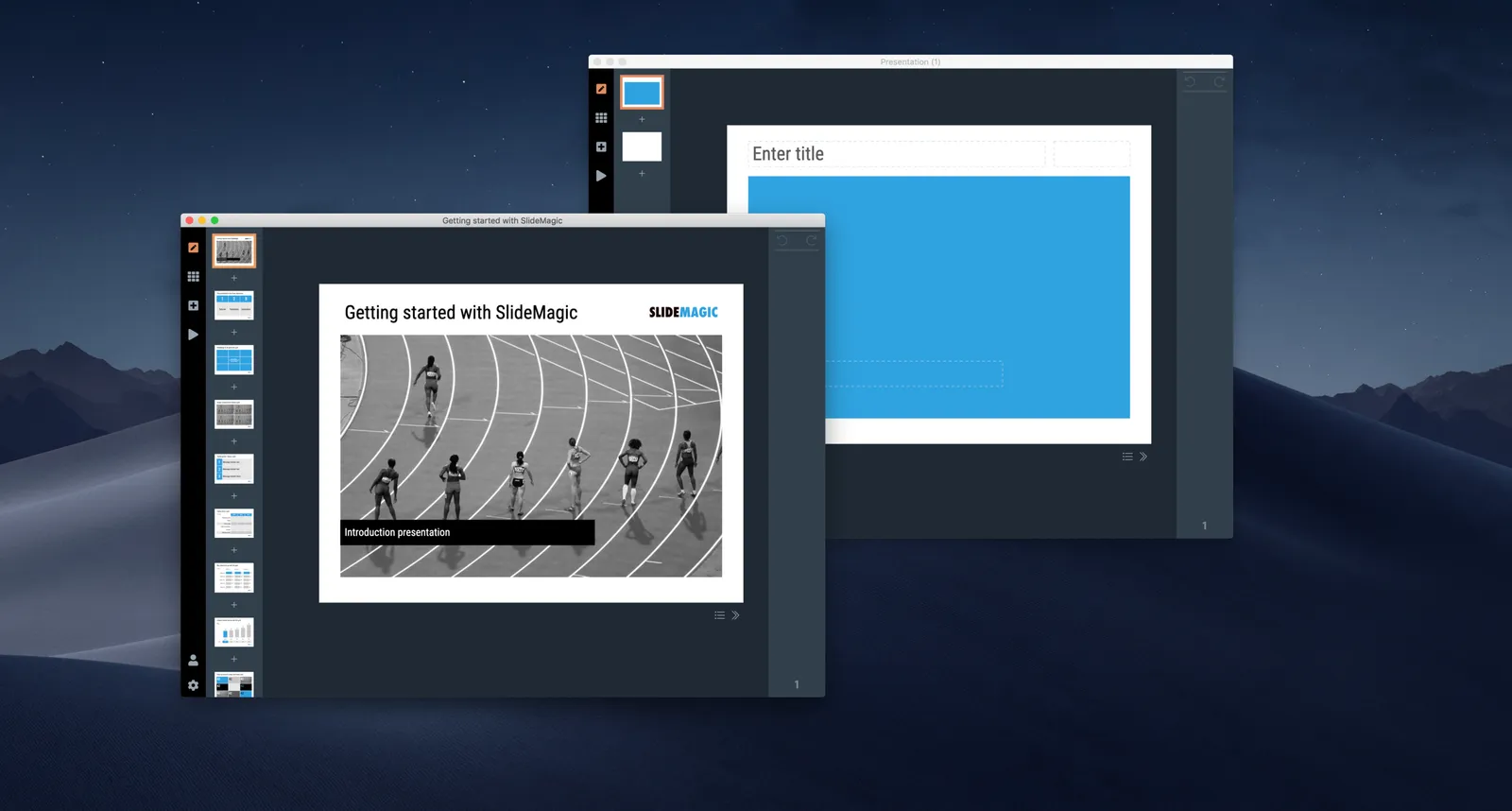
SlideMagic will come to the rescue, the screenshot below gives an idea of what I am working on now.

 Image cropping and masking in SlideMagic 2.0

Image cropping and masking in SlideMagic 2.0

More beta testers

At the moment, SlideMagic 2.0 is tested by “friends & family”. Soon, I would like the help of more beta testers for SlideMagic 2.0:

  • Mac only for the moment: I am doing all the development on Mac with short cycles without having to build a Windows version every time (Windows will be available the moment the Mac version is stable)
  • I would love to get the help of users who have invested time in getting to grips with V1.0, the web app, they understand the design concept and can focus on the improvements (hopefully) of V2.0.
  • As an early beta tester, you will need some patience, as release version can still be unpredictable. If you would like to find out in general what the app is like, I would suggest waiting a bit until things become more stable.

Let me know at jan at slidemagic dot com if you are interested.

Photo by Louis Reed on Unsplash

Canva buys Pixabay and Pexels

Canva acquired the free stock photo sites Pixabay and Pexels. The libraries of these companies will now be integrated in the platform (users creating documents with Canva can access the images for free).

Canva’s is a design platform with a much broader focus than “serious” business presentations: leaflets, websites, social media images, it enables small businesses to avoid paying for a graphics designer. The core revenue model is based on buying images to go into your design, and as such the acquisition makes sense.

For everyday business presentations though, I think images are actually less important, and cheesy stock images in the hands of the non-designer can actually do more damage than good. And Pixabay and Pexels have a fair share of these.

I hope Canva takes the opportunity to prune the stock image collections of these 2 companies. The player to beat is the free image web site Unsplash with images of much higher quality, but - for now - has a much smaller collection and lacks functional images that designers might need (a red bucket isolated on a white background).

The good thing of all of this is this acquisition shows investor appetite for the design market.

·Software

A few screen shots

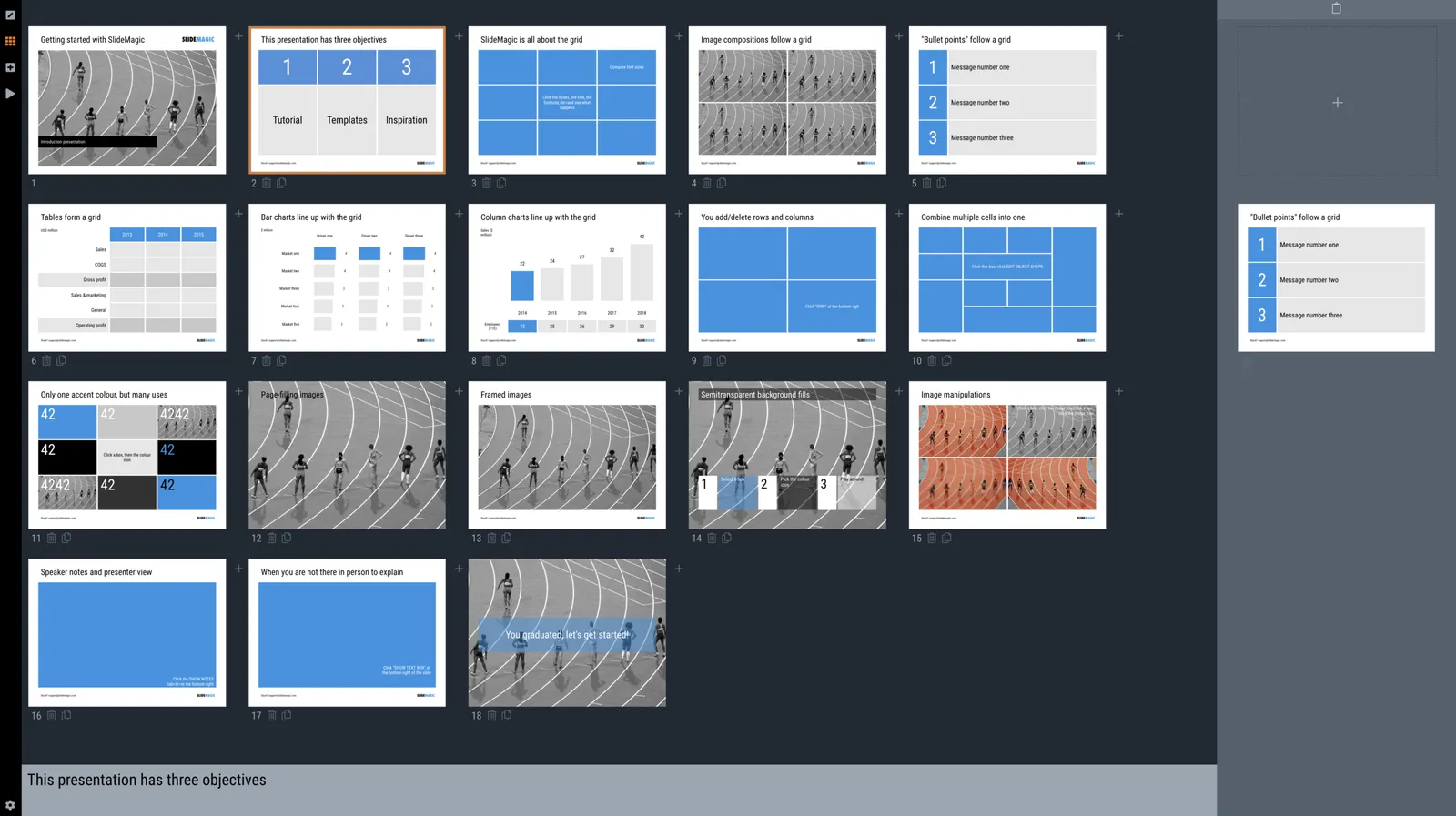
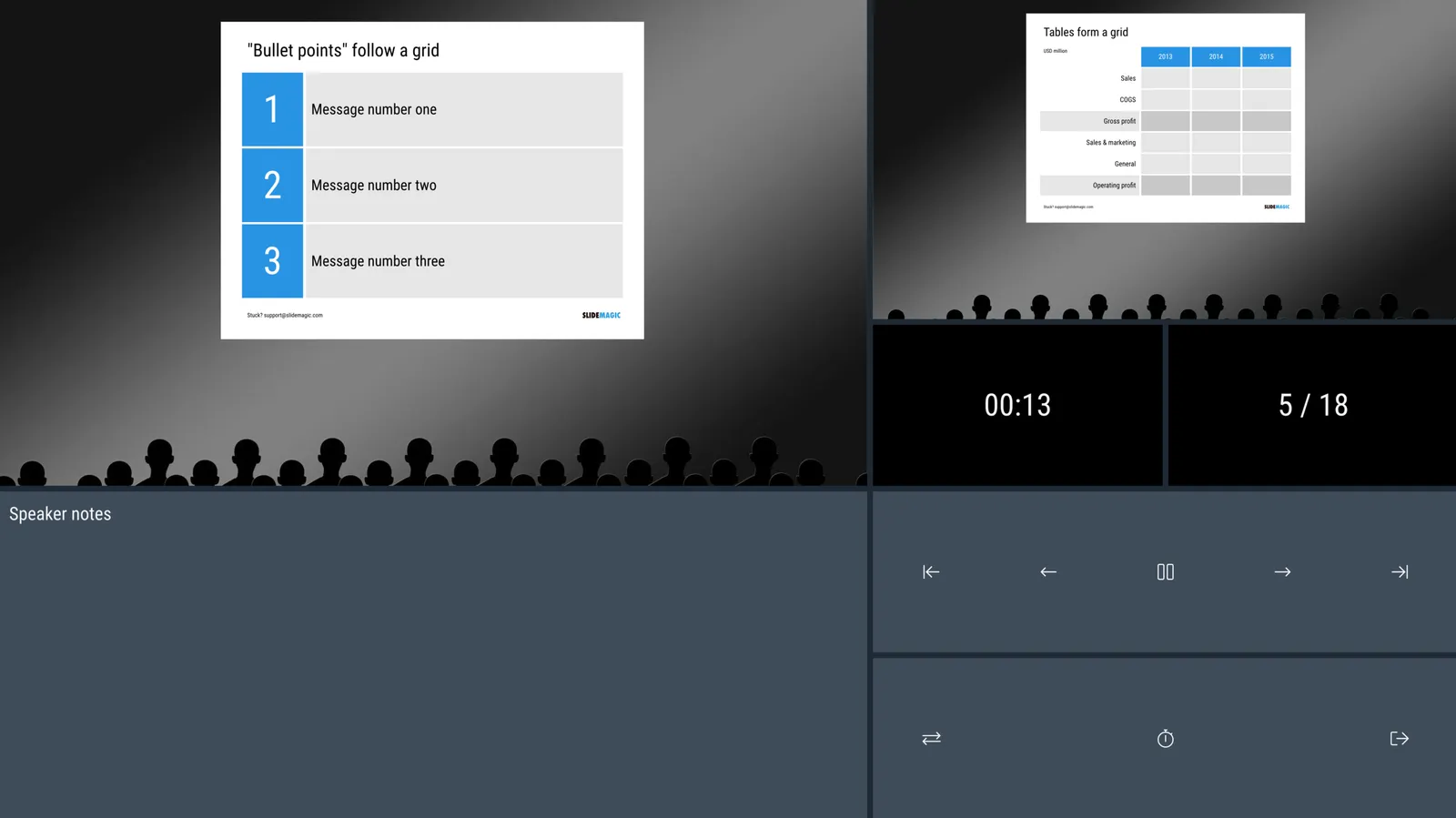
Below are two screens of SlideMagic 2.0, all work in progress (the careful viewer can spot the bugs). The new app will be how the first one should have been: slide design will be mostly the same, the UI will be a lot better to work with. (No, not April’s fool…)

Development update

Here is where things stand with the development of SlideMagic 2.0. I am making good progress with a new presentation design app that follows the same (patented) design approach as the current web app but a lot of the small inconveniences ironed out:

  • A native app that runs both on Windows and Mac and saves and loads files to a local hard drive, allows you to work offline, and deliver much snappier editing response times
  • Built-in, instant export to PowerPoint
  • Instant conversion between 4:3 and 16:9, back and forth
  • A more integrated user interface enabling the editing of grids, shapes, and text from one screen

The prototype is coming along nicely, but still a lot of effort is required to iron out the small glitches before I can let the genie out of the bottle…

Photo by Jorge Zapata on Unsplash

The emperor has no clothes

I am diving into the joys of user interface design and start to understand some of the anecdotes of Steve Jobs giving feedback to his design teams. That box that is just slightly, slightly off by a few pixels, or that slide that refuses to scale up to the exact size of the screen. You can spend days on getting the most trivial things right.

I am also looking around at a lot of user interfaces that were developed recently, and must say that, yes, things look prettier than in the 1990s, but are they easier? I am afraid not. Clunky fingers are not the best instruments to create business documents. Small screens are not the optimal canvas to be creative. Nobody remembers what a 3 finger touch press does, minimal interfaces look really cool but are useless if you can’t find what you need to find, it is weird to see how hard it can be to figure out how to create a new document, save it somewhere, find it again, and send it to a colleague. And most desktop software with mouse interfaces groups features by similarity, not by how often and when you use them.

In PowerPoint, I am using 25 years of experience and a custom toolbar at the top of the screen to bypass 90% of the regular user interface. And yes, my own web app has a few hick ups as well. I am working hard to fix things.

Photo by Ian Parker on Unsplash

·PowerPoint

PowerPoint on iPad review (2018)

Microsoft is on a roll, and now that I am turning temporarily into a developer, I appreciate them even more with very powerful code editors, and repeated decisions to open source their software (the entire Windows platform engine is going open source), and make other sensible decisions (moving to the Chromium browser rendering engine inside Edge).

The office apps are no exception, and I took some time to play around with PowerPoint on my new iPad.

The app looks and feels fantastic (I have something to aspire to), and all the basic design features work flawlessly. I find it easier to find my way around coming in “cold” then the keynote app for iPad. The small screen encourages you to design simpler slides, and spend less time adding stuff that is not essential to your story.

In 2018, things are still not perfect though. But most shortcomings are to blame on the iPad form factor, not Microsoft:

  • Presentation design is a creative process that needs space, a big screen, accurate placing of objects (fingers are less good here than a mouse). An iPad is just not a focussed design interface.
  • File management is still cumbersome on an iPad. Finding that deck from last week, opening a spreadsheet side by side, copying an image from the web browser, things that take a second on a computer are not intuitive on an iPad.
  • Because of the form factor Microsoft has cut down the features for PowerPoint on iPad. In itself, this is great (I am also focusing the features in my app), but, once the genie is out of the bottle, it is very hard to have the same application on different platforms with different feature sets, especially if you are working with collaborators on different devices. “Please create this bar chart”, is emailed to the analyst working on an iPad in the taxi who then discovers that data charts are not really supported. It also hard to create custom themes and colour schemes.
Continue reading →