SlideMagic Blog

Frequent updates about all things presentations since 2008. Subscribe to never miss a post.

RSS
all posts

Category Creativity

·Creativity

Dreading the start

You have that big presentation coming up and you cannot get yourself to get started on it. Too many distractions, and too few ideas what to actually do.

Some ideas:

  • Open a little (paper or digital) scratch pad somewhere and start jotting down ideas weeks before your presentation. Presentation design and storytelling are creative processes that need some brain incubation time. Your subconscious mind will chew on ideas you started without you realizing it. It is possible to crank out slides the night before the presentation, it is not possible to crank out creative ideas under last minute time pressure. Start early, even with scribbles and notes
  • If you have a bit of time, postpone looking at existing decks and start fresh. Maybe the thought of having to iterate that same old boring, stale presentation is preventing you from getting into it.
  • The other extreme: make one really great “killer” slide for which you have a clear idea and push it all the way to the finished product. Ignore story flow and its overall context, just make it. This ice breaker or sneak peek of what slides in your deck could look like might get you over that initial writers block and get motivated to get started.
·Creativity

Forget about folders

Filing and categorisation systems are a pain. It is tedious to put things in the right folder on your hard drive, put the data of a file in year, month, day format to make them sort, and final versions always become final final, final final final, really final v2. Google replaced Yahoo’s internet categorisation with search.

Back in the 1990s there was a Partner in McKinsey’s London office who gave up on filing (mostly paper at that time) and simply shoved everything chronologically in his cupboard, all clients mixed. Finding something was as simple as looking into your calendar and going back to the appropriate time. Usually, you roughly remember. It takes a tiny bit longer to find something, but save a ton of time doing, and nothing falls through the cracks because of a misplacement.

The same strategy might also work for your digital files in 2021. Your calendar becomes the index to dig something up from the “pile”.

Photo by Viktor Talashuk on Unsplash

·Creativity

"Producing yourself"

I just returned from a short Passover holiday, a first in a year. (Hotels, restaurants, here in Israel are now completely open while virus cases continue to fall towards zero).

During the break I watched a Master Class series by Alicia Keys about “producing yourself”. In music production there are usually 2 roles: the creative contribution of the artist, and the editing and arranging part by a producer. They usually happen in 2 spaces, the artist is in the recording part of the studio, the producer sits on the other side of the glass in the control room.

There is an interesting parallel to presentation design: I think most presentation designers are producing themselves, doing both the creative and the editorial part, pretty much like Alicia does.

At least, they are supposed to do so. In practice, when it comes to presentations, people are more arrangers than creators.

How does Alicia go about balancing both side of the process?

  • She creates to completely different mindsets, amplified by the different locations: the vocal booth, the control room
  • In creative mode she lets herself go completely, mistakes are OK, crazy things are OK (similar philosophy to corporate brainstorming sessions)
  • But, she actually prefers to be totally alone, in order to “embarrass” herself freely, and to avoid being put in the position of an artist who has to entertain and perform (completely the opposite of a corporate brainstorming session).
  • She records and captures everything, if you want to capture a creative idea in the flow / moment, you are too late. (As opposed to the brainstorm flip chart where someone else tries to capture and rephrase ideas that multiple people are “shouting” out).
  • After all this, she takes a break, goes to the control room, and listens back with a completely different mindset.
Continue reading →
·SlideMagic

Limited time...

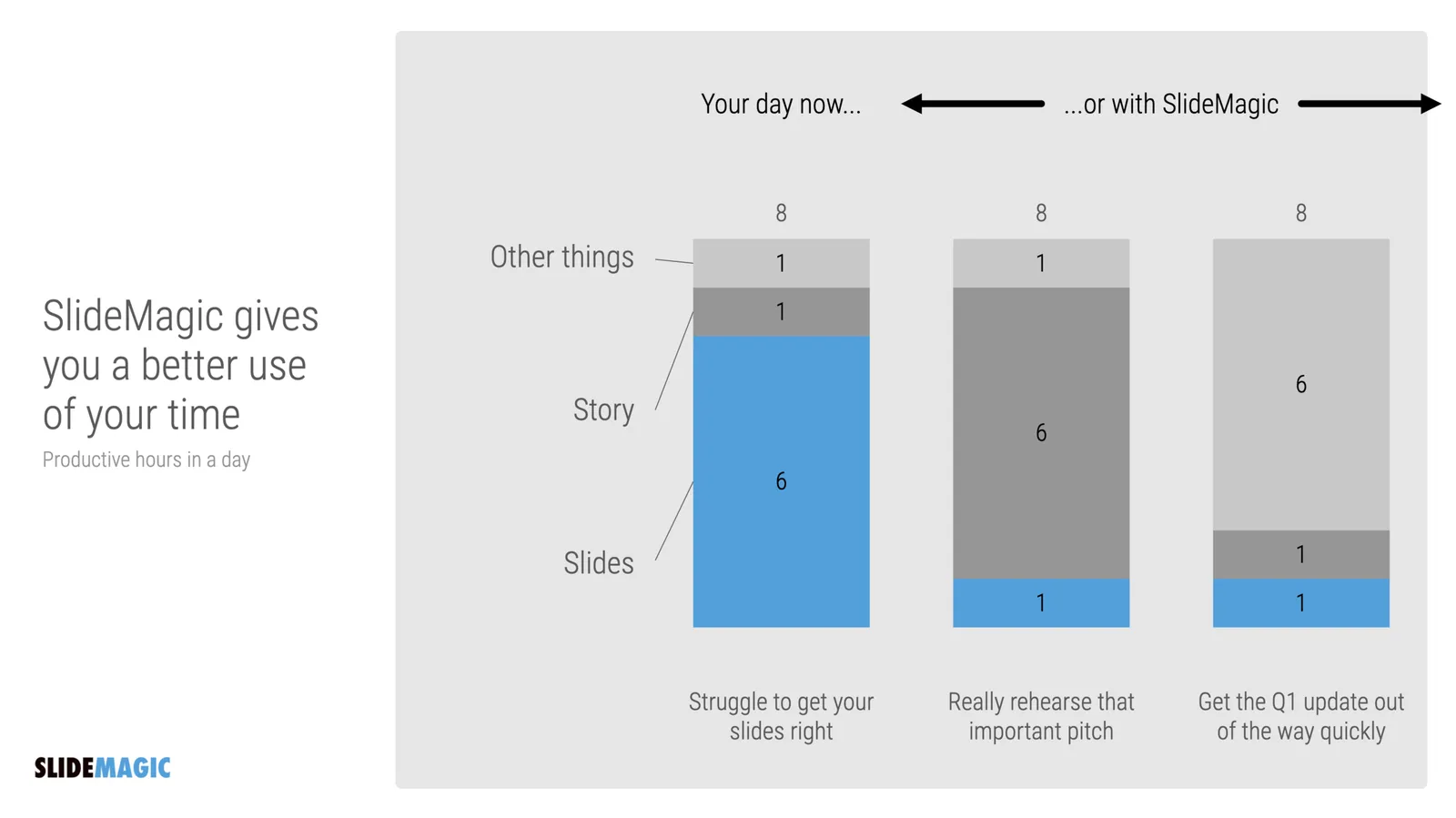
This chart lays out the philosophy behind SlideMagic: spend more time pitching, less time editing. There are only a limited number of productive hours in a day, it is a waste to spend them on slide design…

  • If you are preparing for an all-or-nothing pitch, you free up time to really, really rehearse your story.
  • If that quarterly report is sitting on the top of the to-do list and preventing your from doing other things, get it out of the way quickly.

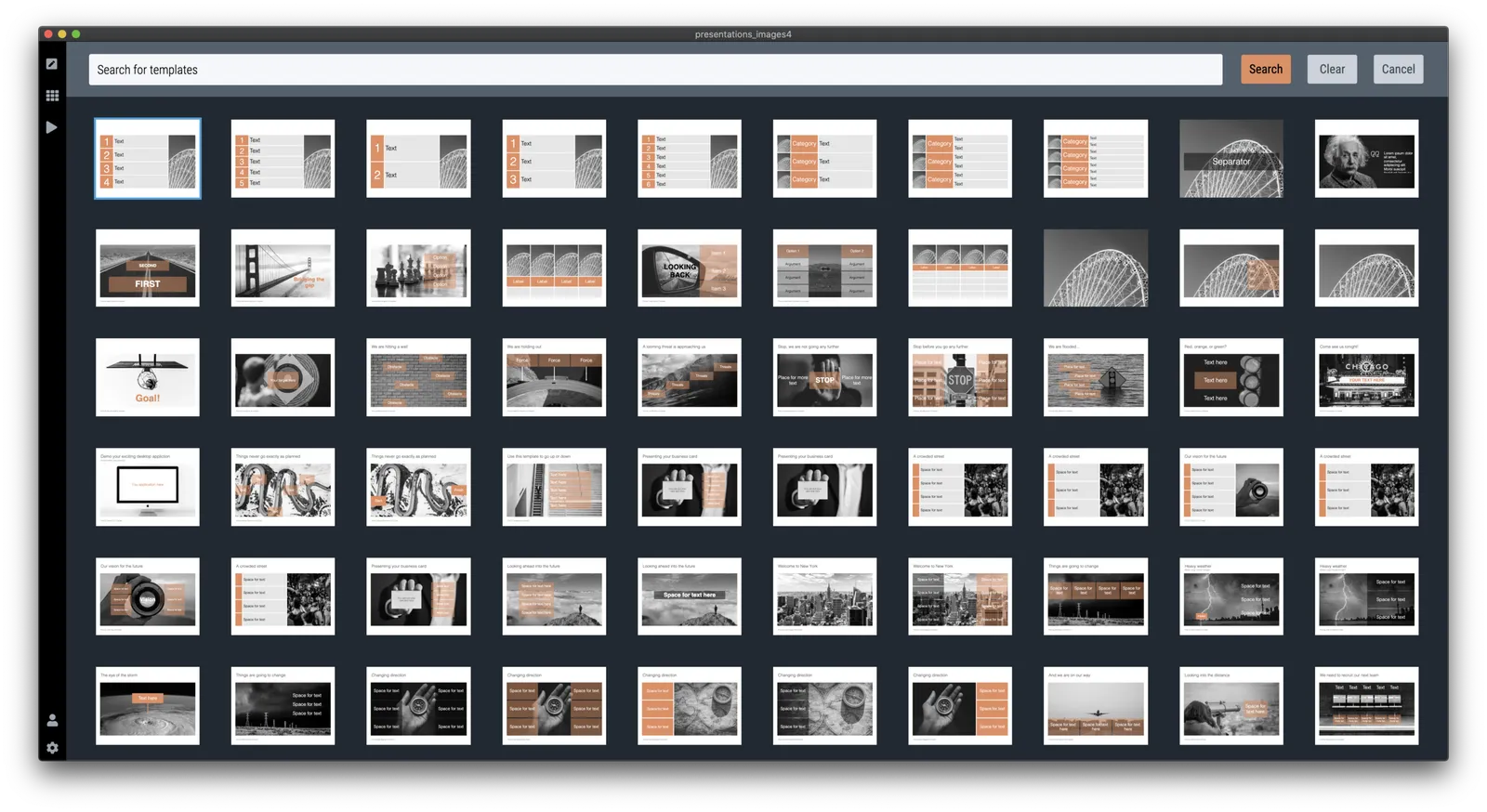
P.S. I have add this slide to the database here, or search for ‘slidemagic’ in the desktop app to use it in your own presentation

·Creativity

Off topic - teaching kids how to code

As I went through to the process of refreshing my 1990s computer science degree, I am now trying to help to teach my teenage kids the basics of coding as well. Not as obligatory homework, but something that is fun to do. Some observations.

  1. Unlike in 1986, it is actually very hard today to get a basic environment up and running to write a few lines of code. All the stuff you need to install. The HTML screen rendering complexity that is great to produce web sites on different devices, but an absolute pain to put something basic on the screen. So I actually need to deploy a fair share of my own coding horse power to build some basic functions that my kids can use to do something like plotting an ‘x’ in a coordinate system, reading keyboard inputs, getting code to wait for a few seconds. And there is of course the challenge of getting a small web site you build on your own machine to show up on a real URL.
  2. I don’t believe in special kid programming languages or programming tools. I see the big problem with language for grown-ups as described in point 1, understanding the actual concept such as variables and loops is pretty much the same. And once kids get into it, they can continue to build out their skills that are useful in the real world, and are everywhere around them (inspecting code in web sites they visit for example). So HTML, Javascript, and CSS it is.
  3. Coding is all about doing. Watching videos or in-person lessons is boring. Doing algorithm homework-style problems is boring. You want to get that frog move across the screen, and you try everything to get it to work because you want to, not because you have to.
  4. Learning how to learn from others online is an important skill. Answers posted online can be wrong, outdated, not relevant. Sifting through information overload and tolerating ambiguity is important.
  5. I found that the key to getting kids started is the presence of interesting problems for them to solve. Here are a few:
Continue reading →
·Concepts

Pretty template, ugly slide

Most corporate presentation templates are designed starting from an empty slide. The designer feels the urge to spice things up a bit with logos and other graphical elements. Now when you actually use that template (designed for a blank page) with everyday presentation content, things start to clash.

The same things must have happened to the designers at BMW, who forgot the license plate that would be plastered over the front of their new car design….

The next time you brief a designer for a new PowerPoint template, give her a full slide deck including content, let her create a design you like, then strip out all the elements and see what you are left with.

<!— Sponsored content: with SlideMagic, there is no need to worry about a presentation template that fits your corporate branding —!>

·Creativity

(Finally) free to really think

For the first time in months, I am spending more time designing slides than writing code as I am building up the template database. It is a great feeling to see all that hard work paying of now as I add one slide after another to the database at a very high speed.

This also puts me in a position to start thinking really what SlideMagic (maybe 3.0?) could do, now that I have a basic platform in place that can store/search templates, all listening to a uniform design layout. What if there are eventually thousands, and thousands of slides, keywords, concepts? Things can get interesting!

Yes, there is still the challenge of turning 2.0 into a proper company…

To be continued.

·Creativity

But it won't take that much time?

Many clients do not understand that, no, I really do not have time at the moment to do that small presentation design project, as I am focussing 100% on my coding efforts.

People understand that it is unreasonable to ask for a big project, but that small presentation fix, that should work right? It will only take a few hours.

Here is the problem with those few hours:

  • The opportunity cost of those few hours can be huge, since coding a big feature in the app can take an entire day or more. Knowing that you have to spend a few hours on something else means you won’t even get started on it.
  • Building on that: this small project might actually be an excuse to put off that major feature update
  • Now that I am a bit out of the presentation design flow, what used to take me a few hours, could actually take a lot more time.
  • A small design fix is not a big rewarding project, it is likely to be a fix: a small payment, not my best work, in short a distraction.

Photo by insung yoon on Unsplash

·Creativity

Taking a step back

I just returned from a wonderful bar mitzvah trip with my son that took me to all kind of car-related venues throughout Germany and Italy. Upon return I did two things: open the code of SlideMagic 2.0 to remember where I left things, and recording some musical ideas. Both were surprisingly positive.

Taking a break does wonderful things for creativity.

  • Your brain continues to think / process thins in the background without you realising it
  • Often, you dig yourself in a hole of small problems that make you lose the ability to see the big picture
  • Rest is always a good thing.

I use this all the time in presentation design. A few weeks before the presentation deadline, I force myself to think really hard about the presentation. Make rough sketches, write down story lines. Then I put things away before working on the presentation in earnest at a later time. This small investment of time pays off handsomely later. The key here is to make a real effort in the beginning, not just a quick though experiment.

Image via WikiPedia

·Creativity

The art of procrastination

Waiting with things until it is too late to do them properly is not very good practice. But postponing the moment you open your computer to start making slides before you have a really good idea could be helpful. Take time to ponder different approaches.

In the video below, film score producer Tom Holkenborg gives his point of view from the world of music.

Cover image by Xu Haiwei on Unsplash