

Blog post

What's in my toolbar

October 20, 2010 ยท by Jan Schultink
โ† all posts

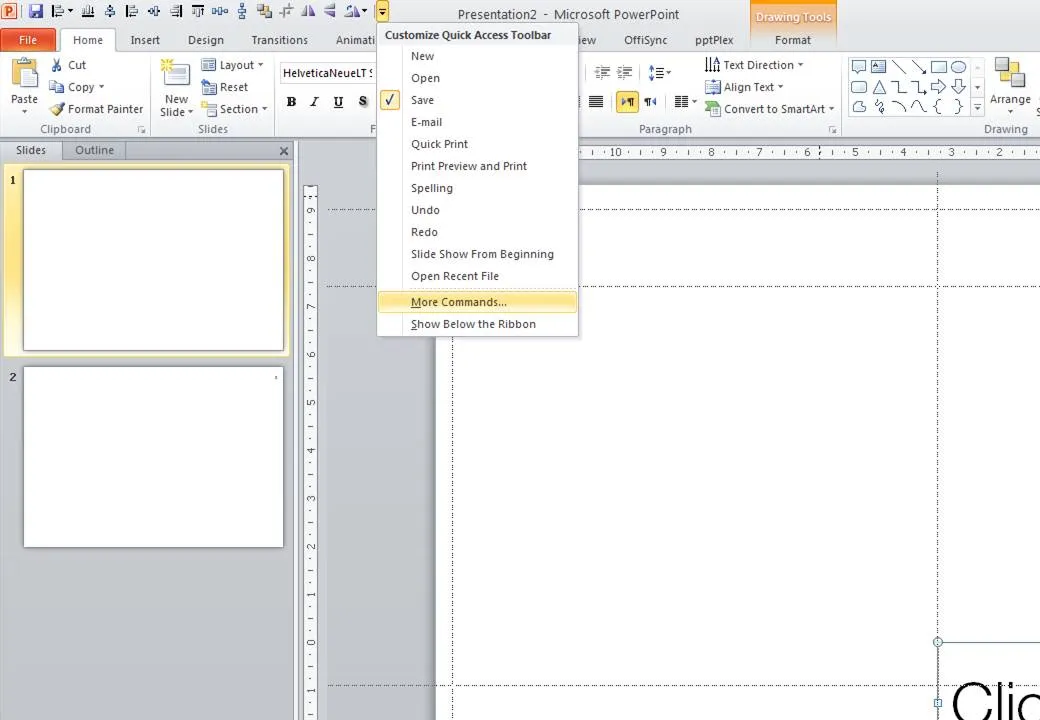
Unlike PowerPoint 2007, it is possible to customize the tool ribbon in PowerPoint 2010 (review). I still use my 2007 workaround in the 2010 version of PowerPoint though. The screen dump below shows those very important buttons that any PowerPoint designer should have always on hand (click for larger image).
DesignPowerPointPresentation designPresentationSoftware

About this blog

Notes on all things presentations โ€” design, storytelling, and AI workflows.

Subscribe now to never miss a post.

RSS

About SlideMagic

A platform for business presentations.

A free student plan is available.

3 comments

Alessandra2010-10-20 09:23:58
Hi Jan,
how are you finding PPT 2010? When you do presentations for your customers who most likely only have the previous versions of PPT, do you run into any compatibility problems?
Is it worth the upgrade if your target customers only have previous versions?
Jan Schultink2010-10-20 09:27:38
I would upgrade and "save as PPT" when someone is still running 2003.
Brent Dykes2010-10-25 21:23:38
Here's what I've been using in my toolbar: Save, Open, Undo, Redo, New Slide, Insert Picture from File, Text Box, Send to Back, Bring to Front, Format Painter, Group, Ungroup, Align Object Middle, Align Object Center, Align Object Left, Align Object Bottom, Align Object Top, Align Object Right, Distribute Vertically, Distribute Horizontally, Line Spacing, Edit Points, Outline Weight, Dashes, Shape Fill, Shape Outline, Flip Horizontal, Flip Vertical, Rotate, Selection Pane.