

PowerPoint files can still contain information that you thought was long gone. Watch out with this, especially when sharing files with outsiders via email, or on content sharing platforms such as SlideShare.
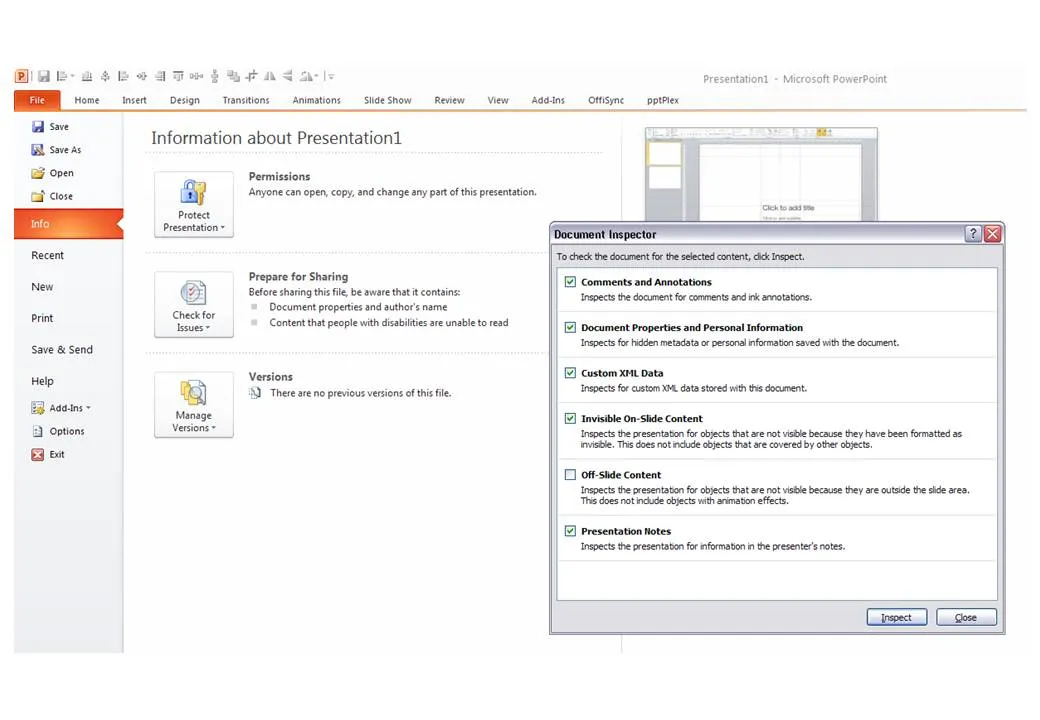
The easy solution is to convert PowerPoint files to PDF. If you want to stick to the PowerPoint format, here are some things to watch out for:
- Data charts (bars, pies, columns) in PowerPoint are generated via an embedded Excel spreadsheet. Even if you did not include data in the graph, the source still sits in the Exel file. Open the spread sheet behind each chart and check whether it contains redundant data you do not want to disclose. (For example breakdowns by category, or in case of public investor presentations, forecast of financials beyond the current reporting period).
- Cropped pictures that were not compressed still remain in PowerPoint in their full size, if you reset the image it comes back in its original form. If you do not want that, select the image, then compress, then ask PowerPoint to remove the cropped areas of the image.
- Hidden content such as author information, speaker notes with informal side comments such as (“not sure whether this is true, I made it up for the moment”), or objects that are outside the canvas of the slide. In PowerPoint 2010 you can inspect your presentation for things like this in file, info, prepare for sharing.
P.S. Image tags can be an unwanted piece of information in PDFs, here is how to get rid of them.
8 comments
TheLadders.com is a job-hunting and recruiting site for 100K+ jobs. Of course privacy is a serious issue.
One way The Ladders pays the bills is through resume writing and rewriting services. As part of their sales pitch, they had downloadable "before" and "after" examples. In the "before" example, the person's name and and the company names in the employment history had been redacted, at least on the surface.
Because the file was downloadable, the person's full name was there for all to see in the Word Document Properties Author field. Also, while the company names had been removed in the heading of each section, no one had checked the list of accomplishments, so there in the very first entry was the company name in the text.
The person who gave permission for their resume to be used this way had no idea that their full name, company, and current position would be so widely distributed and I suspect they had no desire for their current employer to know they were looking.
Definitely a case of "Oops, I thought I deleted that?"
I use 'Hide Slide' a lot, but appreciate that it is still there.
I also use ??? (three question marks) in all Office and other text-bassed products. Searching for ??? allows me to winkle out any outstanding comments like "not sure whether this is true, I made it up for the moment".
(Loving the blog.)
...Geoff