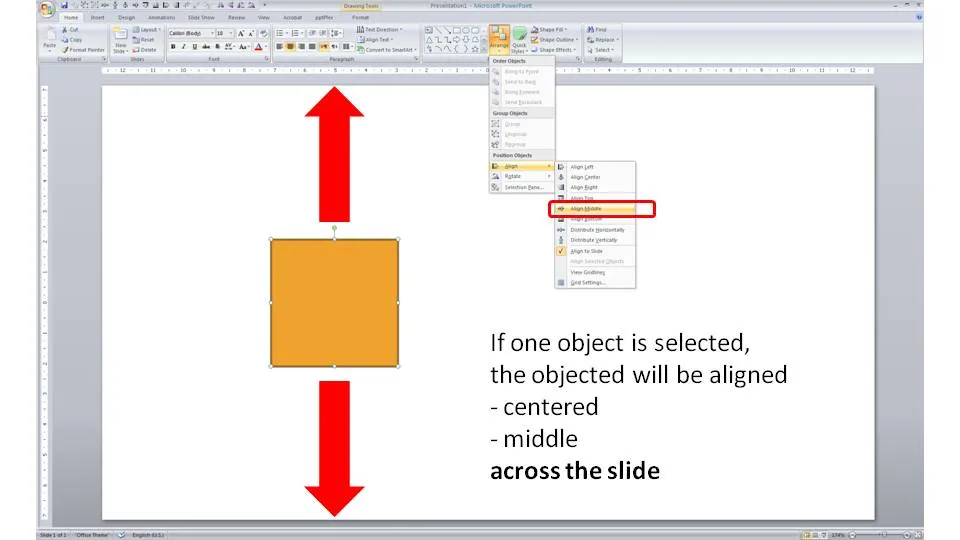
Usually you use the align tool bar buttons (essential tool bar elements) to line up/center multiple objects. If you just select one object and hit a “Align Center” or “Align Middle” button, PowerPoint will center the object across the slide.


Blog post
Usually you use the align tool bar buttons (essential tool bar elements) to line up/center multiple objects. If you just select one object and hit a “Align Center” or “Align Middle” button, PowerPoint will center the object across the slide.
About this blog
Notes on all things presentations — design, storytelling, and AI workflows.
Subscribe now to never miss a post.
About SlideMagic
A platform for business presentations.
A free student plan is available.
2 comments
You can do the same thing in PowerPoint 2003!
The tweak is to check the "Relative to slide" option in the "Draw / Align Or Distribute menu".
This have to be unchecked later on, however (if not, you will always align or distribute across the whole slide, even if you select several shapes).
Alexis