

PDF is the preferred format for emailing out presentations:
- Small file size
- Clean presentation without the risk of an accidental edit
PDF conversions sometimes transfer the full file path and file name of an image in your presentation into a PDF image tag (see example below). Not very pretty.
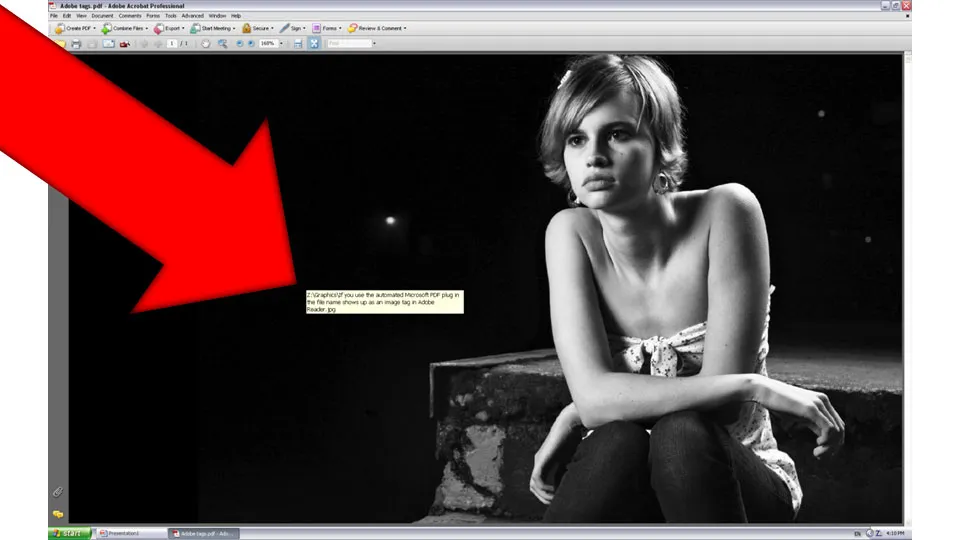
To get rid of these image tags: Open the PDF file in Adobe Acrobat. [In version 8]: go to view, navigation panels, tags, click options, uncheck “Document is tagged PDF”, re-save the file and they’re gone.