

Sankey diagrams are tricky to make in PowerPoint, in the absence of a standard tool, you have to DIY the diagram from individual components. See below the approach I took to recreate a Sankey diagram that is used as an example on WikiPedia.


Here are the steps I took:
- Make it easy to make size adjustments by setting the height of the first block to 10cm
- Create all the square blocks
- Create the quarter circle shape (shape subtract) and put at the appropriate corners
- Create the inverse circle shape (take a square and subtract the quarter circle) and place it on the other side of the corners
- At triangles where necessary, note that I also used a white triangle at the entrance of the system.
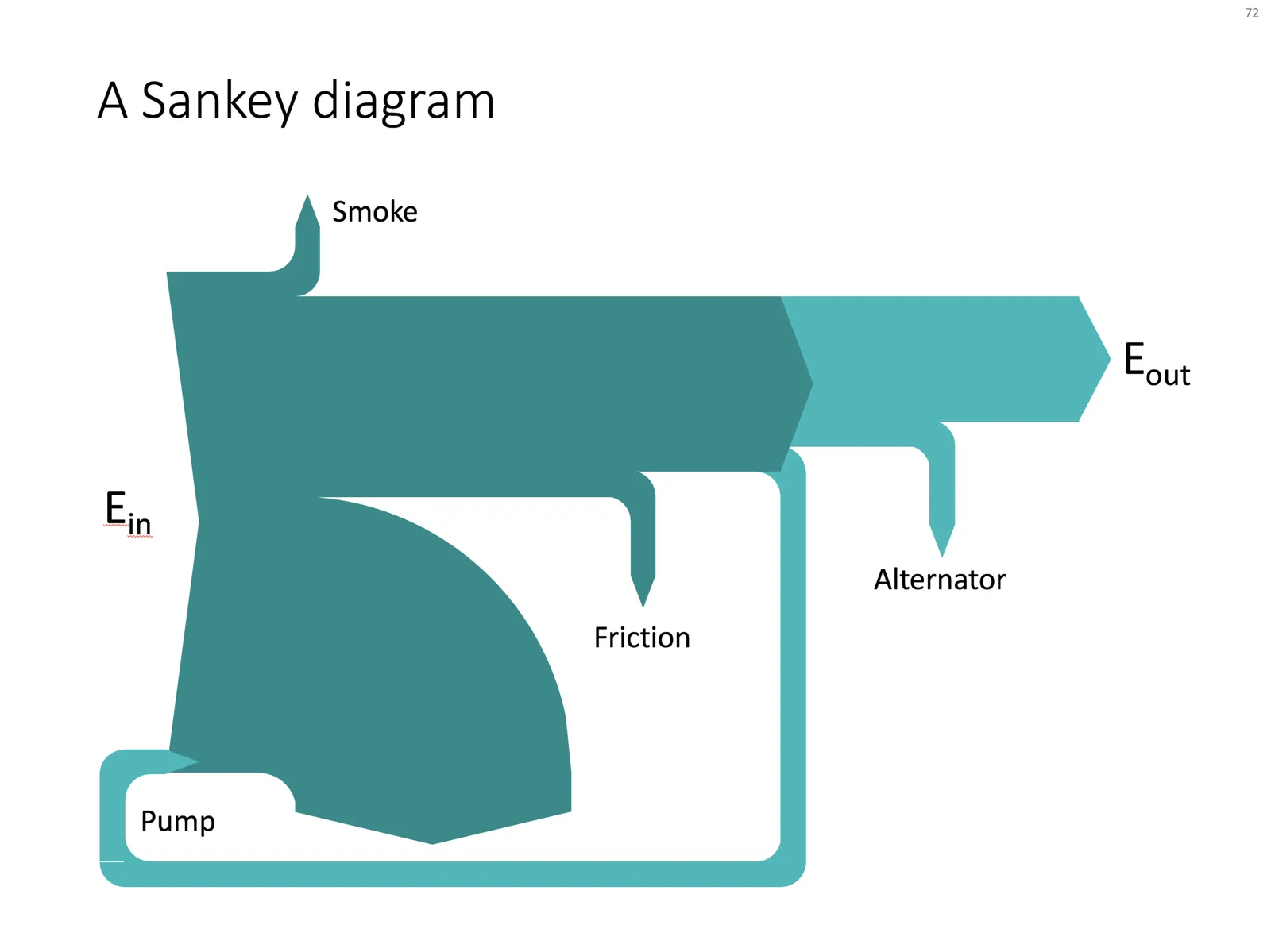
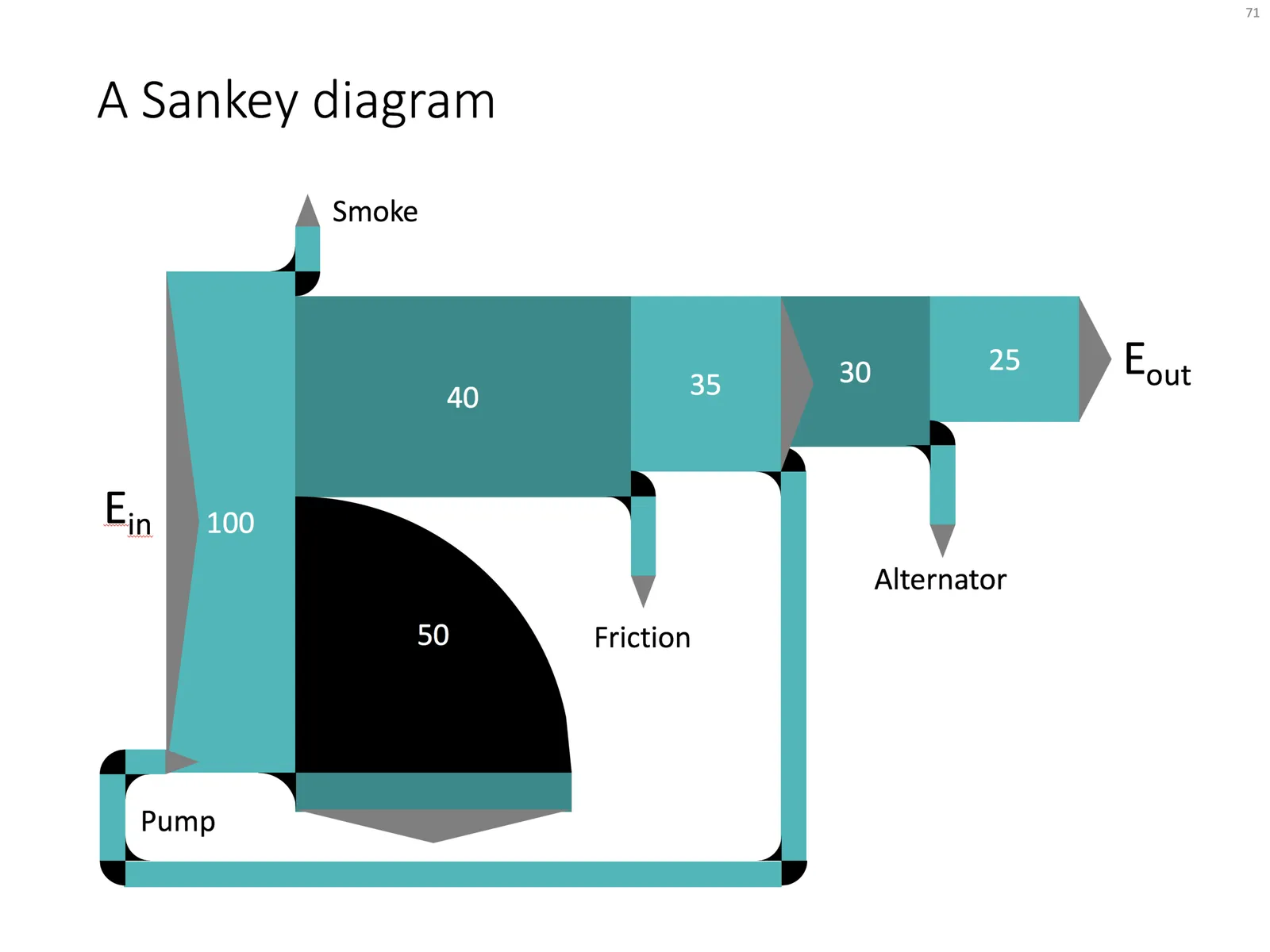
The solution is not perfect, but it works. Feel free to copy this design, or you can download this chart from the SlideMagic template bank.