

PowerPoint allows you to draw curves as lines, but it is harder to make fills under a curved line without resorting to actual data charts. Here is what I do: I use rectangular shapes to cut/shave a shape. See below. Notice that it is also possible to fill your custom shapes with images.

Draw a shape

Position your knife
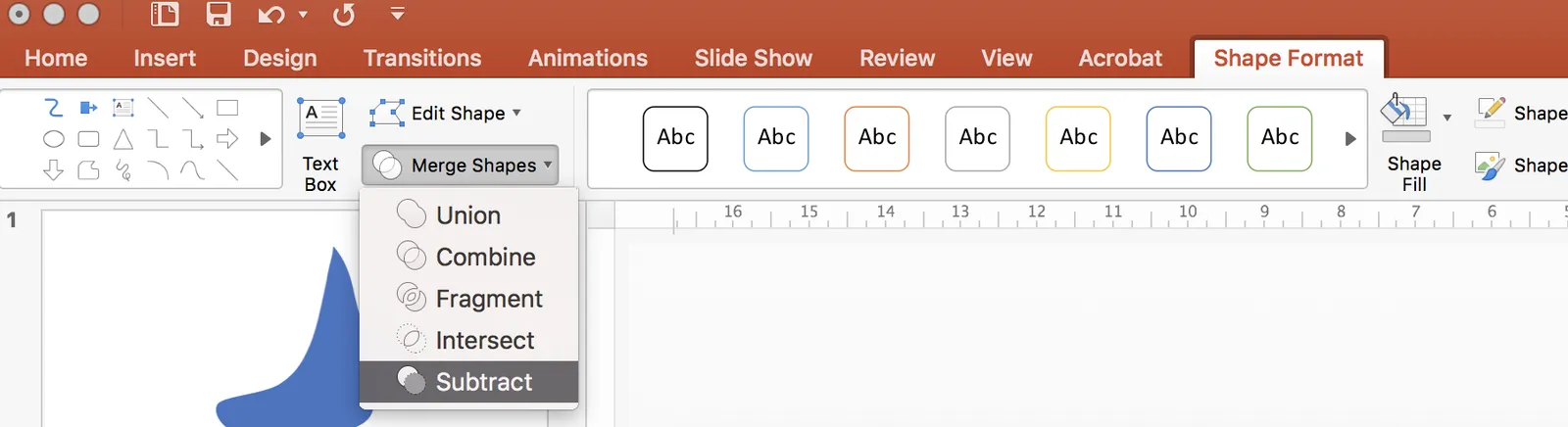
Use the “subtract” function to cut the shape

Horizontal knife

One more cut

Fix the edges with format shape - edit shape - edit points

Add an image if you want