

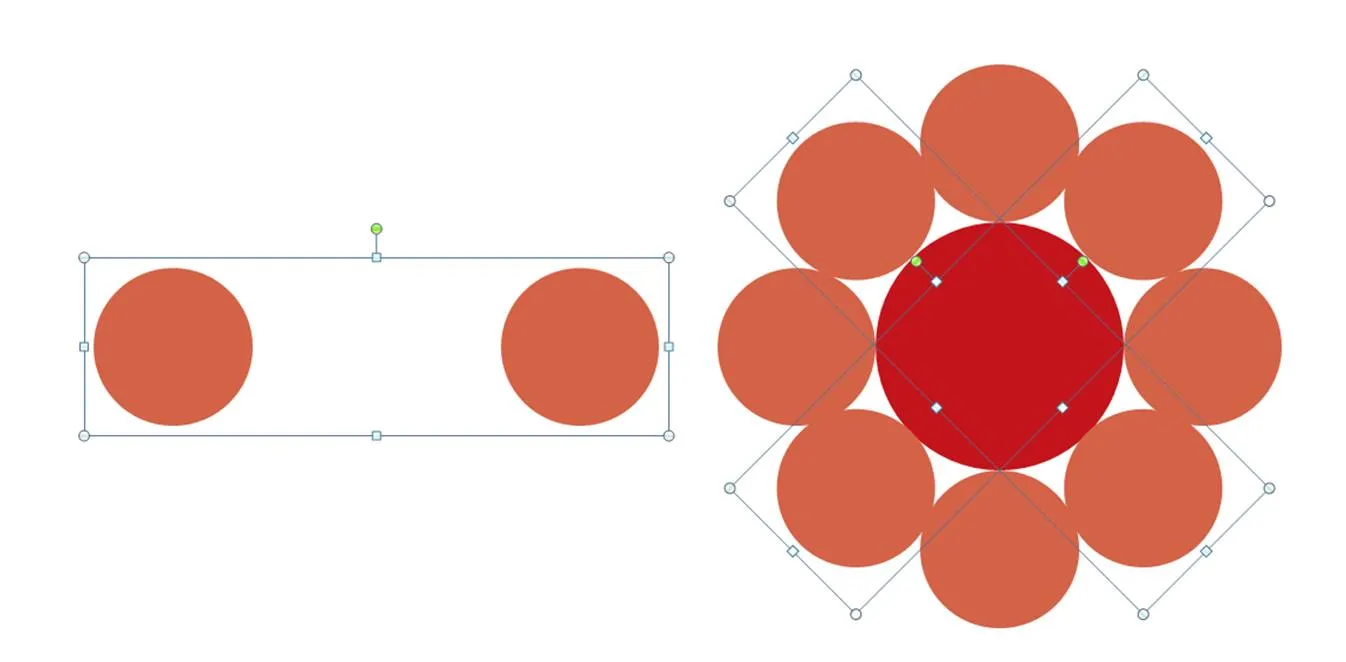
PowerPoint has useful tools to align and distribute objects. Spreading things around a circle is more tricky though. Here is one solution that works with an even number of objects circling the center.
- Draw the rough configuration of the diagram you want (something in the middle, an even amount of objects around it, not yet aligned)
- Align 2 objects horizontally, and fix the distance in between them (left part of the attached illustration)
- Using the “size” function copy (in my case I needed 4) them, and rotate them in increments you need (in my case 360/8=45 degrees).
- Center and middle-align all objects until the diagram is finished (right section of the attached illustration)